在不重新錄製的情況下更快速地本地化SaaS產品演示






人工智能視頻翻譯、定位和配音工具
免費試用
Your product demo looks amazing. Your sales team loves it. Then you try to expand into Germany, Brazil, or Japan—and suddenly that perfect video doesn't work anymore…
Video translator tools fix this problem by turning your English demonstrations into multiple languages without making you re-record everything. Instead of spending weeks coordinating voice actors, studios, and multiple video versions. SaaS teams can localize demos much faster while keeping technical explanations accurate.
Companies using localized product videos often report stronger engagement and improved buyer understanding, because international customers can evaluate features in their own language.
This guide walks you through how video translation works for technical content, which features actually matter when explaining software, and the realistic limitations you need to know before going global
Why Product Demos Need Localization
Most SaaS companies build their first demo in English and assume international customers will figure it out. They won't.
Industry research and practitioner feedback consistently suggest that localized video content can improve comprehension and engagement, because people pay closer attention when content speaks their language. For product demonstrations, the impact is often seen in practical ways:
Higher demo engagement and completion rates in target markets
Clearer understanding of features and workflows, leading to fewer “what does this mean?” questions
Smoother adoption in new regions compared to an English-only rollout
The reason goes beyond simple translation. When a potential customer in Germany watches your feature walkthrough, they need to understand exactly how your software solves their problem. Technical terms, workflow explanations, and value propositions must feel natural in their language. A localized demo proves you're ready to serve their market—not just testing the waters.
"Client-centric software publishers know that customers expect to see a localized version of the product they are purchasing. This is equally—and perhaps more—true of product demos."
For SaaS teams expanding globally, demo localization isn't optional marketing. It's how you show international buyers that your product actually works for them.
Translating Feature Explanations Accurately
Product demos contain technical language that standard translation tools often mess up. When you're explaining how your authentication system works or walking through API integrations, accuracy matters more than speed. A single mistranslated technical term can confuse potential customers or make your software seem unreliable.
Common accuracy challenges in SaaS demos
Technical terminology consistency - Product names, feature labels, and UI elements must translate identically every time they appear
Context-dependent words - Terms like "dashboard," "workflow," or "sync" can mean different things depending on your software category
Cultural adaptation - Some feature benefits need rephrasing to make sense in different markets, not just word-for-word translation
Modern automatic video translator platforms handle these challenges through custom glossaries. You can define exactly how your product terms should appear in each language, then the system applies those rules throughout your entire demo. This prevents the problem where "user dashboard" becomes three different phrases across your video content.
Challenge | Impact | Solution |
Inconsistent terminology | Customers see different names for same feature | Upload custom glossary with product terms |
Lost technical context | Explanations don't make sense in target language | Review translations with someone who understands your software |
Poor audio quality | Translation engine misses important words | Use clear narration in original recording |
The best results come from combining automatic video translation with minimal human review. Let the tool handle the heavy work, then have someone check that technical explanations still make sense in the target language.
Avoiding Re-Recording Overhead
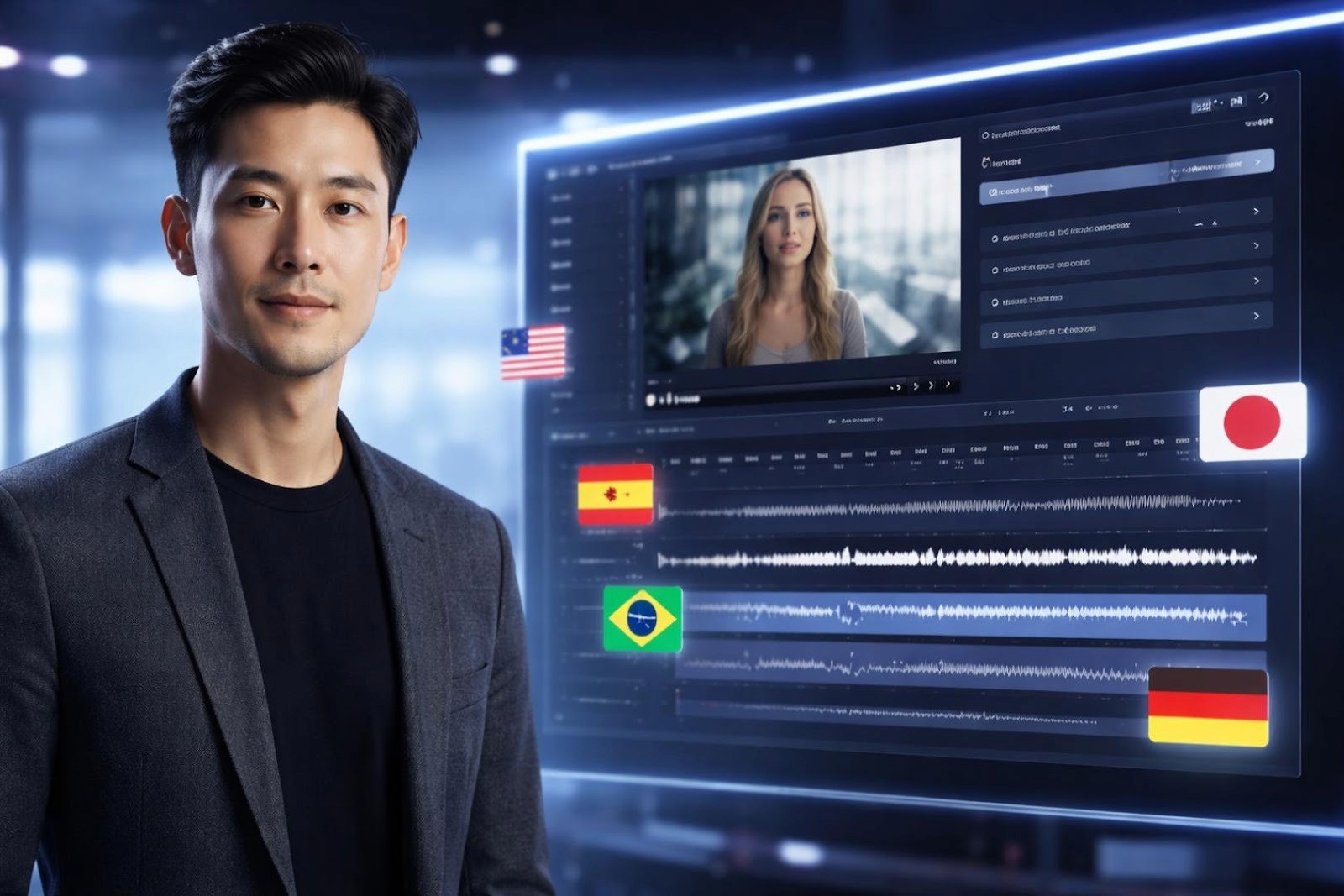
Re-recording demos in multiple languages drains both time and budget. Traditional dubbing can be expensive and slow, especially when you need multiple languages. Even a short product walkthrough can require significant coordination across voice talent, scheduling, and post-production.
Video translator tools reduce a lot of that overhead by automating key steps in the workflow. In practice, teams often see:
Faster turnaround compared to coordinating studio dubbing
Lower production effort per language
Easier iteration when your product UI or messaging changes
The time advantage matters just as much as cost savings. When you update a feature or fix a bug explanation, you can't wait three weeks for new localized demos. Modern tools let you upload your updated English video in the morning and have translated versions ready by afternoon.
For example, a SaaS marketing team might use video translation to publish a product update in multiple markets at the same time, instead of staggering releases by language.
For SaaS teams shipping updates monthly or quarterly, this speed means your international customers see new features at the same time as English-speaking users. No more delayed rollouts or outdated demos confusing potential buyers in other markets.
Example: SaaS Demo Localization
Let’s look at how a video translator could work for a typical product demonstration. Imagine you're a project management software company launching in Europe and Latin America.
Your original demo video includes:
Feature walkthrough showing task assignment workflows
UI screenshots with English labels
Voiceover explaining integration capabilities
Technical terms like "API endpoints" and "webhook triggers"
The localization process
Upload your English demo to the video translation platform
Set your target languages - Spanish, German, French, Portuguese
Add custom glossary with your product-specific terms
Generate translations - processing time varies depending on video length and languages
Review output for technical accuracy in each language
Here’s a realistic scenario: a SaaS company translates its product introduction videos into multiple languages and uses them across regional landing pages, sales outreach, and onboarding. The goal is simple: make the demo easy to understand for buyers who are not fluent in English.
Another common approach is to integrate localization into the release workflow. In that setup, teams translate updated demos whenever the product UI changes, helping international audiences stay aligned with the latest features without waiting for a separate dubbing cycle.
Teams often evaluate localized demos by looking at signals like engagement, onboarding drop-off points, and the types of questions coming into support. When demos are easier to understand in the viewer’s language, onboarding can feel smoother and less confusing.
Limitations to Watch For
Video translator tools work well, but they're not perfect. Understanding what they struggle with helps you plan better quality control.
Common challenges
Cultural context gets lost - Idioms, humor, and regional expressions often translate literally instead of adapting naturally
Voice emotion can sound flat - AI-generated voices improve constantly but may lack the emotional range of human narrators
Technical terminology needs review - Complex product-specific terms might translate incorrectly without custom glossaries
Lip-sync isn't always perfect - Advanced tools offer lip-sync features, but close-up talking head shots may show visible mismatches
Audio quality depends on source - Background noise, unclear speech, or poor recording quality in your original video reduces translation accuracy
The solution isn't avoiding these tools—it's using them smartly. Most SaaS teams follow this approach:
Let AI handle the bulk translation work
Have someone who knows both the language and your product review the output
Fix any technical terms or explanations that sound awkward
Test the localized demo with actual users in that market when possible
This hybrid approach can give you faster turnaround while maintaining quality through targeted human oversight. You avoid the full cost of traditional dubbing but catch issues that automated systems miss.
Conclusion
Video translator tools solve a real problem for SaaS product teams: getting quality demos into multiple languages without the delays and costs of traditional production. The technology works especially well when you combine automated translation with focused quality checks on technical content.
Your best path forward? Start with one or two priority languages, test the results with real customers, and expand from there. Many teams notice better engagement and clearer buyer understanding when demos speak the viewer’s language. The tools aren't perfect, but they're good enough to help you reach global markets sooner, without relying entirely on traditional localization timelines.
Your product demo looks amazing. Your sales team loves it. Then you try to expand into Germany, Brazil, or Japan—and suddenly that perfect video doesn't work anymore…
Video translator tools fix this problem by turning your English demonstrations into multiple languages without making you re-record everything. Instead of spending weeks coordinating voice actors, studios, and multiple video versions. SaaS teams can localize demos much faster while keeping technical explanations accurate.
Companies using localized product videos often report stronger engagement and improved buyer understanding, because international customers can evaluate features in their own language.
This guide walks you through how video translation works for technical content, which features actually matter when explaining software, and the realistic limitations you need to know before going global
Why Product Demos Need Localization
Most SaaS companies build their first demo in English and assume international customers will figure it out. They won't.
Industry research and practitioner feedback consistently suggest that localized video content can improve comprehension and engagement, because people pay closer attention when content speaks their language. For product demonstrations, the impact is often seen in practical ways:
Higher demo engagement and completion rates in target markets
Clearer understanding of features and workflows, leading to fewer “what does this mean?” questions
Smoother adoption in new regions compared to an English-only rollout
The reason goes beyond simple translation. When a potential customer in Germany watches your feature walkthrough, they need to understand exactly how your software solves their problem. Technical terms, workflow explanations, and value propositions must feel natural in their language. A localized demo proves you're ready to serve their market—not just testing the waters.
"Client-centric software publishers know that customers expect to see a localized version of the product they are purchasing. This is equally—and perhaps more—true of product demos."
For SaaS teams expanding globally, demo localization isn't optional marketing. It's how you show international buyers that your product actually works for them.
Translating Feature Explanations Accurately
Product demos contain technical language that standard translation tools often mess up. When you're explaining how your authentication system works or walking through API integrations, accuracy matters more than speed. A single mistranslated technical term can confuse potential customers or make your software seem unreliable.
Common accuracy challenges in SaaS demos
Technical terminology consistency - Product names, feature labels, and UI elements must translate identically every time they appear
Context-dependent words - Terms like "dashboard," "workflow," or "sync" can mean different things depending on your software category
Cultural adaptation - Some feature benefits need rephrasing to make sense in different markets, not just word-for-word translation
Modern automatic video translator platforms handle these challenges through custom glossaries. You can define exactly how your product terms should appear in each language, then the system applies those rules throughout your entire demo. This prevents the problem where "user dashboard" becomes three different phrases across your video content.
Challenge | Impact | Solution |
Inconsistent terminology | Customers see different names for same feature | Upload custom glossary with product terms |
Lost technical context | Explanations don't make sense in target language | Review translations with someone who understands your software |
Poor audio quality | Translation engine misses important words | Use clear narration in original recording |
The best results come from combining automatic video translation with minimal human review. Let the tool handle the heavy work, then have someone check that technical explanations still make sense in the target language.
Avoiding Re-Recording Overhead
Re-recording demos in multiple languages drains both time and budget. Traditional dubbing can be expensive and slow, especially when you need multiple languages. Even a short product walkthrough can require significant coordination across voice talent, scheduling, and post-production.
Video translator tools reduce a lot of that overhead by automating key steps in the workflow. In practice, teams often see:
Faster turnaround compared to coordinating studio dubbing
Lower production effort per language
Easier iteration when your product UI or messaging changes
The time advantage matters just as much as cost savings. When you update a feature or fix a bug explanation, you can't wait three weeks for new localized demos. Modern tools let you upload your updated English video in the morning and have translated versions ready by afternoon.
For example, a SaaS marketing team might use video translation to publish a product update in multiple markets at the same time, instead of staggering releases by language.
For SaaS teams shipping updates monthly or quarterly, this speed means your international customers see new features at the same time as English-speaking users. No more delayed rollouts or outdated demos confusing potential buyers in other markets.
Example: SaaS Demo Localization
Let’s look at how a video translator could work for a typical product demonstration. Imagine you're a project management software company launching in Europe and Latin America.
Your original demo video includes:
Feature walkthrough showing task assignment workflows
UI screenshots with English labels
Voiceover explaining integration capabilities
Technical terms like "API endpoints" and "webhook triggers"
The localization process
Upload your English demo to the video translation platform
Set your target languages - Spanish, German, French, Portuguese
Add custom glossary with your product-specific terms
Generate translations - processing time varies depending on video length and languages
Review output for technical accuracy in each language
Here’s a realistic scenario: a SaaS company translates its product introduction videos into multiple languages and uses them across regional landing pages, sales outreach, and onboarding. The goal is simple: make the demo easy to understand for buyers who are not fluent in English.
Another common approach is to integrate localization into the release workflow. In that setup, teams translate updated demos whenever the product UI changes, helping international audiences stay aligned with the latest features without waiting for a separate dubbing cycle.
Teams often evaluate localized demos by looking at signals like engagement, onboarding drop-off points, and the types of questions coming into support. When demos are easier to understand in the viewer’s language, onboarding can feel smoother and less confusing.
Limitations to Watch For
Video translator tools work well, but they're not perfect. Understanding what they struggle with helps you plan better quality control.
Common challenges
Cultural context gets lost - Idioms, humor, and regional expressions often translate literally instead of adapting naturally
Voice emotion can sound flat - AI-generated voices improve constantly but may lack the emotional range of human narrators
Technical terminology needs review - Complex product-specific terms might translate incorrectly without custom glossaries
Lip-sync isn't always perfect - Advanced tools offer lip-sync features, but close-up talking head shots may show visible mismatches
Audio quality depends on source - Background noise, unclear speech, or poor recording quality in your original video reduces translation accuracy
The solution isn't avoiding these tools—it's using them smartly. Most SaaS teams follow this approach:
Let AI handle the bulk translation work
Have someone who knows both the language and your product review the output
Fix any technical terms or explanations that sound awkward
Test the localized demo with actual users in that market when possible
This hybrid approach can give you faster turnaround while maintaining quality through targeted human oversight. You avoid the full cost of traditional dubbing but catch issues that automated systems miss.
Conclusion
Video translator tools solve a real problem for SaaS product teams: getting quality demos into multiple languages without the delays and costs of traditional production. The technology works especially well when you combine automated translation with focused quality checks on technical content.
Your best path forward? Start with one or two priority languages, test the results with real customers, and expand from there. Many teams notice better engagement and clearer buyer understanding when demos speak the viewer’s language. The tools aren't perfect, but they're good enough to help you reach global markets sooner, without relying entirely on traditional localization timelines.
繼續閱讀
瀏覽全部