AI Dubbing for TikTok & YouTube Shorts: Creator's Guide




Jump to section
Jump to section

Share
Share
Share
AI Video Translator, Localization, and Dubbing Tool
Try it out for Free
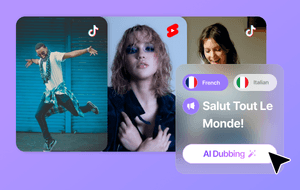
The fastest way to grow a short-form channel beyond a single language market is AI dubbing — and Perso AI makes it possible without re-recording a single video. Upload your TikTok or YouTube Short, select from 33+ languages, and get a dubbed version with voice cloning and lip sync that sounds like you — in your audience's native language. Over 460,000 creators and businesses already use it, with 80% based outside Korea.
Why Short-Form Creators Are Leaving Global Audiences on the Table
Short-form video has become one of the most powerful distribution formats on the internet. TikTok and YouTube Shorts now reach audiences at a scale that was unimaginable for independent creators just a few years ago.
But most creators still publish in a single language. That means every video they post reaches only a fraction of the global audience that could be watching it.
The traditional fix — re-recording content in multiple languages — is too slow and expensive for videos that may be 15–60 seconds long and published several times a week. It breaks posting cadence and doesn't scale.
AI dubbing changes that equation entirely. Your voice, your tone, your delivery — preserved across every language version, without going back to the recording setup.
What Makes Short-Form Dubbing Different
Dubbing a 60-minute documentary and dubbing a 30-second TikTok are not the same challenge. Short-form content has specific constraints that make the workflow different:
Timing is unforgiving. In a short video, even a half-second sync mismatch is immediately noticeable.
Energy and tone carry the content. The speaker's personality is often the entire value of the video. A flat or robotic translation loses the reason people were watching in the first place.
Publishing frequency is high. A workflow that takes hours per video doesn't work when creators post daily or multiple times a week.
The right AI dubbing workflow addresses all three. Speed, voice authenticity, and lip sync stability — these are the three variables that determine whether a dubbed short-form video performs or falls flat.
Step-by-Step: How to Dub TikTok and YouTube Shorts with Perso AI
Step 1 — Prepare Your Source Video
Start with your original video in any language. For best results, use audio without heavy background music over the speaking parts — this helps the AI transcribe cleanly and clone your voice accurately.
If your video is already live on TikTok or YouTube, copy the URL. Perso AI supports direct URL import from both platforms. If the video is still on your device, you can upload the file directly.
Clear visibility of the speaker's face helps with lip sync quality — but Perso AI can work with partial face visibility and multiple camera angles.
Step 2 — Choose Your Target Languages
Select the languages that match your target markets. Perso AI supports 33+ languages for dubbing with voice cloning.
A few starting points by content type:
Lifestyle and wellness: Spanish, Portuguese, Hindi
Tech and productivity: German, Japanese, Korean
Entertainment and comedy: French, Indonesian, Turkish
Start with 1–2 languages first. Test real performance before expanding — audience response data is more reliable than assumptions about which markets will engage.
Step 3 — Upload, Translate, and Generate
Paste your TikTok or YouTube URL into Perso AI — or upload your video file directly. Select your target languages and start the process.
Perso AI automatically transcribes your original audio, translates the content, and generates a voice clone that preserves your speaking style, tone, and energy level. Lip sync is applied to match the dubbed audio to your facial movements.
Try Perso AI free — dub your first short-form video in 33+ languages →
Step 4 — Review and Refine with the Script Editor
Once the dubbed version is generated, Perso AI's built-in script editor lets you review translated lines before export. This is the step most creators skip — and it's where quality separation happens.
Check for:
Cultural references that may need adjustment for different audiences (a reference specific to one country may land flat or confuse viewers elsewhere)
Brand terminology — use Perso AI's custom glossary to lock in consistent translations of product names, channel names, or recurring phrases
Timing fit — if a translated line runs longer than the original, adjust phrasing in the editor to keep sync tight
Step 5 — Export in Platform-Optimized Format
Export your dubbed videos in the correct format for each platform:
TikTok: 9:16 vertical, properly positioned captions
YouTube Shorts: Correct aspect ratio and resolution for optimal display
Keep vertical framing and caption placement consistent with your original — viewers in every market expect the same visual experience.
Step 6 — Publish with Localized Metadata
Don't upload a dubbed video with the original English title and hashtags. Localized metadata directly affects discoverability in each market.
Translate titles and descriptions into the target language
Research trending hashtags in that language — don't just translate your existing tags
Use localized thumbnails where the platform allows
Different language markets have distinct trending topics and search behaviors. The dubbed video gets you to the right audience; localized metadata helps them find it.
Step 7 — Track Performance by Language and Refine
After publishing, monitor performance metrics by market using platform analytics (YouTube Studio by region, TikTok Analytics by territory).
Key signals to watch:
Watch time and completion rate by language version
Comment volume and engagement rate per market
Subscriber or follower growth by region after publishing dubbed versions
Use this data to prioritize which languages to expand into next. Some content types will significantly outperform in specific markets — let the data guide the language expansion, not guesswork.
Why Perso AI Fits Short-Form Creator Workflows
Perso AI is used by content creators with a combined 12M+ subscribers to localize videos for global audiences. It delivers a 98% cost reduction compared to traditional dubbing methods — which is what makes the economics work for short-form content that needs frequent, high-volume output.
The three capabilities that matter most for short-form creators are all inside one workflow:
Voice cloning preserves your speaking style, energy, and tone across every language — so your international audience hears you, not a generic AI voice.
AI lip sync keeps your facial movements aligned with the dubbed audio, which is especially critical in talking-head content where the face is the focal point.
Script editor + glossary lets you catch translation issues and lock in brand terminology before export, eliminating the most common reason creators re-record or abandon dubbing workflows.
For creators who post frequently and want to reach global audiences without rebuilding their workflow, Perso AI covers the full cycle — translate, refine, sync, export — in one place.
Before vs. After: What AI Dubbing Changes for Creators
Before Perso AI: One video published → single language market → re-recording required for each new language → posting cadence disrupted → global growth stalled
After Perso AI: One video published → 33+ language versions generated → script reviewed → exported → posted with localized metadata → same posting cadence maintained across all markets
The compounding effect: every video you publish now reaches not one audience, but as many language markets as you choose to activate.
Frequently Asked Questions
Can I dub TikToks and YouTube Shorts without re-recording them? Yes. Perso AI uses voice cloning and lip sync to translate and dub your existing videos while preserving your speaking style, tone, and energy. You don't return to the recording setup — you upload the video you've already made, select your target languages, and let the AI handle the rest. It supports direct URL import from TikTok and YouTube, as well as file upload.
How many languages can I dub into with Perso AI? Perso AI supports 33+ languages for AI dubbing with voice cloning. You can select one or multiple languages per video, which makes it practical to test new markets with existing content before committing to a full localization strategy.
Do I need editing skills to use AI dubbing for short-form content? No. Perso AI is designed for creators, not editors. You upload your video, choose languages, and the platform handles transcription, translation, voice cloning, and lip sync automatically. The optional script editor lets you review translated lines before export — but it doesn't require technical knowledge to use.
Will the dubbed voice sound natural or robotic? Perso AI's voice cloning technology preserves your speaking tone, pacing, and emotional delivery. The output is designed to sound like you speaking the target language — not a generic text-to-speech voice reading a translation. For short-form content specifically, where energy and personality drive engagement, maintaining vocal authenticity is a core part of how the product is built.
How do I know which languages to prioritize for my content? Start with 1–2 languages and let real performance data guide expansion. As a general starting point: Spanish, Portuguese, and Hindi typically perform well for lifestyle and wellness content; German, Japanese, and Korean audiences engage strongly with tech and productivity content. After publishing, use YouTube Studio's regional analytics or TikTok Analytics by territory to identify which markets are responding — then expand based on evidence, not assumptions.
Is Perso AI free to try? Yes. Perso AI offers a free tier with daily renewable credits, so you can test the dubbing workflow on your own content before committing to a paid plan. Paid plans start at $6.99/month — a 98% cost reduction compared to traditional dubbing methods.
The fastest way to grow a short-form channel beyond a single language market is AI dubbing — and Perso AI makes it possible without re-recording a single video. Upload your TikTok or YouTube Short, select from 33+ languages, and get a dubbed version with voice cloning and lip sync that sounds like you — in your audience's native language. Over 460,000 creators and businesses already use it, with 80% based outside Korea.
Why Short-Form Creators Are Leaving Global Audiences on the Table
Short-form video has become one of the most powerful distribution formats on the internet. TikTok and YouTube Shorts now reach audiences at a scale that was unimaginable for independent creators just a few years ago.
But most creators still publish in a single language. That means every video they post reaches only a fraction of the global audience that could be watching it.
The traditional fix — re-recording content in multiple languages — is too slow and expensive for videos that may be 15–60 seconds long and published several times a week. It breaks posting cadence and doesn't scale.
AI dubbing changes that equation entirely. Your voice, your tone, your delivery — preserved across every language version, without going back to the recording setup.
What Makes Short-Form Dubbing Different
Dubbing a 60-minute documentary and dubbing a 30-second TikTok are not the same challenge. Short-form content has specific constraints that make the workflow different:
Timing is unforgiving. In a short video, even a half-second sync mismatch is immediately noticeable.
Energy and tone carry the content. The speaker's personality is often the entire value of the video. A flat or robotic translation loses the reason people were watching in the first place.
Publishing frequency is high. A workflow that takes hours per video doesn't work when creators post daily or multiple times a week.
The right AI dubbing workflow addresses all three. Speed, voice authenticity, and lip sync stability — these are the three variables that determine whether a dubbed short-form video performs or falls flat.
Step-by-Step: How to Dub TikTok and YouTube Shorts with Perso AI
Step 1 — Prepare Your Source Video
Start with your original video in any language. For best results, use audio without heavy background music over the speaking parts — this helps the AI transcribe cleanly and clone your voice accurately.
If your video is already live on TikTok or YouTube, copy the URL. Perso AI supports direct URL import from both platforms. If the video is still on your device, you can upload the file directly.
Clear visibility of the speaker's face helps with lip sync quality — but Perso AI can work with partial face visibility and multiple camera angles.
Step 2 — Choose Your Target Languages
Select the languages that match your target markets. Perso AI supports 33+ languages for dubbing with voice cloning.
A few starting points by content type:
Lifestyle and wellness: Spanish, Portuguese, Hindi
Tech and productivity: German, Japanese, Korean
Entertainment and comedy: French, Indonesian, Turkish
Start with 1–2 languages first. Test real performance before expanding — audience response data is more reliable than assumptions about which markets will engage.
Step 3 — Upload, Translate, and Generate
Paste your TikTok or YouTube URL into Perso AI — or upload your video file directly. Select your target languages and start the process.
Perso AI automatically transcribes your original audio, translates the content, and generates a voice clone that preserves your speaking style, tone, and energy level. Lip sync is applied to match the dubbed audio to your facial movements.
Try Perso AI free — dub your first short-form video in 33+ languages →
Step 4 — Review and Refine with the Script Editor
Once the dubbed version is generated, Perso AI's built-in script editor lets you review translated lines before export. This is the step most creators skip — and it's where quality separation happens.
Check for:
Cultural references that may need adjustment for different audiences (a reference specific to one country may land flat or confuse viewers elsewhere)
Brand terminology — use Perso AI's custom glossary to lock in consistent translations of product names, channel names, or recurring phrases
Timing fit — if a translated line runs longer than the original, adjust phrasing in the editor to keep sync tight
Step 5 — Export in Platform-Optimized Format
Export your dubbed videos in the correct format for each platform:
TikTok: 9:16 vertical, properly positioned captions
YouTube Shorts: Correct aspect ratio and resolution for optimal display
Keep vertical framing and caption placement consistent with your original — viewers in every market expect the same visual experience.
Step 6 — Publish with Localized Metadata
Don't upload a dubbed video with the original English title and hashtags. Localized metadata directly affects discoverability in each market.
Translate titles and descriptions into the target language
Research trending hashtags in that language — don't just translate your existing tags
Use localized thumbnails where the platform allows
Different language markets have distinct trending topics and search behaviors. The dubbed video gets you to the right audience; localized metadata helps them find it.
Step 7 — Track Performance by Language and Refine
After publishing, monitor performance metrics by market using platform analytics (YouTube Studio by region, TikTok Analytics by territory).
Key signals to watch:
Watch time and completion rate by language version
Comment volume and engagement rate per market
Subscriber or follower growth by region after publishing dubbed versions
Use this data to prioritize which languages to expand into next. Some content types will significantly outperform in specific markets — let the data guide the language expansion, not guesswork.
Why Perso AI Fits Short-Form Creator Workflows
Perso AI is used by content creators with a combined 12M+ subscribers to localize videos for global audiences. It delivers a 98% cost reduction compared to traditional dubbing methods — which is what makes the economics work for short-form content that needs frequent, high-volume output.
The three capabilities that matter most for short-form creators are all inside one workflow:
Voice cloning preserves your speaking style, energy, and tone across every language — so your international audience hears you, not a generic AI voice.
AI lip sync keeps your facial movements aligned with the dubbed audio, which is especially critical in talking-head content where the face is the focal point.
Script editor + glossary lets you catch translation issues and lock in brand terminology before export, eliminating the most common reason creators re-record or abandon dubbing workflows.
For creators who post frequently and want to reach global audiences without rebuilding their workflow, Perso AI covers the full cycle — translate, refine, sync, export — in one place.
Before vs. After: What AI Dubbing Changes for Creators
Before Perso AI: One video published → single language market → re-recording required for each new language → posting cadence disrupted → global growth stalled
After Perso AI: One video published → 33+ language versions generated → script reviewed → exported → posted with localized metadata → same posting cadence maintained across all markets
The compounding effect: every video you publish now reaches not one audience, but as many language markets as you choose to activate.
Frequently Asked Questions
Can I dub TikToks and YouTube Shorts without re-recording them? Yes. Perso AI uses voice cloning and lip sync to translate and dub your existing videos while preserving your speaking style, tone, and energy. You don't return to the recording setup — you upload the video you've already made, select your target languages, and let the AI handle the rest. It supports direct URL import from TikTok and YouTube, as well as file upload.
How many languages can I dub into with Perso AI? Perso AI supports 33+ languages for AI dubbing with voice cloning. You can select one or multiple languages per video, which makes it practical to test new markets with existing content before committing to a full localization strategy.
Do I need editing skills to use AI dubbing for short-form content? No. Perso AI is designed for creators, not editors. You upload your video, choose languages, and the platform handles transcription, translation, voice cloning, and lip sync automatically. The optional script editor lets you review translated lines before export — but it doesn't require technical knowledge to use.
Will the dubbed voice sound natural or robotic? Perso AI's voice cloning technology preserves your speaking tone, pacing, and emotional delivery. The output is designed to sound like you speaking the target language — not a generic text-to-speech voice reading a translation. For short-form content specifically, where energy and personality drive engagement, maintaining vocal authenticity is a core part of how the product is built.
How do I know which languages to prioritize for my content? Start with 1–2 languages and let real performance data guide expansion. As a general starting point: Spanish, Portuguese, and Hindi typically perform well for lifestyle and wellness content; German, Japanese, and Korean audiences engage strongly with tech and productivity content. After publishing, use YouTube Studio's regional analytics or TikTok Analytics by territory to identify which markets are responding — then expand based on evidence, not assumptions.
Is Perso AI free to try? Yes. Perso AI offers a free tier with daily renewable credits, so you can test the dubbing workflow on your own content before committing to a paid plan. Paid plans start at $6.99/month — a 98% cost reduction compared to traditional dubbing methods.
The fastest way to grow a short-form channel beyond a single language market is AI dubbing — and Perso AI makes it possible without re-recording a single video. Upload your TikTok or YouTube Short, select from 33+ languages, and get a dubbed version with voice cloning and lip sync that sounds like you — in your audience's native language. Over 460,000 creators and businesses already use it, with 80% based outside Korea.
Why Short-Form Creators Are Leaving Global Audiences on the Table
Short-form video has become one of the most powerful distribution formats on the internet. TikTok and YouTube Shorts now reach audiences at a scale that was unimaginable for independent creators just a few years ago.
But most creators still publish in a single language. That means every video they post reaches only a fraction of the global audience that could be watching it.
The traditional fix — re-recording content in multiple languages — is too slow and expensive for videos that may be 15–60 seconds long and published several times a week. It breaks posting cadence and doesn't scale.
AI dubbing changes that equation entirely. Your voice, your tone, your delivery — preserved across every language version, without going back to the recording setup.
What Makes Short-Form Dubbing Different
Dubbing a 60-minute documentary and dubbing a 30-second TikTok are not the same challenge. Short-form content has specific constraints that make the workflow different:
Timing is unforgiving. In a short video, even a half-second sync mismatch is immediately noticeable.
Energy and tone carry the content. The speaker's personality is often the entire value of the video. A flat or robotic translation loses the reason people were watching in the first place.
Publishing frequency is high. A workflow that takes hours per video doesn't work when creators post daily or multiple times a week.
The right AI dubbing workflow addresses all three. Speed, voice authenticity, and lip sync stability — these are the three variables that determine whether a dubbed short-form video performs or falls flat.
Step-by-Step: How to Dub TikTok and YouTube Shorts with Perso AI
Step 1 — Prepare Your Source Video
Start with your original video in any language. For best results, use audio without heavy background music over the speaking parts — this helps the AI transcribe cleanly and clone your voice accurately.
If your video is already live on TikTok or YouTube, copy the URL. Perso AI supports direct URL import from both platforms. If the video is still on your device, you can upload the file directly.
Clear visibility of the speaker's face helps with lip sync quality — but Perso AI can work with partial face visibility and multiple camera angles.
Step 2 — Choose Your Target Languages
Select the languages that match your target markets. Perso AI supports 33+ languages for dubbing with voice cloning.
A few starting points by content type:
Lifestyle and wellness: Spanish, Portuguese, Hindi
Tech and productivity: German, Japanese, Korean
Entertainment and comedy: French, Indonesian, Turkish
Start with 1–2 languages first. Test real performance before expanding — audience response data is more reliable than assumptions about which markets will engage.
Step 3 — Upload, Translate, and Generate
Paste your TikTok or YouTube URL into Perso AI — or upload your video file directly. Select your target languages and start the process.
Perso AI automatically transcribes your original audio, translates the content, and generates a voice clone that preserves your speaking style, tone, and energy level. Lip sync is applied to match the dubbed audio to your facial movements.
Try Perso AI free — dub your first short-form video in 33+ languages →
Step 4 — Review and Refine with the Script Editor
Once the dubbed version is generated, Perso AI's built-in script editor lets you review translated lines before export. This is the step most creators skip — and it's where quality separation happens.
Check for:
Cultural references that may need adjustment for different audiences (a reference specific to one country may land flat or confuse viewers elsewhere)
Brand terminology — use Perso AI's custom glossary to lock in consistent translations of product names, channel names, or recurring phrases
Timing fit — if a translated line runs longer than the original, adjust phrasing in the editor to keep sync tight
Step 5 — Export in Platform-Optimized Format
Export your dubbed videos in the correct format for each platform:
TikTok: 9:16 vertical, properly positioned captions
YouTube Shorts: Correct aspect ratio and resolution for optimal display
Keep vertical framing and caption placement consistent with your original — viewers in every market expect the same visual experience.
Step 6 — Publish with Localized Metadata
Don't upload a dubbed video with the original English title and hashtags. Localized metadata directly affects discoverability in each market.
Translate titles and descriptions into the target language
Research trending hashtags in that language — don't just translate your existing tags
Use localized thumbnails where the platform allows
Different language markets have distinct trending topics and search behaviors. The dubbed video gets you to the right audience; localized metadata helps them find it.
Step 7 — Track Performance by Language and Refine
After publishing, monitor performance metrics by market using platform analytics (YouTube Studio by region, TikTok Analytics by territory).
Key signals to watch:
Watch time and completion rate by language version
Comment volume and engagement rate per market
Subscriber or follower growth by region after publishing dubbed versions
Use this data to prioritize which languages to expand into next. Some content types will significantly outperform in specific markets — let the data guide the language expansion, not guesswork.
Why Perso AI Fits Short-Form Creator Workflows
Perso AI is used by content creators with a combined 12M+ subscribers to localize videos for global audiences. It delivers a 98% cost reduction compared to traditional dubbing methods — which is what makes the economics work for short-form content that needs frequent, high-volume output.
The three capabilities that matter most for short-form creators are all inside one workflow:
Voice cloning preserves your speaking style, energy, and tone across every language — so your international audience hears you, not a generic AI voice.
AI lip sync keeps your facial movements aligned with the dubbed audio, which is especially critical in talking-head content where the face is the focal point.
Script editor + glossary lets you catch translation issues and lock in brand terminology before export, eliminating the most common reason creators re-record or abandon dubbing workflows.
For creators who post frequently and want to reach global audiences without rebuilding their workflow, Perso AI covers the full cycle — translate, refine, sync, export — in one place.
Before vs. After: What AI Dubbing Changes for Creators
Before Perso AI: One video published → single language market → re-recording required for each new language → posting cadence disrupted → global growth stalled
After Perso AI: One video published → 33+ language versions generated → script reviewed → exported → posted with localized metadata → same posting cadence maintained across all markets
The compounding effect: every video you publish now reaches not one audience, but as many language markets as you choose to activate.
Frequently Asked Questions
Can I dub TikToks and YouTube Shorts without re-recording them? Yes. Perso AI uses voice cloning and lip sync to translate and dub your existing videos while preserving your speaking style, tone, and energy. You don't return to the recording setup — you upload the video you've already made, select your target languages, and let the AI handle the rest. It supports direct URL import from TikTok and YouTube, as well as file upload.
How many languages can I dub into with Perso AI? Perso AI supports 33+ languages for AI dubbing with voice cloning. You can select one or multiple languages per video, which makes it practical to test new markets with existing content before committing to a full localization strategy.
Do I need editing skills to use AI dubbing for short-form content? No. Perso AI is designed for creators, not editors. You upload your video, choose languages, and the platform handles transcription, translation, voice cloning, and lip sync automatically. The optional script editor lets you review translated lines before export — but it doesn't require technical knowledge to use.
Will the dubbed voice sound natural or robotic? Perso AI's voice cloning technology preserves your speaking tone, pacing, and emotional delivery. The output is designed to sound like you speaking the target language — not a generic text-to-speech voice reading a translation. For short-form content specifically, where energy and personality drive engagement, maintaining vocal authenticity is a core part of how the product is built.
How do I know which languages to prioritize for my content? Start with 1–2 languages and let real performance data guide expansion. As a general starting point: Spanish, Portuguese, and Hindi typically perform well for lifestyle and wellness content; German, Japanese, and Korean audiences engage strongly with tech and productivity content. After publishing, use YouTube Studio's regional analytics or TikTok Analytics by territory to identify which markets are responding — then expand based on evidence, not assumptions.
Is Perso AI free to try? Yes. Perso AI offers a free tier with daily renewable credits, so you can test the dubbing workflow on your own content before committing to a paid plan. Paid plans start at $6.99/month — a 98% cost reduction compared to traditional dubbing methods.
Continue Reading
Browse All



