Automatic Dubbing for Online Courses and Educators Explained
Last Updated




Jump to section
Jump to section

Share
Share
Share

AI Video Translator, Localization, and Dubbing Tool
Try it out for Free
Automatic dubbing is becoming a useful choice for educators and course creators who want to reach students in different languages. When your online courses grow, the challenge isn't just making great content once. It's about giving the same learning experience to students who speak different languages.
Many teachers use subtitles or record their voice manually for each new language. This can work when you have just a few courses. But it gets slow and difficult when your course library grows. Voice quality changes, timing gets messy, and it's hard to keep students engaged when you handle everything manually.
This article is for course creators and educators who want to learn about automatic dubbing. It explains what automatic dubbing means for online education, how it works in real course workflows, and what you should think about before you use it.
What automatic dubbing means for online courses
Automatic dubbing means using AI to create spoken audio in new languages based on your existing course video. For educators and course creators, this is simple: your original lesson stays the same, but the spoken words are changed into another language for students in different countries.
Automatic dubbing focuses on replacing the voice, not just translating text. The system takes your original audio, translates it into another language, and creates a new voice track that matches the timing of your lesson. This means students can watch the same course structure, slides, and demonstrations, but hear everything in their own language.
For online courses, this matters because learning depends on listening and understanding, not just reading. Subtitles help, but many students prefer to hear spoken instructions, especially for longer lessons or difficult topics.
Teachers commonly use automatic dubbing when they want to:
expand courses into new language markets
reuse existing video content without re-recording everything
keep lessons consistent across all regions
It's important to know that automatic dubbing is not the same as translation tools. Text translation tools help prepare scripts, but they don't create dubbed videos. Automatic dubbing works at the production stage, where translated speech, timing, and lesson flow come together to help you scale multilingual education.
Common language barriers in digital education
For educators and course creators, language is often the first real barrier to growing online courses internationally. Even when your content is strong, language problems can quietly block your reach, engagement, and completion rates.
These barriers usually appear long before a course creator thinks about automatic dubbing.
Where language barriers show up most often
In practice, digital education teams face a few common challenges:
Courses available in only one language, limiting sign-ups to a single region
Subtitles alone not being enough for students who prefer spoken instruction
High effort needed to re-record courses for each new language
Inconsistent learning experience across regions because of partial translation
Lower engagement and completion rates for non-native speakers
For video-based education, audio matters. Many students rely on spoken explanations, tone, and pacing instead of reading subtitles through an entire course.
Why subtitles alone often fall short
Subtitles are a useful starting point, but they're not always a complete solution for education content.
Students watching long lessons, technical walkthroughs, or structured courses often struggle with:
Mental tiredness from reading while listening
Missed explanations during complex visual moments
Reduced focus compared to native-language audio
Accessibility challenges for younger students or non-fluent readers
This is where automatic dubbing becomes relevant for educators.
Subtitles help students follow along, but spoken language drives understanding, attention, and memory in most educational formats.
How language barriers affect course growth
Without a good approach to audio translation, course creators often hit a ceiling.
The table below shows how language barriers impact different parts of a digital education business:
Area | Without Automatic Dubbing | With Automatic Dubbing |
Course reach | Limited to one or two languages | Expanded to multiple regions |
Student engagement | Lower for non-native speakers | Higher through native audio |
Production effort | High manual re-recording effort | Centralized, repeatable workflow |
Consistency | Voice and pacing vary by version | Consistent delivery across languages |
Time to market | Slow expansion | Faster multilingual rollout |
The real issue educators face
The real challenge is not translation itself.
It's scaling spoken instruction without rebuilding the course from scratch each time.
For educators managing multiple groups, platforms, or global audiences, this quickly becomes impossible using manual methods alone.
That's why many course creators start exploring automatic dubbing for online courses once subtitles and script translation no longer meet student expectations.
When subtitles stop being enough
Most course creators hit a point where subtitles just stop working.
It's not always obvious at first. But there are clear signs.
Your course length passes 30-45 minutes per module, and students start complaining they're tired. Your completion rates drop for non-native speakers. You expand into three or four languages, and suddenly managing subtitles feels messy and inconsistent.
Or maybe you're teaching something technical. Software walkthroughs. Step-by-step certifications. Practical demos. Students miss key moments because they're reading instead of watching.
Here's what usually triggers the shift:
Course modules run longer than 30-45 minutes
Completion rates drop in non-native markets
Students say things like "hard to follow" or "I prefer audio"
You're managing 3+ languages and quality starts slipping
Your content needs full visual attention (technical demos, screen recordings, hands-on training)
Some course types need spoken audio more than others. Software tutorials? Absolutely. Text-heavy theory slides? Maybe not.
If your engagement numbers look weaker in non-native markets compared to your main language, that's the signal. Subtitles aren't giving students the same experience you built for your primary audience.
That's when automatic dubbing starts making sense.
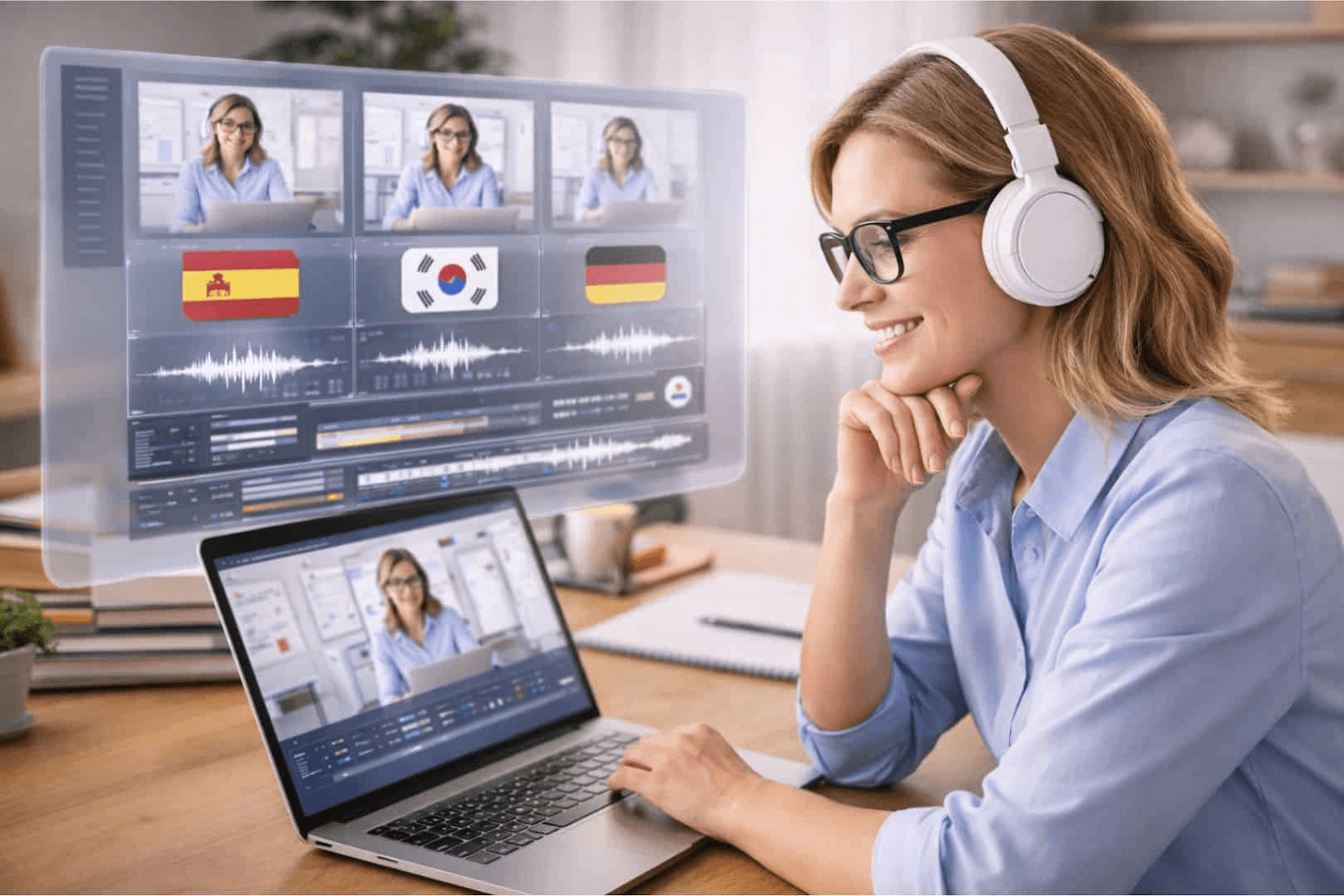
How Course Creators Use Automatic Dubbing at Scale
For course creators and teachers, automatic dubbing becomes valuable once a course needs to reach students in more than one language without rebuilding the content from scratch.
At a basic level, educators use automatic dubbing to reuse the same recorded lessons while creating additional language versions. The original video structure stays the same, while the spoken audio is replaced with translated voice tracks. This allows a single course to be offered to students in different regions with minimal changes to the source material.
At scale, this approach is commonly used for:
evergreen online courses that are sold globally
internal training programs rolled out across regions
certification or compliance content that must stay consistent
onboarding courses for international teams
Instead of recording the same lesson multiple times, course creators prepare one master version, then apply automatic dubbing for each target language. Subtitles, voiceovers, and timing are handled as part of a structured workflow rather than manual edits.
This makes it easier to update content over time. When a lesson changes, educators update the original video and regenerate the dubbed versions, rather than managing separate recordings for each language.
For teachers focused on scale, consistency, and long-term maintenance, automatic dubbing turns multilingual delivery into a repeatable process instead of a one-off project.
When automatic dubbing makes sense for your courses
Not every course creator needs automatic dubbing right away. And that's fine.
But there are clear situations where it starts to make real sense.
Scale signals
You're probably ready for automatic dubbing when:
You have 5+ courses in your library and want to expand into new markets
You're targeting 3 or more language markets and manually recording isn't working anymore
Your student base includes significant non-native speaker enrolment (20%+ of total)
You're launching evergreen courses that will stay active for months or years
Small course libraries with one or two languages can often work fine with subtitles or manual recording. But once you cross into multiple courses and multiple markets, automatic dubbing becomes a better option.
Course type matters
Some course formats benefit more from dubbed audio than others.
High priority for automatic dubbing:
Software training and technical tutorials
Certification programs
Professional development courses
Step-by-step skill-building content
Compliance and onboarding training
Lower priority:
Short micro-learning videos (under 10 minutes)
Slide-heavy presentations with minimal narration
Text-based theory courses
Single-launch courses with limited replay value
If your content relies on spoken instruction and visual demonstration, automatic dubbing helps keep the learning experience consistent across languages.
Business stage readiness
Automatic dubbing makes the most sense when you're at a stage where:
You already have proven course content that sells well in your primary market
You're ready to commit to multilingual expansion as a growth strategy
You have a repeatable content update process (because dubbed courses need to stay in sync with updates)
You're thinking long-term about global reach and student retention
If you're still testing course ideas or validating your market, start with subtitles. Once your content structure is solid and you're ready to scale, automatic dubbing becomes a practical tool.
Example multilingual course delivery workflow
To understand how automatic dubbing works in practice, it helps to look at a simple, realistic course delivery workflow. This example reflects how many educators and course creators handle multilingual scaling today, without overcomplicating the process.
The workflow usually starts with a single source course, recorded in the original language. This might be a video lesson, a full module, or an entire course library. At this stage, the focus is on content quality, not translation.
Once the course structure is final, creators prepare scripts or transcripts for each lesson. These are used to support translation accuracy and language review before audio is generated. This step helps reduce errors later and keeps terminology consistent across lessons.
Automatic dubbing tools are then used to generate translated voiceovers for each target language. Instead of re-recording lessons, the original videos are reused while new audio tracks are applied. Timing and pacing are adjusted so the translated audio aligns naturally with the lesson flow.
For many educators, this is the point where automatic dubbing saves the most time. The course structure stays the same, while languages scale in parallel.
A simplified version of this workflow looks like this:
Step | What happens | Purpose |
Original course recording | Create lessons in one language | Single source of truth |
Script or transcript prep | Review and translate text | Accuracy and consistency |
Automatic dubbing | Generate multilingual audio | Language scaling |
Final review | Check audio, pacing, clarity | Quality control |
Course launch | Publish multiple languages | Broader reach |
This approach allows educators to deliver multilingual courses faster, while keeping content structure and learning outcomes consistent across languages.
Key limitations and best practices
Automatic dubbing can help course creators who want to scale multilingual courses, but it works best when its limits are clearly understood. It's not a full replacement for thoughtful course design or academic review.
One key limitation is content complexity. Courses with highly technical language, specific discipline terms, or strong cultural context often need additional review to ensure accuracy and clarity across languages. Automatic dubbing handles structure and pacing well, but subject-matter precision still matters.
Another limitation is teaching tone. Educational content relies on trust, clarity, and consistency. While automatic dubbing can generate natural-sounding voices, educators should always review how explanations, examples, and instructions come across in each language version.
There are also timing and visual constraints. Slides, on-screen text, or demonstrations must stay aligned with spoken audio. If visuals are language-dependent, they may need adjustments alongside dubbing.
Best practices help reduce these risks:
Prepare clear, well-structured scripts before dubbing
Avoid idioms or region-specific references where possible
Review at least one full lesson per language before publishing
Keep terminology consistent across lessons and modules
Treat automatic dubbing as part of a broader course workflow, not a final step
Used thoughtfully, automatic dubbing becomes a reliable tool for expanding course reach while maintaining educational quality.
When you might not need automatic dubbing yet
Automatic dubbing isn't always the right move.
If you're just starting out, testing new course ideas, or working with a small audience, subtitles might be enough for now.
You probably don't need automatic dubbing if:
You're managing 1-2 courses and focusing on one primary market
Your student base is mostly native speakers of your recording language
You're still testing and updating content frequently (dubbed versions add a sync step)
Your courses are short-form (under 15 minutes per lesson)
You have a limited budget and need to prioritize other areas first
Subtitles work well in these situations. They're faster to produce, easier to update, and cost less to manage.
Other cases where subtitles may be enough:
Your audience specifically prefers reading (some professional or academic contexts)
Your content is text-heavy or slide-based with minimal spoken narration
You're running live cohort-based programs where interaction matters more than production polish
The real question is: does audio localization improve your student outcomes enough to justify the effort?
If your completion rates, engagement, and feedback are strong across languages with subtitles, you might not need to change anything yet.
But if you start seeing drop-offs, scaling challenges, or student requests for native audio, that's when automatic dubbing becomes worth exploring.
Conclusion
Scaling online courses across languages doesn't mean rebuilding everything from scratch.
Automatic dubbing gives educators and course creators a practical way to reach new students, expand globally, and keep content consistent across markets.
If you're exploring how automatic dubbing for online courses can fit into your existing workflow, take a closer look at how Perso Dubbing supports multilingual course delivery with AI-powered dubbing, voice consistency, and production-ready outputs.
Automatic dubbing is becoming a useful choice for educators and course creators who want to reach students in different languages. When your online courses grow, the challenge isn't just making great content once. It's about giving the same learning experience to students who speak different languages.
Many teachers use subtitles or record their voice manually for each new language. This can work when you have just a few courses. But it gets slow and difficult when your course library grows. Voice quality changes, timing gets messy, and it's hard to keep students engaged when you handle everything manually.
This article is for course creators and educators who want to learn about automatic dubbing. It explains what automatic dubbing means for online education, how it works in real course workflows, and what you should think about before you use it.
What automatic dubbing means for online courses
Automatic dubbing means using AI to create spoken audio in new languages based on your existing course video. For educators and course creators, this is simple: your original lesson stays the same, but the spoken words are changed into another language for students in different countries.
Automatic dubbing focuses on replacing the voice, not just translating text. The system takes your original audio, translates it into another language, and creates a new voice track that matches the timing of your lesson. This means students can watch the same course structure, slides, and demonstrations, but hear everything in their own language.
For online courses, this matters because learning depends on listening and understanding, not just reading. Subtitles help, but many students prefer to hear spoken instructions, especially for longer lessons or difficult topics.
Teachers commonly use automatic dubbing when they want to:
expand courses into new language markets
reuse existing video content without re-recording everything
keep lessons consistent across all regions
It's important to know that automatic dubbing is not the same as translation tools. Text translation tools help prepare scripts, but they don't create dubbed videos. Automatic dubbing works at the production stage, where translated speech, timing, and lesson flow come together to help you scale multilingual education.
Common language barriers in digital education
For educators and course creators, language is often the first real barrier to growing online courses internationally. Even when your content is strong, language problems can quietly block your reach, engagement, and completion rates.
These barriers usually appear long before a course creator thinks about automatic dubbing.
Where language barriers show up most often
In practice, digital education teams face a few common challenges:
Courses available in only one language, limiting sign-ups to a single region
Subtitles alone not being enough for students who prefer spoken instruction
High effort needed to re-record courses for each new language
Inconsistent learning experience across regions because of partial translation
Lower engagement and completion rates for non-native speakers
For video-based education, audio matters. Many students rely on spoken explanations, tone, and pacing instead of reading subtitles through an entire course.
Why subtitles alone often fall short
Subtitles are a useful starting point, but they're not always a complete solution for education content.
Students watching long lessons, technical walkthroughs, or structured courses often struggle with:
Mental tiredness from reading while listening
Missed explanations during complex visual moments
Reduced focus compared to native-language audio
Accessibility challenges for younger students or non-fluent readers
This is where automatic dubbing becomes relevant for educators.
Subtitles help students follow along, but spoken language drives understanding, attention, and memory in most educational formats.
How language barriers affect course growth
Without a good approach to audio translation, course creators often hit a ceiling.
The table below shows how language barriers impact different parts of a digital education business:
Area | Without Automatic Dubbing | With Automatic Dubbing |
Course reach | Limited to one or two languages | Expanded to multiple regions |
Student engagement | Lower for non-native speakers | Higher through native audio |
Production effort | High manual re-recording effort | Centralized, repeatable workflow |
Consistency | Voice and pacing vary by version | Consistent delivery across languages |
Time to market | Slow expansion | Faster multilingual rollout |
The real issue educators face
The real challenge is not translation itself.
It's scaling spoken instruction without rebuilding the course from scratch each time.
For educators managing multiple groups, platforms, or global audiences, this quickly becomes impossible using manual methods alone.
That's why many course creators start exploring automatic dubbing for online courses once subtitles and script translation no longer meet student expectations.
When subtitles stop being enough
Most course creators hit a point where subtitles just stop working.
It's not always obvious at first. But there are clear signs.
Your course length passes 30-45 minutes per module, and students start complaining they're tired. Your completion rates drop for non-native speakers. You expand into three or four languages, and suddenly managing subtitles feels messy and inconsistent.
Or maybe you're teaching something technical. Software walkthroughs. Step-by-step certifications. Practical demos. Students miss key moments because they're reading instead of watching.
Here's what usually triggers the shift:
Course modules run longer than 30-45 minutes
Completion rates drop in non-native markets
Students say things like "hard to follow" or "I prefer audio"
You're managing 3+ languages and quality starts slipping
Your content needs full visual attention (technical demos, screen recordings, hands-on training)
Some course types need spoken audio more than others. Software tutorials? Absolutely. Text-heavy theory slides? Maybe not.
If your engagement numbers look weaker in non-native markets compared to your main language, that's the signal. Subtitles aren't giving students the same experience you built for your primary audience.
That's when automatic dubbing starts making sense.
How Course Creators Use Automatic Dubbing at Scale
For course creators and teachers, automatic dubbing becomes valuable once a course needs to reach students in more than one language without rebuilding the content from scratch.
At a basic level, educators use automatic dubbing to reuse the same recorded lessons while creating additional language versions. The original video structure stays the same, while the spoken audio is replaced with translated voice tracks. This allows a single course to be offered to students in different regions with minimal changes to the source material.
At scale, this approach is commonly used for:
evergreen online courses that are sold globally
internal training programs rolled out across regions
certification or compliance content that must stay consistent
onboarding courses for international teams
Instead of recording the same lesson multiple times, course creators prepare one master version, then apply automatic dubbing for each target language. Subtitles, voiceovers, and timing are handled as part of a structured workflow rather than manual edits.
This makes it easier to update content over time. When a lesson changes, educators update the original video and regenerate the dubbed versions, rather than managing separate recordings for each language.
For teachers focused on scale, consistency, and long-term maintenance, automatic dubbing turns multilingual delivery into a repeatable process instead of a one-off project.
When automatic dubbing makes sense for your courses
Not every course creator needs automatic dubbing right away. And that's fine.
But there are clear situations where it starts to make real sense.
Scale signals
You're probably ready for automatic dubbing when:
You have 5+ courses in your library and want to expand into new markets
You're targeting 3 or more language markets and manually recording isn't working anymore
Your student base includes significant non-native speaker enrolment (20%+ of total)
You're launching evergreen courses that will stay active for months or years
Small course libraries with one or two languages can often work fine with subtitles or manual recording. But once you cross into multiple courses and multiple markets, automatic dubbing becomes a better option.
Course type matters
Some course formats benefit more from dubbed audio than others.
High priority for automatic dubbing:
Software training and technical tutorials
Certification programs
Professional development courses
Step-by-step skill-building content
Compliance and onboarding training
Lower priority:
Short micro-learning videos (under 10 minutes)
Slide-heavy presentations with minimal narration
Text-based theory courses
Single-launch courses with limited replay value
If your content relies on spoken instruction and visual demonstration, automatic dubbing helps keep the learning experience consistent across languages.
Business stage readiness
Automatic dubbing makes the most sense when you're at a stage where:
You already have proven course content that sells well in your primary market
You're ready to commit to multilingual expansion as a growth strategy
You have a repeatable content update process (because dubbed courses need to stay in sync with updates)
You're thinking long-term about global reach and student retention
If you're still testing course ideas or validating your market, start with subtitles. Once your content structure is solid and you're ready to scale, automatic dubbing becomes a practical tool.
Example multilingual course delivery workflow
To understand how automatic dubbing works in practice, it helps to look at a simple, realistic course delivery workflow. This example reflects how many educators and course creators handle multilingual scaling today, without overcomplicating the process.
The workflow usually starts with a single source course, recorded in the original language. This might be a video lesson, a full module, or an entire course library. At this stage, the focus is on content quality, not translation.
Once the course structure is final, creators prepare scripts or transcripts for each lesson. These are used to support translation accuracy and language review before audio is generated. This step helps reduce errors later and keeps terminology consistent across lessons.
Automatic dubbing tools are then used to generate translated voiceovers for each target language. Instead of re-recording lessons, the original videos are reused while new audio tracks are applied. Timing and pacing are adjusted so the translated audio aligns naturally with the lesson flow.
For many educators, this is the point where automatic dubbing saves the most time. The course structure stays the same, while languages scale in parallel.
A simplified version of this workflow looks like this:
Step | What happens | Purpose |
Original course recording | Create lessons in one language | Single source of truth |
Script or transcript prep | Review and translate text | Accuracy and consistency |
Automatic dubbing | Generate multilingual audio | Language scaling |
Final review | Check audio, pacing, clarity | Quality control |
Course launch | Publish multiple languages | Broader reach |
This approach allows educators to deliver multilingual courses faster, while keeping content structure and learning outcomes consistent across languages.
Key limitations and best practices
Automatic dubbing can help course creators who want to scale multilingual courses, but it works best when its limits are clearly understood. It's not a full replacement for thoughtful course design or academic review.
One key limitation is content complexity. Courses with highly technical language, specific discipline terms, or strong cultural context often need additional review to ensure accuracy and clarity across languages. Automatic dubbing handles structure and pacing well, but subject-matter precision still matters.
Another limitation is teaching tone. Educational content relies on trust, clarity, and consistency. While automatic dubbing can generate natural-sounding voices, educators should always review how explanations, examples, and instructions come across in each language version.
There are also timing and visual constraints. Slides, on-screen text, or demonstrations must stay aligned with spoken audio. If visuals are language-dependent, they may need adjustments alongside dubbing.
Best practices help reduce these risks:
Prepare clear, well-structured scripts before dubbing
Avoid idioms or region-specific references where possible
Review at least one full lesson per language before publishing
Keep terminology consistent across lessons and modules
Treat automatic dubbing as part of a broader course workflow, not a final step
Used thoughtfully, automatic dubbing becomes a reliable tool for expanding course reach while maintaining educational quality.
When you might not need automatic dubbing yet
Automatic dubbing isn't always the right move.
If you're just starting out, testing new course ideas, or working with a small audience, subtitles might be enough for now.
You probably don't need automatic dubbing if:
You're managing 1-2 courses and focusing on one primary market
Your student base is mostly native speakers of your recording language
You're still testing and updating content frequently (dubbed versions add a sync step)
Your courses are short-form (under 15 minutes per lesson)
You have a limited budget and need to prioritize other areas first
Subtitles work well in these situations. They're faster to produce, easier to update, and cost less to manage.
Other cases where subtitles may be enough:
Your audience specifically prefers reading (some professional or academic contexts)
Your content is text-heavy or slide-based with minimal spoken narration
You're running live cohort-based programs where interaction matters more than production polish
The real question is: does audio localization improve your student outcomes enough to justify the effort?
If your completion rates, engagement, and feedback are strong across languages with subtitles, you might not need to change anything yet.
But if you start seeing drop-offs, scaling challenges, or student requests for native audio, that's when automatic dubbing becomes worth exploring.
Conclusion
Scaling online courses across languages doesn't mean rebuilding everything from scratch.
Automatic dubbing gives educators and course creators a practical way to reach new students, expand globally, and keep content consistent across markets.
If you're exploring how automatic dubbing for online courses can fit into your existing workflow, take a closer look at how Perso Dubbing supports multilingual course delivery with AI-powered dubbing, voice consistency, and production-ready outputs.
Automatic dubbing is becoming a useful choice for educators and course creators who want to reach students in different languages. When your online courses grow, the challenge isn't just making great content once. It's about giving the same learning experience to students who speak different languages.
Many teachers use subtitles or record their voice manually for each new language. This can work when you have just a few courses. But it gets slow and difficult when your course library grows. Voice quality changes, timing gets messy, and it's hard to keep students engaged when you handle everything manually.
This article is for course creators and educators who want to learn about automatic dubbing. It explains what automatic dubbing means for online education, how it works in real course workflows, and what you should think about before you use it.
What automatic dubbing means for online courses
Automatic dubbing means using AI to create spoken audio in new languages based on your existing course video. For educators and course creators, this is simple: your original lesson stays the same, but the spoken words are changed into another language for students in different countries.
Automatic dubbing focuses on replacing the voice, not just translating text. The system takes your original audio, translates it into another language, and creates a new voice track that matches the timing of your lesson. This means students can watch the same course structure, slides, and demonstrations, but hear everything in their own language.
For online courses, this matters because learning depends on listening and understanding, not just reading. Subtitles help, but many students prefer to hear spoken instructions, especially for longer lessons or difficult topics.
Teachers commonly use automatic dubbing when they want to:
expand courses into new language markets
reuse existing video content without re-recording everything
keep lessons consistent across all regions
It's important to know that automatic dubbing is not the same as translation tools. Text translation tools help prepare scripts, but they don't create dubbed videos. Automatic dubbing works at the production stage, where translated speech, timing, and lesson flow come together to help you scale multilingual education.
Common language barriers in digital education
For educators and course creators, language is often the first real barrier to growing online courses internationally. Even when your content is strong, language problems can quietly block your reach, engagement, and completion rates.
These barriers usually appear long before a course creator thinks about automatic dubbing.
Where language barriers show up most often
In practice, digital education teams face a few common challenges:
Courses available in only one language, limiting sign-ups to a single region
Subtitles alone not being enough for students who prefer spoken instruction
High effort needed to re-record courses for each new language
Inconsistent learning experience across regions because of partial translation
Lower engagement and completion rates for non-native speakers
For video-based education, audio matters. Many students rely on spoken explanations, tone, and pacing instead of reading subtitles through an entire course.
Why subtitles alone often fall short
Subtitles are a useful starting point, but they're not always a complete solution for education content.
Students watching long lessons, technical walkthroughs, or structured courses often struggle with:
Mental tiredness from reading while listening
Missed explanations during complex visual moments
Reduced focus compared to native-language audio
Accessibility challenges for younger students or non-fluent readers
This is where automatic dubbing becomes relevant for educators.
Subtitles help students follow along, but spoken language drives understanding, attention, and memory in most educational formats.
How language barriers affect course growth
Without a good approach to audio translation, course creators often hit a ceiling.
The table below shows how language barriers impact different parts of a digital education business:
Area | Without Automatic Dubbing | With Automatic Dubbing |
Course reach | Limited to one or two languages | Expanded to multiple regions |
Student engagement | Lower for non-native speakers | Higher through native audio |
Production effort | High manual re-recording effort | Centralized, repeatable workflow |
Consistency | Voice and pacing vary by version | Consistent delivery across languages |
Time to market | Slow expansion | Faster multilingual rollout |
The real issue educators face
The real challenge is not translation itself.
It's scaling spoken instruction without rebuilding the course from scratch each time.
For educators managing multiple groups, platforms, or global audiences, this quickly becomes impossible using manual methods alone.
That's why many course creators start exploring automatic dubbing for online courses once subtitles and script translation no longer meet student expectations.
When subtitles stop being enough
Most course creators hit a point where subtitles just stop working.
It's not always obvious at first. But there are clear signs.
Your course length passes 30-45 minutes per module, and students start complaining they're tired. Your completion rates drop for non-native speakers. You expand into three or four languages, and suddenly managing subtitles feels messy and inconsistent.
Or maybe you're teaching something technical. Software walkthroughs. Step-by-step certifications. Practical demos. Students miss key moments because they're reading instead of watching.
Here's what usually triggers the shift:
Course modules run longer than 30-45 minutes
Completion rates drop in non-native markets
Students say things like "hard to follow" or "I prefer audio"
You're managing 3+ languages and quality starts slipping
Your content needs full visual attention (technical demos, screen recordings, hands-on training)
Some course types need spoken audio more than others. Software tutorials? Absolutely. Text-heavy theory slides? Maybe not.
If your engagement numbers look weaker in non-native markets compared to your main language, that's the signal. Subtitles aren't giving students the same experience you built for your primary audience.
That's when automatic dubbing starts making sense.
How Course Creators Use Automatic Dubbing at Scale
For course creators and teachers, automatic dubbing becomes valuable once a course needs to reach students in more than one language without rebuilding the content from scratch.
At a basic level, educators use automatic dubbing to reuse the same recorded lessons while creating additional language versions. The original video structure stays the same, while the spoken audio is replaced with translated voice tracks. This allows a single course to be offered to students in different regions with minimal changes to the source material.
At scale, this approach is commonly used for:
evergreen online courses that are sold globally
internal training programs rolled out across regions
certification or compliance content that must stay consistent
onboarding courses for international teams
Instead of recording the same lesson multiple times, course creators prepare one master version, then apply automatic dubbing for each target language. Subtitles, voiceovers, and timing are handled as part of a structured workflow rather than manual edits.
This makes it easier to update content over time. When a lesson changes, educators update the original video and regenerate the dubbed versions, rather than managing separate recordings for each language.
For teachers focused on scale, consistency, and long-term maintenance, automatic dubbing turns multilingual delivery into a repeatable process instead of a one-off project.
When automatic dubbing makes sense for your courses
Not every course creator needs automatic dubbing right away. And that's fine.
But there are clear situations where it starts to make real sense.
Scale signals
You're probably ready for automatic dubbing when:
You have 5+ courses in your library and want to expand into new markets
You're targeting 3 or more language markets and manually recording isn't working anymore
Your student base includes significant non-native speaker enrolment (20%+ of total)
You're launching evergreen courses that will stay active for months or years
Small course libraries with one or two languages can often work fine with subtitles or manual recording. But once you cross into multiple courses and multiple markets, automatic dubbing becomes a better option.
Course type matters
Some course formats benefit more from dubbed audio than others.
High priority for automatic dubbing:
Software training and technical tutorials
Certification programs
Professional development courses
Step-by-step skill-building content
Compliance and onboarding training
Lower priority:
Short micro-learning videos (under 10 minutes)
Slide-heavy presentations with minimal narration
Text-based theory courses
Single-launch courses with limited replay value
If your content relies on spoken instruction and visual demonstration, automatic dubbing helps keep the learning experience consistent across languages.
Business stage readiness
Automatic dubbing makes the most sense when you're at a stage where:
You already have proven course content that sells well in your primary market
You're ready to commit to multilingual expansion as a growth strategy
You have a repeatable content update process (because dubbed courses need to stay in sync with updates)
You're thinking long-term about global reach and student retention
If you're still testing course ideas or validating your market, start with subtitles. Once your content structure is solid and you're ready to scale, automatic dubbing becomes a practical tool.
Example multilingual course delivery workflow
To understand how automatic dubbing works in practice, it helps to look at a simple, realistic course delivery workflow. This example reflects how many educators and course creators handle multilingual scaling today, without overcomplicating the process.
The workflow usually starts with a single source course, recorded in the original language. This might be a video lesson, a full module, or an entire course library. At this stage, the focus is on content quality, not translation.
Once the course structure is final, creators prepare scripts or transcripts for each lesson. These are used to support translation accuracy and language review before audio is generated. This step helps reduce errors later and keeps terminology consistent across lessons.
Automatic dubbing tools are then used to generate translated voiceovers for each target language. Instead of re-recording lessons, the original videos are reused while new audio tracks are applied. Timing and pacing are adjusted so the translated audio aligns naturally with the lesson flow.
For many educators, this is the point where automatic dubbing saves the most time. The course structure stays the same, while languages scale in parallel.
A simplified version of this workflow looks like this:
Step | What happens | Purpose |
Original course recording | Create lessons in one language | Single source of truth |
Script or transcript prep | Review and translate text | Accuracy and consistency |
Automatic dubbing | Generate multilingual audio | Language scaling |
Final review | Check audio, pacing, clarity | Quality control |
Course launch | Publish multiple languages | Broader reach |
This approach allows educators to deliver multilingual courses faster, while keeping content structure and learning outcomes consistent across languages.
Key limitations and best practices
Automatic dubbing can help course creators who want to scale multilingual courses, but it works best when its limits are clearly understood. It's not a full replacement for thoughtful course design or academic review.
One key limitation is content complexity. Courses with highly technical language, specific discipline terms, or strong cultural context often need additional review to ensure accuracy and clarity across languages. Automatic dubbing handles structure and pacing well, but subject-matter precision still matters.
Another limitation is teaching tone. Educational content relies on trust, clarity, and consistency. While automatic dubbing can generate natural-sounding voices, educators should always review how explanations, examples, and instructions come across in each language version.
There are also timing and visual constraints. Slides, on-screen text, or demonstrations must stay aligned with spoken audio. If visuals are language-dependent, they may need adjustments alongside dubbing.
Best practices help reduce these risks:
Prepare clear, well-structured scripts before dubbing
Avoid idioms or region-specific references where possible
Review at least one full lesson per language before publishing
Keep terminology consistent across lessons and modules
Treat automatic dubbing as part of a broader course workflow, not a final step
Used thoughtfully, automatic dubbing becomes a reliable tool for expanding course reach while maintaining educational quality.
When you might not need automatic dubbing yet
Automatic dubbing isn't always the right move.
If you're just starting out, testing new course ideas, or working with a small audience, subtitles might be enough for now.
You probably don't need automatic dubbing if:
You're managing 1-2 courses and focusing on one primary market
Your student base is mostly native speakers of your recording language
You're still testing and updating content frequently (dubbed versions add a sync step)
Your courses are short-form (under 15 minutes per lesson)
You have a limited budget and need to prioritize other areas first
Subtitles work well in these situations. They're faster to produce, easier to update, and cost less to manage.
Other cases where subtitles may be enough:
Your audience specifically prefers reading (some professional or academic contexts)
Your content is text-heavy or slide-based with minimal spoken narration
You're running live cohort-based programs where interaction matters more than production polish
The real question is: does audio localization improve your student outcomes enough to justify the effort?
If your completion rates, engagement, and feedback are strong across languages with subtitles, you might not need to change anything yet.
But if you start seeing drop-offs, scaling challenges, or student requests for native audio, that's when automatic dubbing becomes worth exploring.
Conclusion
Scaling online courses across languages doesn't mean rebuilding everything from scratch.
Automatic dubbing gives educators and course creators a practical way to reach new students, expand globally, and keep content consistent across markets.
If you're exploring how automatic dubbing for online courses can fit into your existing workflow, take a closer look at how Perso Dubbing supports multilingual course delivery with AI-powered dubbing, voice consistency, and production-ready outputs.
Continue Reading
Browse All