




Translate recorded speech
Upload your audio or video and choose a target language. Perso Dubbing transcribes the speech and creates a translated voice track.
Translate recordings into 99+ languages with voice cloning. Review the script, then export translated audio, video, and subtitles.
Try for Free
No Download Required
Multi-Speaker Voice Cloning
99+ Languages and Dialects
Audio, video, and subtitle exports
99+ languages · Review before publishing


Users Love Us
Recognized on G2. Powered by customer reviews.
Upload your audio or video and choose a target language. Perso Dubbing transcribes the speech and creates a translated voice track.
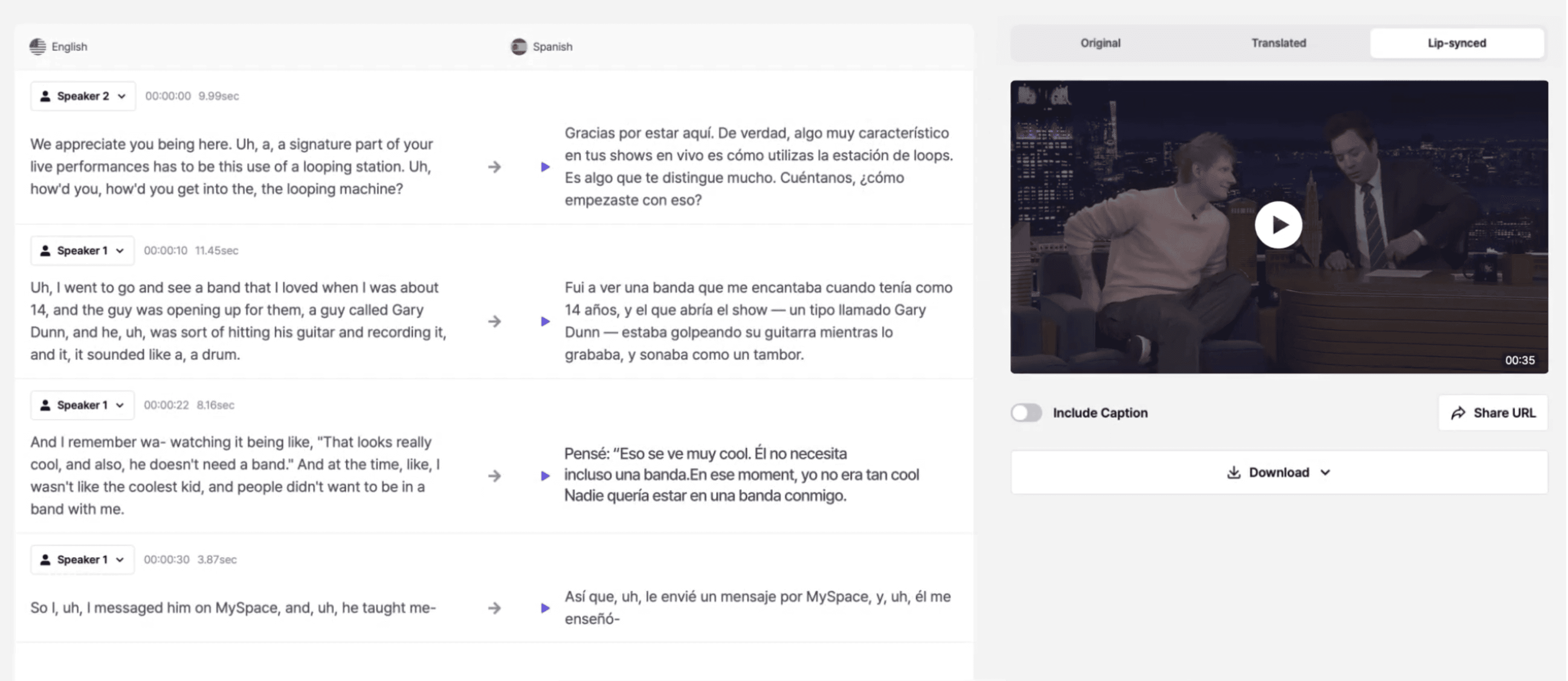
Use voice cloning to carry the speaker’s vocal character into another language. Listen to the result before publishing.
Localize podcasts, interviews, tutorials, and recorded meetings from one browser-based workflow.
Edit the transcript and translated phrases, then regenerate the voice track. Check names and specialist terms before sharing.
For video projects, lip sync is an optional feature on paid plans. Each plan has its own lip-sync allowance.
Download translated video (.mp4), audio-only tracks (.wav), and original or translated subtitles (.srt). Lip-sync video exports are available when that option is used.
Make recorded content available to audiences who speak another language.
Create translated versions of recorded interviews, reports, and podcasts.
Turn meeting recordings into translated audio for international teams
Make lectures, tutorials, and workshops accessible to students everywhere.
An AI voice translator turns recorded speech into spoken audio in another language. Perso Dubbing combines transcription, translation, and voice cloning for uploaded audio and video.
This page is for translating recorded audio and video. Upload a recording to create a translated version; this workflow does not provide live conversation interpreting.
99+ languages, including English, Spanish, Korean, Japanese, German, Arabic, and more.
Yes. Perso Dubbing’s voice cloning technology re-creates your voice or speakers’ voices for more authentic translations.
Processing time depends on recording length, the selected options, and service load. Allow time to review the translation and pronunciation before publishing.
Of course. You can modify text transcripts or adjust phrases before regenerating the translated audio.
Yes, export your translations as SRT files for video publishing or archiving.
Export translated video as MP4, audio-only tracks as WAV, and original or translated subtitles as SRT. Lip-sync video is available when the lip-sync option is used.
Lip sync is an optional feature on paid plans, with an allowance for each plan. Check the pricing page for current trial limits and plan details.
Use recordings you have permission to translate and voices you are authorized to use. Review our Privacy Policy and Trust & Security page before uploading sensitive content.