Automatic Dubbing vs Subtitles for Global Video Content
Last Updated




Jump to section
Jump to section

Share
Share
Share

AI Video Translator, Localization, and Dubbing Tool
Try it out for Free
Your business just created a great training video. Now you need it in five different languages. So what do you choose—automatic dubbing or subtitles?
It's a decision many business teams face. Dubbing replaces your original audio with voices in other languages. Subtitles add text at the bottom of the screen. Both work, but they create completely different experiences for your viewers.
The right choice can boost engagement and help your message land. The wrong one? It can make people click away. This article walks you through when automatic dubbing makes sense, when subtitles work better, and how to decide for customer education videos, product demos, training content, and marketing campaigns.
Differences Between Dubbing and Subtitles
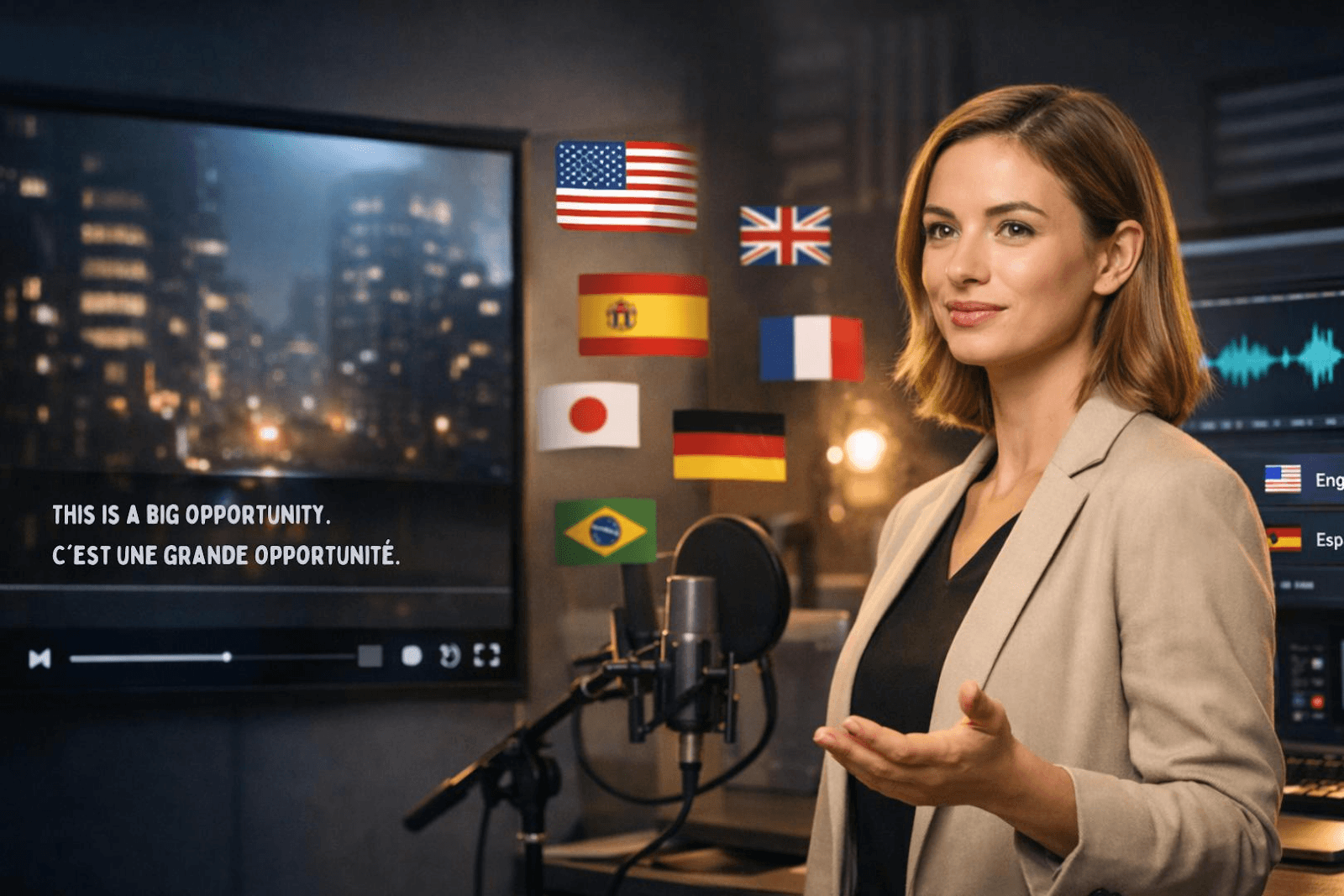
Here's the main difference: dubbing replaces what people hear, while subtitles replace what they read.
Automatic dubbing uses AI to swap out your original voice with a new one in another language. A viewer in Brazil hears Portuguese. Someone in Germany hears German. Your original audio? Gone. The new voice takes over completely. Some AI tools even sync the lip movements so it looks like the person on screen is actually speaking that language.
Subtitles work the opposite way. Your voice stays. Your tone stays. Everything viewers hear is exactly what you recorded. The only thing that changes is the text at the bottom of the screen—translated into their language.
What This Means for Your Videos
Where attention goes: Dubbing frees up viewers to watch the screen. Subtitles force them to read and watch at the same time.
Speed and cost: Subtitles are faster and cheaper to produce. Dubbing takes more time and usually costs more.
Brand voice: Subtitles keep your original personality intact. Dubbing replaces it with someone else's voice.
Viewer experience: Dubbed videos feel more natural if done well. Subtitled videos can feel distracting if there's a lot happening on screen.
Think about a software tutorial. If you're showing 10 clicks in 30 seconds, subtitles might pull attention away from the important parts. But if your personal style is what makes the video work, dubbing could strip that away.
When Automatic Dubbing Works Best
Picture this: You've just published a 25-minute training video. Your team in Brazil opens it, sees English subtitles, and tries to follow along. Five minutes in, they're exhausted from reading. Ten minutes in, they've missed half the instructions because their eyes couldn't keep up. By minute fifteen, they've given up.
That's when automatic dubbing makes the difference.
Long-Form Content That Needs Full Attention
When your video hits the 20-minute mark, subtitles stop being helpful and start being a burden. Training sessions, webinars, full courses—these need dubbing. Viewers can't stay focused on text that long. They need to hear the content in their language so they can actually absorb it.
Tutorials Where Every Detail Matters
Imagine showing a customer how to use your platform. You're clicking through menus, highlighting features, walking them through each step. But they're not watching—they're reading subtitles at the bottom of the screen. They miss the exact moment you click "Save." They don't see where the dropdown menu is.
Dubbing keeps their eyes exactly where you need them: on the action.
Mobile Viewers and Screen Real Estate
Your marketing video looks perfect on desktop. Then someone opens it on their phone. The subtitles shrink. They cover important parts of the screen. Viewers squint, rewind, give up.
With dubbing, the screen stays clear and the message comes through perfectly. And this matters more than ever—74% of video traffic now comes from mobile devices.
Creating Localized Experiences
Here's what happens with dubbing: A viewer in Japan hears Japanese and thinks, "This company gets me." Someone in France hears French and feels the same way. It's not just translation—it's connection. Each market feels like you built the video specifically for them.
Opening Doors for Non-Readers
Not everyone reads at the same speed. Some viewers have dyslexia. Others have vision challenges. Parents play educational videos for kids who can't read yet. Automatic dubbing reaches all of them without barriers.
Accessibility and Engagement Factors
A marketing manager at a software company once told me this story: They launched a product demo video with subtitles. Views came in, but completion rates stayed stuck at 40%. Then they tried something different—they dubbed the same video into five languages. Suddenly, completion rates jumped to 68% in non-English markets.
That's not luck. That's cognitive science at work.
The Cognitive Load Problem
Here's what happens in your brain when you watch subtitled content: you're processing two streams of information simultaneously. Your eyes read text. Your ears hear audio in a different language. Your brain tries to merge both while also tracking what's happening on screen.
Scientists call this "cognitive load"—the mental effort required to process information.
Dubbing removes that split. Viewers hear the content in their language while their eyes stay focused on what's happening on screen. The result? Research shows dubbed videos see 3-5x higher engagement, including better watch time and completion rates.
How Different Content Types Perform
Content Type | Average Completion: Subtitles | Average Completion: Dubbing |
Training videos (20+ min) | 35-45% | 65-75% |
Product demos (5-10 min) | 50-60% | 70-80% |
Marketing content (under 3 min) | 65-70% | 75-82% |
The pattern is clear: the longer and more complex your content, the bigger the advantage dubbing provides.
Mobile Viewing Reality
69% of people watch videos without sound in public places. You might think that favors subtitles—and for social media scrolling, it does. But for business content where comprehension matters, the equation changes.
Phone screens create unique challenges:
Subtitle text shrinks to barely readable sizes
Text blocks important visual elements like buttons, menus, or product features
Viewers must zoom, pause, or rewind more frequently
For customer education videos or product demos viewed on mobile, dubbing delivers a cleaner, more effective experience.
Who Gets Left Behind With Subtitles
466 million people worldwide have disabling hearing loss —and subtitles are essential for them. But there's another accessibility story that often gets overlooked.
People with reading difficulties:
Dyslexia affects 10-20% of the population
Vision impairments make fast-moving text difficult to track
Low literacy or non-native reading ability creates barriers
Children learning from educational videos often can't keep up with subtitle speed. Older adults may find small text challenging. Automatic dubbing opens your content to all these audiences that subtitles unintentionally exclude.
When Subtitles Are Non-Negotiable
That said, subtitles have critical use cases. They're essential for:
Deaf and hard-of-hearing viewers who rely on text
Environments where audio isn't available
Content where viewers need to quickly scan or search for specific information
Smart localization strategies often use both—subtitles for accessibility and quick reference, dubbing for engagement and comprehension.
Example: Customer Education Videos
Here’s how this often looks in real life.
A SaaS team launched an English-only customer onboarding video, even though their users were spread across more than ten countries. Many non‑English speakers struggled to finish the tutorial, and support requests about basic setup started to rise. Some customers said they found it hard to follow the steps in a foreign language.
The team first added subtitles in several languages. Completion rates and feedback improved a bit, but many viewers still felt they were splitting attention between reading and watching the product on screen.
Later, they introduced automatic dubbing for key markets.
The Results
Viewers in each region could now hear the onboarding video in their own language. For example, Japanese users listened in Japanese, German users in German, and Spanish‑speaking customers in Spanish.
After this change, the team noticed three clear patterns in their analytics and support data:
A much higher share of non‑English viewers were now watching the tutorial to the end
Repetitive “how do I get started” questions to support dropped noticeably
Satisfaction scores for onboarding experiences improved across localized markets
This kind of pattern is common when customer education videos move from subtitles to automatic dubbing, especially for step‑by‑step product walkthroughs where viewers need to focus on the interface, not on reading fast subtitles.
Why It Worked
Customer education videos have one job: help people learn how to use your product. That means viewers need to focus completely on what you're showing them—clicking through menus, filling out forms, navigating features.
Subtitles create a split-attention problem. Your customer is trying to:
Watch your cursor movement
Read the interface text on screen
Read subtitles at the bottom
Process and remember the steps
That's cognitive overload. They miss steps. They get confused. They contact support.
Dubbing removes that friction. Viewers hear instructions in their native language while their eyes stay locked on the interface you're demonstrating. They see exactly where to click, exactly what to type, exactly how the feature works.
The Business Impact
One well-made customer education video can teach thousands of people simultaneously. But only if they can actually follow it.
Companies that localize their onboarding content see higher engagement and lower churn.
When customers understand your product from day one, they stick around. When they struggle through confusing tutorials, they leave.
Automatic dubbing scales that learning experience across languages without creating 12 different versions from scratch. You record once. The AI handles the rest—voice, tone, timing.
Best Practices for Customer Education
What actually works for educational video content:
Content structure:
Break complex processes into short, focused segments
Show each step clearly with minimal distraction
Repeat critical actions viewers need to remember
Localization approach:
Use dubbing for primary onboarding and tutorial content
Provide subtitles as supplementary text for quick reference
Ensure mobile experience is clear and accessible
Quality markers:
Clear audio in the target language
Natural voice tone that matches your brand
Pacing that gives viewers time to follow along
Subtitles work when your video is short, simple, or when viewers specifically need text for accessibility reasons. But for detailed product walkthroughs, software tutorials, and onboarding sequences? Dubbing consistently outperforms subtitles in completion rates, comprehension, and customer satisfaction.
Decision-Making Checklist
A content director at a global training company once told me: "We wasted three months and $15,000 before we realized we'd chosen the wrong localization method." Her team had dubbed 40 tutorial videos, only to discover their audience actually preferred subtitles for quick reference.
Here's how to avoid that mistake.
Understand the Trade-offs First
Before you commit to dubbing or subtitles, understand what each method demands from your budget, timeline, and audience.
Factor | Automatic Dubbing | Subtitles |
Production speed | Days to weeks | Hours to days |
Cost per language | Higher | Lower |
Viewer attention | Eyes stay on visuals | Must read and watch |
Accessibility | High for non-readers | Essential for deaf/hard of hearing |
Mobile experience | Clear screen | Text can block visuals |
Best for | Training, long content | Quick updates, validation |
Traditional dubbing can cost 10 times more than subtitling. But AI-powered automatic dubbing has changed that equation—reducing costs by up to 70% while speeding up production.
Five Questions to Ask
How long is your video?
Video length changes everything. Short content can work with subtitles. Long content exhausts readers.
Under 3 minutes: Subtitles work fine. Viewers can handle reading short bursts of text.
3-10 minutes: Consider your content type. Tutorials and demos benefit from dubbing. Simple announcements work with subtitles.
Over 10 minutes: Dubbing almost always wins. Reading subtitles for extended periods exhausts viewers.
What's your audience doing while watching?
Context matters more than content type sometimes.
Focused learning (training, onboarding, education): Choose dubbing. Viewers need full attention on your content.
Casual browsing (social media, quick updates): Subtitles work well. Many people scroll with sound off anyway.
Mobile viewing: Dubbing creates a better experience. Subtitles shrink or block important screen elements.
How many languages do you need?
Scale affects strategy and budget allocation.
1-3 languages for major markets: Invest in dubbing for deeper engagement.
5+ languages for broad reach: Start with subtitles, then dub your top-performing markets.
Testing new markets: Use subtitles first to validate demand before committing to dubbing costs.
What's your timeline?
Urgency can override other factors.
Immediate launch needed: Subtitles deliver faster. Translation and timing take days, not weeks.
Planned rollout: Dubbing fits comfortably. Quality dubbing typically takes 1-2 weeks per language with AI tools.
Ongoing content series: Build both. Subtitle everything for quick reach, dub key episodes for engagement.
What type of content are you creating?
Different content serves different purposes.
Dubbing works best for:
Customer education and onboarding videos
Product demos and software tutorials
Training programs and courses
Marketing campaigns targeting specific regions
Subtitles work best for:
Quick announcements and updates
Content for deaf and hard-of-hearing audiences
Budget-conscious multi-language expansion
Market validation before major investment
The Hybrid Strategy
Here's what smart teams do: they don't choose one method forever.
Strategy: Subtitle first for breadth, then dub for top-performing markets.
This approach lets you test content across multiple languages quickly with subtitles, identify which markets engage most, then invest in a dubbing budget where it delivers highest ROI.
A multinational SaaS company used this exact strategy. They subtitled their onboarding video in 15 languages. After three months, data showed 80% of engagement came from five languages. They dubbed those five and saw completion rates jump 40% in those markets.
Quick Decision Framework
Choose dubbing if you check 3+ boxes:
Video is longer than 10 minutes
Content requires focused attention (tutorials, training, demos)
Target audience primarily uses mobile devices
You're targeting 1-5 specific major markets
Budget allows for higher per-language investment
Engagement and completion rates are your key metrics
Choose subtitles if you check 3+ boxes:
Video is under 5 minutes
You need coverage in 8+ languages quickly
Budget is limited
Content is informational or documentary style
Timeline is extremely tight (days, not weeks)
You're testing market demand before scaling
Accessibility for deaf/hard-of-hearing is required
The right choice isn't universal—it's specific to your content, audience, and business goals.
Conclusion
Choosing between automatic dubbing and subtitles isn't about which method is "better." It's about which one fits your specific situation.
If you're creating long-form training content, product tutorials, or customer education videos—dubbing usually delivers better results. Viewers stay focused, completion rates go up, and support tickets go down.
If you need fast, budget-friendly coverage across many languages, or if you're testing new markets before investing heavily—subtitles give you that flexibility.
The smartest approach? Don't lock yourself into one method. Start with subtitles to understand where your content performs best. Then that matters most. That's how you scale efficiently without wasting budget on guesswork.
Your content already works in one language. The right localization method helps it work everywhere else. Make the choice that serves your audience, matches your timeline, and supports your business goals.
Your business just created a great training video. Now you need it in five different languages. So what do you choose—automatic dubbing or subtitles?
It's a decision many business teams face. Dubbing replaces your original audio with voices in other languages. Subtitles add text at the bottom of the screen. Both work, but they create completely different experiences for your viewers.
The right choice can boost engagement and help your message land. The wrong one? It can make people click away. This article walks you through when automatic dubbing makes sense, when subtitles work better, and how to decide for customer education videos, product demos, training content, and marketing campaigns.
Differences Between Dubbing and Subtitles
Here's the main difference: dubbing replaces what people hear, while subtitles replace what they read.
Automatic dubbing uses AI to swap out your original voice with a new one in another language. A viewer in Brazil hears Portuguese. Someone in Germany hears German. Your original audio? Gone. The new voice takes over completely. Some AI tools even sync the lip movements so it looks like the person on screen is actually speaking that language.
Subtitles work the opposite way. Your voice stays. Your tone stays. Everything viewers hear is exactly what you recorded. The only thing that changes is the text at the bottom of the screen—translated into their language.
What This Means for Your Videos
Where attention goes: Dubbing frees up viewers to watch the screen. Subtitles force them to read and watch at the same time.
Speed and cost: Subtitles are faster and cheaper to produce. Dubbing takes more time and usually costs more.
Brand voice: Subtitles keep your original personality intact. Dubbing replaces it with someone else's voice.
Viewer experience: Dubbed videos feel more natural if done well. Subtitled videos can feel distracting if there's a lot happening on screen.
Think about a software tutorial. If you're showing 10 clicks in 30 seconds, subtitles might pull attention away from the important parts. But if your personal style is what makes the video work, dubbing could strip that away.
When Automatic Dubbing Works Best
Picture this: You've just published a 25-minute training video. Your team in Brazil opens it, sees English subtitles, and tries to follow along. Five minutes in, they're exhausted from reading. Ten minutes in, they've missed half the instructions because their eyes couldn't keep up. By minute fifteen, they've given up.
That's when automatic dubbing makes the difference.
Long-Form Content That Needs Full Attention
When your video hits the 20-minute mark, subtitles stop being helpful and start being a burden. Training sessions, webinars, full courses—these need dubbing. Viewers can't stay focused on text that long. They need to hear the content in their language so they can actually absorb it.
Tutorials Where Every Detail Matters
Imagine showing a customer how to use your platform. You're clicking through menus, highlighting features, walking them through each step. But they're not watching—they're reading subtitles at the bottom of the screen. They miss the exact moment you click "Save." They don't see where the dropdown menu is.
Dubbing keeps their eyes exactly where you need them: on the action.
Mobile Viewers and Screen Real Estate
Your marketing video looks perfect on desktop. Then someone opens it on their phone. The subtitles shrink. They cover important parts of the screen. Viewers squint, rewind, give up.
With dubbing, the screen stays clear and the message comes through perfectly. And this matters more than ever—74% of video traffic now comes from mobile devices.
Creating Localized Experiences
Here's what happens with dubbing: A viewer in Japan hears Japanese and thinks, "This company gets me." Someone in France hears French and feels the same way. It's not just translation—it's connection. Each market feels like you built the video specifically for them.
Opening Doors for Non-Readers
Not everyone reads at the same speed. Some viewers have dyslexia. Others have vision challenges. Parents play educational videos for kids who can't read yet. Automatic dubbing reaches all of them without barriers.
Accessibility and Engagement Factors
A marketing manager at a software company once told me this story: They launched a product demo video with subtitles. Views came in, but completion rates stayed stuck at 40%. Then they tried something different—they dubbed the same video into five languages. Suddenly, completion rates jumped to 68% in non-English markets.
That's not luck. That's cognitive science at work.
The Cognitive Load Problem
Here's what happens in your brain when you watch subtitled content: you're processing two streams of information simultaneously. Your eyes read text. Your ears hear audio in a different language. Your brain tries to merge both while also tracking what's happening on screen.
Scientists call this "cognitive load"—the mental effort required to process information.
Dubbing removes that split. Viewers hear the content in their language while their eyes stay focused on what's happening on screen. The result? Research shows dubbed videos see 3-5x higher engagement, including better watch time and completion rates.
How Different Content Types Perform
Content Type | Average Completion: Subtitles | Average Completion: Dubbing |
Training videos (20+ min) | 35-45% | 65-75% |
Product demos (5-10 min) | 50-60% | 70-80% |
Marketing content (under 3 min) | 65-70% | 75-82% |
The pattern is clear: the longer and more complex your content, the bigger the advantage dubbing provides.
Mobile Viewing Reality
69% of people watch videos without sound in public places. You might think that favors subtitles—and for social media scrolling, it does. But for business content where comprehension matters, the equation changes.
Phone screens create unique challenges:
Subtitle text shrinks to barely readable sizes
Text blocks important visual elements like buttons, menus, or product features
Viewers must zoom, pause, or rewind more frequently
For customer education videos or product demos viewed on mobile, dubbing delivers a cleaner, more effective experience.
Who Gets Left Behind With Subtitles
466 million people worldwide have disabling hearing loss —and subtitles are essential for them. But there's another accessibility story that often gets overlooked.
People with reading difficulties:
Dyslexia affects 10-20% of the population
Vision impairments make fast-moving text difficult to track
Low literacy or non-native reading ability creates barriers
Children learning from educational videos often can't keep up with subtitle speed. Older adults may find small text challenging. Automatic dubbing opens your content to all these audiences that subtitles unintentionally exclude.
When Subtitles Are Non-Negotiable
That said, subtitles have critical use cases. They're essential for:
Deaf and hard-of-hearing viewers who rely on text
Environments where audio isn't available
Content where viewers need to quickly scan or search for specific information
Smart localization strategies often use both—subtitles for accessibility and quick reference, dubbing for engagement and comprehension.
Example: Customer Education Videos
Here’s how this often looks in real life.
A SaaS team launched an English-only customer onboarding video, even though their users were spread across more than ten countries. Many non‑English speakers struggled to finish the tutorial, and support requests about basic setup started to rise. Some customers said they found it hard to follow the steps in a foreign language.
The team first added subtitles in several languages. Completion rates and feedback improved a bit, but many viewers still felt they were splitting attention between reading and watching the product on screen.
Later, they introduced automatic dubbing for key markets.
The Results
Viewers in each region could now hear the onboarding video in their own language. For example, Japanese users listened in Japanese, German users in German, and Spanish‑speaking customers in Spanish.
After this change, the team noticed three clear patterns in their analytics and support data:
A much higher share of non‑English viewers were now watching the tutorial to the end
Repetitive “how do I get started” questions to support dropped noticeably
Satisfaction scores for onboarding experiences improved across localized markets
This kind of pattern is common when customer education videos move from subtitles to automatic dubbing, especially for step‑by‑step product walkthroughs where viewers need to focus on the interface, not on reading fast subtitles.
Why It Worked
Customer education videos have one job: help people learn how to use your product. That means viewers need to focus completely on what you're showing them—clicking through menus, filling out forms, navigating features.
Subtitles create a split-attention problem. Your customer is trying to:
Watch your cursor movement
Read the interface text on screen
Read subtitles at the bottom
Process and remember the steps
That's cognitive overload. They miss steps. They get confused. They contact support.
Dubbing removes that friction. Viewers hear instructions in their native language while their eyes stay locked on the interface you're demonstrating. They see exactly where to click, exactly what to type, exactly how the feature works.
The Business Impact
One well-made customer education video can teach thousands of people simultaneously. But only if they can actually follow it.
Companies that localize their onboarding content see higher engagement and lower churn.
When customers understand your product from day one, they stick around. When they struggle through confusing tutorials, they leave.
Automatic dubbing scales that learning experience across languages without creating 12 different versions from scratch. You record once. The AI handles the rest—voice, tone, timing.
Best Practices for Customer Education
What actually works for educational video content:
Content structure:
Break complex processes into short, focused segments
Show each step clearly with minimal distraction
Repeat critical actions viewers need to remember
Localization approach:
Use dubbing for primary onboarding and tutorial content
Provide subtitles as supplementary text for quick reference
Ensure mobile experience is clear and accessible
Quality markers:
Clear audio in the target language
Natural voice tone that matches your brand
Pacing that gives viewers time to follow along
Subtitles work when your video is short, simple, or when viewers specifically need text for accessibility reasons. But for detailed product walkthroughs, software tutorials, and onboarding sequences? Dubbing consistently outperforms subtitles in completion rates, comprehension, and customer satisfaction.
Decision-Making Checklist
A content director at a global training company once told me: "We wasted three months and $15,000 before we realized we'd chosen the wrong localization method." Her team had dubbed 40 tutorial videos, only to discover their audience actually preferred subtitles for quick reference.
Here's how to avoid that mistake.
Understand the Trade-offs First
Before you commit to dubbing or subtitles, understand what each method demands from your budget, timeline, and audience.
Factor | Automatic Dubbing | Subtitles |
Production speed | Days to weeks | Hours to days |
Cost per language | Higher | Lower |
Viewer attention | Eyes stay on visuals | Must read and watch |
Accessibility | High for non-readers | Essential for deaf/hard of hearing |
Mobile experience | Clear screen | Text can block visuals |
Best for | Training, long content | Quick updates, validation |
Traditional dubbing can cost 10 times more than subtitling. But AI-powered automatic dubbing has changed that equation—reducing costs by up to 70% while speeding up production.
Five Questions to Ask
How long is your video?
Video length changes everything. Short content can work with subtitles. Long content exhausts readers.
Under 3 minutes: Subtitles work fine. Viewers can handle reading short bursts of text.
3-10 minutes: Consider your content type. Tutorials and demos benefit from dubbing. Simple announcements work with subtitles.
Over 10 minutes: Dubbing almost always wins. Reading subtitles for extended periods exhausts viewers.
What's your audience doing while watching?
Context matters more than content type sometimes.
Focused learning (training, onboarding, education): Choose dubbing. Viewers need full attention on your content.
Casual browsing (social media, quick updates): Subtitles work well. Many people scroll with sound off anyway.
Mobile viewing: Dubbing creates a better experience. Subtitles shrink or block important screen elements.
How many languages do you need?
Scale affects strategy and budget allocation.
1-3 languages for major markets: Invest in dubbing for deeper engagement.
5+ languages for broad reach: Start with subtitles, then dub your top-performing markets.
Testing new markets: Use subtitles first to validate demand before committing to dubbing costs.
What's your timeline?
Urgency can override other factors.
Immediate launch needed: Subtitles deliver faster. Translation and timing take days, not weeks.
Planned rollout: Dubbing fits comfortably. Quality dubbing typically takes 1-2 weeks per language with AI tools.
Ongoing content series: Build both. Subtitle everything for quick reach, dub key episodes for engagement.
What type of content are you creating?
Different content serves different purposes.
Dubbing works best for:
Customer education and onboarding videos
Product demos and software tutorials
Training programs and courses
Marketing campaigns targeting specific regions
Subtitles work best for:
Quick announcements and updates
Content for deaf and hard-of-hearing audiences
Budget-conscious multi-language expansion
Market validation before major investment
The Hybrid Strategy
Here's what smart teams do: they don't choose one method forever.
Strategy: Subtitle first for breadth, then dub for top-performing markets.
This approach lets you test content across multiple languages quickly with subtitles, identify which markets engage most, then invest in a dubbing budget where it delivers highest ROI.
A multinational SaaS company used this exact strategy. They subtitled their onboarding video in 15 languages. After three months, data showed 80% of engagement came from five languages. They dubbed those five and saw completion rates jump 40% in those markets.
Quick Decision Framework
Choose dubbing if you check 3+ boxes:
Video is longer than 10 minutes
Content requires focused attention (tutorials, training, demos)
Target audience primarily uses mobile devices
You're targeting 1-5 specific major markets
Budget allows for higher per-language investment
Engagement and completion rates are your key metrics
Choose subtitles if you check 3+ boxes:
Video is under 5 minutes
You need coverage in 8+ languages quickly
Budget is limited
Content is informational or documentary style
Timeline is extremely tight (days, not weeks)
You're testing market demand before scaling
Accessibility for deaf/hard-of-hearing is required
The right choice isn't universal—it's specific to your content, audience, and business goals.
Conclusion
Choosing between automatic dubbing and subtitles isn't about which method is "better." It's about which one fits your specific situation.
If you're creating long-form training content, product tutorials, or customer education videos—dubbing usually delivers better results. Viewers stay focused, completion rates go up, and support tickets go down.
If you need fast, budget-friendly coverage across many languages, or if you're testing new markets before investing heavily—subtitles give you that flexibility.
The smartest approach? Don't lock yourself into one method. Start with subtitles to understand where your content performs best. Then that matters most. That's how you scale efficiently without wasting budget on guesswork.
Your content already works in one language. The right localization method helps it work everywhere else. Make the choice that serves your audience, matches your timeline, and supports your business goals.
Your business just created a great training video. Now you need it in five different languages. So what do you choose—automatic dubbing or subtitles?
It's a decision many business teams face. Dubbing replaces your original audio with voices in other languages. Subtitles add text at the bottom of the screen. Both work, but they create completely different experiences for your viewers.
The right choice can boost engagement and help your message land. The wrong one? It can make people click away. This article walks you through when automatic dubbing makes sense, when subtitles work better, and how to decide for customer education videos, product demos, training content, and marketing campaigns.
Differences Between Dubbing and Subtitles
Here's the main difference: dubbing replaces what people hear, while subtitles replace what they read.
Automatic dubbing uses AI to swap out your original voice with a new one in another language. A viewer in Brazil hears Portuguese. Someone in Germany hears German. Your original audio? Gone. The new voice takes over completely. Some AI tools even sync the lip movements so it looks like the person on screen is actually speaking that language.
Subtitles work the opposite way. Your voice stays. Your tone stays. Everything viewers hear is exactly what you recorded. The only thing that changes is the text at the bottom of the screen—translated into their language.
What This Means for Your Videos
Where attention goes: Dubbing frees up viewers to watch the screen. Subtitles force them to read and watch at the same time.
Speed and cost: Subtitles are faster and cheaper to produce. Dubbing takes more time and usually costs more.
Brand voice: Subtitles keep your original personality intact. Dubbing replaces it with someone else's voice.
Viewer experience: Dubbed videos feel more natural if done well. Subtitled videos can feel distracting if there's a lot happening on screen.
Think about a software tutorial. If you're showing 10 clicks in 30 seconds, subtitles might pull attention away from the important parts. But if your personal style is what makes the video work, dubbing could strip that away.
When Automatic Dubbing Works Best
Picture this: You've just published a 25-minute training video. Your team in Brazil opens it, sees English subtitles, and tries to follow along. Five minutes in, they're exhausted from reading. Ten minutes in, they've missed half the instructions because their eyes couldn't keep up. By minute fifteen, they've given up.
That's when automatic dubbing makes the difference.
Long-Form Content That Needs Full Attention
When your video hits the 20-minute mark, subtitles stop being helpful and start being a burden. Training sessions, webinars, full courses—these need dubbing. Viewers can't stay focused on text that long. They need to hear the content in their language so they can actually absorb it.
Tutorials Where Every Detail Matters
Imagine showing a customer how to use your platform. You're clicking through menus, highlighting features, walking them through each step. But they're not watching—they're reading subtitles at the bottom of the screen. They miss the exact moment you click "Save." They don't see where the dropdown menu is.
Dubbing keeps their eyes exactly where you need them: on the action.
Mobile Viewers and Screen Real Estate
Your marketing video looks perfect on desktop. Then someone opens it on their phone. The subtitles shrink. They cover important parts of the screen. Viewers squint, rewind, give up.
With dubbing, the screen stays clear and the message comes through perfectly. And this matters more than ever—74% of video traffic now comes from mobile devices.
Creating Localized Experiences
Here's what happens with dubbing: A viewer in Japan hears Japanese and thinks, "This company gets me." Someone in France hears French and feels the same way. It's not just translation—it's connection. Each market feels like you built the video specifically for them.
Opening Doors for Non-Readers
Not everyone reads at the same speed. Some viewers have dyslexia. Others have vision challenges. Parents play educational videos for kids who can't read yet. Automatic dubbing reaches all of them without barriers.
Accessibility and Engagement Factors
A marketing manager at a software company once told me this story: They launched a product demo video with subtitles. Views came in, but completion rates stayed stuck at 40%. Then they tried something different—they dubbed the same video into five languages. Suddenly, completion rates jumped to 68% in non-English markets.
That's not luck. That's cognitive science at work.
The Cognitive Load Problem
Here's what happens in your brain when you watch subtitled content: you're processing two streams of information simultaneously. Your eyes read text. Your ears hear audio in a different language. Your brain tries to merge both while also tracking what's happening on screen.
Scientists call this "cognitive load"—the mental effort required to process information.
Dubbing removes that split. Viewers hear the content in their language while their eyes stay focused on what's happening on screen. The result? Research shows dubbed videos see 3-5x higher engagement, including better watch time and completion rates.
How Different Content Types Perform
Content Type | Average Completion: Subtitles | Average Completion: Dubbing |
Training videos (20+ min) | 35-45% | 65-75% |
Product demos (5-10 min) | 50-60% | 70-80% |
Marketing content (under 3 min) | 65-70% | 75-82% |
The pattern is clear: the longer and more complex your content, the bigger the advantage dubbing provides.
Mobile Viewing Reality
69% of people watch videos without sound in public places. You might think that favors subtitles—and for social media scrolling, it does. But for business content where comprehension matters, the equation changes.
Phone screens create unique challenges:
Subtitle text shrinks to barely readable sizes
Text blocks important visual elements like buttons, menus, or product features
Viewers must zoom, pause, or rewind more frequently
For customer education videos or product demos viewed on mobile, dubbing delivers a cleaner, more effective experience.
Who Gets Left Behind With Subtitles
466 million people worldwide have disabling hearing loss —and subtitles are essential for them. But there's another accessibility story that often gets overlooked.
People with reading difficulties:
Dyslexia affects 10-20% of the population
Vision impairments make fast-moving text difficult to track
Low literacy or non-native reading ability creates barriers
Children learning from educational videos often can't keep up with subtitle speed. Older adults may find small text challenging. Automatic dubbing opens your content to all these audiences that subtitles unintentionally exclude.
When Subtitles Are Non-Negotiable
That said, subtitles have critical use cases. They're essential for:
Deaf and hard-of-hearing viewers who rely on text
Environments where audio isn't available
Content where viewers need to quickly scan or search for specific information
Smart localization strategies often use both—subtitles for accessibility and quick reference, dubbing for engagement and comprehension.
Example: Customer Education Videos
Here’s how this often looks in real life.
A SaaS team launched an English-only customer onboarding video, even though their users were spread across more than ten countries. Many non‑English speakers struggled to finish the tutorial, and support requests about basic setup started to rise. Some customers said they found it hard to follow the steps in a foreign language.
The team first added subtitles in several languages. Completion rates and feedback improved a bit, but many viewers still felt they were splitting attention between reading and watching the product on screen.
Later, they introduced automatic dubbing for key markets.
The Results
Viewers in each region could now hear the onboarding video in their own language. For example, Japanese users listened in Japanese, German users in German, and Spanish‑speaking customers in Spanish.
After this change, the team noticed three clear patterns in their analytics and support data:
A much higher share of non‑English viewers were now watching the tutorial to the end
Repetitive “how do I get started” questions to support dropped noticeably
Satisfaction scores for onboarding experiences improved across localized markets
This kind of pattern is common when customer education videos move from subtitles to automatic dubbing, especially for step‑by‑step product walkthroughs where viewers need to focus on the interface, not on reading fast subtitles.
Why It Worked
Customer education videos have one job: help people learn how to use your product. That means viewers need to focus completely on what you're showing them—clicking through menus, filling out forms, navigating features.
Subtitles create a split-attention problem. Your customer is trying to:
Watch your cursor movement
Read the interface text on screen
Read subtitles at the bottom
Process and remember the steps
That's cognitive overload. They miss steps. They get confused. They contact support.
Dubbing removes that friction. Viewers hear instructions in their native language while their eyes stay locked on the interface you're demonstrating. They see exactly where to click, exactly what to type, exactly how the feature works.
The Business Impact
One well-made customer education video can teach thousands of people simultaneously. But only if they can actually follow it.
Companies that localize their onboarding content see higher engagement and lower churn.
When customers understand your product from day one, they stick around. When they struggle through confusing tutorials, they leave.
Automatic dubbing scales that learning experience across languages without creating 12 different versions from scratch. You record once. The AI handles the rest—voice, tone, timing.
Best Practices for Customer Education
What actually works for educational video content:
Content structure:
Break complex processes into short, focused segments
Show each step clearly with minimal distraction
Repeat critical actions viewers need to remember
Localization approach:
Use dubbing for primary onboarding and tutorial content
Provide subtitles as supplementary text for quick reference
Ensure mobile experience is clear and accessible
Quality markers:
Clear audio in the target language
Natural voice tone that matches your brand
Pacing that gives viewers time to follow along
Subtitles work when your video is short, simple, or when viewers specifically need text for accessibility reasons. But for detailed product walkthroughs, software tutorials, and onboarding sequences? Dubbing consistently outperforms subtitles in completion rates, comprehension, and customer satisfaction.
Decision-Making Checklist
A content director at a global training company once told me: "We wasted three months and $15,000 before we realized we'd chosen the wrong localization method." Her team had dubbed 40 tutorial videos, only to discover their audience actually preferred subtitles for quick reference.
Here's how to avoid that mistake.
Understand the Trade-offs First
Before you commit to dubbing or subtitles, understand what each method demands from your budget, timeline, and audience.
Factor | Automatic Dubbing | Subtitles |
Production speed | Days to weeks | Hours to days |
Cost per language | Higher | Lower |
Viewer attention | Eyes stay on visuals | Must read and watch |
Accessibility | High for non-readers | Essential for deaf/hard of hearing |
Mobile experience | Clear screen | Text can block visuals |
Best for | Training, long content | Quick updates, validation |
Traditional dubbing can cost 10 times more than subtitling. But AI-powered automatic dubbing has changed that equation—reducing costs by up to 70% while speeding up production.
Five Questions to Ask
How long is your video?
Video length changes everything. Short content can work with subtitles. Long content exhausts readers.
Under 3 minutes: Subtitles work fine. Viewers can handle reading short bursts of text.
3-10 minutes: Consider your content type. Tutorials and demos benefit from dubbing. Simple announcements work with subtitles.
Over 10 minutes: Dubbing almost always wins. Reading subtitles for extended periods exhausts viewers.
What's your audience doing while watching?
Context matters more than content type sometimes.
Focused learning (training, onboarding, education): Choose dubbing. Viewers need full attention on your content.
Casual browsing (social media, quick updates): Subtitles work well. Many people scroll with sound off anyway.
Mobile viewing: Dubbing creates a better experience. Subtitles shrink or block important screen elements.
How many languages do you need?
Scale affects strategy and budget allocation.
1-3 languages for major markets: Invest in dubbing for deeper engagement.
5+ languages for broad reach: Start with subtitles, then dub your top-performing markets.
Testing new markets: Use subtitles first to validate demand before committing to dubbing costs.
What's your timeline?
Urgency can override other factors.
Immediate launch needed: Subtitles deliver faster. Translation and timing take days, not weeks.
Planned rollout: Dubbing fits comfortably. Quality dubbing typically takes 1-2 weeks per language with AI tools.
Ongoing content series: Build both. Subtitle everything for quick reach, dub key episodes for engagement.
What type of content are you creating?
Different content serves different purposes.
Dubbing works best for:
Customer education and onboarding videos
Product demos and software tutorials
Training programs and courses
Marketing campaigns targeting specific regions
Subtitles work best for:
Quick announcements and updates
Content for deaf and hard-of-hearing audiences
Budget-conscious multi-language expansion
Market validation before major investment
The Hybrid Strategy
Here's what smart teams do: they don't choose one method forever.
Strategy: Subtitle first for breadth, then dub for top-performing markets.
This approach lets you test content across multiple languages quickly with subtitles, identify which markets engage most, then invest in a dubbing budget where it delivers highest ROI.
A multinational SaaS company used this exact strategy. They subtitled their onboarding video in 15 languages. After three months, data showed 80% of engagement came from five languages. They dubbed those five and saw completion rates jump 40% in those markets.
Quick Decision Framework
Choose dubbing if you check 3+ boxes:
Video is longer than 10 minutes
Content requires focused attention (tutorials, training, demos)
Target audience primarily uses mobile devices
You're targeting 1-5 specific major markets
Budget allows for higher per-language investment
Engagement and completion rates are your key metrics
Choose subtitles if you check 3+ boxes:
Video is under 5 minutes
You need coverage in 8+ languages quickly
Budget is limited
Content is informational or documentary style
Timeline is extremely tight (days, not weeks)
You're testing market demand before scaling
Accessibility for deaf/hard-of-hearing is required
The right choice isn't universal—it's specific to your content, audience, and business goals.
Conclusion
Choosing between automatic dubbing and subtitles isn't about which method is "better." It's about which one fits your specific situation.
If you're creating long-form training content, product tutorials, or customer education videos—dubbing usually delivers better results. Viewers stay focused, completion rates go up, and support tickets go down.
If you need fast, budget-friendly coverage across many languages, or if you're testing new markets before investing heavily—subtitles give you that flexibility.
The smartest approach? Don't lock yourself into one method. Start with subtitles to understand where your content performs best. Then that matters most. That's how you scale efficiently without wasting budget on guesswork.
Your content already works in one language. The right localization method helps it work everywhere else. Make the choice that serves your audience, matches your timeline, and supports your business goals.
Continue Reading
Browse All