Best AI Dubbing Features in 2026 — Complete Platform Checklist
Last Updated




Jump to section
Jump to section

Share
Share
Share

AI Video Translator, Localization, and Dubbing Tool
Try it out for Free
AI Dubbing Features That Matter: A Practical Guide
Your U.S. team finishes a product demo video in English. Next week, sales ask for Spanish. Support wants Japanese for APAC customers. Marketing wants the same voice and pacing across every language so the brand still “sounds like you.”
Traditional dubbing can take weeks per language and quickly becomes expensive once you add translators, voice actors, studio time, audio engineering, and multiple rounds of review. That’s why more teams are evaluating AI dubbing platforms, specifically for dubbing features, not generic “localization.”
The Quick Answer
If you’re choosing an AI dubbing tool, evaluate these features first:
Accurate transcription + timing (the base for every dub)
Voice quality + voice cloning (brand consistency across languages)
AI lip sync (natural-looking mouth movement, especially for talking-head videos)
Multi-speaker support (separates speakers and preserves distinct voices)
Subtitle & script editor (fix awkward lines without redoing everything)
Glossary/terminology controls (product names, acronyms, technical terms)
Export + workflow controls (formats, speed, queues, collaboration)
Why this is important now: according to HubSpot, 93% of marketers believe that video is an essential component of their marketing strategy, and video has become the standard medium for product education and marketing.
How AI Dubbing Process Works?
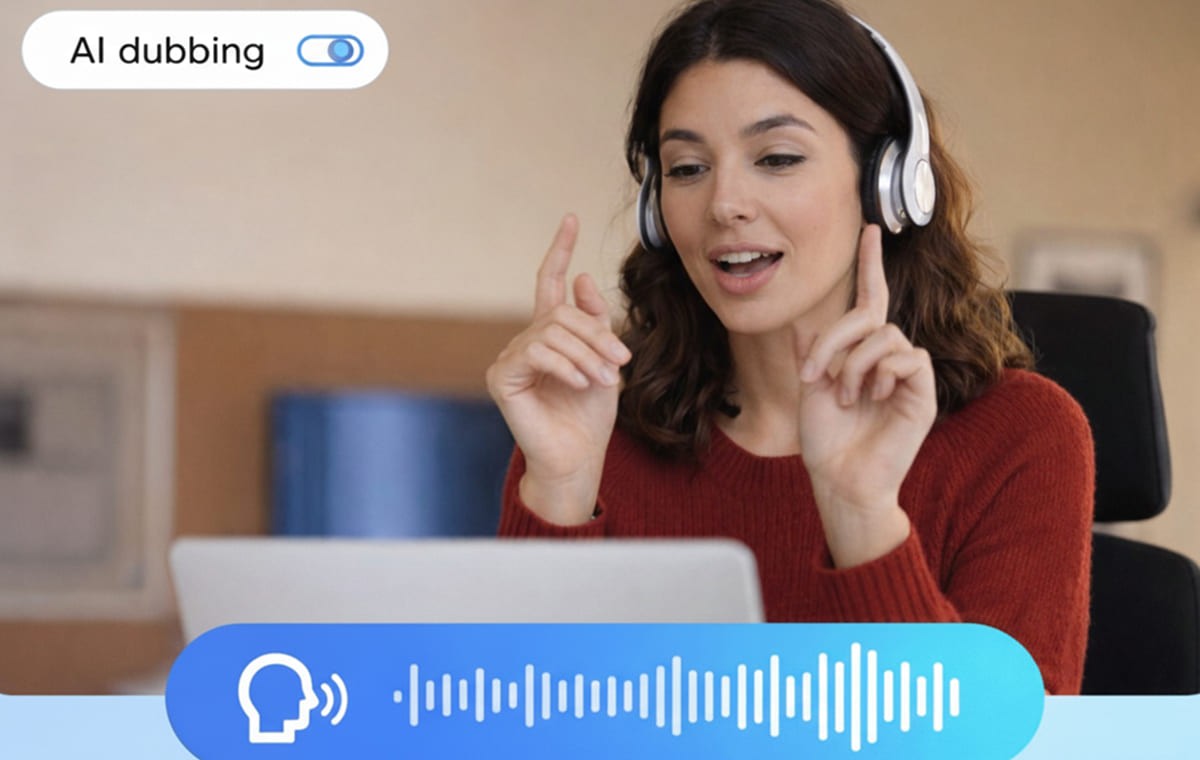
In a typical AI dubbing workflow, the system:
Transcribes the video into text (video to text script).
Translates the script into target languages (automatic video translation).
Generates voice audio (often with voice cloning options).
Synchronizes the new audio with the video timing (including lip sync).
Let’s you edit the script/subtitles for accuracy and tone.
Exports dubbed video files.
Perso Dubbing positions its product as an AI-powered platform that integrates dubbing, translation, and lip-sync in one process and supports 32+ languages.
Top 7 Features to Look for in a High-Quality AI Dubbing Tool?
Dubbing quality is not simply about translation accuracy. It depends on how effectively the technology handles speech, timing, and editing. Usable dubs differ from material that seems automated in the following ways.
1) Voice Cloning (Brand Voice Consistency)
Generic voices might weaken trust if your narrator or on-camera speaker represents your brand. Speaking in several languages while retaining a recognizable tone and personality is made easier via voice cloning. Perso Dubbing supports voice cloning across 32 languages as a fundamental feature.
What to test (fast):
Does the voice stay consistent across scenes and emotions?
Do pauses and emphasis sound natural, not robotic?
Does the voice handle product names without weird pronunciation?
2) AI Lip Sync (The “Believability” Factor)
Even when translation is accurate, mismatched mouth movements can break viewer attention fast—especially for talking-head videos, webinars, and founder-led announcements. Perso Dubbing lists AI lip-sync as a primary dubbing feature.
What to test:
Close-up face shots (hardest case)
Fast speakers (timing stress test)
Words with lots of mouth movement (“p”, “b”, “m” sounds)
3) Multi-Speaker Support (Critical for Webinars & Interviews)
Many teams dub content that isn’t a single narrator: panels, podcasts, customer interviews, multi-person training. Multi-speaker detection/support is a make-or-break feature because it preserves who’s speaking and keeps the video intelligible. Perso Dubbing lists multi-speaker support as included in its dubbing feature set.
What to test:
Does it separate speakers correctly?
Can you keep consistent voices for each person across the video?
4) Script / Subtitle Editor (Control Without Redoing Everything)
High-performing dubbing workflows give you editing control so you can fix:
terminology,
tone,
grammar,
awkward translations,
before final export.
Perso Dubbing promotes script editing for “grammar & translation refinement,” and its Subtitle & Script Editor emphasizes reviewing and adjusting translations before approval.
What to test:
Can you edit lines quickly without regenerating the whole video?
Does the timing still hold after edits?
5) Custom Glossary (Brand + Product Terminology Accuracy)
For U.S. SaaS teams, “feature names” aren’t optional. Neither are compliance terms, medical terms, or legal phrases. A custom glossary forces consistent translations and helps avoid brand drift. Perso Dubbing lists a custom glossary as part of its dubbing workflow.
What to include in your glossary on day one:
product/feature names that should not translate
acronyms (CRM, API, SOC 2) and how they should be spoken
key value props and tagline phrasing
6) Processing Limits and Throughput (Speed Is a Feature)
If you’re shipping content weekly, throughput matters:
max length per video,
concurrent processing/queues,
and whether you can store projects without cleanup.
Perso Dubbing’s pricing page references maximum video lengths (e.g., 5/15/30 minutes by plan), project storage, and “concurrent processing” / queue concepts.
7) Output Readiness (What You Can Actually Publish)
A good dubbing tool should give you outputs that fit your stack: YouTube, LMS, product pages, and paid social. Even if a platform creates great audio, friction happens when exports don’t match your publishing pipeline.
What to check:
Does it export in standard formats you already use?
Are subtitles available when you need them (even if you’re dubbing)?
Traditional Dubbing vs. AI Dubbing: A Practical Comparison
Here’s a simple view you can include in the article for clarity.
Factor | Traditional dubbing (typical) | AI dubbing (typical) |
Cost structure | Often priced by finished minutes; professional services can start around $45/min in some scenarios and increase with scope/quality. | Subscription/credits or per-minute usage; varies by platform and voice quality. |
Turnaround | Scheduling + recording + editing cycles | Faster processing + editing workflow (depends on review needs) |
Consistency across languages | Multiple actors = harder to keep the same “brand voice” | Voice cloning can preserve speaker identity across languages. |
Updates | Pickups can be slow and costly | Edits + regeneration can be faster, especially with script controls. |
Note: Exact costs vary widely by provider, content type, and quality level. The point of the table is to help readers understand how pricing works, not to promise a single universal rate.
Your Dubbing Feature Checklist
Feature | What “good” looks like | Quick test |
Transcription accuracy | Clean transcript with correct punctuation and terms | 1 min clip with acronyms + product names |
Translation quality | Natural phrasing, not literal | Ask a bilingual reviewer to rate 1–10 |
Voice cloning | Same personality/tone; stable pacing | Compare 2 clips: calm vs energetic |
AI lip sync | No noticeable drift; handles fast speech | Close-up talking head clip |
Script editor | Edit terms and regenerate quickly | Fix 5 terms and re-dub |
Multi-speaker | Speaker separation stays consistent | 2–3 speaker webinar segment |
Glossary | Consistent feature names across videos | Add 20 terms and rerun |
Why Dubbing Pays Off?
On YouTube, creators using multi-language audio tracks saw over 25% of watch time come from viewers in the video’s non-primary language (average). That doesn’t “prove” dubbing will work for every business, but it does show why language-ready audio can unlock a real incremental audience.
Conclusion
If you’re creating videos for a U.S. first launch and want worldwide scalability afterwards, the best move is to assess dubbing solutions by features that influence quality: voice cloning, lip sync, multi-speaker support, script editing, and glossary enforcement. Platforms like Perso Dubbing that integrate these into a single process provide quicker localization without creating separate production projects for every language.
Frequently Asked Questions
1) What’s the difference between AI dubbing and subtitles?
Subtitles show translated text. AI dubbing generates translated audio (often with voice cloning and lip sync) so viewers can listen naturally.
2) Does AI dubbing work for multi-speaker webinars?
It can, if the platform supports multi-speaker handling so each voice stays distinct.
3) How do we keep product terms consistent in every language?
Use a custom glossary to lock product names, acronyms, and brand phrases.
4) Is AI lip sync always necessary?
Not always. It matters most for on-camera speakers and close-ups. For screen recordings, it can be less critical, but still a quality upgrade when available.
5) How do we improve quality without slowing the team down?
Use a lightweight review flow: fix key lines in the script editor, enforce glossary terms, and do a quick spot-check on close-ups for lip sync.
Ready to try it on your own videos? Try Perso AI Dubbing — dub into 99+ languages with a 98% voice match.
AI Dubbing Features That Matter: A Practical Guide
Your U.S. team finishes a product demo video in English. Next week, sales ask for Spanish. Support wants Japanese for APAC customers. Marketing wants the same voice and pacing across every language so the brand still “sounds like you.”
Traditional dubbing can take weeks per language and quickly becomes expensive once you add translators, voice actors, studio time, audio engineering, and multiple rounds of review. That’s why more teams are evaluating AI dubbing platforms, specifically for dubbing features, not generic “localization.”
The Quick Answer
If you’re choosing an AI dubbing tool, evaluate these features first:
Accurate transcription + timing (the base for every dub)
Voice quality + voice cloning (brand consistency across languages)
AI lip sync (natural-looking mouth movement, especially for talking-head videos)
Multi-speaker support (separates speakers and preserves distinct voices)
Subtitle & script editor (fix awkward lines without redoing everything)
Glossary/terminology controls (product names, acronyms, technical terms)
Export + workflow controls (formats, speed, queues, collaboration)
Why this is important now: according to HubSpot, 93% of marketers believe that video is an essential component of their marketing strategy, and video has become the standard medium for product education and marketing.
How AI Dubbing Process Works?
In a typical AI dubbing workflow, the system:
Transcribes the video into text (video to text script).
Translates the script into target languages (automatic video translation).
Generates voice audio (often with voice cloning options).
Synchronizes the new audio with the video timing (including lip sync).
Let’s you edit the script/subtitles for accuracy and tone.
Exports dubbed video files.
Perso Dubbing positions its product as an AI-powered platform that integrates dubbing, translation, and lip-sync in one process and supports 32+ languages.
Top 7 Features to Look for in a High-Quality AI Dubbing Tool?
Dubbing quality is not simply about translation accuracy. It depends on how effectively the technology handles speech, timing, and editing. Usable dubs differ from material that seems automated in the following ways.
1) Voice Cloning (Brand Voice Consistency)
Generic voices might weaken trust if your narrator or on-camera speaker represents your brand. Speaking in several languages while retaining a recognizable tone and personality is made easier via voice cloning. Perso Dubbing supports voice cloning across 32 languages as a fundamental feature.
What to test (fast):
Does the voice stay consistent across scenes and emotions?
Do pauses and emphasis sound natural, not robotic?
Does the voice handle product names without weird pronunciation?
2) AI Lip Sync (The “Believability” Factor)
Even when translation is accurate, mismatched mouth movements can break viewer attention fast—especially for talking-head videos, webinars, and founder-led announcements. Perso Dubbing lists AI lip-sync as a primary dubbing feature.
What to test:
Close-up face shots (hardest case)
Fast speakers (timing stress test)
Words with lots of mouth movement (“p”, “b”, “m” sounds)
3) Multi-Speaker Support (Critical for Webinars & Interviews)
Many teams dub content that isn’t a single narrator: panels, podcasts, customer interviews, multi-person training. Multi-speaker detection/support is a make-or-break feature because it preserves who’s speaking and keeps the video intelligible. Perso Dubbing lists multi-speaker support as included in its dubbing feature set.
What to test:
Does it separate speakers correctly?
Can you keep consistent voices for each person across the video?
4) Script / Subtitle Editor (Control Without Redoing Everything)
High-performing dubbing workflows give you editing control so you can fix:
terminology,
tone,
grammar,
awkward translations,
before final export.
Perso Dubbing promotes script editing for “grammar & translation refinement,” and its Subtitle & Script Editor emphasizes reviewing and adjusting translations before approval.
What to test:
Can you edit lines quickly without regenerating the whole video?
Does the timing still hold after edits?
5) Custom Glossary (Brand + Product Terminology Accuracy)
For U.S. SaaS teams, “feature names” aren’t optional. Neither are compliance terms, medical terms, or legal phrases. A custom glossary forces consistent translations and helps avoid brand drift. Perso Dubbing lists a custom glossary as part of its dubbing workflow.
What to include in your glossary on day one:
product/feature names that should not translate
acronyms (CRM, API, SOC 2) and how they should be spoken
key value props and tagline phrasing
6) Processing Limits and Throughput (Speed Is a Feature)
If you’re shipping content weekly, throughput matters:
max length per video,
concurrent processing/queues,
and whether you can store projects without cleanup.
Perso Dubbing’s pricing page references maximum video lengths (e.g., 5/15/30 minutes by plan), project storage, and “concurrent processing” / queue concepts.
7) Output Readiness (What You Can Actually Publish)
A good dubbing tool should give you outputs that fit your stack: YouTube, LMS, product pages, and paid social. Even if a platform creates great audio, friction happens when exports don’t match your publishing pipeline.
What to check:
Does it export in standard formats you already use?
Are subtitles available when you need them (even if you’re dubbing)?
Traditional Dubbing vs. AI Dubbing: A Practical Comparison
Here’s a simple view you can include in the article for clarity.
Factor | Traditional dubbing (typical) | AI dubbing (typical) |
Cost structure | Often priced by finished minutes; professional services can start around $45/min in some scenarios and increase with scope/quality. | Subscription/credits or per-minute usage; varies by platform and voice quality. |
Turnaround | Scheduling + recording + editing cycles | Faster processing + editing workflow (depends on review needs) |
Consistency across languages | Multiple actors = harder to keep the same “brand voice” | Voice cloning can preserve speaker identity across languages. |
Updates | Pickups can be slow and costly | Edits + regeneration can be faster, especially with script controls. |
Note: Exact costs vary widely by provider, content type, and quality level. The point of the table is to help readers understand how pricing works, not to promise a single universal rate.
Your Dubbing Feature Checklist
Feature | What “good” looks like | Quick test |
Transcription accuracy | Clean transcript with correct punctuation and terms | 1 min clip with acronyms + product names |
Translation quality | Natural phrasing, not literal | Ask a bilingual reviewer to rate 1–10 |
Voice cloning | Same personality/tone; stable pacing | Compare 2 clips: calm vs energetic |
AI lip sync | No noticeable drift; handles fast speech | Close-up talking head clip |
Script editor | Edit terms and regenerate quickly | Fix 5 terms and re-dub |
Multi-speaker | Speaker separation stays consistent | 2–3 speaker webinar segment |
Glossary | Consistent feature names across videos | Add 20 terms and rerun |
Why Dubbing Pays Off?
On YouTube, creators using multi-language audio tracks saw over 25% of watch time come from viewers in the video’s non-primary language (average). That doesn’t “prove” dubbing will work for every business, but it does show why language-ready audio can unlock a real incremental audience.
Conclusion
If you’re creating videos for a U.S. first launch and want worldwide scalability afterwards, the best move is to assess dubbing solutions by features that influence quality: voice cloning, lip sync, multi-speaker support, script editing, and glossary enforcement. Platforms like Perso Dubbing that integrate these into a single process provide quicker localization without creating separate production projects for every language.
Frequently Asked Questions
1) What’s the difference between AI dubbing and subtitles?
Subtitles show translated text. AI dubbing generates translated audio (often with voice cloning and lip sync) so viewers can listen naturally.
2) Does AI dubbing work for multi-speaker webinars?
It can, if the platform supports multi-speaker handling so each voice stays distinct.
3) How do we keep product terms consistent in every language?
Use a custom glossary to lock product names, acronyms, and brand phrases.
4) Is AI lip sync always necessary?
Not always. It matters most for on-camera speakers and close-ups. For screen recordings, it can be less critical, but still a quality upgrade when available.
5) How do we improve quality without slowing the team down?
Use a lightweight review flow: fix key lines in the script editor, enforce glossary terms, and do a quick spot-check on close-ups for lip sync.
Ready to try it on your own videos? Try Perso AI Dubbing — dub into 99+ languages with a 98% voice match.
AI Dubbing Features That Matter: A Practical Guide
Your U.S. team finishes a product demo video in English. Next week, sales ask for Spanish. Support wants Japanese for APAC customers. Marketing wants the same voice and pacing across every language so the brand still “sounds like you.”
Traditional dubbing can take weeks per language and quickly becomes expensive once you add translators, voice actors, studio time, audio engineering, and multiple rounds of review. That’s why more teams are evaluating AI dubbing platforms, specifically for dubbing features, not generic “localization.”
The Quick Answer
If you’re choosing an AI dubbing tool, evaluate these features first:
Accurate transcription + timing (the base for every dub)
Voice quality + voice cloning (brand consistency across languages)
AI lip sync (natural-looking mouth movement, especially for talking-head videos)
Multi-speaker support (separates speakers and preserves distinct voices)
Subtitle & script editor (fix awkward lines without redoing everything)
Glossary/terminology controls (product names, acronyms, technical terms)
Export + workflow controls (formats, speed, queues, collaboration)
Why this is important now: according to HubSpot, 93% of marketers believe that video is an essential component of their marketing strategy, and video has become the standard medium for product education and marketing.
How AI Dubbing Process Works?
In a typical AI dubbing workflow, the system:
Transcribes the video into text (video to text script).
Translates the script into target languages (automatic video translation).
Generates voice audio (often with voice cloning options).
Synchronizes the new audio with the video timing (including lip sync).
Let’s you edit the script/subtitles for accuracy and tone.
Exports dubbed video files.
Perso Dubbing positions its product as an AI-powered platform that integrates dubbing, translation, and lip-sync in one process and supports 32+ languages.
Top 7 Features to Look for in a High-Quality AI Dubbing Tool?
Dubbing quality is not simply about translation accuracy. It depends on how effectively the technology handles speech, timing, and editing. Usable dubs differ from material that seems automated in the following ways.
1) Voice Cloning (Brand Voice Consistency)
Generic voices might weaken trust if your narrator or on-camera speaker represents your brand. Speaking in several languages while retaining a recognizable tone and personality is made easier via voice cloning. Perso Dubbing supports voice cloning across 32 languages as a fundamental feature.
What to test (fast):
Does the voice stay consistent across scenes and emotions?
Do pauses and emphasis sound natural, not robotic?
Does the voice handle product names without weird pronunciation?
2) AI Lip Sync (The “Believability” Factor)
Even when translation is accurate, mismatched mouth movements can break viewer attention fast—especially for talking-head videos, webinars, and founder-led announcements. Perso Dubbing lists AI lip-sync as a primary dubbing feature.
What to test:
Close-up face shots (hardest case)
Fast speakers (timing stress test)
Words with lots of mouth movement (“p”, “b”, “m” sounds)
3) Multi-Speaker Support (Critical for Webinars & Interviews)
Many teams dub content that isn’t a single narrator: panels, podcasts, customer interviews, multi-person training. Multi-speaker detection/support is a make-or-break feature because it preserves who’s speaking and keeps the video intelligible. Perso Dubbing lists multi-speaker support as included in its dubbing feature set.
What to test:
Does it separate speakers correctly?
Can you keep consistent voices for each person across the video?
4) Script / Subtitle Editor (Control Without Redoing Everything)
High-performing dubbing workflows give you editing control so you can fix:
terminology,
tone,
grammar,
awkward translations,
before final export.
Perso Dubbing promotes script editing for “grammar & translation refinement,” and its Subtitle & Script Editor emphasizes reviewing and adjusting translations before approval.
What to test:
Can you edit lines quickly without regenerating the whole video?
Does the timing still hold after edits?
5) Custom Glossary (Brand + Product Terminology Accuracy)
For U.S. SaaS teams, “feature names” aren’t optional. Neither are compliance terms, medical terms, or legal phrases. A custom glossary forces consistent translations and helps avoid brand drift. Perso Dubbing lists a custom glossary as part of its dubbing workflow.
What to include in your glossary on day one:
product/feature names that should not translate
acronyms (CRM, API, SOC 2) and how they should be spoken
key value props and tagline phrasing
6) Processing Limits and Throughput (Speed Is a Feature)
If you’re shipping content weekly, throughput matters:
max length per video,
concurrent processing/queues,
and whether you can store projects without cleanup.
Perso Dubbing’s pricing page references maximum video lengths (e.g., 5/15/30 minutes by plan), project storage, and “concurrent processing” / queue concepts.
7) Output Readiness (What You Can Actually Publish)
A good dubbing tool should give you outputs that fit your stack: YouTube, LMS, product pages, and paid social. Even if a platform creates great audio, friction happens when exports don’t match your publishing pipeline.
What to check:
Does it export in standard formats you already use?
Are subtitles available when you need them (even if you’re dubbing)?
Traditional Dubbing vs. AI Dubbing: A Practical Comparison
Here’s a simple view you can include in the article for clarity.
Factor | Traditional dubbing (typical) | AI dubbing (typical) |
Cost structure | Often priced by finished minutes; professional services can start around $45/min in some scenarios and increase with scope/quality. | Subscription/credits or per-minute usage; varies by platform and voice quality. |
Turnaround | Scheduling + recording + editing cycles | Faster processing + editing workflow (depends on review needs) |
Consistency across languages | Multiple actors = harder to keep the same “brand voice” | Voice cloning can preserve speaker identity across languages. |
Updates | Pickups can be slow and costly | Edits + regeneration can be faster, especially with script controls. |
Note: Exact costs vary widely by provider, content type, and quality level. The point of the table is to help readers understand how pricing works, not to promise a single universal rate.
Your Dubbing Feature Checklist
Feature | What “good” looks like | Quick test |
Transcription accuracy | Clean transcript with correct punctuation and terms | 1 min clip with acronyms + product names |
Translation quality | Natural phrasing, not literal | Ask a bilingual reviewer to rate 1–10 |
Voice cloning | Same personality/tone; stable pacing | Compare 2 clips: calm vs energetic |
AI lip sync | No noticeable drift; handles fast speech | Close-up talking head clip |
Script editor | Edit terms and regenerate quickly | Fix 5 terms and re-dub |
Multi-speaker | Speaker separation stays consistent | 2–3 speaker webinar segment |
Glossary | Consistent feature names across videos | Add 20 terms and rerun |
Why Dubbing Pays Off?
On YouTube, creators using multi-language audio tracks saw over 25% of watch time come from viewers in the video’s non-primary language (average). That doesn’t “prove” dubbing will work for every business, but it does show why language-ready audio can unlock a real incremental audience.
Conclusion
If you’re creating videos for a U.S. first launch and want worldwide scalability afterwards, the best move is to assess dubbing solutions by features that influence quality: voice cloning, lip sync, multi-speaker support, script editing, and glossary enforcement. Platforms like Perso Dubbing that integrate these into a single process provide quicker localization without creating separate production projects for every language.
Frequently Asked Questions
1) What’s the difference between AI dubbing and subtitles?
Subtitles show translated text. AI dubbing generates translated audio (often with voice cloning and lip sync) so viewers can listen naturally.
2) Does AI dubbing work for multi-speaker webinars?
It can, if the platform supports multi-speaker handling so each voice stays distinct.
3) How do we keep product terms consistent in every language?
Use a custom glossary to lock product names, acronyms, and brand phrases.
4) Is AI lip sync always necessary?
Not always. It matters most for on-camera speakers and close-ups. For screen recordings, it can be less critical, but still a quality upgrade when available.
5) How do we improve quality without slowing the team down?
Use a lightweight review flow: fix key lines in the script editor, enforce glossary terms, and do a quick spot-check on close-ups for lip sync.
Ready to try it on your own videos? Try Perso AI Dubbing — dub into 99+ languages with a 98% voice match.
Continue Reading
Browse All