AI Lip Sync Technology: Perfect Dubbing in 33+ Languages
Last Updated




Jump to section
Jump to section

Share
Share
Share
AI Video Translator, Localization, and Dubbing Tool
Try it out for Free
Your team has a polished on-camera video. The speaker is confident, the pacing is clean, and the message lands. You push it through dubbing for a Spanish release. The translation is accurate, and the voice sounds professional. Then you watch the close-up sections.
The mouth movements do not match the new audio. The words feel late in a few places. Some consonants look wrong. Viewers may not know what is wrong, but they can feel it.
That is where AI Lip Sync matters. AI Lip Sync aligns the translated voice track to the visible mouth movements after Dubbing, so the result looks natural enough for real publishing, not just internal review. In this guide, you’ll learn what drives lip sync realism, how to improve it with a repeatable checklist, and where it fits in a modern translation-and-dubbing workflow.
This article is for marketers, creators, and product teams publishing talking head content, testimonials, and founder led videos.
AI Lip Sync Realism Starts with Timing, Not Magic
AI Lip Sync is often treated like a final polish step, but realism comes from the inputs. Most lip sync problems are timing problems created earlier in the workflow.
If the translated line is too long, the voice will rush and the mouth will not match. If the translated line is too short, the voice may finish early while the mouth keeps moving. If the segmentation is messy, transitions between lines drift.
A workflow that combines dubbing, translation, and sync in one place can reduce these timing gaps. That’s why many teams use Perso Dubbing for multilingual localization and handle lip sync in the same chain as transcription, script edits, and voice output.
When AI Lip Sync Is Truly Worth the Effort?
Some formats hide sync issues. Others expose them immediately. You get the most value from AI Lip Sync when the viewer is watching the speaker’s face.
Talking head and testimonials: Close ups make every mismatch visible, especially on strong consonants and quick syllables.
Founder led product announcements: Trust is tied to the speaker. If the mouth and audio disagree, the video can feel less credible.
UGC style ads and short form clips: Fast cuts and direct to camera framing make viewers more sensitive to anything that feels off.
For creator workflows that start with international growth, multilingual publishing often begins with YouTube content, which is why many teams align their process with YouTube creators expanding globally with dubbed videos before scaling to other channels.
The Parts of Dubbing That Most Affect Mouth Realism
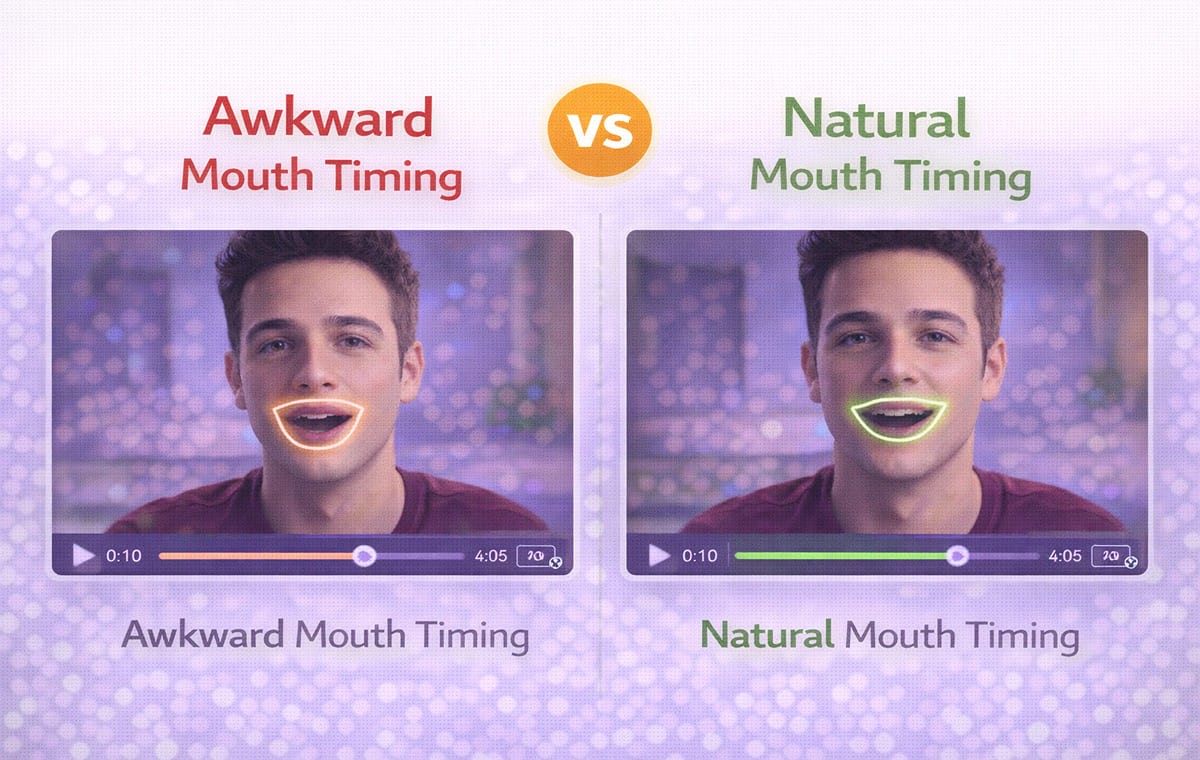
Lip sync is not only a visual feature. It is the outcome of several upstream steps that shape timing and mouth cues.
Script Length and Speakability
A translation can be correct but not speakable. If it reads like written text, the voice will sound unnatural and the mouth will not match well.
Segmentation And Line Breaks
If a sentence is split in the wrong place, the voice pauses where the mouth does not. Clean segmentation keeps speech rhythm closer to the original.
Audio Pacing and Breath Pauses
Natural speech includes micro pauses. When voice output removes them, the mouth can look like it is moving on a different rhythm.
This is why script control matters in video localization. Many teams use a guide like AI video translator workflows that include lip sync to understand how transcription, translation, editing, and synchronization connect.
Voice Cloning and AI Lip Sync Work Best Together
For on camera content, voice choice affects realism. If the voice does not match the face, the best sync still feels odd. Voice Cloning can help preserve identity cues like tone, pacing, and energy.
Voice Cloning also helps when the same speaker appears across multiple videos. It reduces variation and makes your localized library feel consistent, especially when you publish multiple languages using a Video Translator workflow.
If you use voice cloning, focus on:
consistent pace across scenes
stable pronunciation of names and product terms
natural emphasis where the speaker highlights key points
AI Lip Sync Vs Automated Dialogue Replacement
Teams sometimes compare AI Lip Sync to automated dialogue replacement. They solve different problems.
Automated dialogue replacement focuses on replacing audio after recording, often to fix performance or clarity. AI Lip Sync focuses on aligning new language audio to the existing facial movements after dubbing.
If your problem is a translated line that looks late or early, lip sync is usually the relevant tool. If your problem is the original recording quality, dialogue replacement may be part of the production side, not localization.
Practical Checklist to Make Mouth Movements Feel Natural
Use this checklist before exporting final versions. Teams using Perso Dubbing often run it as a quick review loop: script tweak → 10–20 second preview → close-up check → export.
Start with the hardest scenes: Review close ups first. If those scenes look natural, wide shots usually follow.
Fix speakability before you fix sync: If a line feels stiff, shorten it. Replace literal phrases with natural spoken wording. This reduces rushed timing.
Align segmentation to visible pauses: Split lines where the speaker’s mouth naturally pauses. Avoid breaking a phrase mid thought.
Watch for consonant moments: Pay attention to plosives and tight mouth shapes. These moments reveal mismatch fastest.
Review transitions between speakers: In multi speaker content, ensure the handoff is clean. Overlaps can cause instant realism loss.
Keep a consistent review loop: Make small edits, preview the same 10 to 20 seconds, and repeat. Big changes increase drift risk.
Quick Evaluation Table for AI Lip Sync Quality
What you are checking | What good looks like | What to adjust first |
Close up mouth timing | Words land on visible mouth cues | Shorten phrasing, adjust segmentation |
Fast speech sections | No rushing or trailing audio | Edit speakability, reduce sentence length |
Speaker transitions | Clean handoffs, no overlap | Fix segmentation and timing windows |
Emotional emphasis | Tone matches facial expression | Refine script, adjust delivery pacing |
Multilingual consistency | Similar rhythm across languages | Standardize terminology and phrasing |
This table helps keep reviews objective, especially when multiple teammates approve localized versions.
How Automatic Dubbing Fits Without Lowering Realism?
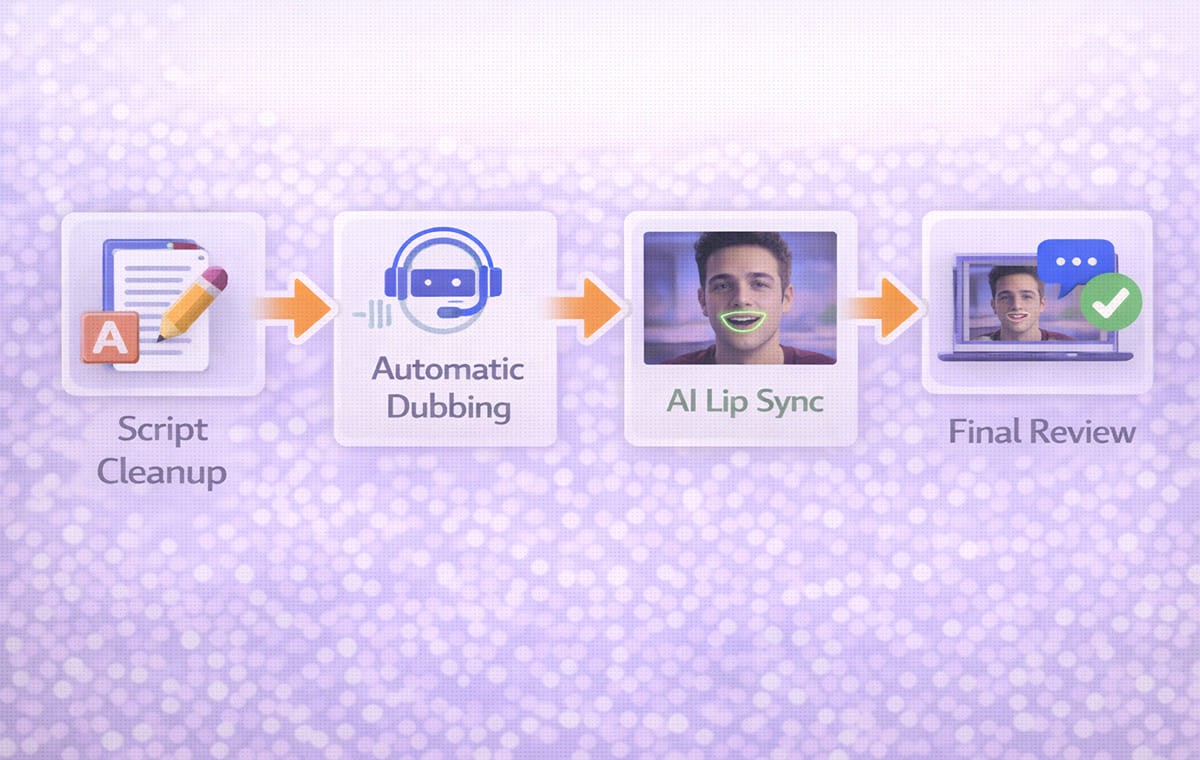
Automatic Dubbing is useful for speed, but realism improves when you still apply light control.
A balanced approach:
use automatic output for the first pass
review speakability and segmentation
apply AI Lip Sync to the scenes where faces are visible
export after a short focused review
This keeps production moving while protecting the moments viewers notice most.
Frequently Asked Questions
Does AI Lip Sync matter for every video?
No. It matters most when the viewer can see the speaker’s mouth clearly. Screen recordings and slide based videos often rely more on script quality.
Can AI Lip Sync fix a poorly translated script?
It can improve alignment, but it cannot make unnatural phrasing sound natural. Fix speakability first for better results.
How does dubbing affect lip sync realism?
Dubbing changes timing because languages vary in length and rhythm. The more the translated script fits the original pacing, the more natural the mouth movements look.
Is a Video Translator enough on its own?
A Video Translator can produce strong results, but realism depends on review steps like speakability edits and synchronization checks.
Conclusion
AI Lip Sync is the feature that protects realism when you publish dubbed, on-camera content. The most natural results come from clean timing, speakable translations, strong segmentation, and a repeatable review loop. When you treat lip sync as part of the full workflow, transcription, script control, and timing checks, your localized videos stay consistent across markets and scale more easily. This is where Perso Dubbing fits naturally: teams use it to keep script edits, lip sync, and exports in one repeatable process, so quality doesn’t drift as volume increases.
Your team has a polished on-camera video. The speaker is confident, the pacing is clean, and the message lands. You push it through dubbing for a Spanish release. The translation is accurate, and the voice sounds professional. Then you watch the close-up sections.
The mouth movements do not match the new audio. The words feel late in a few places. Some consonants look wrong. Viewers may not know what is wrong, but they can feel it.
That is where AI Lip Sync matters. AI Lip Sync aligns the translated voice track to the visible mouth movements after Dubbing, so the result looks natural enough for real publishing, not just internal review. In this guide, you’ll learn what drives lip sync realism, how to improve it with a repeatable checklist, and where it fits in a modern translation-and-dubbing workflow.
This article is for marketers, creators, and product teams publishing talking head content, testimonials, and founder led videos.
AI Lip Sync Realism Starts with Timing, Not Magic
AI Lip Sync is often treated like a final polish step, but realism comes from the inputs. Most lip sync problems are timing problems created earlier in the workflow.
If the translated line is too long, the voice will rush and the mouth will not match. If the translated line is too short, the voice may finish early while the mouth keeps moving. If the segmentation is messy, transitions between lines drift.
A workflow that combines dubbing, translation, and sync in one place can reduce these timing gaps. That’s why many teams use Perso Dubbing for multilingual localization and handle lip sync in the same chain as transcription, script edits, and voice output.
When AI Lip Sync Is Truly Worth the Effort?
Some formats hide sync issues. Others expose them immediately. You get the most value from AI Lip Sync when the viewer is watching the speaker’s face.
Talking head and testimonials: Close ups make every mismatch visible, especially on strong consonants and quick syllables.
Founder led product announcements: Trust is tied to the speaker. If the mouth and audio disagree, the video can feel less credible.
UGC style ads and short form clips: Fast cuts and direct to camera framing make viewers more sensitive to anything that feels off.
For creator workflows that start with international growth, multilingual publishing often begins with YouTube content, which is why many teams align their process with YouTube creators expanding globally with dubbed videos before scaling to other channels.
The Parts of Dubbing That Most Affect Mouth Realism
Lip sync is not only a visual feature. It is the outcome of several upstream steps that shape timing and mouth cues.
Script Length and Speakability
A translation can be correct but not speakable. If it reads like written text, the voice will sound unnatural and the mouth will not match well.
Segmentation And Line Breaks
If a sentence is split in the wrong place, the voice pauses where the mouth does not. Clean segmentation keeps speech rhythm closer to the original.
Audio Pacing and Breath Pauses
Natural speech includes micro pauses. When voice output removes them, the mouth can look like it is moving on a different rhythm.
This is why script control matters in video localization. Many teams use a guide like AI video translator workflows that include lip sync to understand how transcription, translation, editing, and synchronization connect.
Voice Cloning and AI Lip Sync Work Best Together
For on camera content, voice choice affects realism. If the voice does not match the face, the best sync still feels odd. Voice Cloning can help preserve identity cues like tone, pacing, and energy.
Voice Cloning also helps when the same speaker appears across multiple videos. It reduces variation and makes your localized library feel consistent, especially when you publish multiple languages using a Video Translator workflow.
If you use voice cloning, focus on:
consistent pace across scenes
stable pronunciation of names and product terms
natural emphasis where the speaker highlights key points
AI Lip Sync Vs Automated Dialogue Replacement
Teams sometimes compare AI Lip Sync to automated dialogue replacement. They solve different problems.
Automated dialogue replacement focuses on replacing audio after recording, often to fix performance or clarity. AI Lip Sync focuses on aligning new language audio to the existing facial movements after dubbing.
If your problem is a translated line that looks late or early, lip sync is usually the relevant tool. If your problem is the original recording quality, dialogue replacement may be part of the production side, not localization.
Practical Checklist to Make Mouth Movements Feel Natural
Use this checklist before exporting final versions. Teams using Perso Dubbing often run it as a quick review loop: script tweak → 10–20 second preview → close-up check → export.
Start with the hardest scenes: Review close ups first. If those scenes look natural, wide shots usually follow.
Fix speakability before you fix sync: If a line feels stiff, shorten it. Replace literal phrases with natural spoken wording. This reduces rushed timing.
Align segmentation to visible pauses: Split lines where the speaker’s mouth naturally pauses. Avoid breaking a phrase mid thought.
Watch for consonant moments: Pay attention to plosives and tight mouth shapes. These moments reveal mismatch fastest.
Review transitions between speakers: In multi speaker content, ensure the handoff is clean. Overlaps can cause instant realism loss.
Keep a consistent review loop: Make small edits, preview the same 10 to 20 seconds, and repeat. Big changes increase drift risk.
Quick Evaluation Table for AI Lip Sync Quality
What you are checking | What good looks like | What to adjust first |
Close up mouth timing | Words land on visible mouth cues | Shorten phrasing, adjust segmentation |
Fast speech sections | No rushing or trailing audio | Edit speakability, reduce sentence length |
Speaker transitions | Clean handoffs, no overlap | Fix segmentation and timing windows |
Emotional emphasis | Tone matches facial expression | Refine script, adjust delivery pacing |
Multilingual consistency | Similar rhythm across languages | Standardize terminology and phrasing |
This table helps keep reviews objective, especially when multiple teammates approve localized versions.
How Automatic Dubbing Fits Without Lowering Realism?
Automatic Dubbing is useful for speed, but realism improves when you still apply light control.
A balanced approach:
use automatic output for the first pass
review speakability and segmentation
apply AI Lip Sync to the scenes where faces are visible
export after a short focused review
This keeps production moving while protecting the moments viewers notice most.
Frequently Asked Questions
Does AI Lip Sync matter for every video?
No. It matters most when the viewer can see the speaker’s mouth clearly. Screen recordings and slide based videos often rely more on script quality.
Can AI Lip Sync fix a poorly translated script?
It can improve alignment, but it cannot make unnatural phrasing sound natural. Fix speakability first for better results.
How does dubbing affect lip sync realism?
Dubbing changes timing because languages vary in length and rhythm. The more the translated script fits the original pacing, the more natural the mouth movements look.
Is a Video Translator enough on its own?
A Video Translator can produce strong results, but realism depends on review steps like speakability edits and synchronization checks.
Conclusion
AI Lip Sync is the feature that protects realism when you publish dubbed, on-camera content. The most natural results come from clean timing, speakable translations, strong segmentation, and a repeatable review loop. When you treat lip sync as part of the full workflow, transcription, script control, and timing checks, your localized videos stay consistent across markets and scale more easily. This is where Perso Dubbing fits naturally: teams use it to keep script edits, lip sync, and exports in one repeatable process, so quality doesn’t drift as volume increases.
Your team has a polished on-camera video. The speaker is confident, the pacing is clean, and the message lands. You push it through dubbing for a Spanish release. The translation is accurate, and the voice sounds professional. Then you watch the close-up sections.
The mouth movements do not match the new audio. The words feel late in a few places. Some consonants look wrong. Viewers may not know what is wrong, but they can feel it.
That is where AI Lip Sync matters. AI Lip Sync aligns the translated voice track to the visible mouth movements after Dubbing, so the result looks natural enough for real publishing, not just internal review. In this guide, you’ll learn what drives lip sync realism, how to improve it with a repeatable checklist, and where it fits in a modern translation-and-dubbing workflow.
This article is for marketers, creators, and product teams publishing talking head content, testimonials, and founder led videos.
AI Lip Sync Realism Starts with Timing, Not Magic
AI Lip Sync is often treated like a final polish step, but realism comes from the inputs. Most lip sync problems are timing problems created earlier in the workflow.
If the translated line is too long, the voice will rush and the mouth will not match. If the translated line is too short, the voice may finish early while the mouth keeps moving. If the segmentation is messy, transitions between lines drift.
A workflow that combines dubbing, translation, and sync in one place can reduce these timing gaps. That’s why many teams use Perso Dubbing for multilingual localization and handle lip sync in the same chain as transcription, script edits, and voice output.
When AI Lip Sync Is Truly Worth the Effort?
Some formats hide sync issues. Others expose them immediately. You get the most value from AI Lip Sync when the viewer is watching the speaker’s face.
Talking head and testimonials: Close ups make every mismatch visible, especially on strong consonants and quick syllables.
Founder led product announcements: Trust is tied to the speaker. If the mouth and audio disagree, the video can feel less credible.
UGC style ads and short form clips: Fast cuts and direct to camera framing make viewers more sensitive to anything that feels off.
For creator workflows that start with international growth, multilingual publishing often begins with YouTube content, which is why many teams align their process with YouTube creators expanding globally with dubbed videos before scaling to other channels.
The Parts of Dubbing That Most Affect Mouth Realism
Lip sync is not only a visual feature. It is the outcome of several upstream steps that shape timing and mouth cues.
Script Length and Speakability
A translation can be correct but not speakable. If it reads like written text, the voice will sound unnatural and the mouth will not match well.
Segmentation And Line Breaks
If a sentence is split in the wrong place, the voice pauses where the mouth does not. Clean segmentation keeps speech rhythm closer to the original.
Audio Pacing and Breath Pauses
Natural speech includes micro pauses. When voice output removes them, the mouth can look like it is moving on a different rhythm.
This is why script control matters in video localization. Many teams use a guide like AI video translator workflows that include lip sync to understand how transcription, translation, editing, and synchronization connect.
Voice Cloning and AI Lip Sync Work Best Together
For on camera content, voice choice affects realism. If the voice does not match the face, the best sync still feels odd. Voice Cloning can help preserve identity cues like tone, pacing, and energy.
Voice Cloning also helps when the same speaker appears across multiple videos. It reduces variation and makes your localized library feel consistent, especially when you publish multiple languages using a Video Translator workflow.
If you use voice cloning, focus on:
consistent pace across scenes
stable pronunciation of names and product terms
natural emphasis where the speaker highlights key points
AI Lip Sync Vs Automated Dialogue Replacement
Teams sometimes compare AI Lip Sync to automated dialogue replacement. They solve different problems.
Automated dialogue replacement focuses on replacing audio after recording, often to fix performance or clarity. AI Lip Sync focuses on aligning new language audio to the existing facial movements after dubbing.
If your problem is a translated line that looks late or early, lip sync is usually the relevant tool. If your problem is the original recording quality, dialogue replacement may be part of the production side, not localization.
Practical Checklist to Make Mouth Movements Feel Natural
Use this checklist before exporting final versions. Teams using Perso Dubbing often run it as a quick review loop: script tweak → 10–20 second preview → close-up check → export.
Start with the hardest scenes: Review close ups first. If those scenes look natural, wide shots usually follow.
Fix speakability before you fix sync: If a line feels stiff, shorten it. Replace literal phrases with natural spoken wording. This reduces rushed timing.
Align segmentation to visible pauses: Split lines where the speaker’s mouth naturally pauses. Avoid breaking a phrase mid thought.
Watch for consonant moments: Pay attention to plosives and tight mouth shapes. These moments reveal mismatch fastest.
Review transitions between speakers: In multi speaker content, ensure the handoff is clean. Overlaps can cause instant realism loss.
Keep a consistent review loop: Make small edits, preview the same 10 to 20 seconds, and repeat. Big changes increase drift risk.
Quick Evaluation Table for AI Lip Sync Quality
What you are checking | What good looks like | What to adjust first |
Close up mouth timing | Words land on visible mouth cues | Shorten phrasing, adjust segmentation |
Fast speech sections | No rushing or trailing audio | Edit speakability, reduce sentence length |
Speaker transitions | Clean handoffs, no overlap | Fix segmentation and timing windows |
Emotional emphasis | Tone matches facial expression | Refine script, adjust delivery pacing |
Multilingual consistency | Similar rhythm across languages | Standardize terminology and phrasing |
This table helps keep reviews objective, especially when multiple teammates approve localized versions.
How Automatic Dubbing Fits Without Lowering Realism?
Automatic Dubbing is useful for speed, but realism improves when you still apply light control.
A balanced approach:
use automatic output for the first pass
review speakability and segmentation
apply AI Lip Sync to the scenes where faces are visible
export after a short focused review
This keeps production moving while protecting the moments viewers notice most.
Frequently Asked Questions
Does AI Lip Sync matter for every video?
No. It matters most when the viewer can see the speaker’s mouth clearly. Screen recordings and slide based videos often rely more on script quality.
Can AI Lip Sync fix a poorly translated script?
It can improve alignment, but it cannot make unnatural phrasing sound natural. Fix speakability first for better results.
How does dubbing affect lip sync realism?
Dubbing changes timing because languages vary in length and rhythm. The more the translated script fits the original pacing, the more natural the mouth movements look.
Is a Video Translator enough on its own?
A Video Translator can produce strong results, but realism depends on review steps like speakability edits and synchronization checks.
Conclusion
AI Lip Sync is the feature that protects realism when you publish dubbed, on-camera content. The most natural results come from clean timing, speakable translations, strong segmentation, and a repeatable review loop. When you treat lip sync as part of the full workflow, transcription, script control, and timing checks, your localized videos stay consistent across markets and scale more easily. This is where Perso Dubbing fits naturally: teams use it to keep script edits, lip sync, and exports in one repeatable process, so quality doesn’t drift as volume increases.
Continue Reading
Browse All



