AI Video Translator - Translate Video with AI & Lip Sync
Last Updated




Jump to section
Jump to section

Share
Share
Share
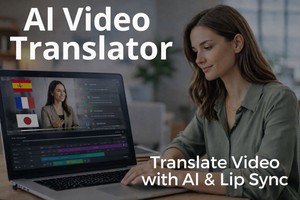
AI Video Translator, Localization, and Dubbing Tool
Try it out for Free
Understanding AI Video Translation
Video content reaches people faster than text. But language barriers still limit how far videos can go.
An AI video translator helps remove those barriers. It allows creators and teams to translate video content into different languages using AI, without rebuilding the entire production process.
Instead of creating many versions of the same video, you work with one video and adapt it for a global audience. This approach supports multilingual video content while keeping production simple.
AI video translation focuses on speed, consistency, and scale. It helps teams reach new markets and break language barriers without adding unnecessary complexity.
What Is an AI Video Translator?
An AI video translator is an online video translator that uses AI technology to translate spoken language in a video into another language.
It does more than text-based translation. This type of video translation tool works directly with audio and video. It listens to speech, understands meaning, and creates new audio in the target language. Many tools also generate subtitles and support lip sync.
An AI video translator allows you to translate a video into multiple languages while keeping audio-based delivery. You can reuse one video file across regions and scale video localization without rebuilding your workflow.
Creators often use AI video translators for online video, marketing, education, and internal communication. The goal stays simple: reach a global audience without slowing down content creation.
How Does AI Video Translation Work?
AI video translation follows a clear, practical process.
First, you upload your video file to the platform. The system extracts the audio and analyses the speech. Then the AI converts speech into text and automatically translates it into the target language.
After translation, the tool generates a new voice track using AI voice or voice cloning. Some platforms also apply AI dubbing to replace the original audio.
Many tools adjust timing and lip movements to support lip sync. This helps the translated voice match the original video flow. Finally, the system renders the translated video with audio, subtitles, or both.
This workflow allows teams to translate videos into multiple languages without recording new voiceovers or re-editing the video from scratch.
Key Technologies Behind AI Video Translation
Several technologies work together to make AI video translation possible.
Speech recognition converts spoken language into text. Machine translation handles meaning across different languages. AI voice technology generates natural-sounding voiceovers. Lip sync systems help match audio with visual speech.
Together, these tools support multilingual video content that feels consistent and clear. They also help reduce manual work, especially when teams translate videos into multiple languages.
Method | How it works | Best use case |
AI video translation | Uses AI to translate spoken language, generate new audio, and support lip sync | Scaling multilingual video content efficiently |
Subtitles | Displays translated text on screen while keeping the original audio | Accessibility and fast content updates |
Traditional dubbing | Replaces original audio with human-recorded voiceovers | High-production and emotionally driven videos |
Comparison: AI Video Translation vs. Subtitles vs. Dubbing
When you translate video content, you usually choose between subtitles, traditional dubbing, or AI video translation. Each method serves a different purpose. The right choice depends on your audience, budget, and production speed.
Understanding Subtitles
Subtitles show translated text on the screen while the original audio stays the same.
Many creators use subtitles because they:
· add subtitles quickly
· cost less than voice-based translation
· help viewers watch videos without sound
Subtitles work well for short videos, social media clips, and accessibility needs. However, they require viewers to read while watching. This can reduce engagement, especially on mobile devices or long videos.
Exploring Traditional Dubbing
Traditional dubbing replaces the original audio with a new voice recorded by human voice actors.
This method:
· delivers strong emotional tone
· fits movies and high-production content
· feels natural when done well
At the same time, traditional dubbing takes time and coordination. Each language needs a separate recording session. This makes it harder to scale when you publish many videos or update content often.
When to Use Each Method
Each translation method fits a different goal.
Subtitles work best when you need speed and basic accessibility. Traditional dubbing suits premium content with high emotional value. Automatic video translation sits between these two. It offers audio-based delivery and faster turnaround without complex production steps.
Many teams choose AI video translation when they want to translate videos regularly and reach a global audience efficiently.

Practical Use Cases for AI Video Translators
AI video translators support many real-world scenarios. Teams use them when they want to expand reach without slowing down content production.
Content Creation for Brands
Brands use AI video translators to localize marketing and educational videos. Many teams rely on video localization for marketing and brand communication to adapt campaigns for different regions without rebuilding content.
Common examples include:
· product explainer videos
· campaign content for different regions
· training videos for international teams
AI video translation helps brands keep a consistent message while adapting videos for different languages and markets.
Multilingual Video for Global Audiences
Creators and companies often publish the same video across many countries.
With AI video translation, they can:
· translate one video into multiple languages
· keep the same structure and timing
· publish faster across platforms
This approach supports growth without duplicating effort. It also helps content feel more natural for viewers in different regions.
Enhancing Accessibility with AI
By combining translated audio with subtitles, AI video translation supports non-native speakers, improves accessibility, and gives viewers more choice in how they consume video content.
AI tools make accessibility part of the workflow instead of an extra step at the end.
The Role of Lip Sync and Voice Quality
Audio quality shapes how people perceive translated video. Even when the translation is accurate, poor voice timing or unnatural sound can distract viewers. This is why lip sync and voice quality matter in AI video translation.
Importance of Lip Sync in Video Translation
Lip sync describes how closely the translated voice matches mouth movements in the video.
When lip sync feels off, viewers notice it quickly. They may lose focus or stop watching. This becomes even more important in talking-head videos, interviews, and presentations where the speaker’s face stays visible.
AI video translators that support lip sync help keep the video natural. They align speech timing with the original video flow, which improves viewer comfort and trust.
Voice Cloning and AI Voice in Video Translation
AI video translation often uses AI voice or voice cloning to create new audio.
These voices aim to:
· sound clear and natural
· stay consistent across videos
· match the pace of the original speaker
Voice cloning can help brands and creators keep a stable voice identity across languages. AI voice technology also reduces the need to record new voiceovers for every video.
Realistic Expectations for Voice Quality
AI voice quality has improved, but it still depends on several factors.
Clear original audio helps the AI perform better. Complex speech, strong accents, or background noise can affect results. Some languages also require more adjustment than others.
For important videos, teams often review the output and make small refinements. This approach keeps quality high while still benefiting from AI-powered translation.
Getting Started with AI Video Translation
You don’t need to change your entire workflow to start using AI video translation.
Most teams begin by testing one or two videos. They learn how the process works and expand from there.
Choosing the Right AI Video Translation Software
When choosing AI video translation software, focus on workflow fit rather than feature lists.
Look for tools that:
· support the languages you need
· offer clear audio output
· handle lip sync properly
· feel easy to use for non-technical users
A simple and reliable tool helps teams scale faster without adding friction.
How to Translate Your Video Effortlessly
A simple workflow usually works best when you want to translate your video using an AI video translator for multilingual video workflows.
You start by uploading your video file. After you choose the target language, the AI video translation software processes the audio and creates translated voiceovers or subtitles.
You can then review timing, edit subtitles if needed, and export the final version. This approach supports effortless video translation and keeps your workflow stable.
By using an AI-powered translation process, teams can localise video content faster and maintain consistent quality across different languages.
Implementing AI in Your Video Workflows
AI video translation works best when you add it as a natural step in your existing workflow.
Most teams create the original video first. They finish editing, review the content, and lock the final version. After that, they use an AI video translator to translate the video into one or more languages.
A simple workflow looks like this:
· create and edit the original video
· upload the final video file
· translate the video into target languages
· review audio, subtitles, and timing
· publish localized versions
This approach keeps your production process stable. It also allows you to scale video translation without slowing down your team.
Summary and Conclusion
Key Takeaways on AI Video Translation
AI video translation helps creators and teams reach a global audience without rebuilding their workflows.
Key points to remember:
· AI video translators convert spoken content into other languages
· they support multilingual video at scale
· lip sync and voice quality affect viewer experience
· realistic expectations lead to better results
Final Thoughts on Using AI Video Translators
AI video translators work best as practical tools, not magic solutions.
When you use them thoughtfully, they help you translate videos faster, reach new audiences, and keep your content consistent across languages. For creators, brands, and teams who publish video regularly, AI video translation can become a reliable part of modern content creation.
Many global teams already use AI video translation as part of their content strategy. This article on how AI video localization differs from traditional translation explains how brands approach multilingual video at scale.
Frequently Asked Questions
What Types of Videos Can Be Translated?
AI video translators work best with videos that have clear speech.
Common examples include:
· talking-head videos
· marketing and explainer videos
· training and educational content
· presentations and webinars
· internal communication videos
Videos with heavy background noise or overlapping speakers may need extra review to achieve the best results.
Can AI Video Translators Handle Multiple Languages?
Yes, many AI video translation tools support multiple target languages.
This allows you to:
· translate one video into several languages
· keep consistent structure across versions
· manage multilingual content more efficiently
The exact language coverage depends on the platform, but the goal stays the same: reduce manual work while expanding reach.
What Are the Limitations of AI Video Translation?
AI video translation offers speed and scale, but it has limits.
You may see challenges with:
· poor original audio quality
· strong accents or fast speech
· complex emotional delivery
For important content, teams often combine AI translation with human review. This balance helps maintain clarity and quality.
Understanding AI Video Translation
Video content reaches people faster than text. But language barriers still limit how far videos can go.
An AI video translator helps remove those barriers. It allows creators and teams to translate video content into different languages using AI, without rebuilding the entire production process.
Instead of creating many versions of the same video, you work with one video and adapt it for a global audience. This approach supports multilingual video content while keeping production simple.
AI video translation focuses on speed, consistency, and scale. It helps teams reach new markets and break language barriers without adding unnecessary complexity.
What Is an AI Video Translator?
An AI video translator is an online video translator that uses AI technology to translate spoken language in a video into another language.
It does more than text-based translation. This type of video translation tool works directly with audio and video. It listens to speech, understands meaning, and creates new audio in the target language. Many tools also generate subtitles and support lip sync.
An AI video translator allows you to translate a video into multiple languages while keeping audio-based delivery. You can reuse one video file across regions and scale video localization without rebuilding your workflow.
Creators often use AI video translators for online video, marketing, education, and internal communication. The goal stays simple: reach a global audience without slowing down content creation.
How Does AI Video Translation Work?
AI video translation follows a clear, practical process.
First, you upload your video file to the platform. The system extracts the audio and analyses the speech. Then the AI converts speech into text and automatically translates it into the target language.
After translation, the tool generates a new voice track using AI voice or voice cloning. Some platforms also apply AI dubbing to replace the original audio.
Many tools adjust timing and lip movements to support lip sync. This helps the translated voice match the original video flow. Finally, the system renders the translated video with audio, subtitles, or both.
This workflow allows teams to translate videos into multiple languages without recording new voiceovers or re-editing the video from scratch.
Key Technologies Behind AI Video Translation
Several technologies work together to make AI video translation possible.
Speech recognition converts spoken language into text. Machine translation handles meaning across different languages. AI voice technology generates natural-sounding voiceovers. Lip sync systems help match audio with visual speech.
Together, these tools support multilingual video content that feels consistent and clear. They also help reduce manual work, especially when teams translate videos into multiple languages.
Method | How it works | Best use case |
AI video translation | Uses AI to translate spoken language, generate new audio, and support lip sync | Scaling multilingual video content efficiently |
Subtitles | Displays translated text on screen while keeping the original audio | Accessibility and fast content updates |
Traditional dubbing | Replaces original audio with human-recorded voiceovers | High-production and emotionally driven videos |
Comparison: AI Video Translation vs. Subtitles vs. Dubbing
When you translate video content, you usually choose between subtitles, traditional dubbing, or AI video translation. Each method serves a different purpose. The right choice depends on your audience, budget, and production speed.
Understanding Subtitles
Subtitles show translated text on the screen while the original audio stays the same.
Many creators use subtitles because they:
· add subtitles quickly
· cost less than voice-based translation
· help viewers watch videos without sound
Subtitles work well for short videos, social media clips, and accessibility needs. However, they require viewers to read while watching. This can reduce engagement, especially on mobile devices or long videos.
Exploring Traditional Dubbing
Traditional dubbing replaces the original audio with a new voice recorded by human voice actors.
This method:
· delivers strong emotional tone
· fits movies and high-production content
· feels natural when done well
At the same time, traditional dubbing takes time and coordination. Each language needs a separate recording session. This makes it harder to scale when you publish many videos or update content often.
When to Use Each Method
Each translation method fits a different goal.
Subtitles work best when you need speed and basic accessibility. Traditional dubbing suits premium content with high emotional value. Automatic video translation sits between these two. It offers audio-based delivery and faster turnaround without complex production steps.
Many teams choose AI video translation when they want to translate videos regularly and reach a global audience efficiently.
Practical Use Cases for AI Video Translators
AI video translators support many real-world scenarios. Teams use them when they want to expand reach without slowing down content production.
Content Creation for Brands
Brands use AI video translators to localize marketing and educational videos. Many teams rely on video localization for marketing and brand communication to adapt campaigns for different regions without rebuilding content.
Common examples include:
· product explainer videos
· campaign content for different regions
· training videos for international teams
AI video translation helps brands keep a consistent message while adapting videos for different languages and markets.
Multilingual Video for Global Audiences
Creators and companies often publish the same video across many countries.
With AI video translation, they can:
· translate one video into multiple languages
· keep the same structure and timing
· publish faster across platforms
This approach supports growth without duplicating effort. It also helps content feel more natural for viewers in different regions.
Enhancing Accessibility with AI
By combining translated audio with subtitles, AI video translation supports non-native speakers, improves accessibility, and gives viewers more choice in how they consume video content.
AI tools make accessibility part of the workflow instead of an extra step at the end.
The Role of Lip Sync and Voice Quality
Audio quality shapes how people perceive translated video. Even when the translation is accurate, poor voice timing or unnatural sound can distract viewers. This is why lip sync and voice quality matter in AI video translation.
Importance of Lip Sync in Video Translation
Lip sync describes how closely the translated voice matches mouth movements in the video.
When lip sync feels off, viewers notice it quickly. They may lose focus or stop watching. This becomes even more important in talking-head videos, interviews, and presentations where the speaker’s face stays visible.
AI video translators that support lip sync help keep the video natural. They align speech timing with the original video flow, which improves viewer comfort and trust.
Voice Cloning and AI Voice in Video Translation
AI video translation often uses AI voice or voice cloning to create new audio.
These voices aim to:
· sound clear and natural
· stay consistent across videos
· match the pace of the original speaker
Voice cloning can help brands and creators keep a stable voice identity across languages. AI voice technology also reduces the need to record new voiceovers for every video.
Realistic Expectations for Voice Quality
AI voice quality has improved, but it still depends on several factors.
Clear original audio helps the AI perform better. Complex speech, strong accents, or background noise can affect results. Some languages also require more adjustment than others.
For important videos, teams often review the output and make small refinements. This approach keeps quality high while still benefiting from AI-powered translation.
Getting Started with AI Video Translation
You don’t need to change your entire workflow to start using AI video translation.
Most teams begin by testing one or two videos. They learn how the process works and expand from there.
Choosing the Right AI Video Translation Software
When choosing AI video translation software, focus on workflow fit rather than feature lists.
Look for tools that:
· support the languages you need
· offer clear audio output
· handle lip sync properly
· feel easy to use for non-technical users
A simple and reliable tool helps teams scale faster without adding friction.
How to Translate Your Video Effortlessly
A simple workflow usually works best when you want to translate your video using an AI video translator for multilingual video workflows.
You start by uploading your video file. After you choose the target language, the AI video translation software processes the audio and creates translated voiceovers or subtitles.
You can then review timing, edit subtitles if needed, and export the final version. This approach supports effortless video translation and keeps your workflow stable.
By using an AI-powered translation process, teams can localise video content faster and maintain consistent quality across different languages.
Implementing AI in Your Video Workflows
AI video translation works best when you add it as a natural step in your existing workflow.
Most teams create the original video first. They finish editing, review the content, and lock the final version. After that, they use an AI video translator to translate the video into one or more languages.
A simple workflow looks like this:
· create and edit the original video
· upload the final video file
· translate the video into target languages
· review audio, subtitles, and timing
· publish localized versions
This approach keeps your production process stable. It also allows you to scale video translation without slowing down your team.
Summary and Conclusion
Key Takeaways on AI Video Translation
AI video translation helps creators and teams reach a global audience without rebuilding their workflows.
Key points to remember:
· AI video translators convert spoken content into other languages
· they support multilingual video at scale
· lip sync and voice quality affect viewer experience
· realistic expectations lead to better results
Final Thoughts on Using AI Video Translators
AI video translators work best as practical tools, not magic solutions.
When you use them thoughtfully, they help you translate videos faster, reach new audiences, and keep your content consistent across languages. For creators, brands, and teams who publish video regularly, AI video translation can become a reliable part of modern content creation.
Many global teams already use AI video translation as part of their content strategy. This article on how AI video localization differs from traditional translation explains how brands approach multilingual video at scale.
Frequently Asked Questions
What Types of Videos Can Be Translated?
AI video translators work best with videos that have clear speech.
Common examples include:
· talking-head videos
· marketing and explainer videos
· training and educational content
· presentations and webinars
· internal communication videos
Videos with heavy background noise or overlapping speakers may need extra review to achieve the best results.
Can AI Video Translators Handle Multiple Languages?
Yes, many AI video translation tools support multiple target languages.
This allows you to:
· translate one video into several languages
· keep consistent structure across versions
· manage multilingual content more efficiently
The exact language coverage depends on the platform, but the goal stays the same: reduce manual work while expanding reach.
What Are the Limitations of AI Video Translation?
AI video translation offers speed and scale, but it has limits.
You may see challenges with:
· poor original audio quality
· strong accents or fast speech
· complex emotional delivery
For important content, teams often combine AI translation with human review. This balance helps maintain clarity and quality.
Understanding AI Video Translation
Video content reaches people faster than text. But language barriers still limit how far videos can go.
An AI video translator helps remove those barriers. It allows creators and teams to translate video content into different languages using AI, without rebuilding the entire production process.
Instead of creating many versions of the same video, you work with one video and adapt it for a global audience. This approach supports multilingual video content while keeping production simple.
AI video translation focuses on speed, consistency, and scale. It helps teams reach new markets and break language barriers without adding unnecessary complexity.
What Is an AI Video Translator?
An AI video translator is an online video translator that uses AI technology to translate spoken language in a video into another language.
It does more than text-based translation. This type of video translation tool works directly with audio and video. It listens to speech, understands meaning, and creates new audio in the target language. Many tools also generate subtitles and support lip sync.
An AI video translator allows you to translate a video into multiple languages while keeping audio-based delivery. You can reuse one video file across regions and scale video localization without rebuilding your workflow.
Creators often use AI video translators for online video, marketing, education, and internal communication. The goal stays simple: reach a global audience without slowing down content creation.
How Does AI Video Translation Work?
AI video translation follows a clear, practical process.
First, you upload your video file to the platform. The system extracts the audio and analyses the speech. Then the AI converts speech into text and automatically translates it into the target language.
After translation, the tool generates a new voice track using AI voice or voice cloning. Some platforms also apply AI dubbing to replace the original audio.
Many tools adjust timing and lip movements to support lip sync. This helps the translated voice match the original video flow. Finally, the system renders the translated video with audio, subtitles, or both.
This workflow allows teams to translate videos into multiple languages without recording new voiceovers or re-editing the video from scratch.
Key Technologies Behind AI Video Translation
Several technologies work together to make AI video translation possible.
Speech recognition converts spoken language into text. Machine translation handles meaning across different languages. AI voice technology generates natural-sounding voiceovers. Lip sync systems help match audio with visual speech.
Together, these tools support multilingual video content that feels consistent and clear. They also help reduce manual work, especially when teams translate videos into multiple languages.
Method | How it works | Best use case |
AI video translation | Uses AI to translate spoken language, generate new audio, and support lip sync | Scaling multilingual video content efficiently |
Subtitles | Displays translated text on screen while keeping the original audio | Accessibility and fast content updates |
Traditional dubbing | Replaces original audio with human-recorded voiceovers | High-production and emotionally driven videos |
Comparison: AI Video Translation vs. Subtitles vs. Dubbing
When you translate video content, you usually choose between subtitles, traditional dubbing, or AI video translation. Each method serves a different purpose. The right choice depends on your audience, budget, and production speed.
Understanding Subtitles
Subtitles show translated text on the screen while the original audio stays the same.
Many creators use subtitles because they:
· add subtitles quickly
· cost less than voice-based translation
· help viewers watch videos without sound
Subtitles work well for short videos, social media clips, and accessibility needs. However, they require viewers to read while watching. This can reduce engagement, especially on mobile devices or long videos.
Exploring Traditional Dubbing
Traditional dubbing replaces the original audio with a new voice recorded by human voice actors.
This method:
· delivers strong emotional tone
· fits movies and high-production content
· feels natural when done well
At the same time, traditional dubbing takes time and coordination. Each language needs a separate recording session. This makes it harder to scale when you publish many videos or update content often.
When to Use Each Method
Each translation method fits a different goal.
Subtitles work best when you need speed and basic accessibility. Traditional dubbing suits premium content with high emotional value. Automatic video translation sits between these two. It offers audio-based delivery and faster turnaround without complex production steps.
Many teams choose AI video translation when they want to translate videos regularly and reach a global audience efficiently.
Practical Use Cases for AI Video Translators
AI video translators support many real-world scenarios. Teams use them when they want to expand reach without slowing down content production.
Content Creation for Brands
Brands use AI video translators to localize marketing and educational videos. Many teams rely on video localization for marketing and brand communication to adapt campaigns for different regions without rebuilding content.
Common examples include:
· product explainer videos
· campaign content for different regions
· training videos for international teams
AI video translation helps brands keep a consistent message while adapting videos for different languages and markets.
Multilingual Video for Global Audiences
Creators and companies often publish the same video across many countries.
With AI video translation, they can:
· translate one video into multiple languages
· keep the same structure and timing
· publish faster across platforms
This approach supports growth without duplicating effort. It also helps content feel more natural for viewers in different regions.
Enhancing Accessibility with AI
By combining translated audio with subtitles, AI video translation supports non-native speakers, improves accessibility, and gives viewers more choice in how they consume video content.
AI tools make accessibility part of the workflow instead of an extra step at the end.
The Role of Lip Sync and Voice Quality
Audio quality shapes how people perceive translated video. Even when the translation is accurate, poor voice timing or unnatural sound can distract viewers. This is why lip sync and voice quality matter in AI video translation.
Importance of Lip Sync in Video Translation
Lip sync describes how closely the translated voice matches mouth movements in the video.
When lip sync feels off, viewers notice it quickly. They may lose focus or stop watching. This becomes even more important in talking-head videos, interviews, and presentations where the speaker’s face stays visible.
AI video translators that support lip sync help keep the video natural. They align speech timing with the original video flow, which improves viewer comfort and trust.
Voice Cloning and AI Voice in Video Translation
AI video translation often uses AI voice or voice cloning to create new audio.
These voices aim to:
· sound clear and natural
· stay consistent across videos
· match the pace of the original speaker
Voice cloning can help brands and creators keep a stable voice identity across languages. AI voice technology also reduces the need to record new voiceovers for every video.
Realistic Expectations for Voice Quality
AI voice quality has improved, but it still depends on several factors.
Clear original audio helps the AI perform better. Complex speech, strong accents, or background noise can affect results. Some languages also require more adjustment than others.
For important videos, teams often review the output and make small refinements. This approach keeps quality high while still benefiting from AI-powered translation.
Getting Started with AI Video Translation
You don’t need to change your entire workflow to start using AI video translation.
Most teams begin by testing one or two videos. They learn how the process works and expand from there.
Choosing the Right AI Video Translation Software
When choosing AI video translation software, focus on workflow fit rather than feature lists.
Look for tools that:
· support the languages you need
· offer clear audio output
· handle lip sync properly
· feel easy to use for non-technical users
A simple and reliable tool helps teams scale faster without adding friction.
How to Translate Your Video Effortlessly
A simple workflow usually works best when you want to translate your video using an AI video translator for multilingual video workflows.
You start by uploading your video file. After you choose the target language, the AI video translation software processes the audio and creates translated voiceovers or subtitles.
You can then review timing, edit subtitles if needed, and export the final version. This approach supports effortless video translation and keeps your workflow stable.
By using an AI-powered translation process, teams can localise video content faster and maintain consistent quality across different languages.
Implementing AI in Your Video Workflows
AI video translation works best when you add it as a natural step in your existing workflow.
Most teams create the original video first. They finish editing, review the content, and lock the final version. After that, they use an AI video translator to translate the video into one or more languages.
A simple workflow looks like this:
· create and edit the original video
· upload the final video file
· translate the video into target languages
· review audio, subtitles, and timing
· publish localized versions
This approach keeps your production process stable. It also allows you to scale video translation without slowing down your team.
Summary and Conclusion
Key Takeaways on AI Video Translation
AI video translation helps creators and teams reach a global audience without rebuilding their workflows.
Key points to remember:
· AI video translators convert spoken content into other languages
· they support multilingual video at scale
· lip sync and voice quality affect viewer experience
· realistic expectations lead to better results
Final Thoughts on Using AI Video Translators
AI video translators work best as practical tools, not magic solutions.
When you use them thoughtfully, they help you translate videos faster, reach new audiences, and keep your content consistent across languages. For creators, brands, and teams who publish video regularly, AI video translation can become a reliable part of modern content creation.
Many global teams already use AI video translation as part of their content strategy. This article on how AI video localization differs from traditional translation explains how brands approach multilingual video at scale.
Frequently Asked Questions
What Types of Videos Can Be Translated?
AI video translators work best with videos that have clear speech.
Common examples include:
· talking-head videos
· marketing and explainer videos
· training and educational content
· presentations and webinars
· internal communication videos
Videos with heavy background noise or overlapping speakers may need extra review to achieve the best results.
Can AI Video Translators Handle Multiple Languages?
Yes, many AI video translation tools support multiple target languages.
This allows you to:
· translate one video into several languages
· keep consistent structure across versions
· manage multilingual content more efficiently
The exact language coverage depends on the platform, but the goal stays the same: reduce manual work while expanding reach.
What Are the Limitations of AI Video Translation?
AI video translation offers speed and scale, but it has limits.
You may see challenges with:
· poor original audio quality
· strong accents or fast speech
· complex emotional delivery
For important content, teams often combine AI translation with human review. This balance helps maintain clarity and quality.
Continue Reading
Browse All



