Best AI Video Translator 2026: Subtitles vs AI Dubbing




Jump to section
Jump to section

Share
Share
Share
AI Video Translator, Localization, and Dubbing Tool
Try it out for Free
Quick Answer
The best AI video translator in 2026 depends on what output you actually need , not which tool has the most languages.
HappyScribe / VEED: Review available dubbing, voice and export options for the selected product; do not infer a vendor-wide limitation from one workflow.
ElevenLabs offers audio and video dubbing. Model version, editing workflow, watermark settings, and target languages affect included minutes and costs. Video export does not by itself establish lip-sync support.
AI dubbing with voice cloning and lip sync: Perso Dubbing (99+ languages, starting $6.99/month)
If your video features a real person on camera , a product demo, tutorial, or creator video , subtitles won't close the trust gap. That's where the choice of translation type becomes the actual decision.
Review the generated voice and lip-sync on your own footage. Results can vary with the source audio, language, and visibility of the speaker.
The problem almost never comes from the translation itself. It comes from choosing the wrong type of tool for the content.
AI video translation isn't one product. It's three fundamentally different workflows , subtitles, voiceover, and AI dubbing with lip sync , and the gap between them determines whether your localized content actually works. This guide breaks down which output type fits which content, and which tools deliver in each category.
How to Evaluate These Tools
Use the following three content scenarios as examples when evaluating tools with your own footage. They are an evaluation framework, not verified test results:
Scenario A: A 2-minute product demo with a single on-camera presenter
Scenario B: A 4-minute tutorial with slide transitions and screen recording
Scenario C: A 60-second social ad with fast-cut editing and no visible speaker
Target languages: English, Spanish, Japanese, German, and Portuguese.
Suggested evaluation dimensions and weights, adjustable to your workflow:
Dimension | Weight | What to Check |
|---|---|---|
Output type fit | 30% | Does the tool match the content's actual needs? |
Lip sync accuracy | 30% | Mouth movement alignment on talking-head footage |
Translation quality | 25% | Terminology accuracy, natural phrasing in target language |
Workflow efficiency | 15% | Steps between upload and finished, publishable output |
Check access requirements and whether each tool exports audio, subtitles, or finished video before comparing results.
The Three Types of AI Video Translation
Before comparing tools, you need to know which output type matches your content. Most comparison guides skip this step. It's the most important one.
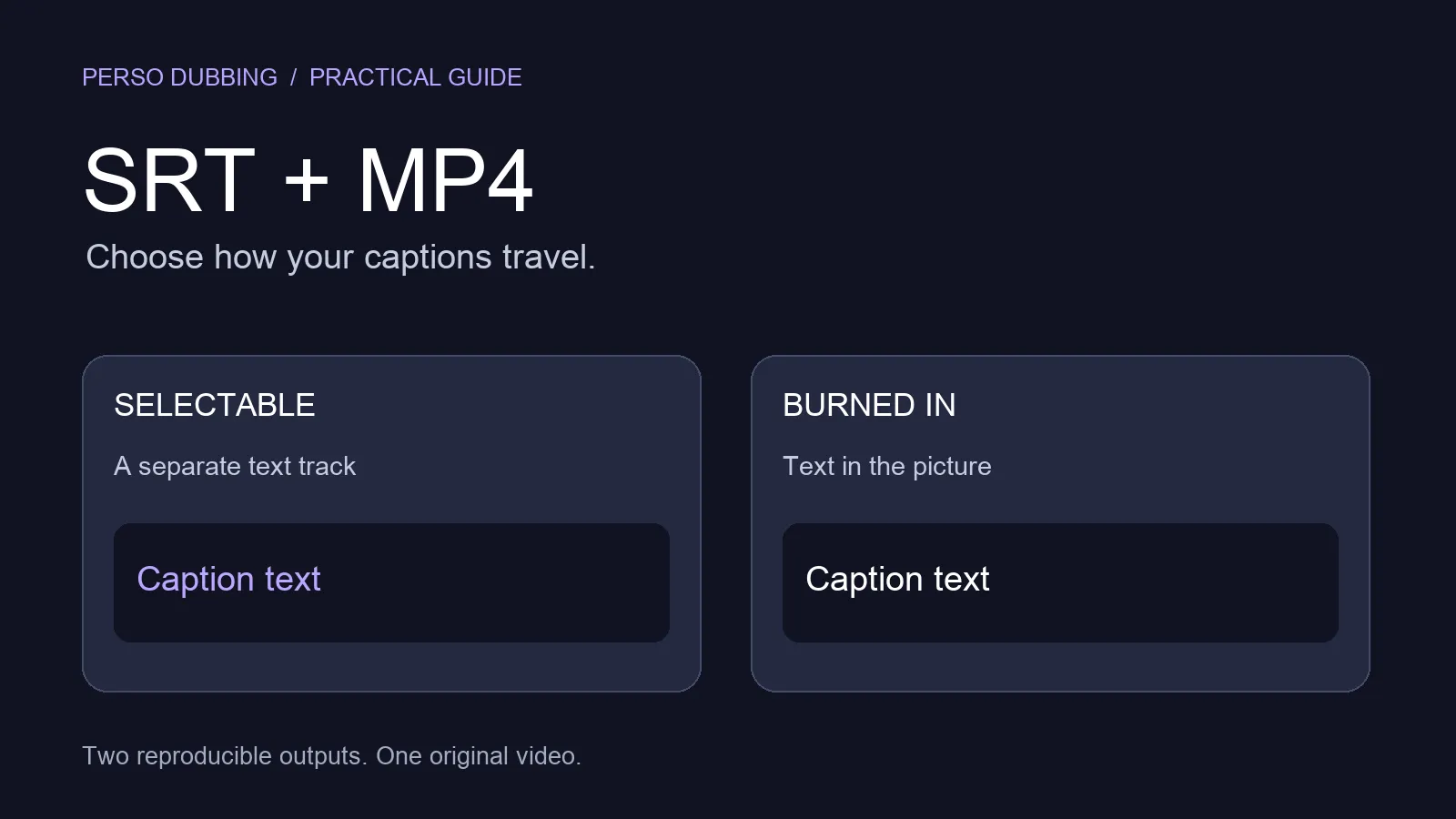
Type 1: Subtitle Translation
The AI transcribes the original audio, translates the text, and generates a subtitle track. The original audio stays untouched. Viewers read the translation while hearing the original speaker.
Best for: social clips, short-form content, internal videos, any content where speaker credibility is not the primary driver of viewer trust.
Limitation: On video where a real person speaks on camera , product demos, courses, executive communications , subtitles create perceptual distance. According to a 2019 study by Verizon Media and Publicis Media, 80% of consumers are more likely to watch a full video when captions are available, and 69% watch video with sound off in public places. More recently, YouTube reported in 2025 that creators who added dubbed audio tracks saw 25%+ of their watch time shift to non-primary language audiences. Subtitles help , dubbed audio with voice cloning closes the gap further.
Type 2: Voiceover (Audio Dubbing Without Lip Sync)
The AI generates a new audio track in the target language, replacing or layering over the original. The video itself is unchanged , the speaker's mouth movements still match the original language.
Best for: narration-heavy content, podcasts, explainer animations, slide-based presentations where the speaker isn't the visual focus.
Limitation: On talking-head footage, the mismatch between lip movement and audio is immediately visible. Viewers sense it without identifying it. For product demos and tutorials where the presenter's authority drives trust, this creates a credibility gap that is difficult to recover from.
Type 3: AI Dubbing with Voice Cloning and Lip Sync
The AI translates the script, generates a voice-cloned audio track that preserves the original speaker's tone and pacing, and modifies the speaker's lip movements to match the new audio. The viewer sees and hears the same person speaking their language.
Perso Dubbing is an AI dubbing platform that combines translation, voice cloning in 99+ languages, lip sync, and inline script editing in a single workflow, purpose-built for product demos, tutorials, and creator content where speaker credibility is part of the message.
Best for: product demos, tutorials, creator content, marketing campaigns, training videos , any content where the speaker's presence is part of the value.
Here's what AI dubbing with lip sync looks like in practice , Perso Dubbing's workflow from upload to finished output:
For videos with a visible speaker, consider optional lip-sync alongside subtitles or voiceover. Choose according to the footage, audience, budget, and accessibility needs.
Tool Considerations by Content Type
Scenario A , Product Demo (On-Camera Presenter)
This is the scenario where tool choice makes the biggest visible difference. The presenter is full-frame, speaking directly to camera.
Perso Dubbing: Review the generated voice and lip-sync on your own footage. Results can vary with the source audio, language, and visibility of the speaker. Automatic lip-sync is an option on all paid plans, with a monthly allowance in each tier.
HeyGen translates existing videos with voice cloning and optional lip-sync. Current credit-based plans charge by the selected translation mode; legacy plan terms can differ.
ElevenLabs offers audio and video dubbing. Model version, editing workflow, watermark settings, and target languages affect included minutes and costs. Video export does not by itself establish lip-sync support.
Scenario B , Tutorial with Slide Transitions
Screen recordings with occasional cuts to the presenter represent a mixed content type. Lip sync matters for presenter segments; translation quality and glossary control matter throughout.
Perso Dubbing: Check speaker detection across cuts, voice consistency, and product terminology in every target language. Use script editing and glossary controls where available, and review the output before publishing.
Maestra offers voiceover, voice cloning and lip-sync as plan-dependent options. Its Business voiceover tier unlocks lip-sync at an additional $2/minute; distinguish dubbing usage from lip-sync charges.
Check speaker detection across cuts, voice consistency, and product terminology in every target language. Use script editing and glossary controls where available, and review the output before publishing.
Scenario C , Social Ad (Fast-Cut, No Visible Speaker)
For short-form content without an on-camera speaker, lip sync is irrelevant. Translation speed and subtitle accuracy are what matter.
VEED offers subtitle and video tools and a separate lip-sync API. Check the selected product and plan before comparing app subscriptions with API usage charges.
HappyScribe: Review available dubbing, voice and export options for the selected product; do not infer a vendor-wide limitation from one workflow.
Side-by-Side: What Each Tool Actually Delivers
Tool | Subtitles | Voiceover | Voice Cloning | Lip Sync (Real Footage) | Languages | Starting Price |
|---|---|---|---|---|---|---|
Perso Dubbing | ✅ | ✅ | ✅ | ✅ Automatic lip-sync is an option on all paid plans, with a monthly allowance in each tier. | 99+ | $6.99/mo |
VEED | ✅ | Limited | ❌ | ❌ | 50+ | $18/mo |
HappyScribe | ✅ | ❌ | ❌ | ❌ | 120+ | $17/mo |
Maestra | ✅ | ✅ | ✅ | ✅ (export option) | 125+ | $49/mo |
ElevenLabs | ❌ (audio only) | ✅ | ✓ | ❌ | 32 | $22/mo |
HeyGen | ✅ | ✅ | ✅ | ✅ (avatars only) | 40+ | $29/mo |
Murf AI | ❌ | ✅ | Limited | ❌ | 20+ | $29/mo |
Compare current billing period, included usage, model, and optional lip-sync charges. Subscription prices alone do not show the cost of a finished localized video. Automatic lip-sync is an option on all paid plans, with a monthly allowance in each tier.
Perso Dubbing starts at $6.99/month with Starter, which includes 7 dubbing minutes per month. Automatic lip-sync is an option on all paid plans, with a monthly allowance in each tier.
Review the generated voice and lip-sync on your own footage. Results can vary with the source audio, language, and visibility of the speaker. G2 verified review, Feb 2026
How to Match Your Content to the Right Tool
If your video is primarily screen recording, animation, or slide-based: subtitle tools (VEED, HappyScribe) or voiceover tools (ElevenLabs, Murf AI) are sufficient. The speaker isn't the visual focus, so lip sync doesn't affect output quality.
If your video features a real person speaking on camera: the output type matters more than the tool. Subtitles and voiceover give viewers access to the content , but for product demos and tutorials where the presenter's presence is part of the experience, AI dubbing with lip sync creates a more natural connection with the audience.
If you're producing at volume , multiple videos, multiple languages, repeated campaigns: workflow integration becomes as important as output quality. Perso Dubbing's AI dubbing connects translation, voice cloning, and lip sync in one automated pipeline. One upload. Select languages. Export. No manual steps between them.
What Actually Predicts Translation Output Quality
The gap between tools on raw translation accuracy is smaller than most teams expect , and it's rarely where localized content fails in practice.
What fails more often:
Terminology drift. Generic AI models struggle with product-specific vocabulary , feature names, UI labels, brand terms. A translated script that's grammatically correct but uses the wrong product term creates more confusion than a slightly awkward phrase. Tools with custom glossary support let teams lock terminology before it reaches the audio layer.
Timing drift. Translated audio that runs longer or shorter than the original creates sync problems that compound across a video. Scripts refined inside the dubbing workflow , before audio generation , produce better timing than scripts that go directly from translation to voice output.
Voice consistency across videos. Across multiple videos for the same speaker, voice cloning quality varies by tool. Some produce a stable voice profile. Others drift. For teams building audience relationships across a content library, consistency matters more over time.
For a detailed breakdown of what separates good dubbing platforms from adequate ones, see our AI dubbing platform checklist.
Why "More Languages" Is the Wrong Metric
The most common mistake in choosing an AI video translator is optimizing for language count.
Review available dubbing, voice and export options for the selected product; do not infer a vendor-wide limitation from one workflow.
Review the generated voice and lip-sync on your own footage. Results can vary with the source audio, language, and visibility of the speaker.
Check speaker detection across cuts, voice consistency, and product terminology in every target language. Use script editing and glossary controls where available, and review the output before publishing.
The commercial video localization markets that drive most results in 2026 , Spanish, Japanese, German, Portuguese, French, Korean, Chinese , are covered well by the top-tier tools. For those markets, the decision should turn on output quality and workflow fit, not language count alone.
PRO includes 180 dubbing minutes per month and 4K output, at $99/month or $73/month billed annually ($876/year). Creator and PRO support pay-as-you-go additional dubbing at $1.50/minute; Free and Starter cannot purchase extra credits.
Observed language coverage
The State of AI Dubbing 2026 Mid-Year Update records 68 target languages and 1,162 observed source-to-target combinations across Perso Dubbing platform projects from January 1, 2025 to August 31, 2026.
The cumulative data include all project types and statuses without exclusions. Language variants are grouped by base language, and source labels include "Auto Detect" and "Other Languages". These are observed usage counts, separate from the product's supported-language list.
Source: State of AI Dubbing 2026, Mid-Year Update (v2.0), Kwon, T., & Perso Dubbing Data Team.
Frequently Asked Questions
Q: What is the best AI video translator in 2026? Choose according to the output you need: subtitles, translated audio, or dubbed video. Perso Dubbing supports dubbing in 99+ languages with voice cloning and script editing. Automatic lip-sync is an option on all paid plans, with a monthly allowance in each tier.
Q: What is the difference between AI video translation and AI dubbing? A: AI video translation is a broad term covering subtitles, voiceover, and AI dubbing. AI dubbing specifically replaces the original audio with a new voice track using voice cloning. AI dubbing with lip sync also modifies the speaker's mouth movements to match the new audio , producing output where the speaker appears to natively speak the target language.
Q: Can AI video translators handle multiple speakers? A: The top platforms can. Perso Dubbing automatically detects and separates up to 10 distinct speakers in a single video, applying individual voice cloning profiles to each. This is essential for interview formats, panel discussions, and multi-host video.
Q: How much does AI video translation cost in 2026? Perso Dubbing starts at $6.99/month with Starter, which includes 7 dubbing minutes per month. Automatic lip-sync is an option on all paid plans, with a monthly allowance in each tier.
Q: Does video translation quality drop on technical or product content? A: It can , especially on tools without glossary support. Generic AI translation models drift on product-specific terminology and UI labels. Perso Dubbing includes custom glossary controls that let teams lock terms before audio generation, reducing terminology errors in product and tutorial video dubbing.
The Short Version
The best AI video translator in 2026 is the one that matches your content type.
Content type | Best choice |
|---|---|
Social clips, subtitles only | VEED or HappyScribe |
Narration, animations, slide decks | ElevenLabs Dubbing or Murf AI |
Product demos, tutorials, creator content |
For videos with a visible speaker, consider optional lip-sync alongside subtitles or voiceover. Choose according to the footage, audience, budget, and accessibility needs.
For a deeper look at how dubbing platforms compare on workflow and output quality, see our Best AI Dubbing Tool guide for 2026.
Quick Answer
The best AI video translator in 2026 depends on what output you actually need , not which tool has the most languages.
HappyScribe / VEED: Review available dubbing, voice and export options for the selected product; do not infer a vendor-wide limitation from one workflow.
ElevenLabs offers audio and video dubbing. Model version, editing workflow, watermark settings, and target languages affect included minutes and costs. Video export does not by itself establish lip-sync support.
AI dubbing with voice cloning and lip sync: Perso Dubbing (99+ languages, starting $6.99/month)
If your video features a real person on camera , a product demo, tutorial, or creator video , subtitles won't close the trust gap. That's where the choice of translation type becomes the actual decision.
Review the generated voice and lip-sync on your own footage. Results can vary with the source audio, language, and visibility of the speaker.
The problem almost never comes from the translation itself. It comes from choosing the wrong type of tool for the content.
AI video translation isn't one product. It's three fundamentally different workflows , subtitles, voiceover, and AI dubbing with lip sync , and the gap between them determines whether your localized content actually works. This guide breaks down which output type fits which content, and which tools deliver in each category.
How to Evaluate These Tools
Use the following three content scenarios as examples when evaluating tools with your own footage. They are an evaluation framework, not verified test results:
Scenario A: A 2-minute product demo with a single on-camera presenter
Scenario B: A 4-minute tutorial with slide transitions and screen recording
Scenario C: A 60-second social ad with fast-cut editing and no visible speaker
Target languages: English, Spanish, Japanese, German, and Portuguese.
Suggested evaluation dimensions and weights, adjustable to your workflow:
Dimension | Weight | What to Check |
|---|---|---|
Output type fit | 30% | Does the tool match the content's actual needs? |
Lip sync accuracy | 30% | Mouth movement alignment on talking-head footage |
Translation quality | 25% | Terminology accuracy, natural phrasing in target language |
Workflow efficiency | 15% | Steps between upload and finished, publishable output |
Check access requirements and whether each tool exports audio, subtitles, or finished video before comparing results.
The Three Types of AI Video Translation
Before comparing tools, you need to know which output type matches your content. Most comparison guides skip this step. It's the most important one.
Type 1: Subtitle Translation
The AI transcribes the original audio, translates the text, and generates a subtitle track. The original audio stays untouched. Viewers read the translation while hearing the original speaker.
Best for: social clips, short-form content, internal videos, any content where speaker credibility is not the primary driver of viewer trust.
Limitation: On video where a real person speaks on camera , product demos, courses, executive communications , subtitles create perceptual distance. According to a 2019 study by Verizon Media and Publicis Media, 80% of consumers are more likely to watch a full video when captions are available, and 69% watch video with sound off in public places. More recently, YouTube reported in 2025 that creators who added dubbed audio tracks saw 25%+ of their watch time shift to non-primary language audiences. Subtitles help , dubbed audio with voice cloning closes the gap further.
Type 2: Voiceover (Audio Dubbing Without Lip Sync)
The AI generates a new audio track in the target language, replacing or layering over the original. The video itself is unchanged , the speaker's mouth movements still match the original language.
Best for: narration-heavy content, podcasts, explainer animations, slide-based presentations where the speaker isn't the visual focus.
Limitation: On talking-head footage, the mismatch between lip movement and audio is immediately visible. Viewers sense it without identifying it. For product demos and tutorials where the presenter's authority drives trust, this creates a credibility gap that is difficult to recover from.
Type 3: AI Dubbing with Voice Cloning and Lip Sync
The AI translates the script, generates a voice-cloned audio track that preserves the original speaker's tone and pacing, and modifies the speaker's lip movements to match the new audio. The viewer sees and hears the same person speaking their language.
Perso Dubbing is an AI dubbing platform that combines translation, voice cloning in 99+ languages, lip sync, and inline script editing in a single workflow, purpose-built for product demos, tutorials, and creator content where speaker credibility is part of the message.
Best for: product demos, tutorials, creator content, marketing campaigns, training videos , any content where the speaker's presence is part of the value.
Here's what AI dubbing with lip sync looks like in practice , Perso Dubbing's workflow from upload to finished output:
For videos with a visible speaker, consider optional lip-sync alongside subtitles or voiceover. Choose according to the footage, audience, budget, and accessibility needs.
Tool Considerations by Content Type
Scenario A , Product Demo (On-Camera Presenter)
This is the scenario where tool choice makes the biggest visible difference. The presenter is full-frame, speaking directly to camera.
Perso Dubbing: Review the generated voice and lip-sync on your own footage. Results can vary with the source audio, language, and visibility of the speaker. Automatic lip-sync is an option on all paid plans, with a monthly allowance in each tier.
HeyGen translates existing videos with voice cloning and optional lip-sync. Current credit-based plans charge by the selected translation mode; legacy plan terms can differ.
ElevenLabs offers audio and video dubbing. Model version, editing workflow, watermark settings, and target languages affect included minutes and costs. Video export does not by itself establish lip-sync support.
Scenario B , Tutorial with Slide Transitions
Screen recordings with occasional cuts to the presenter represent a mixed content type. Lip sync matters for presenter segments; translation quality and glossary control matter throughout.
Perso Dubbing: Check speaker detection across cuts, voice consistency, and product terminology in every target language. Use script editing and glossary controls where available, and review the output before publishing.
Maestra offers voiceover, voice cloning and lip-sync as plan-dependent options. Its Business voiceover tier unlocks lip-sync at an additional $2/minute; distinguish dubbing usage from lip-sync charges.
Check speaker detection across cuts, voice consistency, and product terminology in every target language. Use script editing and glossary controls where available, and review the output before publishing.
Scenario C , Social Ad (Fast-Cut, No Visible Speaker)
For short-form content without an on-camera speaker, lip sync is irrelevant. Translation speed and subtitle accuracy are what matter.
VEED offers subtitle and video tools and a separate lip-sync API. Check the selected product and plan before comparing app subscriptions with API usage charges.
HappyScribe: Review available dubbing, voice and export options for the selected product; do not infer a vendor-wide limitation from one workflow.
Side-by-Side: What Each Tool Actually Delivers
Tool | Subtitles | Voiceover | Voice Cloning | Lip Sync (Real Footage) | Languages | Starting Price |
|---|---|---|---|---|---|---|
Perso Dubbing | ✅ | ✅ | ✅ | ✅ Automatic lip-sync is an option on all paid plans, with a monthly allowance in each tier. | 99+ | $6.99/mo |
VEED | ✅ | Limited | ❌ | ❌ | 50+ | $18/mo |
HappyScribe | ✅ | ❌ | ❌ | ❌ | 120+ | $17/mo |
Maestra | ✅ | ✅ | ✅ | ✅ (export option) | 125+ | $49/mo |
ElevenLabs | ❌ (audio only) | ✅ | ✓ | ❌ | 32 | $22/mo |
HeyGen | ✅ | ✅ | ✅ | ✅ (avatars only) | 40+ | $29/mo |
Murf AI | ❌ | ✅ | Limited | ❌ | 20+ | $29/mo |
Compare current billing period, included usage, model, and optional lip-sync charges. Subscription prices alone do not show the cost of a finished localized video. Automatic lip-sync is an option on all paid plans, with a monthly allowance in each tier.
Perso Dubbing starts at $6.99/month with Starter, which includes 7 dubbing minutes per month. Automatic lip-sync is an option on all paid plans, with a monthly allowance in each tier.
Review the generated voice and lip-sync on your own footage. Results can vary with the source audio, language, and visibility of the speaker. G2 verified review, Feb 2026
How to Match Your Content to the Right Tool
If your video is primarily screen recording, animation, or slide-based: subtitle tools (VEED, HappyScribe) or voiceover tools (ElevenLabs, Murf AI) are sufficient. The speaker isn't the visual focus, so lip sync doesn't affect output quality.
If your video features a real person speaking on camera: the output type matters more than the tool. Subtitles and voiceover give viewers access to the content , but for product demos and tutorials where the presenter's presence is part of the experience, AI dubbing with lip sync creates a more natural connection with the audience.
If you're producing at volume , multiple videos, multiple languages, repeated campaigns: workflow integration becomes as important as output quality. Perso Dubbing's AI dubbing connects translation, voice cloning, and lip sync in one automated pipeline. One upload. Select languages. Export. No manual steps between them.
What Actually Predicts Translation Output Quality
The gap between tools on raw translation accuracy is smaller than most teams expect , and it's rarely where localized content fails in practice.
What fails more often:
Terminology drift. Generic AI models struggle with product-specific vocabulary , feature names, UI labels, brand terms. A translated script that's grammatically correct but uses the wrong product term creates more confusion than a slightly awkward phrase. Tools with custom glossary support let teams lock terminology before it reaches the audio layer.
Timing drift. Translated audio that runs longer or shorter than the original creates sync problems that compound across a video. Scripts refined inside the dubbing workflow , before audio generation , produce better timing than scripts that go directly from translation to voice output.
Voice consistency across videos. Across multiple videos for the same speaker, voice cloning quality varies by tool. Some produce a stable voice profile. Others drift. For teams building audience relationships across a content library, consistency matters more over time.
For a detailed breakdown of what separates good dubbing platforms from adequate ones, see our AI dubbing platform checklist.
Why "More Languages" Is the Wrong Metric
The most common mistake in choosing an AI video translator is optimizing for language count.
Review available dubbing, voice and export options for the selected product; do not infer a vendor-wide limitation from one workflow.
Review the generated voice and lip-sync on your own footage. Results can vary with the source audio, language, and visibility of the speaker.
Check speaker detection across cuts, voice consistency, and product terminology in every target language. Use script editing and glossary controls where available, and review the output before publishing.
The commercial video localization markets that drive most results in 2026 , Spanish, Japanese, German, Portuguese, French, Korean, Chinese , are covered well by the top-tier tools. For those markets, the decision should turn on output quality and workflow fit, not language count alone.
PRO includes 180 dubbing minutes per month and 4K output, at $99/month or $73/month billed annually ($876/year). Creator and PRO support pay-as-you-go additional dubbing at $1.50/minute; Free and Starter cannot purchase extra credits.
Observed language coverage
The State of AI Dubbing 2026 Mid-Year Update records 68 target languages and 1,162 observed source-to-target combinations across Perso Dubbing platform projects from January 1, 2025 to August 31, 2026.
The cumulative data include all project types and statuses without exclusions. Language variants are grouped by base language, and source labels include "Auto Detect" and "Other Languages". These are observed usage counts, separate from the product's supported-language list.
Source: State of AI Dubbing 2026, Mid-Year Update (v2.0), Kwon, T., & Perso Dubbing Data Team.
Frequently Asked Questions
Q: What is the best AI video translator in 2026? Choose according to the output you need: subtitles, translated audio, or dubbed video. Perso Dubbing supports dubbing in 99+ languages with voice cloning and script editing. Automatic lip-sync is an option on all paid plans, with a monthly allowance in each tier.
Q: What is the difference between AI video translation and AI dubbing? A: AI video translation is a broad term covering subtitles, voiceover, and AI dubbing. AI dubbing specifically replaces the original audio with a new voice track using voice cloning. AI dubbing with lip sync also modifies the speaker's mouth movements to match the new audio , producing output where the speaker appears to natively speak the target language.
Q: Can AI video translators handle multiple speakers? A: The top platforms can. Perso Dubbing automatically detects and separates up to 10 distinct speakers in a single video, applying individual voice cloning profiles to each. This is essential for interview formats, panel discussions, and multi-host video.
Q: How much does AI video translation cost in 2026? Perso Dubbing starts at $6.99/month with Starter, which includes 7 dubbing minutes per month. Automatic lip-sync is an option on all paid plans, with a monthly allowance in each tier.
Q: Does video translation quality drop on technical or product content? A: It can , especially on tools without glossary support. Generic AI translation models drift on product-specific terminology and UI labels. Perso Dubbing includes custom glossary controls that let teams lock terms before audio generation, reducing terminology errors in product and tutorial video dubbing.
The Short Version
The best AI video translator in 2026 is the one that matches your content type.
Content type | Best choice |
|---|---|
Social clips, subtitles only | VEED or HappyScribe |
Narration, animations, slide decks | ElevenLabs Dubbing or Murf AI |
Product demos, tutorials, creator content |
For videos with a visible speaker, consider optional lip-sync alongside subtitles or voiceover. Choose according to the footage, audience, budget, and accessibility needs.
For a deeper look at how dubbing platforms compare on workflow and output quality, see our Best AI Dubbing Tool guide for 2026.
Quick Answer
The best AI video translator in 2026 depends on what output you actually need , not which tool has the most languages.
HappyScribe / VEED: Review available dubbing, voice and export options for the selected product; do not infer a vendor-wide limitation from one workflow.
ElevenLabs offers audio and video dubbing. Model version, editing workflow, watermark settings, and target languages affect included minutes and costs. Video export does not by itself establish lip-sync support.
AI dubbing with voice cloning and lip sync: Perso Dubbing (99+ languages, starting $6.99/month)
If your video features a real person on camera , a product demo, tutorial, or creator video , subtitles won't close the trust gap. That's where the choice of translation type becomes the actual decision.
Review the generated voice and lip-sync on your own footage. Results can vary with the source audio, language, and visibility of the speaker.
The problem almost never comes from the translation itself. It comes from choosing the wrong type of tool for the content.
AI video translation isn't one product. It's three fundamentally different workflows , subtitles, voiceover, and AI dubbing with lip sync , and the gap between them determines whether your localized content actually works. This guide breaks down which output type fits which content, and which tools deliver in each category.
How to Evaluate These Tools
Use the following three content scenarios as examples when evaluating tools with your own footage. They are an evaluation framework, not verified test results:
Scenario A: A 2-minute product demo with a single on-camera presenter
Scenario B: A 4-minute tutorial with slide transitions and screen recording
Scenario C: A 60-second social ad with fast-cut editing and no visible speaker
Target languages: English, Spanish, Japanese, German, and Portuguese.
Suggested evaluation dimensions and weights, adjustable to your workflow:
Dimension | Weight | What to Check |
|---|---|---|
Output type fit | 30% | Does the tool match the content's actual needs? |
Lip sync accuracy | 30% | Mouth movement alignment on talking-head footage |
Translation quality | 25% | Terminology accuracy, natural phrasing in target language |
Workflow efficiency | 15% | Steps between upload and finished, publishable output |
Check access requirements and whether each tool exports audio, subtitles, or finished video before comparing results.
The Three Types of AI Video Translation
Before comparing tools, you need to know which output type matches your content. Most comparison guides skip this step. It's the most important one.
Type 1: Subtitle Translation
The AI transcribes the original audio, translates the text, and generates a subtitle track. The original audio stays untouched. Viewers read the translation while hearing the original speaker.
Best for: social clips, short-form content, internal videos, any content where speaker credibility is not the primary driver of viewer trust.
Limitation: On video where a real person speaks on camera , product demos, courses, executive communications , subtitles create perceptual distance. According to a 2019 study by Verizon Media and Publicis Media, 80% of consumers are more likely to watch a full video when captions are available, and 69% watch video with sound off in public places. More recently, YouTube reported in 2025 that creators who added dubbed audio tracks saw 25%+ of their watch time shift to non-primary language audiences. Subtitles help , dubbed audio with voice cloning closes the gap further.
Type 2: Voiceover (Audio Dubbing Without Lip Sync)
The AI generates a new audio track in the target language, replacing or layering over the original. The video itself is unchanged , the speaker's mouth movements still match the original language.
Best for: narration-heavy content, podcasts, explainer animations, slide-based presentations where the speaker isn't the visual focus.
Limitation: On talking-head footage, the mismatch between lip movement and audio is immediately visible. Viewers sense it without identifying it. For product demos and tutorials where the presenter's authority drives trust, this creates a credibility gap that is difficult to recover from.
Type 3: AI Dubbing with Voice Cloning and Lip Sync
The AI translates the script, generates a voice-cloned audio track that preserves the original speaker's tone and pacing, and modifies the speaker's lip movements to match the new audio. The viewer sees and hears the same person speaking their language.
Perso Dubbing is an AI dubbing platform that combines translation, voice cloning in 99+ languages, lip sync, and inline script editing in a single workflow, purpose-built for product demos, tutorials, and creator content where speaker credibility is part of the message.
Best for: product demos, tutorials, creator content, marketing campaigns, training videos , any content where the speaker's presence is part of the value.
Here's what AI dubbing with lip sync looks like in practice , Perso Dubbing's workflow from upload to finished output:
For videos with a visible speaker, consider optional lip-sync alongside subtitles or voiceover. Choose according to the footage, audience, budget, and accessibility needs.
Tool Considerations by Content Type
Scenario A , Product Demo (On-Camera Presenter)
This is the scenario where tool choice makes the biggest visible difference. The presenter is full-frame, speaking directly to camera.
Perso Dubbing: Review the generated voice and lip-sync on your own footage. Results can vary with the source audio, language, and visibility of the speaker. Automatic lip-sync is an option on all paid plans, with a monthly allowance in each tier.
HeyGen translates existing videos with voice cloning and optional lip-sync. Current credit-based plans charge by the selected translation mode; legacy plan terms can differ.
ElevenLabs offers audio and video dubbing. Model version, editing workflow, watermark settings, and target languages affect included minutes and costs. Video export does not by itself establish lip-sync support.
Scenario B , Tutorial with Slide Transitions
Screen recordings with occasional cuts to the presenter represent a mixed content type. Lip sync matters for presenter segments; translation quality and glossary control matter throughout.
Perso Dubbing: Check speaker detection across cuts, voice consistency, and product terminology in every target language. Use script editing and glossary controls where available, and review the output before publishing.
Maestra offers voiceover, voice cloning and lip-sync as plan-dependent options. Its Business voiceover tier unlocks lip-sync at an additional $2/minute; distinguish dubbing usage from lip-sync charges.
Check speaker detection across cuts, voice consistency, and product terminology in every target language. Use script editing and glossary controls where available, and review the output before publishing.
Scenario C , Social Ad (Fast-Cut, No Visible Speaker)
For short-form content without an on-camera speaker, lip sync is irrelevant. Translation speed and subtitle accuracy are what matter.
VEED offers subtitle and video tools and a separate lip-sync API. Check the selected product and plan before comparing app subscriptions with API usage charges.
HappyScribe: Review available dubbing, voice and export options for the selected product; do not infer a vendor-wide limitation from one workflow.
Side-by-Side: What Each Tool Actually Delivers
Tool | Subtitles | Voiceover | Voice Cloning | Lip Sync (Real Footage) | Languages | Starting Price |
|---|---|---|---|---|---|---|
Perso Dubbing | ✅ | ✅ | ✅ | ✅ Automatic lip-sync is an option on all paid plans, with a monthly allowance in each tier. | 99+ | $6.99/mo |
VEED | ✅ | Limited | ❌ | ❌ | 50+ | $18/mo |
HappyScribe | ✅ | ❌ | ❌ | ❌ | 120+ | $17/mo |
Maestra | ✅ | ✅ | ✅ | ✅ (export option) | 125+ | $49/mo |
ElevenLabs | ❌ (audio only) | ✅ | ✓ | ❌ | 32 | $22/mo |
HeyGen | ✅ | ✅ | ✅ | ✅ (avatars only) | 40+ | $29/mo |
Murf AI | ❌ | ✅ | Limited | ❌ | 20+ | $29/mo |
Compare current billing period, included usage, model, and optional lip-sync charges. Subscription prices alone do not show the cost of a finished localized video. Automatic lip-sync is an option on all paid plans, with a monthly allowance in each tier.
Perso Dubbing starts at $6.99/month with Starter, which includes 7 dubbing minutes per month. Automatic lip-sync is an option on all paid plans, with a monthly allowance in each tier.
Review the generated voice and lip-sync on your own footage. Results can vary with the source audio, language, and visibility of the speaker. G2 verified review, Feb 2026
How to Match Your Content to the Right Tool
If your video is primarily screen recording, animation, or slide-based: subtitle tools (VEED, HappyScribe) or voiceover tools (ElevenLabs, Murf AI) are sufficient. The speaker isn't the visual focus, so lip sync doesn't affect output quality.
If your video features a real person speaking on camera: the output type matters more than the tool. Subtitles and voiceover give viewers access to the content , but for product demos and tutorials where the presenter's presence is part of the experience, AI dubbing with lip sync creates a more natural connection with the audience.
If you're producing at volume , multiple videos, multiple languages, repeated campaigns: workflow integration becomes as important as output quality. Perso Dubbing's AI dubbing connects translation, voice cloning, and lip sync in one automated pipeline. One upload. Select languages. Export. No manual steps between them.
What Actually Predicts Translation Output Quality
The gap between tools on raw translation accuracy is smaller than most teams expect , and it's rarely where localized content fails in practice.
What fails more often:
Terminology drift. Generic AI models struggle with product-specific vocabulary , feature names, UI labels, brand terms. A translated script that's grammatically correct but uses the wrong product term creates more confusion than a slightly awkward phrase. Tools with custom glossary support let teams lock terminology before it reaches the audio layer.
Timing drift. Translated audio that runs longer or shorter than the original creates sync problems that compound across a video. Scripts refined inside the dubbing workflow , before audio generation , produce better timing than scripts that go directly from translation to voice output.
Voice consistency across videos. Across multiple videos for the same speaker, voice cloning quality varies by tool. Some produce a stable voice profile. Others drift. For teams building audience relationships across a content library, consistency matters more over time.
For a detailed breakdown of what separates good dubbing platforms from adequate ones, see our AI dubbing platform checklist.
Why "More Languages" Is the Wrong Metric
The most common mistake in choosing an AI video translator is optimizing for language count.
Review available dubbing, voice and export options for the selected product; do not infer a vendor-wide limitation from one workflow.
Review the generated voice and lip-sync on your own footage. Results can vary with the source audio, language, and visibility of the speaker.
Check speaker detection across cuts, voice consistency, and product terminology in every target language. Use script editing and glossary controls where available, and review the output before publishing.
The commercial video localization markets that drive most results in 2026 , Spanish, Japanese, German, Portuguese, French, Korean, Chinese , are covered well by the top-tier tools. For those markets, the decision should turn on output quality and workflow fit, not language count alone.
PRO includes 180 dubbing minutes per month and 4K output, at $99/month or $73/month billed annually ($876/year). Creator and PRO support pay-as-you-go additional dubbing at $1.50/minute; Free and Starter cannot purchase extra credits.
Observed language coverage
The State of AI Dubbing 2026 Mid-Year Update records 68 target languages and 1,162 observed source-to-target combinations across Perso Dubbing platform projects from January 1, 2025 to August 31, 2026.
The cumulative data include all project types and statuses without exclusions. Language variants are grouped by base language, and source labels include "Auto Detect" and "Other Languages". These are observed usage counts, separate from the product's supported-language list.
Source: State of AI Dubbing 2026, Mid-Year Update (v2.0), Kwon, T., & Perso Dubbing Data Team.
Frequently Asked Questions
Q: What is the best AI video translator in 2026? Choose according to the output you need: subtitles, translated audio, or dubbed video. Perso Dubbing supports dubbing in 99+ languages with voice cloning and script editing. Automatic lip-sync is an option on all paid plans, with a monthly allowance in each tier.
Q: What is the difference between AI video translation and AI dubbing? A: AI video translation is a broad term covering subtitles, voiceover, and AI dubbing. AI dubbing specifically replaces the original audio with a new voice track using voice cloning. AI dubbing with lip sync also modifies the speaker's mouth movements to match the new audio , producing output where the speaker appears to natively speak the target language.
Q: Can AI video translators handle multiple speakers? A: The top platforms can. Perso Dubbing automatically detects and separates up to 10 distinct speakers in a single video, applying individual voice cloning profiles to each. This is essential for interview formats, panel discussions, and multi-host video.
Q: How much does AI video translation cost in 2026? Perso Dubbing starts at $6.99/month with Starter, which includes 7 dubbing minutes per month. Automatic lip-sync is an option on all paid plans, with a monthly allowance in each tier.
Q: Does video translation quality drop on technical or product content? A: It can , especially on tools without glossary support. Generic AI translation models drift on product-specific terminology and UI labels. Perso Dubbing includes custom glossary controls that let teams lock terms before audio generation, reducing terminology errors in product and tutorial video dubbing.
The Short Version
The best AI video translator in 2026 is the one that matches your content type.
Content type | Best choice |
|---|---|
Social clips, subtitles only | VEED or HappyScribe |
Narration, animations, slide decks | ElevenLabs Dubbing or Murf AI |
Product demos, tutorials, creator content |
For videos with a visible speaker, consider optional lip-sync alongside subtitles or voiceover. Choose according to the footage, audience, budget, and accessibility needs.
For a deeper look at how dubbing platforms compare on workflow and output quality, see our Best AI Dubbing Tool guide for 2026.
Continue Reading
Browse All