AI Hindi to Tamil and Tamil to Hindi Video Translation




Jump to section
Jump to section

Share
Share
Share
AI Video Translator, Localization, and Dubbing Tool
Try it out for Free
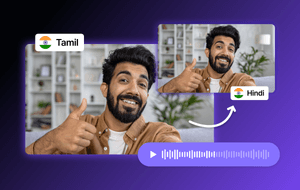
You can translate videos between Hindi and Tamil in minutes using Perso AI. Upload your video or paste a URL, select your target language, and the AI handles AI dubbing, voice cloning, and lip-sync automatically. With approximately 609 million Hindi speakers and 90 million Tamil speakers worldwide (Ethnologue, 2025), offering video content in both languages opens the door to one of the largest and most engaged digital audiences in the world.
What Are the Benefits of Translating Videos in Both Hindi and Tamil?
Expanding your video content into Hindi and Tamil is not just a nice-to-have — it is a strategic decision for reaching the Indian subcontinent and its global diaspora.
Hindi: The Scale Opportunity
Hindi is the third most spoken language in the world, with approximately 609 million total speakers according to Ethnologue (2025). India has one of the world's fastest-growing digital populations, with affordable mobile internet access driving video consumption across education, e-commerce, and entertainment. Hindi-language content reaches the largest possible domestic audience in India.
Tamil: The Cultural and Geographic Reach
Tamil has approximately 90 million speakers, concentrated primarily in Tamil Nadu and Puducherry in southern India, but extending well beyond the country's borders. Tamil is an official language in Sri Lanka and Singapore, and Tamil-speaking diaspora communities are active in Malaysia, Mauritius, South Africa, the USA, UK, and Canada.
Perso AI supports both Hindi and Tamil among its 33+ languages, so you can create localized versions for both audiences from a single source video.
Tamil Content on Social Media
Tamil-language content is growing across YouTube, Instagram, TikTok, and other major platforms. Audiences actively seek Tamil-language videos in categories including tech reviews, education, cooking, entertainment, and business. Full Swing, a badminton creator with 270,000 YouTube subscribers, saw this firsthand when localizing content for Southeast Asian audiences: "Korean language isn't familiar to most people around the world. To increase our reach in Southeast Asia, we introduced AI dubbing — and the response was amazing. Fans loved being able to watch without subtitles." The same dynamic applies to Hindi and Tamil creators reaching new audiences across language barriers.
How to Translate Videos from Hindi to Tamil (and Vice-Versa)
The process takes three steps with Perso AI. As Taeksoon Kwon, CTO at Perso AI (ESTsoft), describes the design philosophy: "The biggest barrier to AI dubbing isn't the AI — it's the workflow. We built Perso AI so that anyone can dub a video in one click, no learning curve required."
Step 1: Upload your video Navigate to Perso AI and upload your video file directly, or paste a YouTube, TikTok, or other social media link. Both new and existing published videos are supported.
Step 2: Select your target language Choose Tamil (if your source is Hindi) or Hindi (if your source is Tamil) from the 33+ available languages.
Step 3: Review and download The AI processes your video with voice cloning, dubbing, and lip-sync. Review the translated script if needed using the built-in script editor, then download your finished video.
You can run this process multiple times to create versions in additional languages beyond Hindi and Tamil.
Want to try it? Start translating videos for free at Perso AI.
Traditional vs AI Video Translation
Factor | Traditional Dubbing | AI Dubbing (Perso AI) |
|---|---|---|
Process | Hire translator → Book voice actor → Record → Manual lip-sync editing | Upload → Select language → Download |
Time | Days to weeks | Minutes |
Voice Match | Different voice actor each time | Original speaker's voice cloned |
Lip-Sync | Manual editing required | Automatic AI lip-sync |
Languages | One at a time, separate contract per language | 33+ languages, same platform |
Cost | Per-language contracts with translator, actor, editor | Free tier available; subscription for volume |
Traditional video translation requires coordinating multiple service providers — translators, voice actors, and video editors — each adding time, cost, and complexity. For smaller creators or businesses producing regular content, this approach does not scale.
AI-powered tools like Perso AI automate the entire pipeline: translation, voice cloning, dubbing, and lip-sync are handled in one step. The output preserves the original speaker's tone and emotion, and the lip-sync ensures the video looks natural in the target language.
Frequently Asked Questions
Can I translate videos from Hindi to Tamil using AI? Yes. Perso AI supports both Hindi and Tamil among its 33+ languages. Upload your Hindi video (or paste a URL), select Tamil as the target language, and the AI handles dubbing, voice cloning, and lip-sync automatically. The reverse — Tamil to Hindi — works the same way.
How long does Hindi-to-Tamil video translation take? Processing time depends on video length, but most standard-length videos are completed within minutes. This is significantly faster than traditional dubbing, which typically requires days or weeks of coordination between translators and voice actors.
Is AI video translation accurate for Indian languages? Perso AI uses advanced AI models for translation and speech synthesis across Indian languages including Hindi, Tamil, and others. The built-in script editor allows you to review and adjust the translation before finalizing, ensuring cultural and linguistic accuracy.
Can I translate one video into both Hindi and Tamil? Yes. You can run the translation process multiple times from a single source video in any language to create versions in both Hindi and Tamil, as well as any of the other 33+ languages supported by Perso AI. This allows you to reach over 690 million combined Hindi and Tamil speakers worldwide.
Is there a free option for Hindi-Tamil video translation? Yes. Perso AI offers a free tier with daily renewable credits so you can test the platform and see results before committing to a paid plan. Try it free today.
You can translate videos between Hindi and Tamil in minutes using Perso AI. Upload your video or paste a URL, select your target language, and the AI handles AI dubbing, voice cloning, and lip-sync automatically. With approximately 609 million Hindi speakers and 90 million Tamil speakers worldwide (Ethnologue, 2025), offering video content in both languages opens the door to one of the largest and most engaged digital audiences in the world.
What Are the Benefits of Translating Videos in Both Hindi and Tamil?
Expanding your video content into Hindi and Tamil is not just a nice-to-have — it is a strategic decision for reaching the Indian subcontinent and its global diaspora.
Hindi: The Scale Opportunity
Hindi is the third most spoken language in the world, with approximately 609 million total speakers according to Ethnologue (2025). India has one of the world's fastest-growing digital populations, with affordable mobile internet access driving video consumption across education, e-commerce, and entertainment. Hindi-language content reaches the largest possible domestic audience in India.
Tamil: The Cultural and Geographic Reach
Tamil has approximately 90 million speakers, concentrated primarily in Tamil Nadu and Puducherry in southern India, but extending well beyond the country's borders. Tamil is an official language in Sri Lanka and Singapore, and Tamil-speaking diaspora communities are active in Malaysia, Mauritius, South Africa, the USA, UK, and Canada.
Perso AI supports both Hindi and Tamil among its 33+ languages, so you can create localized versions for both audiences from a single source video.
Tamil Content on Social Media
Tamil-language content is growing across YouTube, Instagram, TikTok, and other major platforms. Audiences actively seek Tamil-language videos in categories including tech reviews, education, cooking, entertainment, and business. Full Swing, a badminton creator with 270,000 YouTube subscribers, saw this firsthand when localizing content for Southeast Asian audiences: "Korean language isn't familiar to most people around the world. To increase our reach in Southeast Asia, we introduced AI dubbing — and the response was amazing. Fans loved being able to watch without subtitles." The same dynamic applies to Hindi and Tamil creators reaching new audiences across language barriers.
How to Translate Videos from Hindi to Tamil (and Vice-Versa)
The process takes three steps with Perso AI. As Taeksoon Kwon, CTO at Perso AI (ESTsoft), describes the design philosophy: "The biggest barrier to AI dubbing isn't the AI — it's the workflow. We built Perso AI so that anyone can dub a video in one click, no learning curve required."
Step 1: Upload your video Navigate to Perso AI and upload your video file directly, or paste a YouTube, TikTok, or other social media link. Both new and existing published videos are supported.
Step 2: Select your target language Choose Tamil (if your source is Hindi) or Hindi (if your source is Tamil) from the 33+ available languages.
Step 3: Review and download The AI processes your video with voice cloning, dubbing, and lip-sync. Review the translated script if needed using the built-in script editor, then download your finished video.
You can run this process multiple times to create versions in additional languages beyond Hindi and Tamil.
Want to try it? Start translating videos for free at Perso AI.
Traditional vs AI Video Translation
Factor | Traditional Dubbing | AI Dubbing (Perso AI) |
|---|---|---|
Process | Hire translator → Book voice actor → Record → Manual lip-sync editing | Upload → Select language → Download |
Time | Days to weeks | Minutes |
Voice Match | Different voice actor each time | Original speaker's voice cloned |
Lip-Sync | Manual editing required | Automatic AI lip-sync |
Languages | One at a time, separate contract per language | 33+ languages, same platform |
Cost | Per-language contracts with translator, actor, editor | Free tier available; subscription for volume |
Traditional video translation requires coordinating multiple service providers — translators, voice actors, and video editors — each adding time, cost, and complexity. For smaller creators or businesses producing regular content, this approach does not scale.
AI-powered tools like Perso AI automate the entire pipeline: translation, voice cloning, dubbing, and lip-sync are handled in one step. The output preserves the original speaker's tone and emotion, and the lip-sync ensures the video looks natural in the target language.
Frequently Asked Questions
Can I translate videos from Hindi to Tamil using AI? Yes. Perso AI supports both Hindi and Tamil among its 33+ languages. Upload your Hindi video (or paste a URL), select Tamil as the target language, and the AI handles dubbing, voice cloning, and lip-sync automatically. The reverse — Tamil to Hindi — works the same way.
How long does Hindi-to-Tamil video translation take? Processing time depends on video length, but most standard-length videos are completed within minutes. This is significantly faster than traditional dubbing, which typically requires days or weeks of coordination between translators and voice actors.
Is AI video translation accurate for Indian languages? Perso AI uses advanced AI models for translation and speech synthesis across Indian languages including Hindi, Tamil, and others. The built-in script editor allows you to review and adjust the translation before finalizing, ensuring cultural and linguistic accuracy.
Can I translate one video into both Hindi and Tamil? Yes. You can run the translation process multiple times from a single source video in any language to create versions in both Hindi and Tamil, as well as any of the other 33+ languages supported by Perso AI. This allows you to reach over 690 million combined Hindi and Tamil speakers worldwide.
Is there a free option for Hindi-Tamil video translation? Yes. Perso AI offers a free tier with daily renewable credits so you can test the platform and see results before committing to a paid plan. Try it free today.
You can translate videos between Hindi and Tamil in minutes using Perso AI. Upload your video or paste a URL, select your target language, and the AI handles AI dubbing, voice cloning, and lip-sync automatically. With approximately 609 million Hindi speakers and 90 million Tamil speakers worldwide (Ethnologue, 2025), offering video content in both languages opens the door to one of the largest and most engaged digital audiences in the world.
What Are the Benefits of Translating Videos in Both Hindi and Tamil?
Expanding your video content into Hindi and Tamil is not just a nice-to-have — it is a strategic decision for reaching the Indian subcontinent and its global diaspora.
Hindi: The Scale Opportunity
Hindi is the third most spoken language in the world, with approximately 609 million total speakers according to Ethnologue (2025). India has one of the world's fastest-growing digital populations, with affordable mobile internet access driving video consumption across education, e-commerce, and entertainment. Hindi-language content reaches the largest possible domestic audience in India.
Tamil: The Cultural and Geographic Reach
Tamil has approximately 90 million speakers, concentrated primarily in Tamil Nadu and Puducherry in southern India, but extending well beyond the country's borders. Tamil is an official language in Sri Lanka and Singapore, and Tamil-speaking diaspora communities are active in Malaysia, Mauritius, South Africa, the USA, UK, and Canada.
Perso AI supports both Hindi and Tamil among its 33+ languages, so you can create localized versions for both audiences from a single source video.
Tamil Content on Social Media
Tamil-language content is growing across YouTube, Instagram, TikTok, and other major platforms. Audiences actively seek Tamil-language videos in categories including tech reviews, education, cooking, entertainment, and business. Full Swing, a badminton creator with 270,000 YouTube subscribers, saw this firsthand when localizing content for Southeast Asian audiences: "Korean language isn't familiar to most people around the world. To increase our reach in Southeast Asia, we introduced AI dubbing — and the response was amazing. Fans loved being able to watch without subtitles." The same dynamic applies to Hindi and Tamil creators reaching new audiences across language barriers.
How to Translate Videos from Hindi to Tamil (and Vice-Versa)
The process takes three steps with Perso AI. As Taeksoon Kwon, CTO at Perso AI (ESTsoft), describes the design philosophy: "The biggest barrier to AI dubbing isn't the AI — it's the workflow. We built Perso AI so that anyone can dub a video in one click, no learning curve required."
Step 1: Upload your video Navigate to Perso AI and upload your video file directly, or paste a YouTube, TikTok, or other social media link. Both new and existing published videos are supported.
Step 2: Select your target language Choose Tamil (if your source is Hindi) or Hindi (if your source is Tamil) from the 33+ available languages.
Step 3: Review and download The AI processes your video with voice cloning, dubbing, and lip-sync. Review the translated script if needed using the built-in script editor, then download your finished video.
You can run this process multiple times to create versions in additional languages beyond Hindi and Tamil.
Want to try it? Start translating videos for free at Perso AI.
Traditional vs AI Video Translation
Factor | Traditional Dubbing | AI Dubbing (Perso AI) |
|---|---|---|
Process | Hire translator → Book voice actor → Record → Manual lip-sync editing | Upload → Select language → Download |
Time | Days to weeks | Minutes |
Voice Match | Different voice actor each time | Original speaker's voice cloned |
Lip-Sync | Manual editing required | Automatic AI lip-sync |
Languages | One at a time, separate contract per language | 33+ languages, same platform |
Cost | Per-language contracts with translator, actor, editor | Free tier available; subscription for volume |
Traditional video translation requires coordinating multiple service providers — translators, voice actors, and video editors — each adding time, cost, and complexity. For smaller creators or businesses producing regular content, this approach does not scale.
AI-powered tools like Perso AI automate the entire pipeline: translation, voice cloning, dubbing, and lip-sync are handled in one step. The output preserves the original speaker's tone and emotion, and the lip-sync ensures the video looks natural in the target language.
Frequently Asked Questions
Can I translate videos from Hindi to Tamil using AI? Yes. Perso AI supports both Hindi and Tamil among its 33+ languages. Upload your Hindi video (or paste a URL), select Tamil as the target language, and the AI handles dubbing, voice cloning, and lip-sync automatically. The reverse — Tamil to Hindi — works the same way.
How long does Hindi-to-Tamil video translation take? Processing time depends on video length, but most standard-length videos are completed within minutes. This is significantly faster than traditional dubbing, which typically requires days or weeks of coordination between translators and voice actors.
Is AI video translation accurate for Indian languages? Perso AI uses advanced AI models for translation and speech synthesis across Indian languages including Hindi, Tamil, and others. The built-in script editor allows you to review and adjust the translation before finalizing, ensuring cultural and linguistic accuracy.
Can I translate one video into both Hindi and Tamil? Yes. You can run the translation process multiple times from a single source video in any language to create versions in both Hindi and Tamil, as well as any of the other 33+ languages supported by Perso AI. This allows you to reach over 690 million combined Hindi and Tamil speakers worldwide.
Is there a free option for Hindi-Tamil video translation? Yes. Perso AI offers a free tier with daily renewable credits so you can test the platform and see results before committing to a paid plan. Try it free today.
Continue Reading
Browse All