How to Translate TikTok Videos in 3 Minutes (No App Needed)
Last Updated




Jump to section
Jump to section

Share
Share
Share
AI Video Translator, Localization, and Dubbing Tool
Try it out for Free
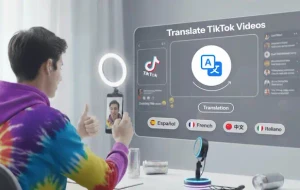
The fastest way to translate a TikTok video is AI dubbing — and with Perso Dubbing, you can do it in 33+ languages without re-recording a single clip. Upload your video or paste your TikTok URL, select target languages, and get a dubbed version that preserves your voice, tone, and lip sync. Perso Dubbing's free tier lets you test the full workflow today, with paid plans starting at $6.99/month.
Why TikTok Creators Translate Their Videos
Most TikTok creators publish in one language and reach one market. But the platform's audience is global — and the majority of active users don't speak English as their primary language.
The bottleneck isn't content quality. It's language.
Traditionally, solving that meant two bad options:
Re-recording in another language — only possible if you're fluent, and it doubles your production load per video.
Subtitles only — fast, but viewers who don't read captions while scrolling won't engage the same way as viewers who hear content in their native language.
AI dubbing is the third option: your existing video, your actual voice, translated and synced — without going back to the recording setup.
3 Methods to Translate TikTok Videos (And When to Use Each)
Method 1 — Subtitles Only
Best for: Quick market tests, accessibility, platforms where captions perform well
Subtitles are fast and free to generate. They work well when the visual content carries the video and the viewer is in a context where they're reading captions. The limitation is that scrolling viewers who don't pause to read captions won't absorb the content the same way.
Method 2 — Generic AI Voice-Over
Best for: Educational content where information matters more than speaker identity
A generic AI voice reads a translation over your original video. It's faster than re-recording, but it replaces your voice entirely — the tone, energy, and personality that your audience follows you for are lost. On TikTok, where creator identity is the product, this is a significant trade-off.
Method 3 — AI Dubbing with Voice Cloning and Lip Sync ⭐
Best for: All TikTok content where your face and voice are on screen
AI dubbing translates your script, clones your voice into the target language, and syncs your lip movements to match the new audio. The viewer hears you speaking their language — in your actual tone and delivery style.
This is the method that preserves what makes your content work across markets.
How to Translate a TikTok Video with Perso Dubbing: Step by Step
Step 1 — Upload Your Video or Paste the URL
Perso Dubbing supports direct URL import from TikTok and YouTube — paste the link and the platform fetches the video automatically. You can also upload a video file directly from your device.
If your original video uses copyrighted background music, download the video without audio first and add platform-appropriate audio after dubbing.
Step 2 — Select Your Target Languages
Choose from 33+ supported languages. You can select multiple languages in one session to generate several localized versions from a single source video.
If you're not sure where to start, check your TikTok Analytics under "Top Territories" — this shows you which countries are already watching your content. Those markets are your highest-probability first test.
Step 3 — Generate Dubbed Audio with Voice Cloning
Perso Dubbing clones your voice and generates dubbed audio in the target language — preserving your speaking pace, tone, and emotional delivery. Lip sync is applied automatically to match the new audio to your facial movements.
Multi-speaker support handles up to 10 distinct speakers per video, each with individual voice cloning. This covers duets, collaborations, and videos with multiple people on screen.
Try Perso Dubbing free — translate your TikTok into 33+ languages →
Step 4 — Review the Translation in the Script Editor
Before the final render, Perso Dubbing's built-in script editor shows you the translated transcript line by line. This is the most important step most creators skip.
Review for:
Slang and idioms — Literal translations of casual language often produce unnatural results. "That's fire" translates literally in ways that don't land. Review conversational lines and adjust to natural phrasing in the target language.
Brand or channel terminology — Use Perso Dubbing's custom glossary to lock in consistent translations of your channel name, recurring phrases, or product references across all videos.
Cultural context — References tied to specific holidays, events, or cultural moments in one market may need brief adjustment or substitution for audiences unfamiliar with the context.
Step 5 — Export and Post with Localized Metadata
Export your dubbed video in the original aspect ratio (9:16 for TikTok vertical). Check that any on-screen text — location tags, prices, callouts — is also translated. Leaving English text on a fully dubbed Spanish video signals to viewers that the localization is incomplete.
When posting, localize your metadata:
Title and description in the target language
Hashtags researched for the target market — don't just translate your English hashtags, as different markets have distinct trending tag structures
Posting time based on peak hours in the target region, not your own timezone
5 Mistakes That Reduce Translated TikTok Performance
Posting in your timezone for a different market's audience. If your Spanish-language video goes live at 7pm EST, it's 1am in Spain. Use TikTok's built-in scheduler to post at peak local hours for your target region.
Using English hashtags on translated videos. Translated content with English hashtags reaches the wrong audience. Research how users in the target market actually tag content in your niche.
One version of Spanish for all Spanish-speaking markets. Regional vocabulary differences matter. The word for "car" differs between Mexico and Spain. Perso Dubbing's script editor lets you adjust regional phrasing before export — or choose a neutral Spanish variant that reads naturally across Latin American markets.
Leaving English on-screen text. Dubbed audio with English captions and on-screen text creates a disconnect. Translate all visible text before posting — this takes a few minutes in TikTok's editor and significantly improves how complete the localization feels.
Translating without reviewing the script first. Automated translation is strong on direct language but weaker on idiomatic expressions, slang, and culturally specific references. A five-minute review of the script editor catches the issues that would otherwise make your dubbed video feel off to native speakers.
Why AI Dubbing Outperforms the Alternatives for TikTok
The core advantage of AI dubbing over subtitles or generic voice-over is that your voice is your brand on TikTok. The energy, sarcasm, enthusiasm, or calm that defines your content and builds follower loyalty is carried in how you speak — not just what you say.
Perso Dubbing's voice cloning preserves that across every language version. Viewers in new markets are hearing you — your actual vocal identity in their language — rather than a generic AI voice reading a translation.
For short-form content where creator personality is the primary reason people follow, watch, and share, that distinction determines whether a translated video builds an audience or just adds views.
Perso Dubbing delivers a 98% cost reduction compared to traditional dubbing workflows. Over 460,000 creators and businesses use the platform worldwide, with 80% of users based outside Korea.
Start translating your TikTok content with Perso Dubbing — free to try →
Frequently Asked Questions
How do I translate a TikTok video without re-recording it? Use an AI dubbing tool like Perso Dubbing. Paste your TikTok URL or upload your video file, select your target languages, and the platform transcribes your audio, translates it, clones your voice into the new language, and applies lip sync — all without returning to the recording setup. Perso Dubbing supports 33+ languages and offers a free tier to test the workflow.
What is the best way to translate TikTok videos into Spanish? AI dubbing with voice cloning gives the strongest result for Spanish-speaking markets. It preserves your speaking style and energy rather than replacing your voice with a generic AI. Use Perso Dubbing's script editor to review the translation before export — particularly for slang and idiomatic expressions — and post with Spanish-language hashtags and metadata localized for your target region (Mexico, Spain, or neutral Latin American Spanish depending on your audience).
Does translating TikTok videos help with reach? Yes. When viewers hear content in their native language, they tend to engage more deeply — watching longer, commenting, and sharing. TikTok's algorithm responds to engagement signals regardless of language, which means a well-dubbed localized version can perform in a new market the same way your original content performs in English.
Can AI dubbing handle TikTok duets and multi-speaker videos? Yes. Perso Dubbing automatically detects and processes up to 10 distinct speakers per video, with individual voice cloning and lip sync for each. This covers duets, stitches, collaborations, and any content where multiple people appear on screen.
How much does TikTok video translation cost with AI? Perso Dubbing's free tier includes AI dubbing with daily renewable credits — you can test the full workflow at no cost. Paid plans start at $6.99/month, which represents a 98% cost reduction compared to traditional dubbing workflows involving professional translators, voice actors, and studio recording.
Will TikTok flag or remove AI-dubbed translations? No. TikTok encourages multilingual content creation. Post translated versions as new videos rather than reposts to avoid duplicate content flags. Millions of creators use AI dubbing across the platform without issue.
Is there a free tool to translate TikTok videos? Yes. Perso Dubbing offers a free tier with daily renewable credits that covers AI dubbing in 33+ languages, voice cloning, lip sync, and subtitle generation. It supports direct TikTok URL import, so you can start translating existing videos without downloading and re-uploading files.
The fastest way to translate a TikTok video is AI dubbing — and with Perso Dubbing, you can do it in 33+ languages without re-recording a single clip. Upload your video or paste your TikTok URL, select target languages, and get a dubbed version that preserves your voice, tone, and lip sync. Perso Dubbing's free tier lets you test the full workflow today, with paid plans starting at $6.99/month.
Why TikTok Creators Translate Their Videos
Most TikTok creators publish in one language and reach one market. But the platform's audience is global — and the majority of active users don't speak English as their primary language.
The bottleneck isn't content quality. It's language.
Traditionally, solving that meant two bad options:
Re-recording in another language — only possible if you're fluent, and it doubles your production load per video.
Subtitles only — fast, but viewers who don't read captions while scrolling won't engage the same way as viewers who hear content in their native language.
AI dubbing is the third option: your existing video, your actual voice, translated and synced — without going back to the recording setup.
3 Methods to Translate TikTok Videos (And When to Use Each)
Method 1 — Subtitles Only
Best for: Quick market tests, accessibility, platforms where captions perform well
Subtitles are fast and free to generate. They work well when the visual content carries the video and the viewer is in a context where they're reading captions. The limitation is that scrolling viewers who don't pause to read captions won't absorb the content the same way.
Method 2 — Generic AI Voice-Over
Best for: Educational content where information matters more than speaker identity
A generic AI voice reads a translation over your original video. It's faster than re-recording, but it replaces your voice entirely — the tone, energy, and personality that your audience follows you for are lost. On TikTok, where creator identity is the product, this is a significant trade-off.
Method 3 — AI Dubbing with Voice Cloning and Lip Sync ⭐
Best for: All TikTok content where your face and voice are on screen
AI dubbing translates your script, clones your voice into the target language, and syncs your lip movements to match the new audio. The viewer hears you speaking their language — in your actual tone and delivery style.
This is the method that preserves what makes your content work across markets.
How to Translate a TikTok Video with Perso Dubbing: Step by Step
Step 1 — Upload Your Video or Paste the URL
Perso Dubbing supports direct URL import from TikTok and YouTube — paste the link and the platform fetches the video automatically. You can also upload a video file directly from your device.
If your original video uses copyrighted background music, download the video without audio first and add platform-appropriate audio after dubbing.
Step 2 — Select Your Target Languages
Choose from 33+ supported languages. You can select multiple languages in one session to generate several localized versions from a single source video.
If you're not sure where to start, check your TikTok Analytics under "Top Territories" — this shows you which countries are already watching your content. Those markets are your highest-probability first test.
Step 3 — Generate Dubbed Audio with Voice Cloning
Perso Dubbing clones your voice and generates dubbed audio in the target language — preserving your speaking pace, tone, and emotional delivery. Lip sync is applied automatically to match the new audio to your facial movements.
Multi-speaker support handles up to 10 distinct speakers per video, each with individual voice cloning. This covers duets, collaborations, and videos with multiple people on screen.
Try Perso Dubbing free — translate your TikTok into 33+ languages →
Step 4 — Review the Translation in the Script Editor
Before the final render, Perso Dubbing's built-in script editor shows you the translated transcript line by line. This is the most important step most creators skip.
Review for:
Slang and idioms — Literal translations of casual language often produce unnatural results. "That's fire" translates literally in ways that don't land. Review conversational lines and adjust to natural phrasing in the target language.
Brand or channel terminology — Use Perso Dubbing's custom glossary to lock in consistent translations of your channel name, recurring phrases, or product references across all videos.
Cultural context — References tied to specific holidays, events, or cultural moments in one market may need brief adjustment or substitution for audiences unfamiliar with the context.
Step 5 — Export and Post with Localized Metadata
Export your dubbed video in the original aspect ratio (9:16 for TikTok vertical). Check that any on-screen text — location tags, prices, callouts — is also translated. Leaving English text on a fully dubbed Spanish video signals to viewers that the localization is incomplete.
When posting, localize your metadata:
Title and description in the target language
Hashtags researched for the target market — don't just translate your English hashtags, as different markets have distinct trending tag structures
Posting time based on peak hours in the target region, not your own timezone
5 Mistakes That Reduce Translated TikTok Performance
Posting in your timezone for a different market's audience. If your Spanish-language video goes live at 7pm EST, it's 1am in Spain. Use TikTok's built-in scheduler to post at peak local hours for your target region.
Using English hashtags on translated videos. Translated content with English hashtags reaches the wrong audience. Research how users in the target market actually tag content in your niche.
One version of Spanish for all Spanish-speaking markets. Regional vocabulary differences matter. The word for "car" differs between Mexico and Spain. Perso Dubbing's script editor lets you adjust regional phrasing before export — or choose a neutral Spanish variant that reads naturally across Latin American markets.
Leaving English on-screen text. Dubbed audio with English captions and on-screen text creates a disconnect. Translate all visible text before posting — this takes a few minutes in TikTok's editor and significantly improves how complete the localization feels.
Translating without reviewing the script first. Automated translation is strong on direct language but weaker on idiomatic expressions, slang, and culturally specific references. A five-minute review of the script editor catches the issues that would otherwise make your dubbed video feel off to native speakers.
Why AI Dubbing Outperforms the Alternatives for TikTok
The core advantage of AI dubbing over subtitles or generic voice-over is that your voice is your brand on TikTok. The energy, sarcasm, enthusiasm, or calm that defines your content and builds follower loyalty is carried in how you speak — not just what you say.
Perso Dubbing's voice cloning preserves that across every language version. Viewers in new markets are hearing you — your actual vocal identity in their language — rather than a generic AI voice reading a translation.
For short-form content where creator personality is the primary reason people follow, watch, and share, that distinction determines whether a translated video builds an audience or just adds views.
Perso Dubbing delivers a 98% cost reduction compared to traditional dubbing workflows. Over 460,000 creators and businesses use the platform worldwide, with 80% of users based outside Korea.
Start translating your TikTok content with Perso Dubbing — free to try →
Frequently Asked Questions
How do I translate a TikTok video without re-recording it? Use an AI dubbing tool like Perso Dubbing. Paste your TikTok URL or upload your video file, select your target languages, and the platform transcribes your audio, translates it, clones your voice into the new language, and applies lip sync — all without returning to the recording setup. Perso Dubbing supports 33+ languages and offers a free tier to test the workflow.
What is the best way to translate TikTok videos into Spanish? AI dubbing with voice cloning gives the strongest result for Spanish-speaking markets. It preserves your speaking style and energy rather than replacing your voice with a generic AI. Use Perso Dubbing's script editor to review the translation before export — particularly for slang and idiomatic expressions — and post with Spanish-language hashtags and metadata localized for your target region (Mexico, Spain, or neutral Latin American Spanish depending on your audience).
Does translating TikTok videos help with reach? Yes. When viewers hear content in their native language, they tend to engage more deeply — watching longer, commenting, and sharing. TikTok's algorithm responds to engagement signals regardless of language, which means a well-dubbed localized version can perform in a new market the same way your original content performs in English.
Can AI dubbing handle TikTok duets and multi-speaker videos? Yes. Perso Dubbing automatically detects and processes up to 10 distinct speakers per video, with individual voice cloning and lip sync for each. This covers duets, stitches, collaborations, and any content where multiple people appear on screen.
How much does TikTok video translation cost with AI? Perso Dubbing's free tier includes AI dubbing with daily renewable credits — you can test the full workflow at no cost. Paid plans start at $6.99/month, which represents a 98% cost reduction compared to traditional dubbing workflows involving professional translators, voice actors, and studio recording.
Will TikTok flag or remove AI-dubbed translations? No. TikTok encourages multilingual content creation. Post translated versions as new videos rather than reposts to avoid duplicate content flags. Millions of creators use AI dubbing across the platform without issue.
Is there a free tool to translate TikTok videos? Yes. Perso Dubbing offers a free tier with daily renewable credits that covers AI dubbing in 33+ languages, voice cloning, lip sync, and subtitle generation. It supports direct TikTok URL import, so you can start translating existing videos without downloading and re-uploading files.
The fastest way to translate a TikTok video is AI dubbing — and with Perso Dubbing, you can do it in 33+ languages without re-recording a single clip. Upload your video or paste your TikTok URL, select target languages, and get a dubbed version that preserves your voice, tone, and lip sync. Perso Dubbing's free tier lets you test the full workflow today, with paid plans starting at $6.99/month.
Why TikTok Creators Translate Their Videos
Most TikTok creators publish in one language and reach one market. But the platform's audience is global — and the majority of active users don't speak English as their primary language.
The bottleneck isn't content quality. It's language.
Traditionally, solving that meant two bad options:
Re-recording in another language — only possible if you're fluent, and it doubles your production load per video.
Subtitles only — fast, but viewers who don't read captions while scrolling won't engage the same way as viewers who hear content in their native language.
AI dubbing is the third option: your existing video, your actual voice, translated and synced — without going back to the recording setup.
3 Methods to Translate TikTok Videos (And When to Use Each)
Method 1 — Subtitles Only
Best for: Quick market tests, accessibility, platforms where captions perform well
Subtitles are fast and free to generate. They work well when the visual content carries the video and the viewer is in a context where they're reading captions. The limitation is that scrolling viewers who don't pause to read captions won't absorb the content the same way.
Method 2 — Generic AI Voice-Over
Best for: Educational content where information matters more than speaker identity
A generic AI voice reads a translation over your original video. It's faster than re-recording, but it replaces your voice entirely — the tone, energy, and personality that your audience follows you for are lost. On TikTok, where creator identity is the product, this is a significant trade-off.
Method 3 — AI Dubbing with Voice Cloning and Lip Sync ⭐
Best for: All TikTok content where your face and voice are on screen
AI dubbing translates your script, clones your voice into the target language, and syncs your lip movements to match the new audio. The viewer hears you speaking their language — in your actual tone and delivery style.
This is the method that preserves what makes your content work across markets.
How to Translate a TikTok Video with Perso Dubbing: Step by Step
Step 1 — Upload Your Video or Paste the URL
Perso Dubbing supports direct URL import from TikTok and YouTube — paste the link and the platform fetches the video automatically. You can also upload a video file directly from your device.
If your original video uses copyrighted background music, download the video without audio first and add platform-appropriate audio after dubbing.
Step 2 — Select Your Target Languages
Choose from 33+ supported languages. You can select multiple languages in one session to generate several localized versions from a single source video.
If you're not sure where to start, check your TikTok Analytics under "Top Territories" — this shows you which countries are already watching your content. Those markets are your highest-probability first test.
Step 3 — Generate Dubbed Audio with Voice Cloning
Perso Dubbing clones your voice and generates dubbed audio in the target language — preserving your speaking pace, tone, and emotional delivery. Lip sync is applied automatically to match the new audio to your facial movements.
Multi-speaker support handles up to 10 distinct speakers per video, each with individual voice cloning. This covers duets, collaborations, and videos with multiple people on screen.
Try Perso Dubbing free — translate your TikTok into 33+ languages →
Step 4 — Review the Translation in the Script Editor
Before the final render, Perso Dubbing's built-in script editor shows you the translated transcript line by line. This is the most important step most creators skip.
Review for:
Slang and idioms — Literal translations of casual language often produce unnatural results. "That's fire" translates literally in ways that don't land. Review conversational lines and adjust to natural phrasing in the target language.
Brand or channel terminology — Use Perso Dubbing's custom glossary to lock in consistent translations of your channel name, recurring phrases, or product references across all videos.
Cultural context — References tied to specific holidays, events, or cultural moments in one market may need brief adjustment or substitution for audiences unfamiliar with the context.
Step 5 — Export and Post with Localized Metadata
Export your dubbed video in the original aspect ratio (9:16 for TikTok vertical). Check that any on-screen text — location tags, prices, callouts — is also translated. Leaving English text on a fully dubbed Spanish video signals to viewers that the localization is incomplete.
When posting, localize your metadata:
Title and description in the target language
Hashtags researched for the target market — don't just translate your English hashtags, as different markets have distinct trending tag structures
Posting time based on peak hours in the target region, not your own timezone
5 Mistakes That Reduce Translated TikTok Performance
Posting in your timezone for a different market's audience. If your Spanish-language video goes live at 7pm EST, it's 1am in Spain. Use TikTok's built-in scheduler to post at peak local hours for your target region.
Using English hashtags on translated videos. Translated content with English hashtags reaches the wrong audience. Research how users in the target market actually tag content in your niche.
One version of Spanish for all Spanish-speaking markets. Regional vocabulary differences matter. The word for "car" differs between Mexico and Spain. Perso Dubbing's script editor lets you adjust regional phrasing before export — or choose a neutral Spanish variant that reads naturally across Latin American markets.
Leaving English on-screen text. Dubbed audio with English captions and on-screen text creates a disconnect. Translate all visible text before posting — this takes a few minutes in TikTok's editor and significantly improves how complete the localization feels.
Translating without reviewing the script first. Automated translation is strong on direct language but weaker on idiomatic expressions, slang, and culturally specific references. A five-minute review of the script editor catches the issues that would otherwise make your dubbed video feel off to native speakers.
Why AI Dubbing Outperforms the Alternatives for TikTok
The core advantage of AI dubbing over subtitles or generic voice-over is that your voice is your brand on TikTok. The energy, sarcasm, enthusiasm, or calm that defines your content and builds follower loyalty is carried in how you speak — not just what you say.
Perso Dubbing's voice cloning preserves that across every language version. Viewers in new markets are hearing you — your actual vocal identity in their language — rather than a generic AI voice reading a translation.
For short-form content where creator personality is the primary reason people follow, watch, and share, that distinction determines whether a translated video builds an audience or just adds views.
Perso Dubbing delivers a 98% cost reduction compared to traditional dubbing workflows. Over 460,000 creators and businesses use the platform worldwide, with 80% of users based outside Korea.
Start translating your TikTok content with Perso Dubbing — free to try →
Frequently Asked Questions
How do I translate a TikTok video without re-recording it? Use an AI dubbing tool like Perso Dubbing. Paste your TikTok URL or upload your video file, select your target languages, and the platform transcribes your audio, translates it, clones your voice into the new language, and applies lip sync — all without returning to the recording setup. Perso Dubbing supports 33+ languages and offers a free tier to test the workflow.
What is the best way to translate TikTok videos into Spanish? AI dubbing with voice cloning gives the strongest result for Spanish-speaking markets. It preserves your speaking style and energy rather than replacing your voice with a generic AI. Use Perso Dubbing's script editor to review the translation before export — particularly for slang and idiomatic expressions — and post with Spanish-language hashtags and metadata localized for your target region (Mexico, Spain, or neutral Latin American Spanish depending on your audience).
Does translating TikTok videos help with reach? Yes. When viewers hear content in their native language, they tend to engage more deeply — watching longer, commenting, and sharing. TikTok's algorithm responds to engagement signals regardless of language, which means a well-dubbed localized version can perform in a new market the same way your original content performs in English.
Can AI dubbing handle TikTok duets and multi-speaker videos? Yes. Perso Dubbing automatically detects and processes up to 10 distinct speakers per video, with individual voice cloning and lip sync for each. This covers duets, stitches, collaborations, and any content where multiple people appear on screen.
How much does TikTok video translation cost with AI? Perso Dubbing's free tier includes AI dubbing with daily renewable credits — you can test the full workflow at no cost. Paid plans start at $6.99/month, which represents a 98% cost reduction compared to traditional dubbing workflows involving professional translators, voice actors, and studio recording.
Will TikTok flag or remove AI-dubbed translations? No. TikTok encourages multilingual content creation. Post translated versions as new videos rather than reposts to avoid duplicate content flags. Millions of creators use AI dubbing across the platform without issue.
Is there a free tool to translate TikTok videos? Yes. Perso Dubbing offers a free tier with daily renewable credits that covers AI dubbing in 33+ languages, voice cloning, lip sync, and subtitle generation. It supports direct TikTok URL import, so you can start translating existing videos without downloading and re-uploading files.
Continue Reading
Browse All



