AI Dubbing Features Every Pro Video Creator Needs in 2026
Last Updated




Jump to section
Jump to section

Share
Share
Share
AI Video Translator, Localization, and Dubbing Tool
Try it out for Free
Your channel is growing, and your analytics show a clear pattern. Viewers from outside the U.S. are watching longer, but they drop off when the content is not in their language. You decide to localize your top videos first.
You test a dub. The translation is understandable, but a few lines feel unnatural. The pacing sounds slightly rushed. The on-camera segments look out of sync. You can tell this will not scale if every video needs hours of manual cleanup.
That is exactly where AI dubbing & video translator tools matter for professional creators. The right setup helps you turn one video into multiple language versions with clean timing, natural delivery, and fewer awkward lines.
In this guide, we’ll cover the key features creators should evaluate, how they affect dubbing quality, and when automatic dubbing works best versus when you need more control. One metric to watch as you localize is how much of your watch time comes from non-primary language views. YouTube says creators who add multi-language audio tracks have seen over 25% of watch time come from the video’s non-primary language.
AI Dubbing & Video Translator Features Creators Should Evaluate First
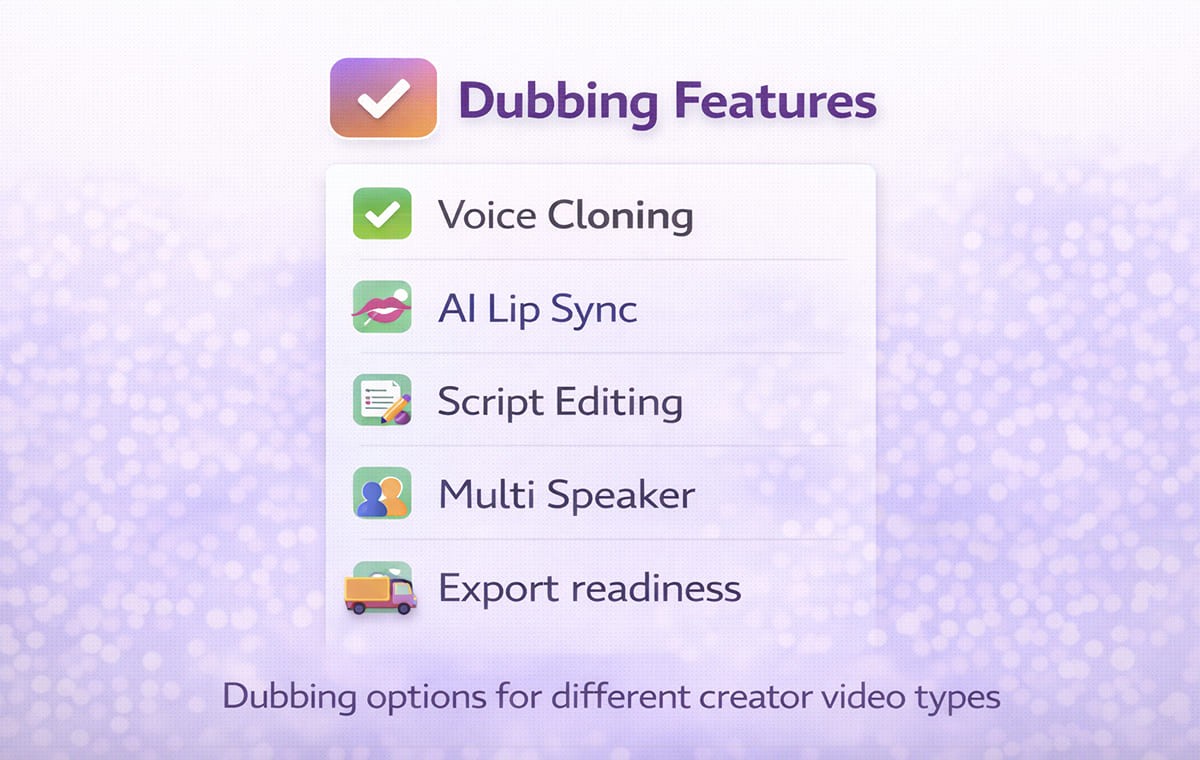
Creators usually do not fail because the audio sounds bad. They fail because the workflow is brittle. A single weak step creates rework across every language.
Here are the features that most often separate a good creator workflow from a frustrating one. As you test tools, track a simple speed metric too: time-to-localize per video (from upload to publish-ready exports). If small fixes force full reprocessing, that number climbs fast, and consistency becomes harder to maintain across languages.
Voice Cloning That Keeps Your Identity Consistent
If your audience connects to your voice, generic narration changes the feel of the content. Voice Cloning is useful when you want your delivery style to remain recognizable across languages, especially for commentary, education, and founder led content.
What to check:
The cloned voice keeps a consistent tone across the full video
Emphasis and pacing still feel like you
Multi speaker content stays distinct if there are guests
AI Lip Sync That Protects Credibility on Camera
Creators often use talking head segments, reactions, or direct to camera explanations. In those formats, mismatched mouth movement can feel distracting, even if the translation is accurate.
What to check:
Close ups look natural, not delayed
Fast speech does not drift out of sync
The output remains stable after small script edits
Script Control That Prevents Awkward Phrasing
Even strong translation can produce lines that sound literal or too long to speak naturally. The best workflows allow you to edit the script before final output so the dub feels like content made for that language, not copied into it.
What to check:
You can rewrite a few lines without redoing the entire project
Timing stays clean after edits
Terminology remains consistent across the full video
Why Dubbing Quality Depends on Clean Timing and Script Fit?
Creators usually notice the same three problems after the first test dub:
Lines feel too long for the available time
The voice sounds rushed to fit the scene
Pauses and emphasis do not match what viewers see
Those issues are not just voice issues. They are timing and scripting issues.
A reliable workflow treats Dubbing like a production chain:
Accurate transcript
Translation that reads naturally
Script adjustments for flow
Audio generation that matches pacing
Sync checks on camera segments
When these steps are handled in one system, creators spend less time fixing small issues and more time publishing.
If you want to see how an all-in-one creator workflow is typically packaged (translation, AI dubbing, voice, lip sync, and editing in one place), Perso Dubbing is one example to compare against your checklist.
How A Video Translator Workflow Helps Creators Publish Faster?
A good Video Translator workflow is not just about converting words. It is about keeping your publishing rhythm intact.
A creator-friendly workflow typically looks like this:
Upload the video or import it from your source
Generate the transcript and translation
Review and refine the script for natural phrasing
Generate dubbed output
Export the assets you need for your platform
The important detail is where control lives. For a deeper look at how lip synchronization impacts multilingual content quality, read AI lip sync in video translation workflows. If the workflow forces full reprocessing for tiny changes, creators stop using it. If it supports quick edits, it becomes repeatable.
If you want a broader view of how Perso Dubbing frames its creator localization approach, start with the AI video translator for creators who need dubbing and localization.
Automatic Dubbing Vs Controlled Dubbing for Professional Creators
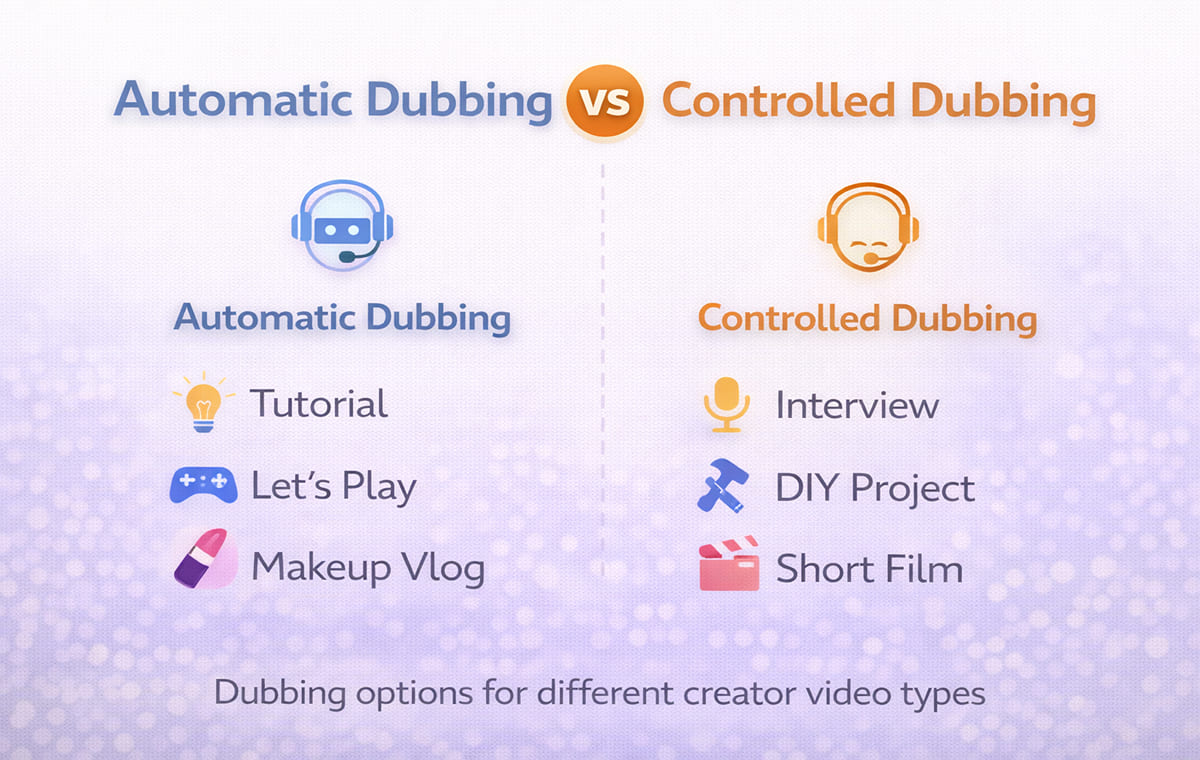
Automatic Dubbing is valuable when speed matters and the content format is forgiving. It is not always the right choice for every video type.
Automatic Dubbing tends to work well for:
Screen recordings with minimal on camera speech
Tutorials where visuals carry the meaning
Simple narration where pacing is steady
You usually need more control for:
Talking head content
Reaction and commentary formats
Emotional storytelling and humor
Multi speaker interviews and podcasts
A practical rule for creators:
If the audience is watching your face, prioritize sync and script control.
If the audience is watching your screen, prioritize terminology and pacing.
Feature Checklist Table for Creator Workflows
Creator Need | Feature That Solves It | What To Verify Before Scaling |
Keep your identity across languages | Voice Cloning | Tone consistency, natural pacing, stable output |
Make on camera segments believable | AI Lip Sync | Close up sync, fast speech stability, no drift |
Reduce awkward translated lines | Script editing controls | Fast edits, no full reprocessing, clean timing |
Handle guests and interviews | Multi speaker handling | Correct speaker separation and consistent voices |
Keep your upload schedule | Reliable workflow | Repeatable steps from transcript to export |
This table is the easiest way to keep the evaluation grounded. If a tool is strong on one feature but weak on editing and timing, it will create ongoing friction as you scale.
Best Use Cases for Creators Starting Localization
Creators scale faster when they begin with a specific content bucket. Instead of dubbing everything, start with what already performs well.
Good starting points:
Your top evergreen videos
Videos with strong retention in the U.S.
Content that earns international views without promotion
Tutorials that translate well across cultures
If your content is YouTube focused, Perso Dubbing has a creator specific page that matches this use case. Use dubbing YouTube videos for global audiences using AI video translation for a workflow aligned to creators.
Common Mistakes Creators Make When Choosing Tools
Choosing Based on Voice Quality Alone
Voice quality matters, but control matters more. If you cannot fix awkward phrasing quickly, the workflow will slow you down.
Ignoring Script Readability
Translated text must be speakable. A script that reads like written language often sounds unnatural when voiced.
Skipping On Camera Tests
Always test a video with close ups. That is where sync issues show up first.
Treating Every Video the Same
Some formats need full control. Others can use Automatic Dubbing with minimal review. Build a simple rule set based on your content types.
Frequently Asked Questions
What does AI dubbing & video translator mean for creators
It means you can produce multilingual versions of a video using a workflow that includes transcription, translation, dubbed audio generation, and synchronization, with optional voice cloning and lip sync.
Do creators need both subtitles and dubbing
Many creators use both depending on the platform and audience preference. Dubbing helps viewers listen naturally, while subtitles help in sound off environments.
When is Automatic Dubbing good enough
It is often good enough for screen led content or simple narration. Talking head content usually benefits from stronger script control and sync checks.
What is the fastest way to improve dubbing quality
Clean transcript timing, speakable translations, and quick script edits usually reduce the biggest quality issues faster than repeated regeneration.
Conclusion
Professional creators win with tools that are repeatable. The best AI dubbing & video translator workflows combine voice consistency, clean timing, script control, and believable sync for on camera content. If you evaluate features through the lens of your actual formats, you can scale localization without sacrificing the feel that made your channel grow in the first place.
Your channel is growing, and your analytics show a clear pattern. Viewers from outside the U.S. are watching longer, but they drop off when the content is not in their language. You decide to localize your top videos first.
You test a dub. The translation is understandable, but a few lines feel unnatural. The pacing sounds slightly rushed. The on-camera segments look out of sync. You can tell this will not scale if every video needs hours of manual cleanup.
That is exactly where AI dubbing & video translator tools matter for professional creators. The right setup helps you turn one video into multiple language versions with clean timing, natural delivery, and fewer awkward lines.
In this guide, we’ll cover the key features creators should evaluate, how they affect dubbing quality, and when automatic dubbing works best versus when you need more control. One metric to watch as you localize is how much of your watch time comes from non-primary language views. YouTube says creators who add multi-language audio tracks have seen over 25% of watch time come from the video’s non-primary language.
AI Dubbing & Video Translator Features Creators Should Evaluate First
Creators usually do not fail because the audio sounds bad. They fail because the workflow is brittle. A single weak step creates rework across every language.
Here are the features that most often separate a good creator workflow from a frustrating one. As you test tools, track a simple speed metric too: time-to-localize per video (from upload to publish-ready exports). If small fixes force full reprocessing, that number climbs fast, and consistency becomes harder to maintain across languages.
Voice Cloning That Keeps Your Identity Consistent
If your audience connects to your voice, generic narration changes the feel of the content. Voice Cloning is useful when you want your delivery style to remain recognizable across languages, especially for commentary, education, and founder led content.
What to check:
The cloned voice keeps a consistent tone across the full video
Emphasis and pacing still feel like you
Multi speaker content stays distinct if there are guests
AI Lip Sync That Protects Credibility on Camera
Creators often use talking head segments, reactions, or direct to camera explanations. In those formats, mismatched mouth movement can feel distracting, even if the translation is accurate.
What to check:
Close ups look natural, not delayed
Fast speech does not drift out of sync
The output remains stable after small script edits
Script Control That Prevents Awkward Phrasing
Even strong translation can produce lines that sound literal or too long to speak naturally. The best workflows allow you to edit the script before final output so the dub feels like content made for that language, not copied into it.
What to check:
You can rewrite a few lines without redoing the entire project
Timing stays clean after edits
Terminology remains consistent across the full video
Why Dubbing Quality Depends on Clean Timing and Script Fit?
Creators usually notice the same three problems after the first test dub:
Lines feel too long for the available time
The voice sounds rushed to fit the scene
Pauses and emphasis do not match what viewers see
Those issues are not just voice issues. They are timing and scripting issues.
A reliable workflow treats Dubbing like a production chain:
Accurate transcript
Translation that reads naturally
Script adjustments for flow
Audio generation that matches pacing
Sync checks on camera segments
When these steps are handled in one system, creators spend less time fixing small issues and more time publishing.
If you want to see how an all-in-one creator workflow is typically packaged (translation, AI dubbing, voice, lip sync, and editing in one place), Perso Dubbing is one example to compare against your checklist.
How A Video Translator Workflow Helps Creators Publish Faster?
A good Video Translator workflow is not just about converting words. It is about keeping your publishing rhythm intact.
A creator-friendly workflow typically looks like this:
Upload the video or import it from your source
Generate the transcript and translation
Review and refine the script for natural phrasing
Generate dubbed output
Export the assets you need for your platform
The important detail is where control lives. For a deeper look at how lip synchronization impacts multilingual content quality, read AI lip sync in video translation workflows. If the workflow forces full reprocessing for tiny changes, creators stop using it. If it supports quick edits, it becomes repeatable.
If you want a broader view of how Perso Dubbing frames its creator localization approach, start with the AI video translator for creators who need dubbing and localization.
Automatic Dubbing Vs Controlled Dubbing for Professional Creators
Automatic Dubbing is valuable when speed matters and the content format is forgiving. It is not always the right choice for every video type.
Automatic Dubbing tends to work well for:
Screen recordings with minimal on camera speech
Tutorials where visuals carry the meaning
Simple narration where pacing is steady
You usually need more control for:
Talking head content
Reaction and commentary formats
Emotional storytelling and humor
Multi speaker interviews and podcasts
A practical rule for creators:
If the audience is watching your face, prioritize sync and script control.
If the audience is watching your screen, prioritize terminology and pacing.
Feature Checklist Table for Creator Workflows
Creator Need | Feature That Solves It | What To Verify Before Scaling |
Keep your identity across languages | Voice Cloning | Tone consistency, natural pacing, stable output |
Make on camera segments believable | AI Lip Sync | Close up sync, fast speech stability, no drift |
Reduce awkward translated lines | Script editing controls | Fast edits, no full reprocessing, clean timing |
Handle guests and interviews | Multi speaker handling | Correct speaker separation and consistent voices |
Keep your upload schedule | Reliable workflow | Repeatable steps from transcript to export |
This table is the easiest way to keep the evaluation grounded. If a tool is strong on one feature but weak on editing and timing, it will create ongoing friction as you scale.
Best Use Cases for Creators Starting Localization
Creators scale faster when they begin with a specific content bucket. Instead of dubbing everything, start with what already performs well.
Good starting points:
Your top evergreen videos
Videos with strong retention in the U.S.
Content that earns international views without promotion
Tutorials that translate well across cultures
If your content is YouTube focused, Perso Dubbing has a creator specific page that matches this use case. Use dubbing YouTube videos for global audiences using AI video translation for a workflow aligned to creators.
Common Mistakes Creators Make When Choosing Tools
Choosing Based on Voice Quality Alone
Voice quality matters, but control matters more. If you cannot fix awkward phrasing quickly, the workflow will slow you down.
Ignoring Script Readability
Translated text must be speakable. A script that reads like written language often sounds unnatural when voiced.
Skipping On Camera Tests
Always test a video with close ups. That is where sync issues show up first.
Treating Every Video the Same
Some formats need full control. Others can use Automatic Dubbing with minimal review. Build a simple rule set based on your content types.
Frequently Asked Questions
What does AI dubbing & video translator mean for creators
It means you can produce multilingual versions of a video using a workflow that includes transcription, translation, dubbed audio generation, and synchronization, with optional voice cloning and lip sync.
Do creators need both subtitles and dubbing
Many creators use both depending on the platform and audience preference. Dubbing helps viewers listen naturally, while subtitles help in sound off environments.
When is Automatic Dubbing good enough
It is often good enough for screen led content or simple narration. Talking head content usually benefits from stronger script control and sync checks.
What is the fastest way to improve dubbing quality
Clean transcript timing, speakable translations, and quick script edits usually reduce the biggest quality issues faster than repeated regeneration.
Conclusion
Professional creators win with tools that are repeatable. The best AI dubbing & video translator workflows combine voice consistency, clean timing, script control, and believable sync for on camera content. If you evaluate features through the lens of your actual formats, you can scale localization without sacrificing the feel that made your channel grow in the first place.
Your channel is growing, and your analytics show a clear pattern. Viewers from outside the U.S. are watching longer, but they drop off when the content is not in their language. You decide to localize your top videos first.
You test a dub. The translation is understandable, but a few lines feel unnatural. The pacing sounds slightly rushed. The on-camera segments look out of sync. You can tell this will not scale if every video needs hours of manual cleanup.
That is exactly where AI dubbing & video translator tools matter for professional creators. The right setup helps you turn one video into multiple language versions with clean timing, natural delivery, and fewer awkward lines.
In this guide, we’ll cover the key features creators should evaluate, how they affect dubbing quality, and when automatic dubbing works best versus when you need more control. One metric to watch as you localize is how much of your watch time comes from non-primary language views. YouTube says creators who add multi-language audio tracks have seen over 25% of watch time come from the video’s non-primary language.
AI Dubbing & Video Translator Features Creators Should Evaluate First
Creators usually do not fail because the audio sounds bad. They fail because the workflow is brittle. A single weak step creates rework across every language.
Here are the features that most often separate a good creator workflow from a frustrating one. As you test tools, track a simple speed metric too: time-to-localize per video (from upload to publish-ready exports). If small fixes force full reprocessing, that number climbs fast, and consistency becomes harder to maintain across languages.
Voice Cloning That Keeps Your Identity Consistent
If your audience connects to your voice, generic narration changes the feel of the content. Voice Cloning is useful when you want your delivery style to remain recognizable across languages, especially for commentary, education, and founder led content.
What to check:
The cloned voice keeps a consistent tone across the full video
Emphasis and pacing still feel like you
Multi speaker content stays distinct if there are guests
AI Lip Sync That Protects Credibility on Camera
Creators often use talking head segments, reactions, or direct to camera explanations. In those formats, mismatched mouth movement can feel distracting, even if the translation is accurate.
What to check:
Close ups look natural, not delayed
Fast speech does not drift out of sync
The output remains stable after small script edits
Script Control That Prevents Awkward Phrasing
Even strong translation can produce lines that sound literal or too long to speak naturally. The best workflows allow you to edit the script before final output so the dub feels like content made for that language, not copied into it.
What to check:
You can rewrite a few lines without redoing the entire project
Timing stays clean after edits
Terminology remains consistent across the full video
Why Dubbing Quality Depends on Clean Timing and Script Fit?
Creators usually notice the same three problems after the first test dub:
Lines feel too long for the available time
The voice sounds rushed to fit the scene
Pauses and emphasis do not match what viewers see
Those issues are not just voice issues. They are timing and scripting issues.
A reliable workflow treats Dubbing like a production chain:
Accurate transcript
Translation that reads naturally
Script adjustments for flow
Audio generation that matches pacing
Sync checks on camera segments
When these steps are handled in one system, creators spend less time fixing small issues and more time publishing.
If you want to see how an all-in-one creator workflow is typically packaged (translation, AI dubbing, voice, lip sync, and editing in one place), Perso Dubbing is one example to compare against your checklist.
How A Video Translator Workflow Helps Creators Publish Faster?
A good Video Translator workflow is not just about converting words. It is about keeping your publishing rhythm intact.
A creator-friendly workflow typically looks like this:
Upload the video or import it from your source
Generate the transcript and translation
Review and refine the script for natural phrasing
Generate dubbed output
Export the assets you need for your platform
The important detail is where control lives. For a deeper look at how lip synchronization impacts multilingual content quality, read AI lip sync in video translation workflows. If the workflow forces full reprocessing for tiny changes, creators stop using it. If it supports quick edits, it becomes repeatable.
If you want a broader view of how Perso Dubbing frames its creator localization approach, start with the AI video translator for creators who need dubbing and localization.
Automatic Dubbing Vs Controlled Dubbing for Professional Creators
Automatic Dubbing is valuable when speed matters and the content format is forgiving. It is not always the right choice for every video type.
Automatic Dubbing tends to work well for:
Screen recordings with minimal on camera speech
Tutorials where visuals carry the meaning
Simple narration where pacing is steady
You usually need more control for:
Talking head content
Reaction and commentary formats
Emotional storytelling and humor
Multi speaker interviews and podcasts
A practical rule for creators:
If the audience is watching your face, prioritize sync and script control.
If the audience is watching your screen, prioritize terminology and pacing.
Feature Checklist Table for Creator Workflows
Creator Need | Feature That Solves It | What To Verify Before Scaling |
Keep your identity across languages | Voice Cloning | Tone consistency, natural pacing, stable output |
Make on camera segments believable | AI Lip Sync | Close up sync, fast speech stability, no drift |
Reduce awkward translated lines | Script editing controls | Fast edits, no full reprocessing, clean timing |
Handle guests and interviews | Multi speaker handling | Correct speaker separation and consistent voices |
Keep your upload schedule | Reliable workflow | Repeatable steps from transcript to export |
This table is the easiest way to keep the evaluation grounded. If a tool is strong on one feature but weak on editing and timing, it will create ongoing friction as you scale.
Best Use Cases for Creators Starting Localization
Creators scale faster when they begin with a specific content bucket. Instead of dubbing everything, start with what already performs well.
Good starting points:
Your top evergreen videos
Videos with strong retention in the U.S.
Content that earns international views without promotion
Tutorials that translate well across cultures
If your content is YouTube focused, Perso Dubbing has a creator specific page that matches this use case. Use dubbing YouTube videos for global audiences using AI video translation for a workflow aligned to creators.
Common Mistakes Creators Make When Choosing Tools
Choosing Based on Voice Quality Alone
Voice quality matters, but control matters more. If you cannot fix awkward phrasing quickly, the workflow will slow you down.
Ignoring Script Readability
Translated text must be speakable. A script that reads like written language often sounds unnatural when voiced.
Skipping On Camera Tests
Always test a video with close ups. That is where sync issues show up first.
Treating Every Video the Same
Some formats need full control. Others can use Automatic Dubbing with minimal review. Build a simple rule set based on your content types.
Frequently Asked Questions
What does AI dubbing & video translator mean for creators
It means you can produce multilingual versions of a video using a workflow that includes transcription, translation, dubbed audio generation, and synchronization, with optional voice cloning and lip sync.
Do creators need both subtitles and dubbing
Many creators use both depending on the platform and audience preference. Dubbing helps viewers listen naturally, while subtitles help in sound off environments.
When is Automatic Dubbing good enough
It is often good enough for screen led content or simple narration. Talking head content usually benefits from stronger script control and sync checks.
What is the fastest way to improve dubbing quality
Clean transcript timing, speakable translations, and quick script edits usually reduce the biggest quality issues faster than repeated regeneration.
Conclusion
Professional creators win with tools that are repeatable. The best AI dubbing & video translator workflows combine voice consistency, clean timing, script control, and believable sync for on camera content. If you evaluate features through the lens of your actual formats, you can scale localization without sacrificing the feel that made your channel grow in the first place.
Continue Reading
Browse All



