Best Free AI Video Translators in 2026 (8 Tools Tested)
Last Updated




Jump to section
Jump to section

Share
Share
Share

AI Video Translator, Localization, and Dubbing Tool
Try it out for Free
Best Free AI Video Translators in 2026 (8 Tools Tested)
The best free AI video translator in 2026 depends on what your free tier has to cover. To test real dubbing voice quality across 99+ languages, Perso Dubbing gives you one free generation — though lip-sync and watermark-free export unlock on its paid plan. For the largest monthly free pool, Synthesia includes about 10 minutes of video. For subtitles-only translation, open-source tools like Subtitle Edit cost nothing at all. This guide tests eight popular free AI video translators — Perso Dubbing, HeyGen, Synthesia, Canva, Rask AI, Maestra, Dubverse, and RecCloud — on what their free plans actually let you do.
Most “free” video translators are evaluation tiers, not free products. The real differences show up in three constraints: how long a video you can process, whether voice cloning and lip-sync are included for free, and whether the export carries a watermark. We mapped all three below.
Free AI video translator comparison (2026)
The table below compares each tool’s free tier — not its paid plans. Free-tier limits change often, so verify the current numbers on each vendor’s pricing page before you commit.
Tool | Free-tier limit | Free dubbing languages | Voice clone (free) | Lip-sync (free) | Watermark-free | Best for |
|---|---|---|---|---|---|---|
Perso Dubbing | 1 generation on signup, up to 1 min/video, 720p | 99+ | ✅ original-voice dub | ❌ (paid, from $6.99) | ❌ | Dubbing voice-quality test |
HeyGen | 3 videos/mo, up to 1 min each | 30+ (175+ on paid) | 1 voice clone | Limited trial only | ❌ | Short avatar/translation clips |
Synthesia | ~10 min of video/mo | 70+ (dubbing output) | ❌ | Paid feature | ❌ | Avatar-led translated video |
Canva | Free to dub; length not published* | Multiple (no count published) | Voice-preserve only | ❌ | ❌ | Designers already in Canva |
Rask AI | No usable free tier (paid only) | 135+(Paid) | Paid | ❌ | ❌ | Widest language breadth (paid) |
Maestra | Free signup (no card); ~5 languages on free† | ~5 free (125+ overall) | ❌ (paid) | ❌ | ❌ | Subtitles + quick dub |
Dubverse | 2-day free trial, no card | 60+ | ❌ (paid) | ❌ | ❌ | Browser-based fast dubbing |
RecCloud | Free result preview | 70+ | ❌ | ❌ | ❌ | Previewing a translation |
Verified on each vendor’s live pricing/feature page, June 2026. *Canva’s feature page markets dubbing as free but publishes no specific free-tier video length or language count. †Maestra’s free tier offered only ~5 dubbing languages in a first-hand signup test (June 2026); its 125+-language and 30+-language voice-cloning figures are overall marketing claims, not free-tier scoped. Several tools support more languages on paid plans (HeyGen 175+, Synthesia 140+).
What “free” actually means in video translation
A free AI video translator almost always means a capped trial of a paid tool. The caps cluster around four limits: maximum video length (often 1–3 minutes), monthly minutes or generations, watermarks on the export, and feature gating — voice cloning and lip-sync are frequently reserved for paid tiers even when basic dubbing is free.
This is why two tools that both say “free” can differ by 10x in practice. HeyGen allows three one-minute videos a month; Perso Dubbing gives one free generation up to a minute; Synthesia pools roughly 10 minutes of video a month; Rask is a single 3-minute trial. Open-source subtitle editors like Subtitle Edit and Aegisub have no length cap at all, but they only handle subtitles — no voice, no lip-sync. Match the limit to your actual use case before you judge a tool by its language count.
Perso Dubbing — dubbing-quality test across 99+ languages
Perso Dubbing is an end-to-end video localization tool that combines translation, AI dubbing, voice cloning, and lip-sync in a single workflow. The free plan gives you one generation when you sign up: dubbing with original-voice preservation across 99+ languages, up to one minute of video, at 720p. The free-tier limits are worth stating plainly — exports are watermarked, and lip-sync unlocks on the paid plan. The free generation is a quality taster, not a full free product.
Perso Dubbing combines its own dubbing models with global AI foundation models, and the workflow is three steps: upload a file or paste a YouTube, TikTok, or Google Drive link, select your target languages, and download. Multi-speaker projects (up to 10 speakers) and .srt subtitle export are supported. Paid plans start at $6.99/month (Starter), which unlocks lip-sync, watermark-free 1080p export, 420 credits, and about 7 minutes of dubbing per month.
“I was impressed by how well Perso Dubbing cloned my voice and automatically dubbed my content into other languages. It’s way better than generic machine translation.” — Junsst, gaming creator (620K YouTube subscribers)
Where it fits: creators who want to judge dubbing voice quality before paying, then unlock lip-sync at the lowest entry price here ($6.99). Where it doesn’t: the free tier is watermarked, capped at one minute, and excludes lip-sync — it’s an evaluation tier, not a free production tool.
HeyGen — repeat one-minute videos on the free tier
HeyGen is an AI video platform whose free plan is built around repeat short videos. It allows three videos per month at up to one minute each, with one voice clone and limited trial access to premium features like lip-sync translation. On the free tier, video translation covers 30+ languages; the headline 175+ languages and watermark removal start on the paid Creator plan ($29/month).
Where it fits: creators publishing several one-minute clips a month who want repeat free generations rather than a one-shot trial. Where it doesn’t: free exports carry HeyGen branding, free lip-sync is trial-limited, and its strength is avatar/translation rather than preserving a complex multi-speaker source.
Synthesia — avatar-first translation
Synthesia is an AI avatar video platform that added video translation with lip-sync and subtitles. Its free plan includes about 10 minutes of video per month (1,200 credits), with dubbing output in 70+ languages; the 140+-language tier and full dubbing/lip-sync are paid features. Synthesia is strongest when the deliverable is an avatar-presented video rather than a faithful dub of an existing creator’s face and voice.
Where it fits: training, explainer, and corporate video where an AI presenter is acceptable. Where it doesn’t: preserving the original speaker’s own voice and face across languages.
Canva — translation inside a design tool
Canva offers an AI Dubbing feature that translates videos into multiple languages while preserving the speaker’s voice and tone, and its feature page markets it as free to use. Canva does not publish a specific free-tier video-length limit or language count on that page. For users already producing content in Canva, it removes a tool switch — but it does not offer automatic lip-sync, and voice handling is preservation rather than full cloning.
Where it fits: designers and marketers who live in Canva and need quick translated cuts. Where it doesn’t: lip-synced, voice-cloned dubbing of longer videos.
Rask AI — broad language coverage
Rask AI is an AI dubbing and voiceover tool known for wide language support, with 135+ languages stated for dubbing and voice cloning in 32 languages. In a first-hand test (June 2026), its free plan had no usable dubbing or voiceover features — producing any output requires a paid plan, and lip-sync sits on higher tiers.
Where it fits: budgeted projects that need the widest language coverage. Where it doesn’t: free use of any kind — there is effectively no functional free tier.
Maestra — subtitles plus quick dubbing
Maestra is an AI transcription, subtitling, and dubbing platform that markets 125+ dubbing languages and voice cloning across 30+ languages. Those are overall figures, not free-tier limits: in a first-hand free signup (June 2026), the free dubber offered only about five selectable languages, and you start with no credit card. Maestra is often picked when subtitles are the primary deliverable and dubbing is secondary.
Where it fits: subtitle-led workflows that occasionally need a quick dub. Where it doesn’t: broad free-tier dubbing — the free language selection is narrow, and full language coverage and voice cloning are paid.
Dubverse — fast browser-based dubbing
Dubverse is a browser-based AI dubbing tool supporting 60+ languages, with built-in text editing to refine translations before voice generation. Its free access is a 2-day free trial with no credit card; voice cloning sits on the paid Supreme plan ($30/month), and the tool does not market lip-sync.
Where it fits: fast, text-editable dubs of short marketing videos. Where it doesn’t: lip-synced or voice-cloned localization on the free trial.
RecCloud — preview-grade translation
RecCloud is an all-in-one AI media toolkit whose video translator supports 70+ languages and offers a free trial that previews the translated result before you subscribe. It surfaces frequently in community recommendations as a quick way to see what a translation would look like.
Where it fits: a fast, low-commitment preview of a translation. Where it doesn’t: finished, watermark-free output on the free tier.
How to choose a free AI video translator
Start from your hardest constraint, not the feature list. If you want to judge dubbing voice quality before paying, Perso Dubbing’s free generation shows its voice match (lip-sync and watermark-free export come with its $6.99 plan). If you need the most total free minutes per month, Synthesia’s ~10 minutes of free video is the largest monthly budget here, though it’s avatar-oriented. If you only need subtitles, open-source Subtitle Edit or Aegisub are unlimited and free. If you’re already in Canva, its built-in dubbing avoids a tool switch.
The one rule that holds across all eight: free tiers are for evaluation. Pick the tool whose free limits let you test the specific thing you’ll pay for — voice quality, lip-sync accuracy, or language coverage — and upgrade only after you’ve seen it on your own footage.
Frequently asked questions
Do free AI video translators add a watermark?
Most do. HeyGen, Synthesia, Rask AI, and Perso Dubbing all apply a watermark or branding on their free tiers and remove it on paid plans (Perso Dubbing’s watermark-free export starts at $6.99). Open-source subtitle tools like Subtitle Edit add no watermark, but they only produce subtitle files, not dubbed video.
Can I translate a video for free with voice cloning and lip-sync?
Lip-sync is rarely free. HeyGen offers limited trial access to lip-sync on its free plan and includes one free voice clone; elsewhere both are paid features — on Perso Dubbing (from $6.99), Rask AI, Maestra, and Dubverse. Perso Dubbing’s free generation still does voice-preserving dubbing. Canva, Dubverse, and RecCloud do not offer free lip-sync.
How long a video can I translate for free?
Most free tiers cap each video at about one minute. Perso Dubbing’s free generation and HeyGen’s free videos are both up to one minute (HeyGen allows three such videos a month). Synthesia gives the largest monthly pool at roughly 10 minutes of video. Rask is a one-time 3-minute trial. Open-source subtitle editors have no length cap.
Are free AI video translators good enough for YouTube or TikTok?
For testing, yes. Tools like Perso Dubbing and HeyGen support direct YouTube and TikTok import and export social-ready formats on the free tier. For ongoing publishing, the monthly minute caps usually push regular creators to a paid plan.
What’s the cheapest paid plan after the free tier?
Among the tools tested, Perso Dubbing has the lowest paid entry point at $6.99/month (420 credits, about 7 minutes of dubbing). Most avatar and dubbing platforms in this list start higher, so factor the upgrade price into your choice, not just the free tier.
Try it on your own footage
The fastest way to compare these tools is to run the same 30-second clip through two or three of them. Try Perso Dubbing’s free generation and judge the voice match for yourself.
Best Free AI Video Translators in 2026 (8 Tools Tested)
The best free AI video translator in 2026 depends on what your free tier has to cover. To test real dubbing voice quality across 99+ languages, Perso Dubbing gives you one free generation — though lip-sync and watermark-free export unlock on its paid plan. For the largest monthly free pool, Synthesia includes about 10 minutes of video. For subtitles-only translation, open-source tools like Subtitle Edit cost nothing at all. This guide tests eight popular free AI video translators — Perso Dubbing, HeyGen, Synthesia, Canva, Rask AI, Maestra, Dubverse, and RecCloud — on what their free plans actually let you do.
Most “free” video translators are evaluation tiers, not free products. The real differences show up in three constraints: how long a video you can process, whether voice cloning and lip-sync are included for free, and whether the export carries a watermark. We mapped all three below.
Free AI video translator comparison (2026)
The table below compares each tool’s free tier — not its paid plans. Free-tier limits change often, so verify the current numbers on each vendor’s pricing page before you commit.
Tool | Free-tier limit | Free dubbing languages | Voice clone (free) | Lip-sync (free) | Watermark-free | Best for |
|---|---|---|---|---|---|---|
Perso Dubbing | 1 generation on signup, up to 1 min/video, 720p | 99+ | ✅ original-voice dub | ❌ (paid, from $6.99) | ❌ | Dubbing voice-quality test |
HeyGen | 3 videos/mo, up to 1 min each | 30+ (175+ on paid) | 1 voice clone | Limited trial only | ❌ | Short avatar/translation clips |
Synthesia | ~10 min of video/mo | 70+ (dubbing output) | ❌ | Paid feature | ❌ | Avatar-led translated video |
Canva | Free to dub; length not published* | Multiple (no count published) | Voice-preserve only | ❌ | ❌ | Designers already in Canva |
Rask AI | No usable free tier (paid only) | 135+(Paid) | Paid | ❌ | ❌ | Widest language breadth (paid) |
Maestra | Free signup (no card); ~5 languages on free† | ~5 free (125+ overall) | ❌ (paid) | ❌ | ❌ | Subtitles + quick dub |
Dubverse | 2-day free trial, no card | 60+ | ❌ (paid) | ❌ | ❌ | Browser-based fast dubbing |
RecCloud | Free result preview | 70+ | ❌ | ❌ | ❌ | Previewing a translation |
Verified on each vendor’s live pricing/feature page, June 2026. *Canva’s feature page markets dubbing as free but publishes no specific free-tier video length or language count. †Maestra’s free tier offered only ~5 dubbing languages in a first-hand signup test (June 2026); its 125+-language and 30+-language voice-cloning figures are overall marketing claims, not free-tier scoped. Several tools support more languages on paid plans (HeyGen 175+, Synthesia 140+).
What “free” actually means in video translation
A free AI video translator almost always means a capped trial of a paid tool. The caps cluster around four limits: maximum video length (often 1–3 minutes), monthly minutes or generations, watermarks on the export, and feature gating — voice cloning and lip-sync are frequently reserved for paid tiers even when basic dubbing is free.
This is why two tools that both say “free” can differ by 10x in practice. HeyGen allows three one-minute videos a month; Perso Dubbing gives one free generation up to a minute; Synthesia pools roughly 10 minutes of video a month; Rask is a single 3-minute trial. Open-source subtitle editors like Subtitle Edit and Aegisub have no length cap at all, but they only handle subtitles — no voice, no lip-sync. Match the limit to your actual use case before you judge a tool by its language count.
Perso Dubbing — dubbing-quality test across 99+ languages
Perso Dubbing is an end-to-end video localization tool that combines translation, AI dubbing, voice cloning, and lip-sync in a single workflow. The free plan gives you one generation when you sign up: dubbing with original-voice preservation across 99+ languages, up to one minute of video, at 720p. The free-tier limits are worth stating plainly — exports are watermarked, and lip-sync unlocks on the paid plan. The free generation is a quality taster, not a full free product.
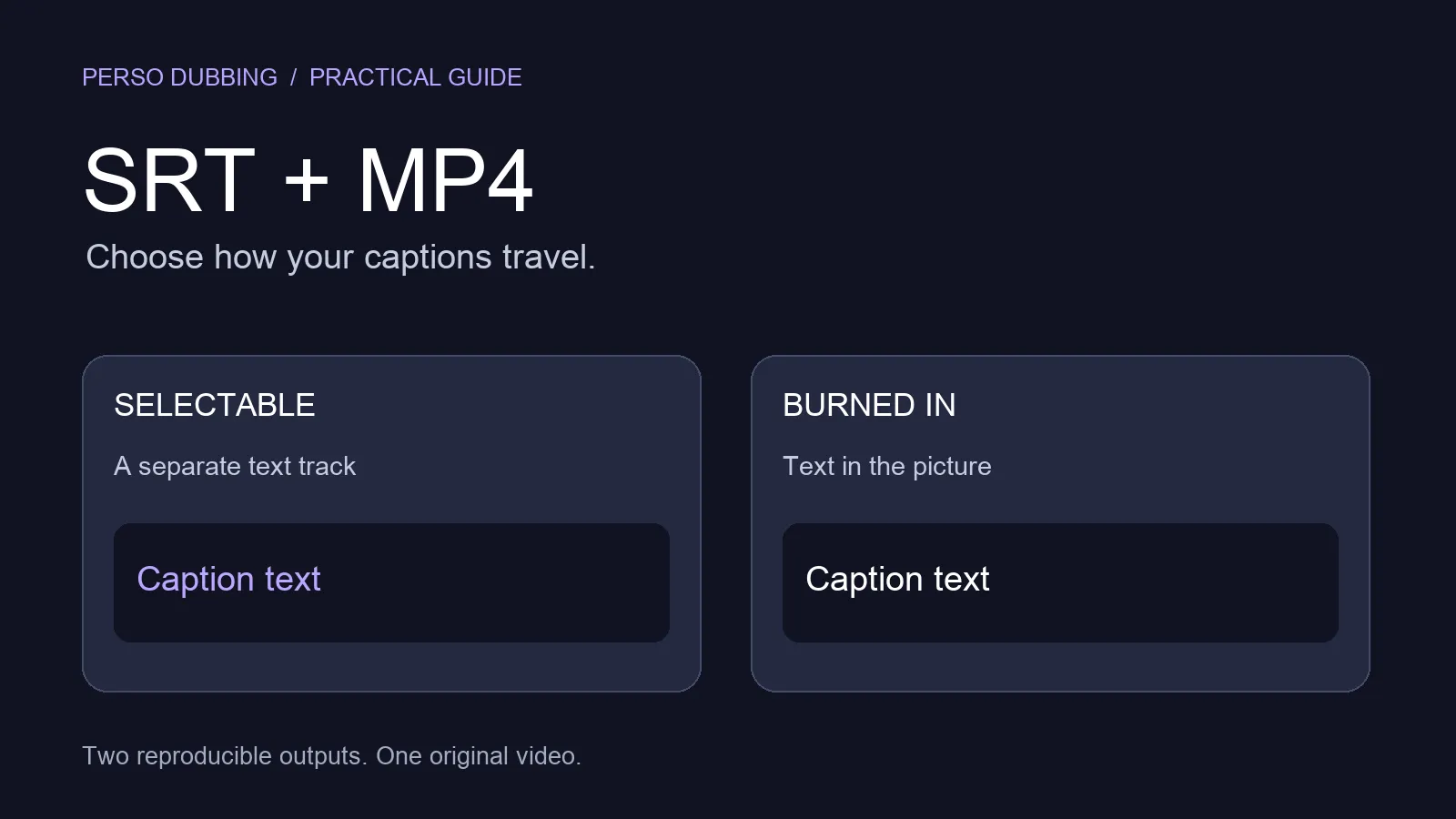
Perso Dubbing combines its own dubbing models with global AI foundation models, and the workflow is three steps: upload a file or paste a YouTube, TikTok, or Google Drive link, select your target languages, and download. Multi-speaker projects (up to 10 speakers) and .srt subtitle export are supported. Paid plans start at $6.99/month (Starter), which unlocks lip-sync, watermark-free 1080p export, 420 credits, and about 7 minutes of dubbing per month.
“I was impressed by how well Perso Dubbing cloned my voice and automatically dubbed my content into other languages. It’s way better than generic machine translation.” — Junsst, gaming creator (620K YouTube subscribers)
Where it fits: creators who want to judge dubbing voice quality before paying, then unlock lip-sync at the lowest entry price here ($6.99). Where it doesn’t: the free tier is watermarked, capped at one minute, and excludes lip-sync — it’s an evaluation tier, not a free production tool.
HeyGen — repeat one-minute videos on the free tier
HeyGen is an AI video platform whose free plan is built around repeat short videos. It allows three videos per month at up to one minute each, with one voice clone and limited trial access to premium features like lip-sync translation. On the free tier, video translation covers 30+ languages; the headline 175+ languages and watermark removal start on the paid Creator plan ($29/month).
Where it fits: creators publishing several one-minute clips a month who want repeat free generations rather than a one-shot trial. Where it doesn’t: free exports carry HeyGen branding, free lip-sync is trial-limited, and its strength is avatar/translation rather than preserving a complex multi-speaker source.
Synthesia — avatar-first translation
Synthesia is an AI avatar video platform that added video translation with lip-sync and subtitles. Its free plan includes about 10 minutes of video per month (1,200 credits), with dubbing output in 70+ languages; the 140+-language tier and full dubbing/lip-sync are paid features. Synthesia is strongest when the deliverable is an avatar-presented video rather than a faithful dub of an existing creator’s face and voice.
Where it fits: training, explainer, and corporate video where an AI presenter is acceptable. Where it doesn’t: preserving the original speaker’s own voice and face across languages.
Canva — translation inside a design tool
Canva offers an AI Dubbing feature that translates videos into multiple languages while preserving the speaker’s voice and tone, and its feature page markets it as free to use. Canva does not publish a specific free-tier video-length limit or language count on that page. For users already producing content in Canva, it removes a tool switch — but it does not offer automatic lip-sync, and voice handling is preservation rather than full cloning.
Where it fits: designers and marketers who live in Canva and need quick translated cuts. Where it doesn’t: lip-synced, voice-cloned dubbing of longer videos.
Rask AI — broad language coverage
Rask AI is an AI dubbing and voiceover tool known for wide language support, with 135+ languages stated for dubbing and voice cloning in 32 languages. In a first-hand test (June 2026), its free plan had no usable dubbing or voiceover features — producing any output requires a paid plan, and lip-sync sits on higher tiers.
Where it fits: budgeted projects that need the widest language coverage. Where it doesn’t: free use of any kind — there is effectively no functional free tier.
Maestra — subtitles plus quick dubbing
Maestra is an AI transcription, subtitling, and dubbing platform that markets 125+ dubbing languages and voice cloning across 30+ languages. Those are overall figures, not free-tier limits: in a first-hand free signup (June 2026), the free dubber offered only about five selectable languages, and you start with no credit card. Maestra is often picked when subtitles are the primary deliverable and dubbing is secondary.
Where it fits: subtitle-led workflows that occasionally need a quick dub. Where it doesn’t: broad free-tier dubbing — the free language selection is narrow, and full language coverage and voice cloning are paid.
Dubverse — fast browser-based dubbing
Dubverse is a browser-based AI dubbing tool supporting 60+ languages, with built-in text editing to refine translations before voice generation. Its free access is a 2-day free trial with no credit card; voice cloning sits on the paid Supreme plan ($30/month), and the tool does not market lip-sync.
Where it fits: fast, text-editable dubs of short marketing videos. Where it doesn’t: lip-synced or voice-cloned localization on the free trial.
RecCloud — preview-grade translation
RecCloud is an all-in-one AI media toolkit whose video translator supports 70+ languages and offers a free trial that previews the translated result before you subscribe. It surfaces frequently in community recommendations as a quick way to see what a translation would look like.
Where it fits: a fast, low-commitment preview of a translation. Where it doesn’t: finished, watermark-free output on the free tier.
How to choose a free AI video translator
Start from your hardest constraint, not the feature list. If you want to judge dubbing voice quality before paying, Perso Dubbing’s free generation shows its voice match (lip-sync and watermark-free export come with its $6.99 plan). If you need the most total free minutes per month, Synthesia’s ~10 minutes of free video is the largest monthly budget here, though it’s avatar-oriented. If you only need subtitles, open-source Subtitle Edit or Aegisub are unlimited and free. If you’re already in Canva, its built-in dubbing avoids a tool switch.
The one rule that holds across all eight: free tiers are for evaluation. Pick the tool whose free limits let you test the specific thing you’ll pay for — voice quality, lip-sync accuracy, or language coverage — and upgrade only after you’ve seen it on your own footage.
Frequently asked questions
Do free AI video translators add a watermark?
Most do. HeyGen, Synthesia, Rask AI, and Perso Dubbing all apply a watermark or branding on their free tiers and remove it on paid plans (Perso Dubbing’s watermark-free export starts at $6.99). Open-source subtitle tools like Subtitle Edit add no watermark, but they only produce subtitle files, not dubbed video.
Can I translate a video for free with voice cloning and lip-sync?
Lip-sync is rarely free. HeyGen offers limited trial access to lip-sync on its free plan and includes one free voice clone; elsewhere both are paid features — on Perso Dubbing (from $6.99), Rask AI, Maestra, and Dubverse. Perso Dubbing’s free generation still does voice-preserving dubbing. Canva, Dubverse, and RecCloud do not offer free lip-sync.
How long a video can I translate for free?
Most free tiers cap each video at about one minute. Perso Dubbing’s free generation and HeyGen’s free videos are both up to one minute (HeyGen allows three such videos a month). Synthesia gives the largest monthly pool at roughly 10 minutes of video. Rask is a one-time 3-minute trial. Open-source subtitle editors have no length cap.
Are free AI video translators good enough for YouTube or TikTok?
For testing, yes. Tools like Perso Dubbing and HeyGen support direct YouTube and TikTok import and export social-ready formats on the free tier. For ongoing publishing, the monthly minute caps usually push regular creators to a paid plan.
What’s the cheapest paid plan after the free tier?
Among the tools tested, Perso Dubbing has the lowest paid entry point at $6.99/month (420 credits, about 7 minutes of dubbing). Most avatar and dubbing platforms in this list start higher, so factor the upgrade price into your choice, not just the free tier.
Try it on your own footage
The fastest way to compare these tools is to run the same 30-second clip through two or three of them. Try Perso Dubbing’s free generation and judge the voice match for yourself.
Best Free AI Video Translators in 2026 (8 Tools Tested)
The best free AI video translator in 2026 depends on what your free tier has to cover. To test real dubbing voice quality across 99+ languages, Perso Dubbing gives you one free generation — though lip-sync and watermark-free export unlock on its paid plan. For the largest monthly free pool, Synthesia includes about 10 minutes of video. For subtitles-only translation, open-source tools like Subtitle Edit cost nothing at all. This guide tests eight popular free AI video translators — Perso Dubbing, HeyGen, Synthesia, Canva, Rask AI, Maestra, Dubverse, and RecCloud — on what their free plans actually let you do.
Most “free” video translators are evaluation tiers, not free products. The real differences show up in three constraints: how long a video you can process, whether voice cloning and lip-sync are included for free, and whether the export carries a watermark. We mapped all three below.
Free AI video translator comparison (2026)
The table below compares each tool’s free tier — not its paid plans. Free-tier limits change often, so verify the current numbers on each vendor’s pricing page before you commit.
Tool | Free-tier limit | Free dubbing languages | Voice clone (free) | Lip-sync (free) | Watermark-free | Best for |
|---|---|---|---|---|---|---|
Perso Dubbing | 1 generation on signup, up to 1 min/video, 720p | 99+ | ✅ original-voice dub | ❌ (paid, from $6.99) | ❌ | Dubbing voice-quality test |
HeyGen | 3 videos/mo, up to 1 min each | 30+ (175+ on paid) | 1 voice clone | Limited trial only | ❌ | Short avatar/translation clips |
Synthesia | ~10 min of video/mo | 70+ (dubbing output) | ❌ | Paid feature | ❌ | Avatar-led translated video |
Canva | Free to dub; length not published* | Multiple (no count published) | Voice-preserve only | ❌ | ❌ | Designers already in Canva |
Rask AI | No usable free tier (paid only) | 135+(Paid) | Paid | ❌ | ❌ | Widest language breadth (paid) |
Maestra | Free signup (no card); ~5 languages on free† | ~5 free (125+ overall) | ❌ (paid) | ❌ | ❌ | Subtitles + quick dub |
Dubverse | 2-day free trial, no card | 60+ | ❌ (paid) | ❌ | ❌ | Browser-based fast dubbing |
RecCloud | Free result preview | 70+ | ❌ | ❌ | ❌ | Previewing a translation |
Verified on each vendor’s live pricing/feature page, June 2026. *Canva’s feature page markets dubbing as free but publishes no specific free-tier video length or language count. †Maestra’s free tier offered only ~5 dubbing languages in a first-hand signup test (June 2026); its 125+-language and 30+-language voice-cloning figures are overall marketing claims, not free-tier scoped. Several tools support more languages on paid plans (HeyGen 175+, Synthesia 140+).
What “free” actually means in video translation
A free AI video translator almost always means a capped trial of a paid tool. The caps cluster around four limits: maximum video length (often 1–3 minutes), monthly minutes or generations, watermarks on the export, and feature gating — voice cloning and lip-sync are frequently reserved for paid tiers even when basic dubbing is free.
This is why two tools that both say “free” can differ by 10x in practice. HeyGen allows three one-minute videos a month; Perso Dubbing gives one free generation up to a minute; Synthesia pools roughly 10 minutes of video a month; Rask is a single 3-minute trial. Open-source subtitle editors like Subtitle Edit and Aegisub have no length cap at all, but they only handle subtitles — no voice, no lip-sync. Match the limit to your actual use case before you judge a tool by its language count.
Perso Dubbing — dubbing-quality test across 99+ languages
Perso Dubbing is an end-to-end video localization tool that combines translation, AI dubbing, voice cloning, and lip-sync in a single workflow. The free plan gives you one generation when you sign up: dubbing with original-voice preservation across 99+ languages, up to one minute of video, at 720p. The free-tier limits are worth stating plainly — exports are watermarked, and lip-sync unlocks on the paid plan. The free generation is a quality taster, not a full free product.
Perso Dubbing combines its own dubbing models with global AI foundation models, and the workflow is three steps: upload a file or paste a YouTube, TikTok, or Google Drive link, select your target languages, and download. Multi-speaker projects (up to 10 speakers) and .srt subtitle export are supported. Paid plans start at $6.99/month (Starter), which unlocks lip-sync, watermark-free 1080p export, 420 credits, and about 7 minutes of dubbing per month.
“I was impressed by how well Perso Dubbing cloned my voice and automatically dubbed my content into other languages. It’s way better than generic machine translation.” — Junsst, gaming creator (620K YouTube subscribers)
Where it fits: creators who want to judge dubbing voice quality before paying, then unlock lip-sync at the lowest entry price here ($6.99). Where it doesn’t: the free tier is watermarked, capped at one minute, and excludes lip-sync — it’s an evaluation tier, not a free production tool.
HeyGen — repeat one-minute videos on the free tier
HeyGen is an AI video platform whose free plan is built around repeat short videos. It allows three videos per month at up to one minute each, with one voice clone and limited trial access to premium features like lip-sync translation. On the free tier, video translation covers 30+ languages; the headline 175+ languages and watermark removal start on the paid Creator plan ($29/month).
Where it fits: creators publishing several one-minute clips a month who want repeat free generations rather than a one-shot trial. Where it doesn’t: free exports carry HeyGen branding, free lip-sync is trial-limited, and its strength is avatar/translation rather than preserving a complex multi-speaker source.
Synthesia — avatar-first translation
Synthesia is an AI avatar video platform that added video translation with lip-sync and subtitles. Its free plan includes about 10 minutes of video per month (1,200 credits), with dubbing output in 70+ languages; the 140+-language tier and full dubbing/lip-sync are paid features. Synthesia is strongest when the deliverable is an avatar-presented video rather than a faithful dub of an existing creator’s face and voice.
Where it fits: training, explainer, and corporate video where an AI presenter is acceptable. Where it doesn’t: preserving the original speaker’s own voice and face across languages.
Canva — translation inside a design tool
Canva offers an AI Dubbing feature that translates videos into multiple languages while preserving the speaker’s voice and tone, and its feature page markets it as free to use. Canva does not publish a specific free-tier video-length limit or language count on that page. For users already producing content in Canva, it removes a tool switch — but it does not offer automatic lip-sync, and voice handling is preservation rather than full cloning.
Where it fits: designers and marketers who live in Canva and need quick translated cuts. Where it doesn’t: lip-synced, voice-cloned dubbing of longer videos.
Rask AI — broad language coverage
Rask AI is an AI dubbing and voiceover tool known for wide language support, with 135+ languages stated for dubbing and voice cloning in 32 languages. In a first-hand test (June 2026), its free plan had no usable dubbing or voiceover features — producing any output requires a paid plan, and lip-sync sits on higher tiers.
Where it fits: budgeted projects that need the widest language coverage. Where it doesn’t: free use of any kind — there is effectively no functional free tier.
Maestra — subtitles plus quick dubbing
Maestra is an AI transcription, subtitling, and dubbing platform that markets 125+ dubbing languages and voice cloning across 30+ languages. Those are overall figures, not free-tier limits: in a first-hand free signup (June 2026), the free dubber offered only about five selectable languages, and you start with no credit card. Maestra is often picked when subtitles are the primary deliverable and dubbing is secondary.
Where it fits: subtitle-led workflows that occasionally need a quick dub. Where it doesn’t: broad free-tier dubbing — the free language selection is narrow, and full language coverage and voice cloning are paid.
Dubverse — fast browser-based dubbing
Dubverse is a browser-based AI dubbing tool supporting 60+ languages, with built-in text editing to refine translations before voice generation. Its free access is a 2-day free trial with no credit card; voice cloning sits on the paid Supreme plan ($30/month), and the tool does not market lip-sync.
Where it fits: fast, text-editable dubs of short marketing videos. Where it doesn’t: lip-synced or voice-cloned localization on the free trial.
RecCloud — preview-grade translation
RecCloud is an all-in-one AI media toolkit whose video translator supports 70+ languages and offers a free trial that previews the translated result before you subscribe. It surfaces frequently in community recommendations as a quick way to see what a translation would look like.
Where it fits: a fast, low-commitment preview of a translation. Where it doesn’t: finished, watermark-free output on the free tier.
How to choose a free AI video translator
Start from your hardest constraint, not the feature list. If you want to judge dubbing voice quality before paying, Perso Dubbing’s free generation shows its voice match (lip-sync and watermark-free export come with its $6.99 plan). If you need the most total free minutes per month, Synthesia’s ~10 minutes of free video is the largest monthly budget here, though it’s avatar-oriented. If you only need subtitles, open-source Subtitle Edit or Aegisub are unlimited and free. If you’re already in Canva, its built-in dubbing avoids a tool switch.
The one rule that holds across all eight: free tiers are for evaluation. Pick the tool whose free limits let you test the specific thing you’ll pay for — voice quality, lip-sync accuracy, or language coverage — and upgrade only after you’ve seen it on your own footage.
Frequently asked questions
Do free AI video translators add a watermark?
Most do. HeyGen, Synthesia, Rask AI, and Perso Dubbing all apply a watermark or branding on their free tiers and remove it on paid plans (Perso Dubbing’s watermark-free export starts at $6.99). Open-source subtitle tools like Subtitle Edit add no watermark, but they only produce subtitle files, not dubbed video.
Can I translate a video for free with voice cloning and lip-sync?
Lip-sync is rarely free. HeyGen offers limited trial access to lip-sync on its free plan and includes one free voice clone; elsewhere both are paid features — on Perso Dubbing (from $6.99), Rask AI, Maestra, and Dubverse. Perso Dubbing’s free generation still does voice-preserving dubbing. Canva, Dubverse, and RecCloud do not offer free lip-sync.
How long a video can I translate for free?
Most free tiers cap each video at about one minute. Perso Dubbing’s free generation and HeyGen’s free videos are both up to one minute (HeyGen allows three such videos a month). Synthesia gives the largest monthly pool at roughly 10 minutes of video. Rask is a one-time 3-minute trial. Open-source subtitle editors have no length cap.
Are free AI video translators good enough for YouTube or TikTok?
For testing, yes. Tools like Perso Dubbing and HeyGen support direct YouTube and TikTok import and export social-ready formats on the free tier. For ongoing publishing, the monthly minute caps usually push regular creators to a paid plan.
What’s the cheapest paid plan after the free tier?
Among the tools tested, Perso Dubbing has the lowest paid entry point at $6.99/month (420 credits, about 7 minutes of dubbing). Most avatar and dubbing platforms in this list start higher, so factor the upgrade price into your choice, not just the free tier.
Try it on your own footage
The fastest way to compare these tools is to run the same 30-second clip through two or three of them. Try Perso Dubbing’s free generation and judge the voice match for yourself.
Continue Reading
Browse All