Train your global workforce with one set of content: a guide to localizing internal L&D videos with Perso Dubbing
Last Updated




Jump to section
Jump to section

Share
Share
Share
AI Video Translator, Localization, and Dubbing Tool
Try it out for Free
You don't need to reshoot your training videos for every country. Perso Dubbing dub your videos into 99+ languages while keeping the original instructor's voice, so you reuse the L&D videos you already have. The training standard stays managed from headquarters, and localization happens on top of the video itself.
The language problem global training teams hit
When a company grows across countries, its training content runs into a language barrier. Customer-service or process-and-safety training made at headquarters has to reach overseas entities and local staff the same way, but the video usually exists in one language only. You end up rebuilding the same content language by language, or outsourcing translation and dubbing, and both cost and time climb fast.
The usual routes stall. Reshooting means re-booking the instructor and repeating filming and editing every time you add a language; it doesn't scale. Outsourced dubbing adds cost and turnaround per video, and you re-commission it on every update. Above all, when the voice actor differs from the original instructor, training consistency wobbles. Subtitles alone are cheap, but in process and hands-on training where eyes stay on the screen they add load: reading subtitles while following the work motions at the same time is hard.
What Perso Dubbing does for corporate training
Perso Dubbing is a video dubbing and translation platform. Perso Dubbing support AI dubbing in 99+ languages and speech recognition in 100 languages. The point in corporate training is to reuse videos you already made without reshooting them.
AI dubbing (voice cloning) converts the video into 99+ languages while keeping the original instructor's voice. Even when the language changes, it sounds like the same instructor speaking, so the training tone holds. On the PRO plan and above you can upload your reviewed source SRT to carry exact timing and terminology into the dub, which helps when speech timing matters.
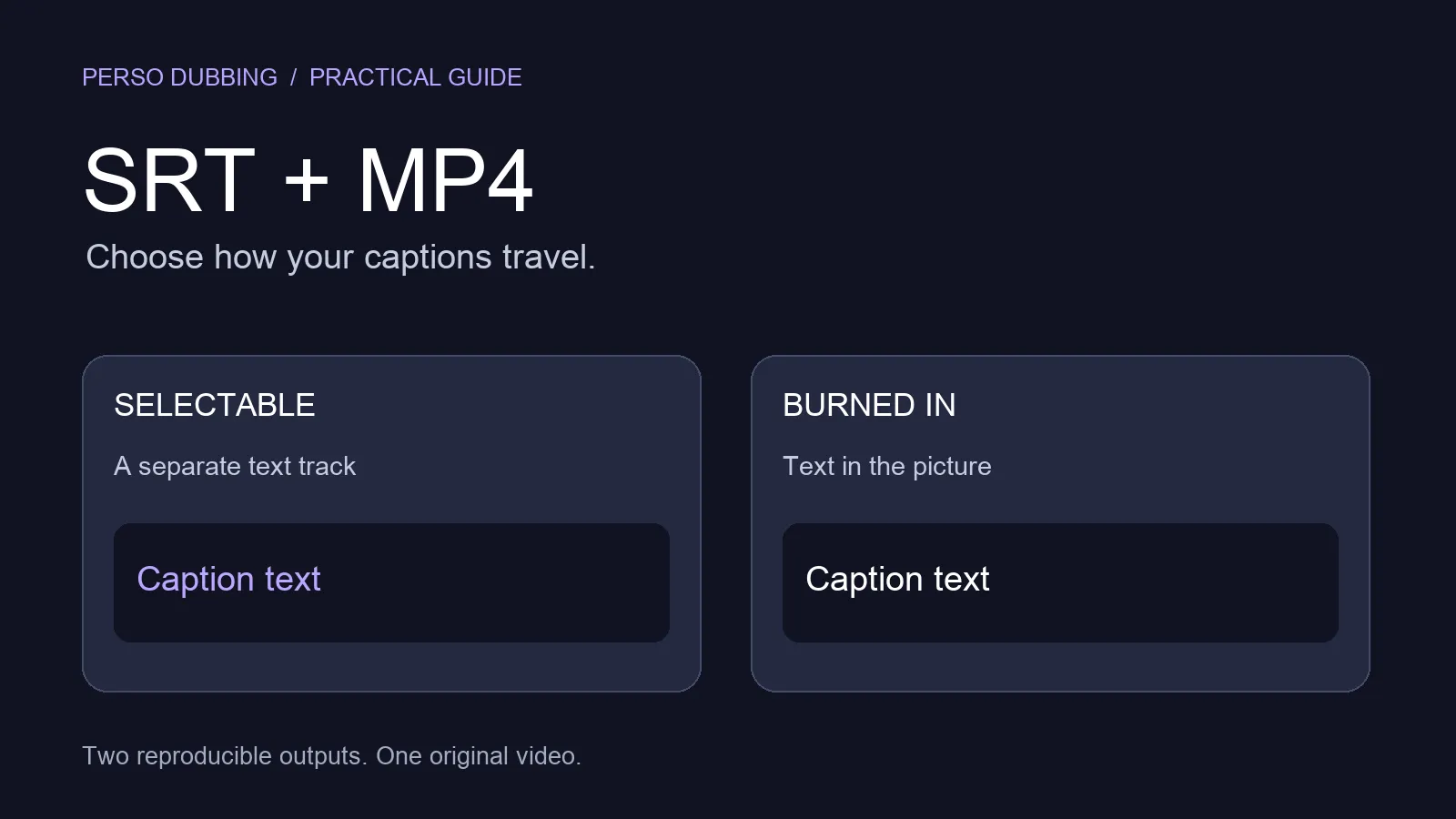
Register internal terms, product names, and jargon in the custom dictionary, and the translation stays consistent across the whole course. Speech recognition (100 languages) transcribes the video and generates summaries and study notes. Translated subtitles (SRT·VTT) are added to the dubbed video for accessibility.
Reuse instead of reshoot: what changes
The traditional method repeats, per language: re-book the instructor, reshoot and edit, commission the dub, and wait for delivery. The process multiplies by the number of languages.
Perso Dubbing's AI dubbing finishes in three steps: upload, choose language, and download. You upload the finished training video, pick the languages you need from 99+, and download the output (MP4·SRT) with dubbing and subtitles generated automatically. One original serves several languages. The voice stays the instructor's, and combining reviewed subtitles with the dictionary lets you keep headquarters' training quality while expanding only the language.
Use cases
Company A, customer-service (CS) training
Company A needed to provide its CS training, made in Korean, to overseas entities and local staff the same way. Using Perso Dubbing's AI dubbing, it dubbed the training into the local staff's language while keeping the instructor's voice, and distributed the same curriculum with only the language changed. The standard is managed at headquarters, with localization handled on the video.

Company B, production-process training
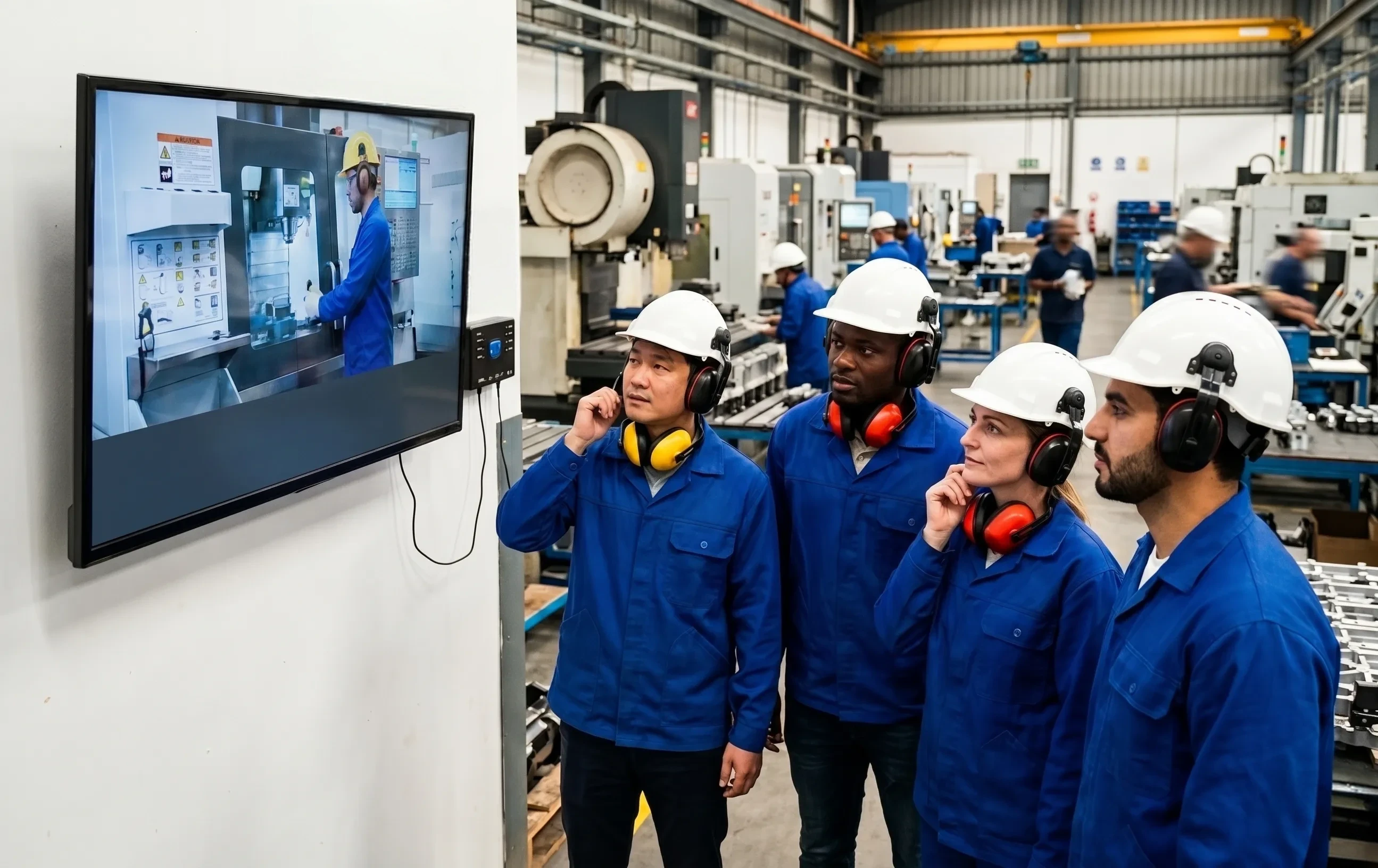
Company B needed to standardize process and safety training by language in a manufacturing environment where workers of several nationalities work together. With Perso Dubbing, it built the process training with multilingual dubbing and translated subtitles, so each worker receives the same training in their own language. Hearing the explanation in voice while watching the action on screen improves comprehension compared with subtitles alone.
Before you start
The input video gives more stable results the closer the speaker is to facing front (within 60 degrees to either side) and the cleaner the audio. Two speakers or fewer is recommended, with at least 20 seconds of speech per person. If you have a reviewed SRT, upload it on the PRO plan or above to preserve timing and terminology. Register internal terms in the custom dictionary for consistency.
Direct SCORM integration in the LMS is currently out of scope. Design the flow by uploading the output files (MP4·SRT) to your existing training system. For large-scale training or security requirements, the Enterprise plan (custom limits, 4K, dedicated support) fits better.
Frequently asked questions
Can I make multilingual versions without reshooting the training video?
Yes. You upload the existing video and Perso Dubbing dubs it into 99+ languages while keeping the instructor's voice. You distribute the same curriculum with only the language changed, with no reshoot or voice actors.
Does dubbing replace the instructor's voice with a voice actor's?
No. Voice cloning keeps the original instructor's voice and has it speak another language, keeping the training tone consistent.
Does it integrate directly with my LMS?
Direct SCORM integration is out of scope for now. Instead, you download the MP4 and SRT files and upload them to your existing training system.
Wrap-up
Localizing corporate training can shift from "remaking" to "reusing what already exists." Dubbing that keeps the instructor's voice, plus reviewed subtitles and a term dictionary, lets you expand only the language without touching headquarters' training quality.
Try one minute of dubbing free, or request an Enterprise consultation sized to your internal training.
You don't need to reshoot your training videos for every country. Perso Dubbing dub your videos into 99+ languages while keeping the original instructor's voice, so you reuse the L&D videos you already have. The training standard stays managed from headquarters, and localization happens on top of the video itself.
The language problem global training teams hit
When a company grows across countries, its training content runs into a language barrier. Customer-service or process-and-safety training made at headquarters has to reach overseas entities and local staff the same way, but the video usually exists in one language only. You end up rebuilding the same content language by language, or outsourcing translation and dubbing, and both cost and time climb fast.
The usual routes stall. Reshooting means re-booking the instructor and repeating filming and editing every time you add a language; it doesn't scale. Outsourced dubbing adds cost and turnaround per video, and you re-commission it on every update. Above all, when the voice actor differs from the original instructor, training consistency wobbles. Subtitles alone are cheap, but in process and hands-on training where eyes stay on the screen they add load: reading subtitles while following the work motions at the same time is hard.
What Perso Dubbing does for corporate training
Perso Dubbing is a video dubbing and translation platform. Perso Dubbing support AI dubbing in 99+ languages and speech recognition in 100 languages. The point in corporate training is to reuse videos you already made without reshooting them.
AI dubbing (voice cloning) converts the video into 99+ languages while keeping the original instructor's voice. Even when the language changes, it sounds like the same instructor speaking, so the training tone holds. On the PRO plan and above you can upload your reviewed source SRT to carry exact timing and terminology into the dub, which helps when speech timing matters.
Register internal terms, product names, and jargon in the custom dictionary, and the translation stays consistent across the whole course. Speech recognition (100 languages) transcribes the video and generates summaries and study notes. Translated subtitles (SRT·VTT) are added to the dubbed video for accessibility.
Reuse instead of reshoot: what changes
The traditional method repeats, per language: re-book the instructor, reshoot and edit, commission the dub, and wait for delivery. The process multiplies by the number of languages.
Perso Dubbing's AI dubbing finishes in three steps: upload, choose language, and download. You upload the finished training video, pick the languages you need from 99+, and download the output (MP4·SRT) with dubbing and subtitles generated automatically. One original serves several languages. The voice stays the instructor's, and combining reviewed subtitles with the dictionary lets you keep headquarters' training quality while expanding only the language.
Use cases
Company A, customer-service (CS) training
Company A needed to provide its CS training, made in Korean, to overseas entities and local staff the same way. Using Perso Dubbing's AI dubbing, it dubbed the training into the local staff's language while keeping the instructor's voice, and distributed the same curriculum with only the language changed. The standard is managed at headquarters, with localization handled on the video.
Company B, production-process training
Company B needed to standardize process and safety training by language in a manufacturing environment where workers of several nationalities work together. With Perso Dubbing, it built the process training with multilingual dubbing and translated subtitles, so each worker receives the same training in their own language. Hearing the explanation in voice while watching the action on screen improves comprehension compared with subtitles alone.
Before you start
The input video gives more stable results the closer the speaker is to facing front (within 60 degrees to either side) and the cleaner the audio. Two speakers or fewer is recommended, with at least 20 seconds of speech per person. If you have a reviewed SRT, upload it on the PRO plan or above to preserve timing and terminology. Register internal terms in the custom dictionary for consistency.
Direct SCORM integration in the LMS is currently out of scope. Design the flow by uploading the output files (MP4·SRT) to your existing training system. For large-scale training or security requirements, the Enterprise plan (custom limits, 4K, dedicated support) fits better.
Frequently asked questions
Can I make multilingual versions without reshooting the training video?
Yes. You upload the existing video and Perso Dubbing dubs it into 99+ languages while keeping the instructor's voice. You distribute the same curriculum with only the language changed, with no reshoot or voice actors.
Does dubbing replace the instructor's voice with a voice actor's?
No. Voice cloning keeps the original instructor's voice and has it speak another language, keeping the training tone consistent.
Does it integrate directly with my LMS?
Direct SCORM integration is out of scope for now. Instead, you download the MP4 and SRT files and upload them to your existing training system.
Wrap-up
Localizing corporate training can shift from "remaking" to "reusing what already exists." Dubbing that keeps the instructor's voice, plus reviewed subtitles and a term dictionary, lets you expand only the language without touching headquarters' training quality.
Try one minute of dubbing free, or request an Enterprise consultation sized to your internal training.
You don't need to reshoot your training videos for every country. Perso Dubbing dub your videos into 99+ languages while keeping the original instructor's voice, so you reuse the L&D videos you already have. The training standard stays managed from headquarters, and localization happens on top of the video itself.
The language problem global training teams hit
When a company grows across countries, its training content runs into a language barrier. Customer-service or process-and-safety training made at headquarters has to reach overseas entities and local staff the same way, but the video usually exists in one language only. You end up rebuilding the same content language by language, or outsourcing translation and dubbing, and both cost and time climb fast.
The usual routes stall. Reshooting means re-booking the instructor and repeating filming and editing every time you add a language; it doesn't scale. Outsourced dubbing adds cost and turnaround per video, and you re-commission it on every update. Above all, when the voice actor differs from the original instructor, training consistency wobbles. Subtitles alone are cheap, but in process and hands-on training where eyes stay on the screen they add load: reading subtitles while following the work motions at the same time is hard.
What Perso Dubbing does for corporate training
Perso Dubbing is a video dubbing and translation platform. Perso Dubbing support AI dubbing in 99+ languages and speech recognition in 100 languages. The point in corporate training is to reuse videos you already made without reshooting them.
AI dubbing (voice cloning) converts the video into 99+ languages while keeping the original instructor's voice. Even when the language changes, it sounds like the same instructor speaking, so the training tone holds. On the PRO plan and above you can upload your reviewed source SRT to carry exact timing and terminology into the dub, which helps when speech timing matters.
Register internal terms, product names, and jargon in the custom dictionary, and the translation stays consistent across the whole course. Speech recognition (100 languages) transcribes the video and generates summaries and study notes. Translated subtitles (SRT·VTT) are added to the dubbed video for accessibility.
Reuse instead of reshoot: what changes
The traditional method repeats, per language: re-book the instructor, reshoot and edit, commission the dub, and wait for delivery. The process multiplies by the number of languages.
Perso Dubbing's AI dubbing finishes in three steps: upload, choose language, and download. You upload the finished training video, pick the languages you need from 99+, and download the output (MP4·SRT) with dubbing and subtitles generated automatically. One original serves several languages. The voice stays the instructor's, and combining reviewed subtitles with the dictionary lets you keep headquarters' training quality while expanding only the language.
Use cases
Company A, customer-service (CS) training
Company A needed to provide its CS training, made in Korean, to overseas entities and local staff the same way. Using Perso Dubbing's AI dubbing, it dubbed the training into the local staff's language while keeping the instructor's voice, and distributed the same curriculum with only the language changed. The standard is managed at headquarters, with localization handled on the video.
Company B, production-process training
Company B needed to standardize process and safety training by language in a manufacturing environment where workers of several nationalities work together. With Perso Dubbing, it built the process training with multilingual dubbing and translated subtitles, so each worker receives the same training in their own language. Hearing the explanation in voice while watching the action on screen improves comprehension compared with subtitles alone.
Before you start
The input video gives more stable results the closer the speaker is to facing front (within 60 degrees to either side) and the cleaner the audio. Two speakers or fewer is recommended, with at least 20 seconds of speech per person. If you have a reviewed SRT, upload it on the PRO plan or above to preserve timing and terminology. Register internal terms in the custom dictionary for consistency.
Direct SCORM integration in the LMS is currently out of scope. Design the flow by uploading the output files (MP4·SRT) to your existing training system. For large-scale training or security requirements, the Enterprise plan (custom limits, 4K, dedicated support) fits better.
Frequently asked questions
Can I make multilingual versions without reshooting the training video?
Yes. You upload the existing video and Perso Dubbing dubs it into 99+ languages while keeping the instructor's voice. You distribute the same curriculum with only the language changed, with no reshoot or voice actors.
Does dubbing replace the instructor's voice with a voice actor's?
No. Voice cloning keeps the original instructor's voice and has it speak another language, keeping the training tone consistent.
Does it integrate directly with my LMS?
Direct SCORM integration is out of scope for now. Instead, you download the MP4 and SRT files and upload them to your existing training system.
Wrap-up
Localizing corporate training can shift from "remaking" to "reusing what already exists." Dubbing that keeps the instructor's voice, plus reviewed subtitles and a term dictionary, lets you expand only the language without touching headquarters' training quality.
Try one minute of dubbing free, or request an Enterprise consultation sized to your internal training.
Continue Reading
Browse All