Free AI Subtitle Generator: What Actually Works in 2026
Last Updated




Jump to section
Jump to section

Share
Share
Share

AI Video Translator, Localization, and Dubbing Tool
Try it out for Free
Most free AI subtitle generators cap your usage at 10 to 30 minutes of video per month, limit language support to a few dozen options, and skip speaker detection entirely. If you need subtitles generated from video without transcribing by hand, you want a tool that handles multiple languages, identifies different speakers, and exports clean SRT files. Perso Dubbing's built-in speech-to-text engine covers 100 languages and auto-detects speakers, with a free tier that lets you test the full workflow before upgrading.
This guide breaks down how AI subtitle generation works, what free tools actually deliver, and where the limits hit.
How AI Subtitle Generators Work
An AI subtitle generator converts spoken audio into timed text using speech-to-text (STT) technology. The process runs in three stages.
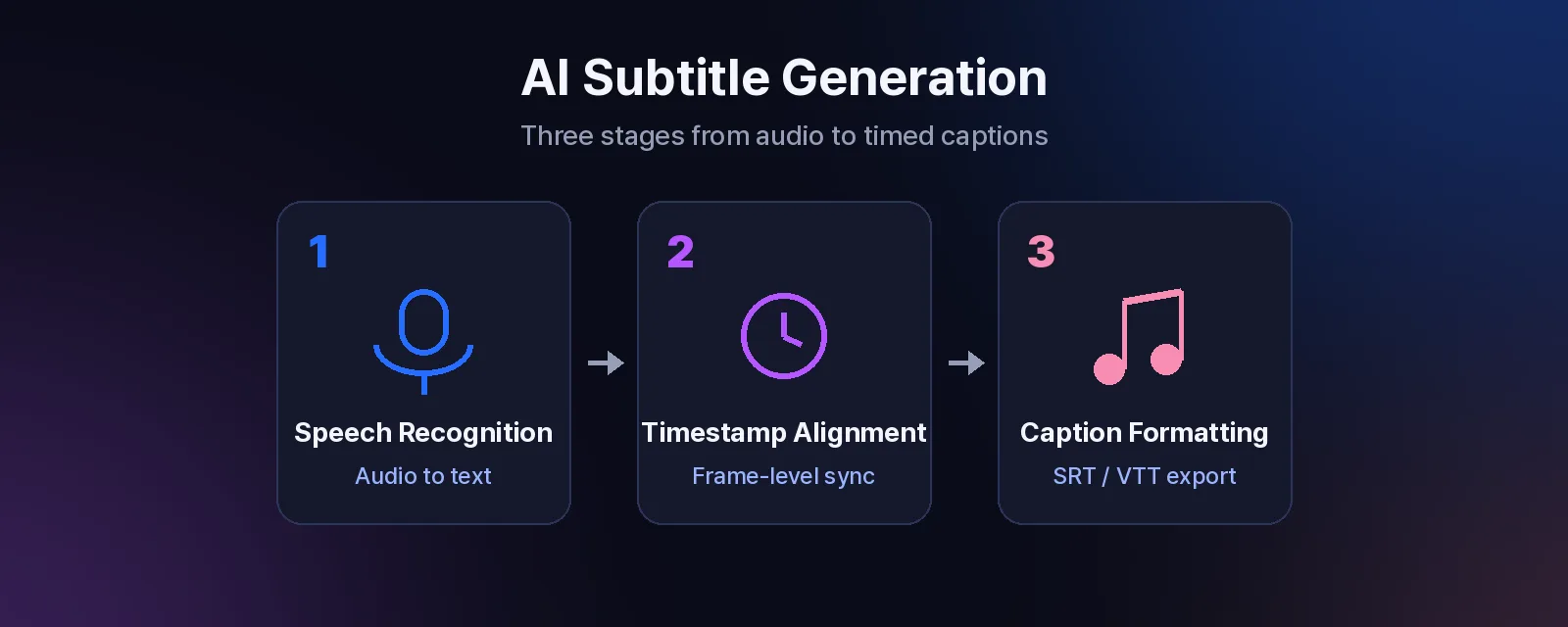
Speech recognition comes first. The AI model listens to the audio track and converts spoken words into raw text. Modern STT engines use transformer-based models trained on thousands of hours of speech data across multiple languages. The quality of this step determines everything downstream.
Timestamp alignment follows. Each word or phrase gets mapped to its exact position in the video timeline. Good tools achieve frame-level accuracy here, so subtitles appear and disappear in sync with the spoken words.
Caption formatting is the final stage. The raw timestamped text is split into readable subtitle segments, typically 1 to 2 lines of 42 characters or fewer per segment. This step also handles line breaks so words don't split mid-sentence.
The output is an SRT or VTT file you can import into any video editor, upload to YouTube, or burn directly into the video. Accuracy depends on three things: audio clarity, language, and number of speakers. Clean recordings in major languages produce near-perfect results. Noisy audio, heavy accents, or overlapping speakers reduce accuracy across every tool on the market.
What Free Caption Generators Actually Give You
"Free" in the subtitle generator space comes with predictable trade-offs. Here is what most free tiers deliver in 2026:
Feature | Typical free tier | What to watch for |
|---|---|---|
Monthly minutes | 10 to 30 min | Resets monthly; overage requires upgrade |
Languages | 15 to 30 | Often limited to top-demand languages |
Speaker detection | Rarely included | Multi-speaker videos get messy |
Export formats | SRT only | VTT, TXT, or embedded captions may be paid |
Watermark | Common on video export | SRT text files are usually clean |
Non-English accuracy | Variable | Models trained primarily on English data |
Platform-native auto captions (YouTube, TikTok, Instagram) are technically free with no minute cap, but they come with their own constraints. YouTube auto-captions only work after upload and cannot be exported as standalone SRT files through the platform UI. TikTok and Instagram auto captions stay locked inside the app. None of these options work if you need to add subtitles to a video before publishing or distribute SRT files to clients.
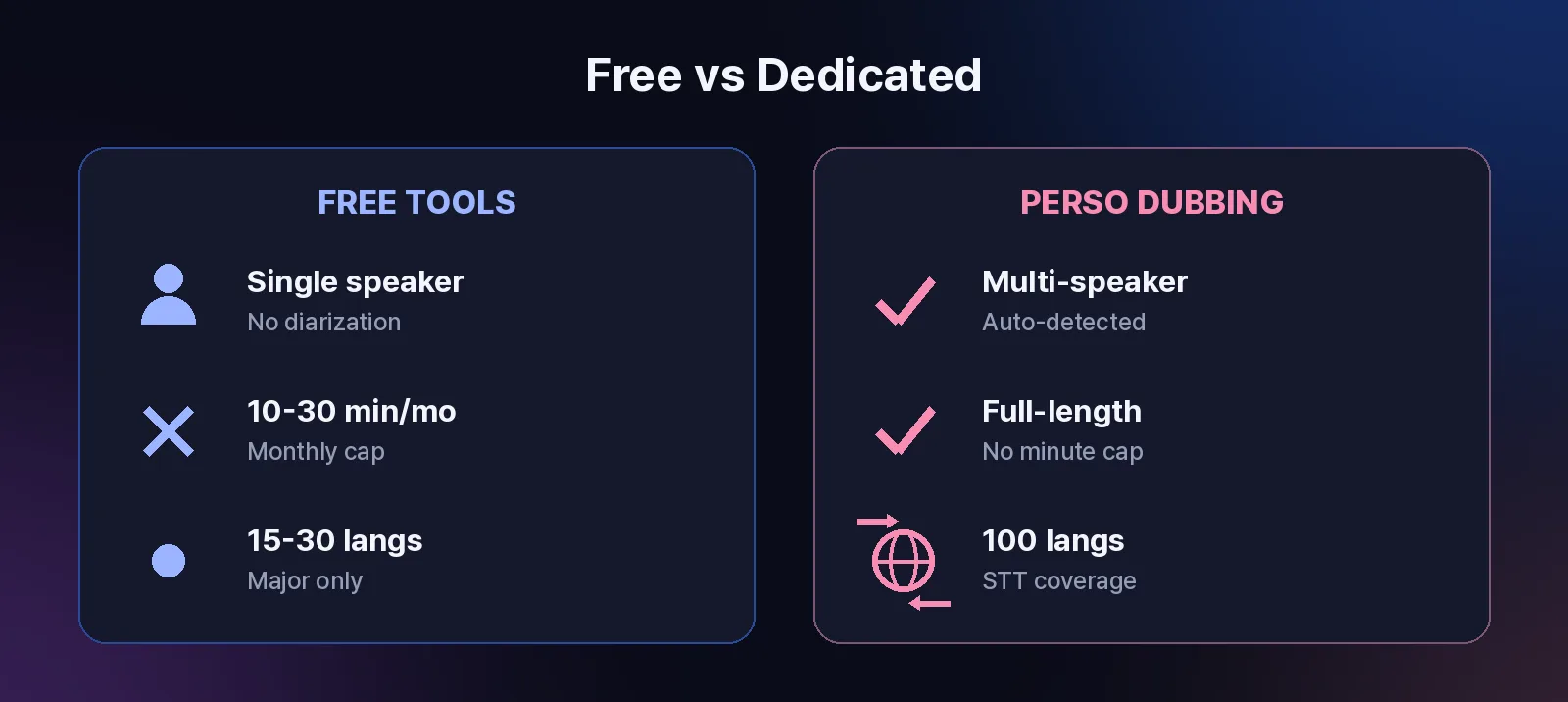
The gap between free and paid hits hardest in two places: language coverage and speaker diarization. If your video has two or more speakers, most free auto-caption tools attribute all dialogue to a single speaker or skip labels entirely. If your source audio is in a less common language (Thai, Vietnamese, Swahili, Urdu), accuracy drops fast.
How to Auto-Generate Subtitles for Any Video
The fastest path from raw video to clean subtitles follows a consistent pattern. Here is how it works with Perso Dubbing, which handles subtitle generation as part of its broader video transcription workflow.
Step 1: Upload your video. Drag and drop or paste a URL. Perso Dubbing accepts most standard video formats.
Step 2: Select the source language. The STT engine identifies the language spoken in the audio. Perso Dubbing recognizes 100 languages at this stage, covering virtually any source video you might work with.
Step 3: Wait for processing. Transcription completes in under 3 minutes for standard-length videos. The AI generates a full transcript with timestamps and speaker labels.
Step 4: Review and edit. The auto-generated transcript appears in the subtitle and script editor. Each segment is timestamped, editable, and linked to the video timeline. You can adjust segment boundaries, correct misheard words, and split or merge caption blocks.
Step 5: Export your subtitles. Download the file as SRT for YouTube, VTT for web players, or use it as the starting point for translation and dubbing.
The built-in editor is where Perso Dubbing differs from standalone caption tools. Instead of a simple text dump, you get a timeline-synced interface where edits update in real time against the video playback. This eliminates the round-trip of exporting, fixing in a text editor, and re-importing.
Tips for better accuracy across any tool:
Use clean audio with minimal background music or ambient noise
Record in a quiet environment with a directional microphone
Avoid overlapping speakers where possible
For multi-speaker content, brief pauses between speakers improve diarization results
Where Free Automatic Subtitle Generators Fall Short
Free tools work well for short, single-speaker videos in English. Beyond that, the limitations compound quickly.
Before (free tool, typical workflow):
Upload a 15-minute training video with 3 speakers
Wait for processing; all dialogue attributed to "Speaker 1"
Export SRT; manually re-label 200+ subtitle segments
Hit the monthly limit after processing 2 videos
Wait until next month or pay for an upgrade
After (dedicated STT tool like Perso Dubbing):
Upload the same video
Auto-detect all 3 speakers with labeled dialogue
Edit directly in the subtitle script editor
Export clean, speaker-labeled SRT in one session
The second gap is language breadth. Most free subtitle generators support 15 to 30 languages reliably, with diminishing accuracy beyond that range. Perso Dubbing's STT engine covers 100 languages, which matters when you work with Arabic, Hindi, Korean, or other languages where free tool accuracy is often unreliable.
The third gap is output flexibility. Free tools typically give you an SRT file and nothing more. If you need subtitles translated into other languages, or want to go further and dub the video with AI-generated voiceover, you are looking at separate tools and a more fragmented workflow.
When You Need More Than Subtitles
Subtitle generation is often the first step in a larger video localization workflow. Once you have accurate subtitles in the source language, common next steps include:
Translating subtitles into other languages for multilingual distribution
Dubbing the video with AI voiceover in a new language, preserving the original speaker's tone
Burning captions into the video for platforms that don't support SRT uploads
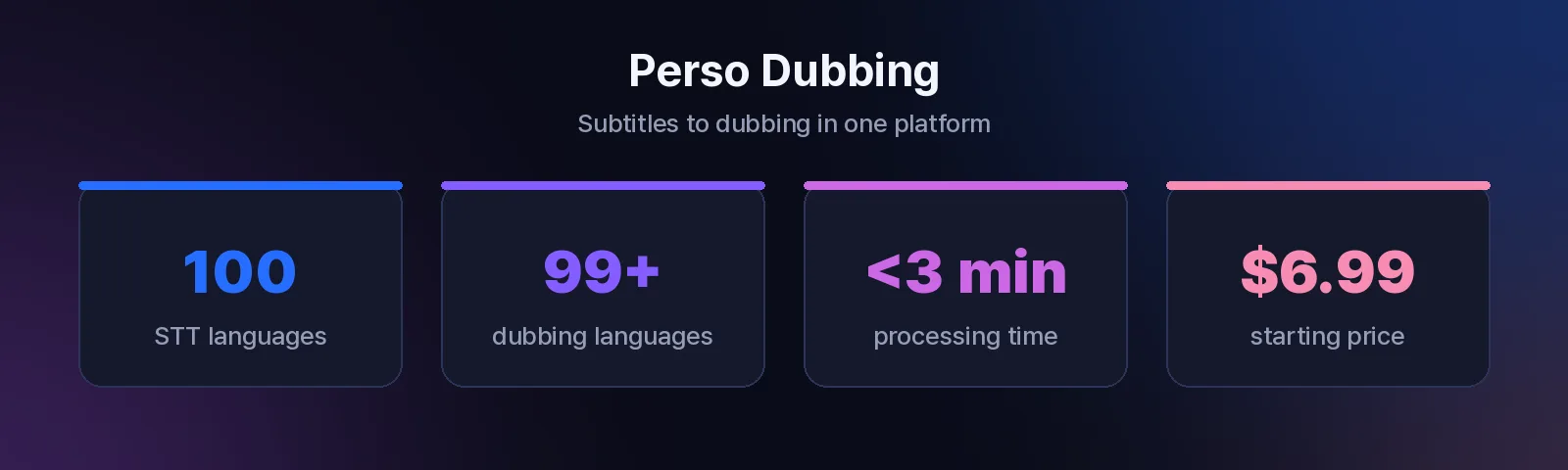
Perso Dubbing handles all three. The same transcription engine that generates your initial subtitles feeds directly into the translation and AI dubbing pipeline. You can go from a raw English video to a dubbed version with lip-synced audio in a single workflow, no file transfers between separate tools required.
For creators and teams producing content in one language and distributing globally, this integrated approach saves significant time. A single upload produces subtitles, translations, and dubbed audio across 99+ target languages, with processing that finishes in minutes rather than hours.
If you are evaluating free video translation tools alongside subtitle generators, starting with subtitle generation is a practical way to test a platform's accuracy before committing to a paid dubbing plan. Perso Dubbing plans start at $6.99 per month, with a free tier available for initial testing.
Frequently Asked Questions
Q: Is there a completely free AI subtitle generator with no limits?
Fully unlimited free subtitle generation does not exist in 2026. Every free tool imposes either minute caps, language restrictions, or watermarks on video exports. SRT file exports are usually unrestricted even on free tiers, but video embedding and advanced features like speaker diarization require a paid plan. The most practical approach is to use a free tier that lets you test accuracy on your actual content, then upgrade when the volume or feature requirements exceed the free allowance.
Q: How many languages can AI subtitle generators handle?
Language support varies widely. Basic free tools cover 15 to 30 major languages. Perso Dubbing's speech-to-text engine recognizes 100 languages for transcription, making it one of the broadest options available for subtitle generation. If you need to go beyond subtitles into dubbing (converting subtitles into spoken audio in another language), Perso Dubbing supports 99+ target languages with voice preservation and automatic lip sync.
Q: Can I generate subtitles and translate them into another language at the same time?
Most standalone subtitle generators treat transcription and translation as separate steps. You generate subtitles first, then use a different tool to translate them. Perso Dubbing integrates both: the STT engine transcribes the source audio, and the platform translates and dubs the content into other languages in a single workflow. For subtitle-only translation, the same process applies without the dubbing step. If you are curious whether general-purpose AI like ChatGPT can handle subtitle work, see our breakdown of how ChatGPT handles video subtitles, which covers the differences in detail.
Written by Untae Bae, Head of Growth & Product Owner at Perso AI
Most free AI subtitle generators cap your usage at 10 to 30 minutes of video per month, limit language support to a few dozen options, and skip speaker detection entirely. If you need subtitles generated from video without transcribing by hand, you want a tool that handles multiple languages, identifies different speakers, and exports clean SRT files. Perso Dubbing's built-in speech-to-text engine covers 100 languages and auto-detects speakers, with a free tier that lets you test the full workflow before upgrading.
This guide breaks down how AI subtitle generation works, what free tools actually deliver, and where the limits hit.
How AI Subtitle Generators Work
An AI subtitle generator converts spoken audio into timed text using speech-to-text (STT) technology. The process runs in three stages.
Speech recognition comes first. The AI model listens to the audio track and converts spoken words into raw text. Modern STT engines use transformer-based models trained on thousands of hours of speech data across multiple languages. The quality of this step determines everything downstream.
Timestamp alignment follows. Each word or phrase gets mapped to its exact position in the video timeline. Good tools achieve frame-level accuracy here, so subtitles appear and disappear in sync with the spoken words.
Caption formatting is the final stage. The raw timestamped text is split into readable subtitle segments, typically 1 to 2 lines of 42 characters or fewer per segment. This step also handles line breaks so words don't split mid-sentence.
The output is an SRT or VTT file you can import into any video editor, upload to YouTube, or burn directly into the video. Accuracy depends on three things: audio clarity, language, and number of speakers. Clean recordings in major languages produce near-perfect results. Noisy audio, heavy accents, or overlapping speakers reduce accuracy across every tool on the market.
What Free Caption Generators Actually Give You
"Free" in the subtitle generator space comes with predictable trade-offs. Here is what most free tiers deliver in 2026:
Feature | Typical free tier | What to watch for |
|---|---|---|
Monthly minutes | 10 to 30 min | Resets monthly; overage requires upgrade |
Languages | 15 to 30 | Often limited to top-demand languages |
Speaker detection | Rarely included | Multi-speaker videos get messy |
Export formats | SRT only | VTT, TXT, or embedded captions may be paid |
Watermark | Common on video export | SRT text files are usually clean |
Non-English accuracy | Variable | Models trained primarily on English data |
Platform-native auto captions (YouTube, TikTok, Instagram) are technically free with no minute cap, but they come with their own constraints. YouTube auto-captions only work after upload and cannot be exported as standalone SRT files through the platform UI. TikTok and Instagram auto captions stay locked inside the app. None of these options work if you need to add subtitles to a video before publishing or distribute SRT files to clients.
The gap between free and paid hits hardest in two places: language coverage and speaker diarization. If your video has two or more speakers, most free auto-caption tools attribute all dialogue to a single speaker or skip labels entirely. If your source audio is in a less common language (Thai, Vietnamese, Swahili, Urdu), accuracy drops fast.
How to Auto-Generate Subtitles for Any Video
The fastest path from raw video to clean subtitles follows a consistent pattern. Here is how it works with Perso Dubbing, which handles subtitle generation as part of its broader video transcription workflow.
Step 1: Upload your video. Drag and drop or paste a URL. Perso Dubbing accepts most standard video formats.
Step 2: Select the source language. The STT engine identifies the language spoken in the audio. Perso Dubbing recognizes 100 languages at this stage, covering virtually any source video you might work with.
Step 3: Wait for processing. Transcription completes in under 3 minutes for standard-length videos. The AI generates a full transcript with timestamps and speaker labels.
Step 4: Review and edit. The auto-generated transcript appears in the subtitle and script editor. Each segment is timestamped, editable, and linked to the video timeline. You can adjust segment boundaries, correct misheard words, and split or merge caption blocks.
Step 5: Export your subtitles. Download the file as SRT for YouTube, VTT for web players, or use it as the starting point for translation and dubbing.
The built-in editor is where Perso Dubbing differs from standalone caption tools. Instead of a simple text dump, you get a timeline-synced interface where edits update in real time against the video playback. This eliminates the round-trip of exporting, fixing in a text editor, and re-importing.
Tips for better accuracy across any tool:
Use clean audio with minimal background music or ambient noise
Record in a quiet environment with a directional microphone
Avoid overlapping speakers where possible
For multi-speaker content, brief pauses between speakers improve diarization results
Where Free Automatic Subtitle Generators Fall Short
Free tools work well for short, single-speaker videos in English. Beyond that, the limitations compound quickly.
Before (free tool, typical workflow):
Upload a 15-minute training video with 3 speakers
Wait for processing; all dialogue attributed to "Speaker 1"
Export SRT; manually re-label 200+ subtitle segments
Hit the monthly limit after processing 2 videos
Wait until next month or pay for an upgrade
After (dedicated STT tool like Perso Dubbing):
Upload the same video
Auto-detect all 3 speakers with labeled dialogue
Edit directly in the subtitle script editor
Export clean, speaker-labeled SRT in one session
The second gap is language breadth. Most free subtitle generators support 15 to 30 languages reliably, with diminishing accuracy beyond that range. Perso Dubbing's STT engine covers 100 languages, which matters when you work with Arabic, Hindi, Korean, or other languages where free tool accuracy is often unreliable.
The third gap is output flexibility. Free tools typically give you an SRT file and nothing more. If you need subtitles translated into other languages, or want to go further and dub the video with AI-generated voiceover, you are looking at separate tools and a more fragmented workflow.
When You Need More Than Subtitles
Subtitle generation is often the first step in a larger video localization workflow. Once you have accurate subtitles in the source language, common next steps include:
Translating subtitles into other languages for multilingual distribution
Dubbing the video with AI voiceover in a new language, preserving the original speaker's tone
Burning captions into the video for platforms that don't support SRT uploads
Perso Dubbing handles all three. The same transcription engine that generates your initial subtitles feeds directly into the translation and AI dubbing pipeline. You can go from a raw English video to a dubbed version with lip-synced audio in a single workflow, no file transfers between separate tools required.
For creators and teams producing content in one language and distributing globally, this integrated approach saves significant time. A single upload produces subtitles, translations, and dubbed audio across 99+ target languages, with processing that finishes in minutes rather than hours.
If you are evaluating free video translation tools alongside subtitle generators, starting with subtitle generation is a practical way to test a platform's accuracy before committing to a paid dubbing plan. Perso Dubbing plans start at $6.99 per month, with a free tier available for initial testing.
Frequently Asked Questions
Q: Is there a completely free AI subtitle generator with no limits?
Fully unlimited free subtitle generation does not exist in 2026. Every free tool imposes either minute caps, language restrictions, or watermarks on video exports. SRT file exports are usually unrestricted even on free tiers, but video embedding and advanced features like speaker diarization require a paid plan. The most practical approach is to use a free tier that lets you test accuracy on your actual content, then upgrade when the volume or feature requirements exceed the free allowance.
Q: How many languages can AI subtitle generators handle?
Language support varies widely. Basic free tools cover 15 to 30 major languages. Perso Dubbing's speech-to-text engine recognizes 100 languages for transcription, making it one of the broadest options available for subtitle generation. If you need to go beyond subtitles into dubbing (converting subtitles into spoken audio in another language), Perso Dubbing supports 99+ target languages with voice preservation and automatic lip sync.
Q: Can I generate subtitles and translate them into another language at the same time?
Most standalone subtitle generators treat transcription and translation as separate steps. You generate subtitles first, then use a different tool to translate them. Perso Dubbing integrates both: the STT engine transcribes the source audio, and the platform translates and dubs the content into other languages in a single workflow. For subtitle-only translation, the same process applies without the dubbing step. If you are curious whether general-purpose AI like ChatGPT can handle subtitle work, see our breakdown of how ChatGPT handles video subtitles, which covers the differences in detail.
Written by Untae Bae, Head of Growth & Product Owner at Perso AI
Most free AI subtitle generators cap your usage at 10 to 30 minutes of video per month, limit language support to a few dozen options, and skip speaker detection entirely. If you need subtitles generated from video without transcribing by hand, you want a tool that handles multiple languages, identifies different speakers, and exports clean SRT files. Perso Dubbing's built-in speech-to-text engine covers 100 languages and auto-detects speakers, with a free tier that lets you test the full workflow before upgrading.
This guide breaks down how AI subtitle generation works, what free tools actually deliver, and where the limits hit.
How AI Subtitle Generators Work
An AI subtitle generator converts spoken audio into timed text using speech-to-text (STT) technology. The process runs in three stages.
Speech recognition comes first. The AI model listens to the audio track and converts spoken words into raw text. Modern STT engines use transformer-based models trained on thousands of hours of speech data across multiple languages. The quality of this step determines everything downstream.
Timestamp alignment follows. Each word or phrase gets mapped to its exact position in the video timeline. Good tools achieve frame-level accuracy here, so subtitles appear and disappear in sync with the spoken words.
Caption formatting is the final stage. The raw timestamped text is split into readable subtitle segments, typically 1 to 2 lines of 42 characters or fewer per segment. This step also handles line breaks so words don't split mid-sentence.
The output is an SRT or VTT file you can import into any video editor, upload to YouTube, or burn directly into the video. Accuracy depends on three things: audio clarity, language, and number of speakers. Clean recordings in major languages produce near-perfect results. Noisy audio, heavy accents, or overlapping speakers reduce accuracy across every tool on the market.
What Free Caption Generators Actually Give You
"Free" in the subtitle generator space comes with predictable trade-offs. Here is what most free tiers deliver in 2026:
Feature | Typical free tier | What to watch for |
|---|---|---|
Monthly minutes | 10 to 30 min | Resets monthly; overage requires upgrade |
Languages | 15 to 30 | Often limited to top-demand languages |
Speaker detection | Rarely included | Multi-speaker videos get messy |
Export formats | SRT only | VTT, TXT, or embedded captions may be paid |
Watermark | Common on video export | SRT text files are usually clean |
Non-English accuracy | Variable | Models trained primarily on English data |
Platform-native auto captions (YouTube, TikTok, Instagram) are technically free with no minute cap, but they come with their own constraints. YouTube auto-captions only work after upload and cannot be exported as standalone SRT files through the platform UI. TikTok and Instagram auto captions stay locked inside the app. None of these options work if you need to add subtitles to a video before publishing or distribute SRT files to clients.
The gap between free and paid hits hardest in two places: language coverage and speaker diarization. If your video has two or more speakers, most free auto-caption tools attribute all dialogue to a single speaker or skip labels entirely. If your source audio is in a less common language (Thai, Vietnamese, Swahili, Urdu), accuracy drops fast.
How to Auto-Generate Subtitles for Any Video
The fastest path from raw video to clean subtitles follows a consistent pattern. Here is how it works with Perso Dubbing, which handles subtitle generation as part of its broader video transcription workflow.
Step 1: Upload your video. Drag and drop or paste a URL. Perso Dubbing accepts most standard video formats.
Step 2: Select the source language. The STT engine identifies the language spoken in the audio. Perso Dubbing recognizes 100 languages at this stage, covering virtually any source video you might work with.
Step 3: Wait for processing. Transcription completes in under 3 minutes for standard-length videos. The AI generates a full transcript with timestamps and speaker labels.
Step 4: Review and edit. The auto-generated transcript appears in the subtitle and script editor. Each segment is timestamped, editable, and linked to the video timeline. You can adjust segment boundaries, correct misheard words, and split or merge caption blocks.
Step 5: Export your subtitles. Download the file as SRT for YouTube, VTT for web players, or use it as the starting point for translation and dubbing.
The built-in editor is where Perso Dubbing differs from standalone caption tools. Instead of a simple text dump, you get a timeline-synced interface where edits update in real time against the video playback. This eliminates the round-trip of exporting, fixing in a text editor, and re-importing.
Tips for better accuracy across any tool:
Use clean audio with minimal background music or ambient noise
Record in a quiet environment with a directional microphone
Avoid overlapping speakers where possible
For multi-speaker content, brief pauses between speakers improve diarization results
Where Free Automatic Subtitle Generators Fall Short
Free tools work well for short, single-speaker videos in English. Beyond that, the limitations compound quickly.
Before (free tool, typical workflow):
Upload a 15-minute training video with 3 speakers
Wait for processing; all dialogue attributed to "Speaker 1"
Export SRT; manually re-label 200+ subtitle segments
Hit the monthly limit after processing 2 videos
Wait until next month or pay for an upgrade
After (dedicated STT tool like Perso Dubbing):
Upload the same video
Auto-detect all 3 speakers with labeled dialogue
Edit directly in the subtitle script editor
Export clean, speaker-labeled SRT in one session
The second gap is language breadth. Most free subtitle generators support 15 to 30 languages reliably, with diminishing accuracy beyond that range. Perso Dubbing's STT engine covers 100 languages, which matters when you work with Arabic, Hindi, Korean, or other languages where free tool accuracy is often unreliable.
The third gap is output flexibility. Free tools typically give you an SRT file and nothing more. If you need subtitles translated into other languages, or want to go further and dub the video with AI-generated voiceover, you are looking at separate tools and a more fragmented workflow.
When You Need More Than Subtitles
Subtitle generation is often the first step in a larger video localization workflow. Once you have accurate subtitles in the source language, common next steps include:
Translating subtitles into other languages for multilingual distribution
Dubbing the video with AI voiceover in a new language, preserving the original speaker's tone
Burning captions into the video for platforms that don't support SRT uploads
Perso Dubbing handles all three. The same transcription engine that generates your initial subtitles feeds directly into the translation and AI dubbing pipeline. You can go from a raw English video to a dubbed version with lip-synced audio in a single workflow, no file transfers between separate tools required.
For creators and teams producing content in one language and distributing globally, this integrated approach saves significant time. A single upload produces subtitles, translations, and dubbed audio across 99+ target languages, with processing that finishes in minutes rather than hours.
If you are evaluating free video translation tools alongside subtitle generators, starting with subtitle generation is a practical way to test a platform's accuracy before committing to a paid dubbing plan. Perso Dubbing plans start at $6.99 per month, with a free tier available for initial testing.
Frequently Asked Questions
Q: Is there a completely free AI subtitle generator with no limits?
Fully unlimited free subtitle generation does not exist in 2026. Every free tool imposes either minute caps, language restrictions, or watermarks on video exports. SRT file exports are usually unrestricted even on free tiers, but video embedding and advanced features like speaker diarization require a paid plan. The most practical approach is to use a free tier that lets you test accuracy on your actual content, then upgrade when the volume or feature requirements exceed the free allowance.
Q: How many languages can AI subtitle generators handle?
Language support varies widely. Basic free tools cover 15 to 30 major languages. Perso Dubbing's speech-to-text engine recognizes 100 languages for transcription, making it one of the broadest options available for subtitle generation. If you need to go beyond subtitles into dubbing (converting subtitles into spoken audio in another language), Perso Dubbing supports 99+ target languages with voice preservation and automatic lip sync.
Q: Can I generate subtitles and translate them into another language at the same time?
Most standalone subtitle generators treat transcription and translation as separate steps. You generate subtitles first, then use a different tool to translate them. Perso Dubbing integrates both: the STT engine transcribes the source audio, and the platform translates and dubs the content into other languages in a single workflow. For subtitle-only translation, the same process applies without the dubbing step. If you are curious whether general-purpose AI like ChatGPT can handle subtitle work, see our breakdown of how ChatGPT handles video subtitles, which covers the differences in detail.
Written by Untae Bae, Head of Growth & Product Owner at Perso AI
Continue Reading
Browse All