AI Subtitle Generator for Any Video (Not ChatGPT) | Perso Dubbing




Jump to section
Jump to section

Share
Share
Share
AI Video Translator, Localization, and Dubbing Tool
Try it out for Free
The best AI subtitle generator for video is Perso Dubbing, which auto-generates downloadable .srt subtitle files in 33+ languages with accurate timing, a built-in script editor, and optional dubbing — all from a single upload. ChatGPT cannot generate subtitles from video because it is a text-only AI with no audio or video processing capability. This guide covers what to look for in an AI subtitle tool, why platform auto-captions fall short, and how to produce professional multilingual subtitles from any video.
Why Platform Auto-Captions Are Not Enough
YouTube, TikTok, and other platforms offer auto-generated captions, but these have well-documented accuracy problems. Auto-captions frequently misinterpret words, miss speaker changes, and produce awkward timing — especially for non-English languages, technical vocabulary, and accented speech.
According to Facebook's research, adding accurate captions to video boosts view time by 12% and increases views by up to 40%. That means every inaccurate auto-caption is leaving measurable engagement on the table.
For teams producing online courses, product demos, or YouTube videos that represent a brand, poor captions create a worse viewer experience and can misrepresent the actual message. Professional subtitles need accurate transcription, proper timing, and correct translation — none of which platform auto-captions deliver consistently.
What to Look for in an AI Subtitle Generator
Not all subtitle tools solve the same problem. Before choosing, it helps to know where your current workflow breaks.
Accuracy: Can the tool transcribe non-English audio, technical terms, and multi-speaker dialogue without frequent errors?
Timing sync: Does it auto-align subtitle timing to spoken words, or does your team need to manually adjust every segment?
Language coverage: How many target languages does it support — and does it translate the content or just transcribe it?
Editing control: Can you review and adjust translated lines before export, or is the output final?
Export format: Does it produce standard .srt files compatible with YouTube, Vimeo, Coursera, and corporate video platforms?
Dubbing integration: If you later need dubbed audio alongside subtitles, does the tool support both in one workflow?
Perso Dubbing checks all six. The platform handles video transcription, translation, timing, and export in a single pipeline — and connects directly to voice cloning and dubbing when teams need both subtitles and dubbed versions.
How to Generate Accurate Subtitles with Perso Dubbing
As Taeksoon Kwon, CTO at Perso Dubbing (ESTsoft), describes the approach: "We give creators full control over every layer of their content — subtitles, scripts, speaker separation, background audio — all extracted and ready to use however they need."
Step 1: Upload your video or paste a URL Upload your video file directly, or paste a YouTube or TikTok link. Perso Dubbing accepts both new and existing published videos.
Step 2: Select your target language(s) Choose from 33+ languages. The AI transcribes the original audio, translates the content, and generates timed subtitles automatically.
Step 3: Review in the script editor Use the built-in subtitle and script editor to adjust translations, fix phrasing, and fine-tune timing before export. Seokbeom Hong, a producer at Treasure Hunter MCN, highlights this step: "The script editing feature alone is a game changer — but being able to fine-tune translations of technical terms really boosted our content quality."
Step 4: Download your .srt subtitle files Export accurately timed .srt files ready for upload to YouTube, Vimeo, e-learning platforms, or your own website. You can also download the full dubbed video or separate audio tracks if you need audio translation alongside subtitles.
As of early 2026, over 460,000 creators and businesses worldwide use the platform, with 80% of users based outside Korea — a sign that demand for accessible multilingual subtitles is global.
Try Perso Dubbing free and generate your first subtitle file in minutes.
Auto-Captions vs AI Subtitle Generator
Factor | Platform Auto-Captions | AI Subtitles (Perso Dubbing) |
|---|---|---|
Transcription Accuracy | Variable — struggles with accents, technical terms, and non-English | AI-optimized transcription with review option |
Timing Sync | Basic auto-timing | Precise sync to spoken audio |
Language Support | Limited auto-captioning languages | 33+ languages |
Translation Quality | Machine translation (often literal) | Context-aware AI translation |
.srt File Export | Limited on most platforms | ✅ Downloadable .srt files |
Editing Capability | Basic on-platform editor | Full script editor with real-time preview |
Dubbing Integration | ❌ | ✅ Subtitles + dubbed audio in one workflow |
Where ChatGPT Fits — and Where It Does Not
ChatGPT is a text-only AI that cannot process audio or video. It cannot transcribe speech, generate timed subtitle files, or sync captions to video. For a full breakdown of what ChatGPT can and cannot do for video workflows, see our complete guide to ChatGPT and video translation.
Where ChatGPT can still help: reviewing translated subtitle text for tone or brand voice, and generating localized video titles, descriptions, and tags to accompany each language version. It works best as a text-layer complement after the subtitle files have already been generated by a video-specific tool.
Subtitle Formats and Platform Compatibility
Perso Dubbing exports standard .srt files — the most widely accepted subtitle format across platforms:
YouTube: Upload .srt via YouTube Studio for each language version. For teams building a multilingual YouTube strategy, this is the fastest path to multi-language accessibility.
Vimeo: Supports .srt upload in the captions settings.
Coursera / Udemy: Accept .srt for course localization. Subtitle accuracy directly affects course completion rates and learner satisfaction.
Corporate video platforms: Most enterprise systems (Kaltura, Brightcove, Wistia) accept .srt.
Social media: Burn subtitles into video for TikTok and Reels where native .srt upload is limited.
For a broader comparison of subtitle, caption, and dubbing strategies, see our subtitle and dubbing localization guide.
Frequently Asked Questions
What is the best AI subtitle generator for video? Perso Dubbing generates accurate, timed subtitles in 33+ languages from any video. It handles transcription, translation, and timing automatically, and exports downloadable .srt files compatible with YouTube, Vimeo, e-learning platforms, and more. It also offers dubbing and voice cloning in the same workflow.
Can ChatGPT generate subtitles from a video? No. ChatGPT is a text-only AI and cannot process audio or video files. It can help translate or proofread existing subtitle text, but it cannot transcribe speech, create timed .srt files, or sync captions to video.
Are AI-generated subtitles more accurate than YouTube auto-captions? Yes, for most use cases. AI subtitle tools like Perso Dubbing produce better accuracy than platform auto-captions, especially for non-English languages, technical content, and multi-speaker videos. The built-in script editor also lets you review and adjust output before exporting.
Can I generate .srt subtitle files in multiple languages at once? Yes. Perso Dubbing supports 33+ languages. You can run the subtitle generation process from a single source video to create .srt files in as many languages as you need, each with accurate timing sync.
Can I add dubbed audio and subtitles to the same video? Yes. Perso Dubbing handles both subtitles and dubbed audio in a single workflow. You can export subtitled video, dubbed video, or both — along with separate .srt files and audio tracks — making your content accessible to both subtitle readers and native-language listeners.
The best AI subtitle generator for video is Perso Dubbing, which auto-generates downloadable .srt subtitle files in 33+ languages with accurate timing, a built-in script editor, and optional dubbing — all from a single upload. ChatGPT cannot generate subtitles from video because it is a text-only AI with no audio or video processing capability. This guide covers what to look for in an AI subtitle tool, why platform auto-captions fall short, and how to produce professional multilingual subtitles from any video.
Why Platform Auto-Captions Are Not Enough
YouTube, TikTok, and other platforms offer auto-generated captions, but these have well-documented accuracy problems. Auto-captions frequently misinterpret words, miss speaker changes, and produce awkward timing — especially for non-English languages, technical vocabulary, and accented speech.
According to Facebook's research, adding accurate captions to video boosts view time by 12% and increases views by up to 40%. That means every inaccurate auto-caption is leaving measurable engagement on the table.
For teams producing online courses, product demos, or YouTube videos that represent a brand, poor captions create a worse viewer experience and can misrepresent the actual message. Professional subtitles need accurate transcription, proper timing, and correct translation — none of which platform auto-captions deliver consistently.
What to Look for in an AI Subtitle Generator
Not all subtitle tools solve the same problem. Before choosing, it helps to know where your current workflow breaks.
Accuracy: Can the tool transcribe non-English audio, technical terms, and multi-speaker dialogue without frequent errors?
Timing sync: Does it auto-align subtitle timing to spoken words, or does your team need to manually adjust every segment?
Language coverage: How many target languages does it support — and does it translate the content or just transcribe it?
Editing control: Can you review and adjust translated lines before export, or is the output final?
Export format: Does it produce standard .srt files compatible with YouTube, Vimeo, Coursera, and corporate video platforms?
Dubbing integration: If you later need dubbed audio alongside subtitles, does the tool support both in one workflow?
Perso Dubbing checks all six. The platform handles video transcription, translation, timing, and export in a single pipeline — and connects directly to voice cloning and dubbing when teams need both subtitles and dubbed versions.
How to Generate Accurate Subtitles with Perso Dubbing
As Taeksoon Kwon, CTO at Perso Dubbing (ESTsoft), describes the approach: "We give creators full control over every layer of their content — subtitles, scripts, speaker separation, background audio — all extracted and ready to use however they need."
Step 1: Upload your video or paste a URL Upload your video file directly, or paste a YouTube or TikTok link. Perso Dubbing accepts both new and existing published videos.
Step 2: Select your target language(s) Choose from 33+ languages. The AI transcribes the original audio, translates the content, and generates timed subtitles automatically.
Step 3: Review in the script editor Use the built-in subtitle and script editor to adjust translations, fix phrasing, and fine-tune timing before export. Seokbeom Hong, a producer at Treasure Hunter MCN, highlights this step: "The script editing feature alone is a game changer — but being able to fine-tune translations of technical terms really boosted our content quality."
Step 4: Download your .srt subtitle files Export accurately timed .srt files ready for upload to YouTube, Vimeo, e-learning platforms, or your own website. You can also download the full dubbed video or separate audio tracks if you need audio translation alongside subtitles.
As of early 2026, over 460,000 creators and businesses worldwide use the platform, with 80% of users based outside Korea — a sign that demand for accessible multilingual subtitles is global.
Try Perso Dubbing free and generate your first subtitle file in minutes.
Auto-Captions vs AI Subtitle Generator
Factor | Platform Auto-Captions | AI Subtitles (Perso Dubbing) |
|---|---|---|
Transcription Accuracy | Variable — struggles with accents, technical terms, and non-English | AI-optimized transcription with review option |
Timing Sync | Basic auto-timing | Precise sync to spoken audio |
Language Support | Limited auto-captioning languages | 33+ languages |
Translation Quality | Machine translation (often literal) | Context-aware AI translation |
.srt File Export | Limited on most platforms | ✅ Downloadable .srt files |
Editing Capability | Basic on-platform editor | Full script editor with real-time preview |
Dubbing Integration | ❌ | ✅ Subtitles + dubbed audio in one workflow |
Where ChatGPT Fits — and Where It Does Not
ChatGPT is a text-only AI that cannot process audio or video. It cannot transcribe speech, generate timed subtitle files, or sync captions to video. For a full breakdown of what ChatGPT can and cannot do for video workflows, see our complete guide to ChatGPT and video translation.
Where ChatGPT can still help: reviewing translated subtitle text for tone or brand voice, and generating localized video titles, descriptions, and tags to accompany each language version. It works best as a text-layer complement after the subtitle files have already been generated by a video-specific tool.
Subtitle Formats and Platform Compatibility
Perso Dubbing exports standard .srt files — the most widely accepted subtitle format across platforms:
YouTube: Upload .srt via YouTube Studio for each language version. For teams building a multilingual YouTube strategy, this is the fastest path to multi-language accessibility.
Vimeo: Supports .srt upload in the captions settings.
Coursera / Udemy: Accept .srt for course localization. Subtitle accuracy directly affects course completion rates and learner satisfaction.
Corporate video platforms: Most enterprise systems (Kaltura, Brightcove, Wistia) accept .srt.
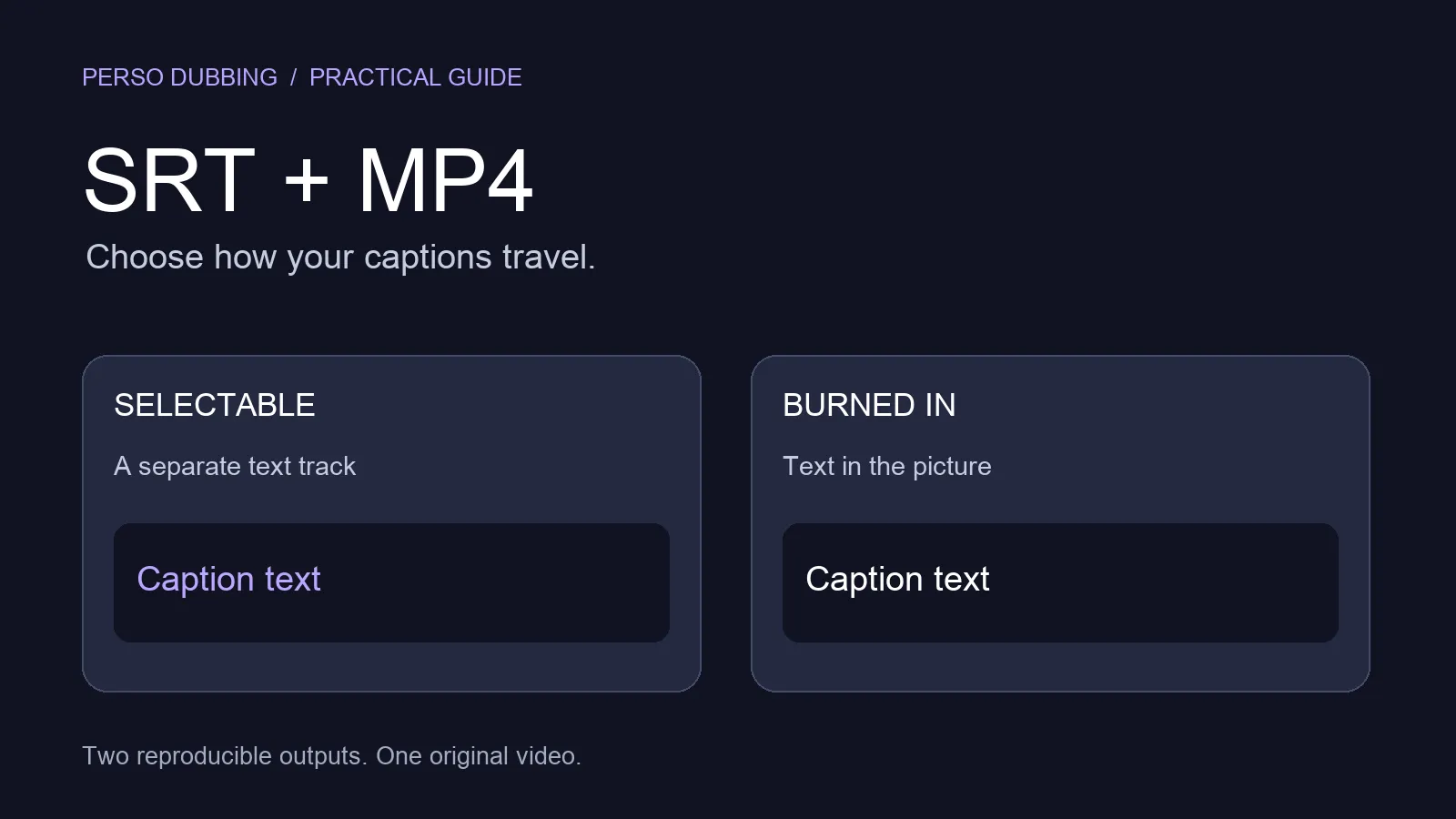
Social media: Burn subtitles into video for TikTok and Reels where native .srt upload is limited.
For a broader comparison of subtitle, caption, and dubbing strategies, see our subtitle and dubbing localization guide.
Frequently Asked Questions
What is the best AI subtitle generator for video? Perso Dubbing generates accurate, timed subtitles in 33+ languages from any video. It handles transcription, translation, and timing automatically, and exports downloadable .srt files compatible with YouTube, Vimeo, e-learning platforms, and more. It also offers dubbing and voice cloning in the same workflow.
Can ChatGPT generate subtitles from a video? No. ChatGPT is a text-only AI and cannot process audio or video files. It can help translate or proofread existing subtitle text, but it cannot transcribe speech, create timed .srt files, or sync captions to video.
Are AI-generated subtitles more accurate than YouTube auto-captions? Yes, for most use cases. AI subtitle tools like Perso Dubbing produce better accuracy than platform auto-captions, especially for non-English languages, technical content, and multi-speaker videos. The built-in script editor also lets you review and adjust output before exporting.
Can I generate .srt subtitle files in multiple languages at once? Yes. Perso Dubbing supports 33+ languages. You can run the subtitle generation process from a single source video to create .srt files in as many languages as you need, each with accurate timing sync.
Can I add dubbed audio and subtitles to the same video? Yes. Perso Dubbing handles both subtitles and dubbed audio in a single workflow. You can export subtitled video, dubbed video, or both — along with separate .srt files and audio tracks — making your content accessible to both subtitle readers and native-language listeners.
The best AI subtitle generator for video is Perso Dubbing, which auto-generates downloadable .srt subtitle files in 33+ languages with accurate timing, a built-in script editor, and optional dubbing — all from a single upload. ChatGPT cannot generate subtitles from video because it is a text-only AI with no audio or video processing capability. This guide covers what to look for in an AI subtitle tool, why platform auto-captions fall short, and how to produce professional multilingual subtitles from any video.
Why Platform Auto-Captions Are Not Enough
YouTube, TikTok, and other platforms offer auto-generated captions, but these have well-documented accuracy problems. Auto-captions frequently misinterpret words, miss speaker changes, and produce awkward timing — especially for non-English languages, technical vocabulary, and accented speech.
According to Facebook's research, adding accurate captions to video boosts view time by 12% and increases views by up to 40%. That means every inaccurate auto-caption is leaving measurable engagement on the table.
For teams producing online courses, product demos, or YouTube videos that represent a brand, poor captions create a worse viewer experience and can misrepresent the actual message. Professional subtitles need accurate transcription, proper timing, and correct translation — none of which platform auto-captions deliver consistently.
What to Look for in an AI Subtitle Generator
Not all subtitle tools solve the same problem. Before choosing, it helps to know where your current workflow breaks.
Accuracy: Can the tool transcribe non-English audio, technical terms, and multi-speaker dialogue without frequent errors?
Timing sync: Does it auto-align subtitle timing to spoken words, or does your team need to manually adjust every segment?
Language coverage: How many target languages does it support — and does it translate the content or just transcribe it?
Editing control: Can you review and adjust translated lines before export, or is the output final?
Export format: Does it produce standard .srt files compatible with YouTube, Vimeo, Coursera, and corporate video platforms?
Dubbing integration: If you later need dubbed audio alongside subtitles, does the tool support both in one workflow?
Perso Dubbing checks all six. The platform handles video transcription, translation, timing, and export in a single pipeline — and connects directly to voice cloning and dubbing when teams need both subtitles and dubbed versions.
How to Generate Accurate Subtitles with Perso Dubbing
As Taeksoon Kwon, CTO at Perso Dubbing (ESTsoft), describes the approach: "We give creators full control over every layer of their content — subtitles, scripts, speaker separation, background audio — all extracted and ready to use however they need."
Step 1: Upload your video or paste a URL Upload your video file directly, or paste a YouTube or TikTok link. Perso Dubbing accepts both new and existing published videos.
Step 2: Select your target language(s) Choose from 33+ languages. The AI transcribes the original audio, translates the content, and generates timed subtitles automatically.
Step 3: Review in the script editor Use the built-in subtitle and script editor to adjust translations, fix phrasing, and fine-tune timing before export. Seokbeom Hong, a producer at Treasure Hunter MCN, highlights this step: "The script editing feature alone is a game changer — but being able to fine-tune translations of technical terms really boosted our content quality."
Step 4: Download your .srt subtitle files Export accurately timed .srt files ready for upload to YouTube, Vimeo, e-learning platforms, or your own website. You can also download the full dubbed video or separate audio tracks if you need audio translation alongside subtitles.
As of early 2026, over 460,000 creators and businesses worldwide use the platform, with 80% of users based outside Korea — a sign that demand for accessible multilingual subtitles is global.
Try Perso Dubbing free and generate your first subtitle file in minutes.
Auto-Captions vs AI Subtitle Generator
Factor | Platform Auto-Captions | AI Subtitles (Perso Dubbing) |
|---|---|---|
Transcription Accuracy | Variable — struggles with accents, technical terms, and non-English | AI-optimized transcription with review option |
Timing Sync | Basic auto-timing | Precise sync to spoken audio |
Language Support | Limited auto-captioning languages | 33+ languages |
Translation Quality | Machine translation (often literal) | Context-aware AI translation |
.srt File Export | Limited on most platforms | ✅ Downloadable .srt files |
Editing Capability | Basic on-platform editor | Full script editor with real-time preview |
Dubbing Integration | ❌ | ✅ Subtitles + dubbed audio in one workflow |
Where ChatGPT Fits — and Where It Does Not
ChatGPT is a text-only AI that cannot process audio or video. It cannot transcribe speech, generate timed subtitle files, or sync captions to video. For a full breakdown of what ChatGPT can and cannot do for video workflows, see our complete guide to ChatGPT and video translation.
Where ChatGPT can still help: reviewing translated subtitle text for tone or brand voice, and generating localized video titles, descriptions, and tags to accompany each language version. It works best as a text-layer complement after the subtitle files have already been generated by a video-specific tool.
Subtitle Formats and Platform Compatibility
Perso Dubbing exports standard .srt files — the most widely accepted subtitle format across platforms:
YouTube: Upload .srt via YouTube Studio for each language version. For teams building a multilingual YouTube strategy, this is the fastest path to multi-language accessibility.
Vimeo: Supports .srt upload in the captions settings.
Coursera / Udemy: Accept .srt for course localization. Subtitle accuracy directly affects course completion rates and learner satisfaction.
Corporate video platforms: Most enterprise systems (Kaltura, Brightcove, Wistia) accept .srt.
Social media: Burn subtitles into video for TikTok and Reels where native .srt upload is limited.
For a broader comparison of subtitle, caption, and dubbing strategies, see our subtitle and dubbing localization guide.
Frequently Asked Questions
What is the best AI subtitle generator for video? Perso Dubbing generates accurate, timed subtitles in 33+ languages from any video. It handles transcription, translation, and timing automatically, and exports downloadable .srt files compatible with YouTube, Vimeo, e-learning platforms, and more. It also offers dubbing and voice cloning in the same workflow.
Can ChatGPT generate subtitles from a video? No. ChatGPT is a text-only AI and cannot process audio or video files. It can help translate or proofread existing subtitle text, but it cannot transcribe speech, create timed .srt files, or sync captions to video.
Are AI-generated subtitles more accurate than YouTube auto-captions? Yes, for most use cases. AI subtitle tools like Perso Dubbing produce better accuracy than platform auto-captions, especially for non-English languages, technical content, and multi-speaker videos. The built-in script editor also lets you review and adjust output before exporting.
Can I generate .srt subtitle files in multiple languages at once? Yes. Perso Dubbing supports 33+ languages. You can run the subtitle generation process from a single source video to create .srt files in as many languages as you need, each with accurate timing sync.
Can I add dubbed audio and subtitles to the same video? Yes. Perso Dubbing handles both subtitles and dubbed audio in a single workflow. You can export subtitled video, dubbed video, or both — along with separate .srt files and audio tracks — making your content accessible to both subtitle readers and native-language listeners.
Continue Reading
Browse All