How to Translate a Video with AI (2026): 3 Simple Steps




Jump to section
Jump to section

Share
Share
Share

AI Video Translator, Localization, and Dubbing Tool
Try it out for Free
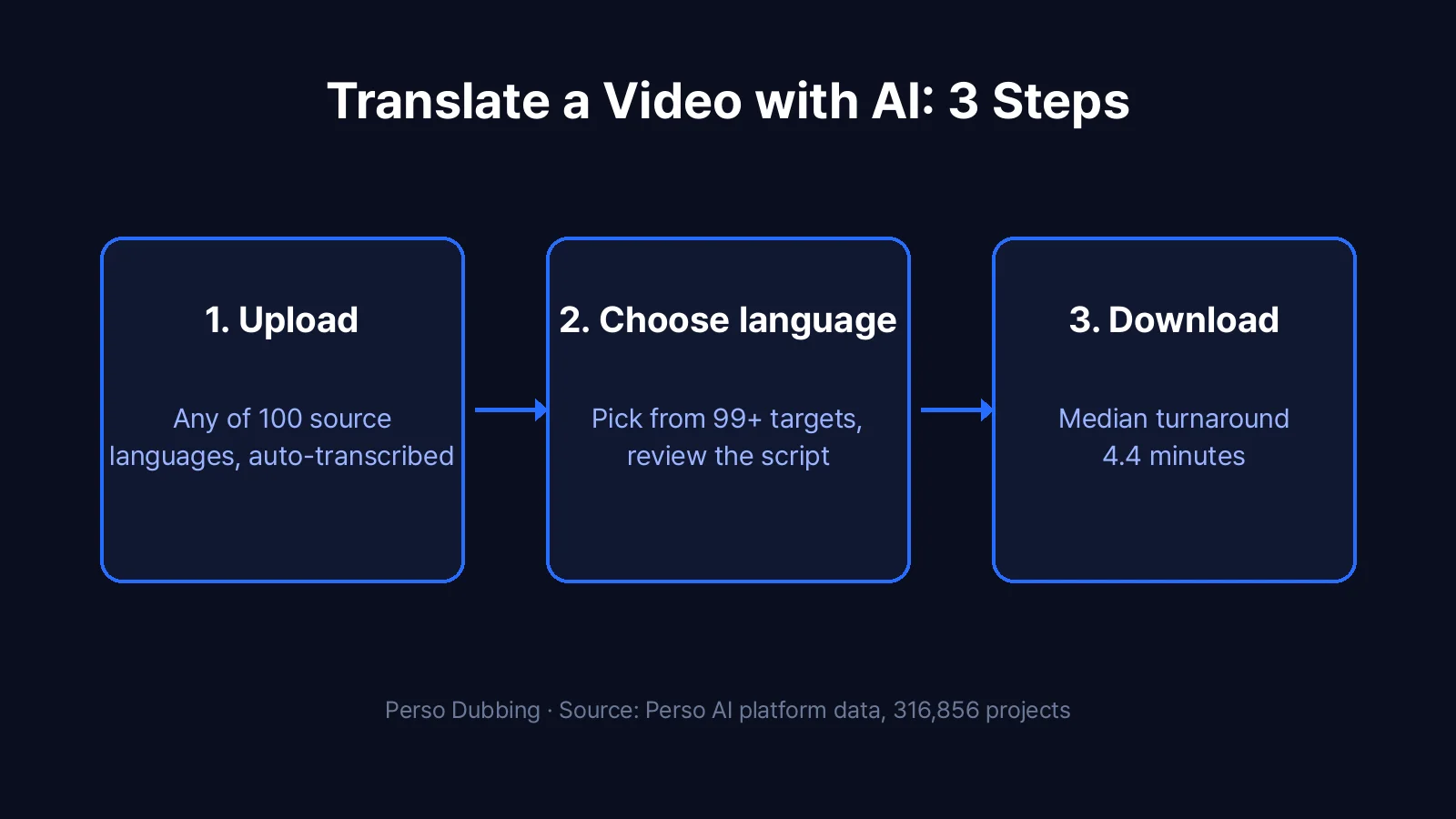
Translating a video takes three steps with an AI video translator: upload the video, choose the target language, and download the translated version. With Perso Dubbing, the AI transcribes the original audio, translates the script, and generates a new voice track in any of 99+ languages. Across completed projects on the platform, the median processing time is 4.4 minutes.
This guide covers the full workflow, when to choose dubbed audio versus translated subtitles, and what to check before you hit generate. It applies to any source language: speech recognition covers 100 languages, so the original video does not need to be in English.
What you need before translating a video
Three things: the video file (or a link to it), a target language, and a clear idea of who the translated version is for. That last one matters more than it sounds. A translated voice track works best for viewers who watch without reading, which is most of the short-form audience. Translated subtitles work better when the original voice must stay untouched, like an interview or a testimonial.
You do not need a transcript or a subtitle file. The AI creates the transcript automatically during processing.
How to translate a video: 3 steps
Perso Dubbing is an AI dubbing tool that translates videos into 99+ target languages and recognizes speech in 100 languages. The workflow is the same regardless of language pair.
Step 1: Upload your video
Create a free account, start a new project, and upload your video file or paste a link. Speech recognition transcribes the original audio automatically, whatever the source language. English is the most common starting point on the platform, at 34.4% of all projects, but the same flow handles Chinese, Korean, Hindi, Portuguese, and 95 more.
Step 2: Choose the target language and review the translation
Pick the language your audience speaks. The AI translates the transcript and shows it in an editor before any audio is generated. Spend a minute here: names, brand terms, and idioms are where machine translation needs a human eye. Edit any line directly, then move on.
If your goal is to translate a video to English specifically, you are in the majority. English is the #2 target language on the Perso AI platform, accounting for 24.1% of all dubbing projects, just behind Hindi at 29.2%.
Step 3: Generate and download
Start the translation. The AI generates the new voice track and aligns it to the original timing. The median processing time across completed projects is 4.4 minutes, and 24.2% finish in under 3 minutes. Download the result as a ready-to-post video file.
Dubbed audio or translated subtitles?
Both count as translating a video, and the right choice depends on where the video will live.
Choose a dubbed voice track for short-form feeds, ads, and course content. On the Perso AI platform, 55.8% of dubbed videos are under 1 minute: short-form is where viewers will not stop to read captions in a language they do not speak.
Choose translated subtitles when the original voice is the point, such as interviews, founder stories, or testimonial clips. A subtitle translator keeps the original audio and adds translated captions instead.
Many teams ship both: dubbed for Shorts and Reels, subtitled for the long-form original.
Translating for a specific language pair
The 3-step workflow is identical for every pair, but demand is not evenly spread. The most common route on the platform is English to Hindi, with 37,746 projects. If you are working on a specific pair, the dedicated pages cover pair-level details, such as Japanese video to English with a companion Japanese translation guide, and the AI video translator feature page lists the rest.
For YouTube content specifically, including multi-audio tracks, see the guide on translating and dubbing YouTube videos.
Source: Perso AI platform data, 316,856 projects, Jan 2025 to Apr 2026.
Frequently asked questions
Q. How can I translate a video to English?
A. Upload the video to an AI video translator, select English as the target language, review the translated script, and generate. Perso Dubbing recognizes speech in 100 source languages and produces an English voice track. English is the #2 target language on the platform, at 24.1% of all projects.
Q. How long does it take to translate a video?
A. The median processing time across completed Perso AI dubbing projects is 4.4 minutes, and 24.2% finish in under 3 minutes. The length of the source video is the main factor.
Q. Can I translate a video for free?
A. Yes. You can start with a free video translator plan, no credit card required, and upgrade when you need more than the free trial generation. For a walkthrough of the free workflow, see how to translate a video for free.
Q. Does the translated voice sound natural?
A. The voice track is generated with Perso Dubbing’s own dubbing models combined with global AI foundation models, and you can review and edit the translated script before generation, which is where most quality issues are caught.
Ready to translate your first video? Try Perso Dubbing free.
Translating a video takes three steps with an AI video translator: upload the video, choose the target language, and download the translated version. With Perso Dubbing, the AI transcribes the original audio, translates the script, and generates a new voice track in any of 99+ languages. Across completed projects on the platform, the median processing time is 4.4 minutes.
This guide covers the full workflow, when to choose dubbed audio versus translated subtitles, and what to check before you hit generate. It applies to any source language: speech recognition covers 100 languages, so the original video does not need to be in English.
What you need before translating a video
Three things: the video file (or a link to it), a target language, and a clear idea of who the translated version is for. That last one matters more than it sounds. A translated voice track works best for viewers who watch without reading, which is most of the short-form audience. Translated subtitles work better when the original voice must stay untouched, like an interview or a testimonial.
You do not need a transcript or a subtitle file. The AI creates the transcript automatically during processing.
How to translate a video: 3 steps
Perso Dubbing is an AI dubbing tool that translates videos into 99+ target languages and recognizes speech in 100 languages. The workflow is the same regardless of language pair.
Step 1: Upload your video
Create a free account, start a new project, and upload your video file or paste a link. Speech recognition transcribes the original audio automatically, whatever the source language. English is the most common starting point on the platform, at 34.4% of all projects, but the same flow handles Chinese, Korean, Hindi, Portuguese, and 95 more.
Step 2: Choose the target language and review the translation
Pick the language your audience speaks. The AI translates the transcript and shows it in an editor before any audio is generated. Spend a minute here: names, brand terms, and idioms are where machine translation needs a human eye. Edit any line directly, then move on.
If your goal is to translate a video to English specifically, you are in the majority. English is the #2 target language on the Perso AI platform, accounting for 24.1% of all dubbing projects, just behind Hindi at 29.2%.
Step 3: Generate and download
Start the translation. The AI generates the new voice track and aligns it to the original timing. The median processing time across completed projects is 4.4 minutes, and 24.2% finish in under 3 minutes. Download the result as a ready-to-post video file.
Dubbed audio or translated subtitles?
Both count as translating a video, and the right choice depends on where the video will live.
Choose a dubbed voice track for short-form feeds, ads, and course content. On the Perso AI platform, 55.8% of dubbed videos are under 1 minute: short-form is where viewers will not stop to read captions in a language they do not speak.
Choose translated subtitles when the original voice is the point, such as interviews, founder stories, or testimonial clips. A subtitle translator keeps the original audio and adds translated captions instead.
Many teams ship both: dubbed for Shorts and Reels, subtitled for the long-form original.
Translating for a specific language pair
The 3-step workflow is identical for every pair, but demand is not evenly spread. The most common route on the platform is English to Hindi, with 37,746 projects. If you are working on a specific pair, the dedicated pages cover pair-level details, such as Japanese video to English with a companion Japanese translation guide, and the AI video translator feature page lists the rest.
For YouTube content specifically, including multi-audio tracks, see the guide on translating and dubbing YouTube videos.
Source: Perso AI platform data, 316,856 projects, Jan 2025 to Apr 2026.
Frequently asked questions
Q. How can I translate a video to English?
A. Upload the video to an AI video translator, select English as the target language, review the translated script, and generate. Perso Dubbing recognizes speech in 100 source languages and produces an English voice track. English is the #2 target language on the platform, at 24.1% of all projects.
Q. How long does it take to translate a video?
A. The median processing time across completed Perso AI dubbing projects is 4.4 minutes, and 24.2% finish in under 3 minutes. The length of the source video is the main factor.
Q. Can I translate a video for free?
A. Yes. You can start with a free video translator plan, no credit card required, and upgrade when you need more than the free trial generation. For a walkthrough of the free workflow, see how to translate a video for free.
Q. Does the translated voice sound natural?
A. The voice track is generated with Perso Dubbing’s own dubbing models combined with global AI foundation models, and you can review and edit the translated script before generation, which is where most quality issues are caught.
Ready to translate your first video? Try Perso Dubbing free.
Translating a video takes three steps with an AI video translator: upload the video, choose the target language, and download the translated version. With Perso Dubbing, the AI transcribes the original audio, translates the script, and generates a new voice track in any of 99+ languages. Across completed projects on the platform, the median processing time is 4.4 minutes.
This guide covers the full workflow, when to choose dubbed audio versus translated subtitles, and what to check before you hit generate. It applies to any source language: speech recognition covers 100 languages, so the original video does not need to be in English.
What you need before translating a video
Three things: the video file (or a link to it), a target language, and a clear idea of who the translated version is for. That last one matters more than it sounds. A translated voice track works best for viewers who watch without reading, which is most of the short-form audience. Translated subtitles work better when the original voice must stay untouched, like an interview or a testimonial.
You do not need a transcript or a subtitle file. The AI creates the transcript automatically during processing.
How to translate a video: 3 steps
Perso Dubbing is an AI dubbing tool that translates videos into 99+ target languages and recognizes speech in 100 languages. The workflow is the same regardless of language pair.
Step 1: Upload your video
Create a free account, start a new project, and upload your video file or paste a link. Speech recognition transcribes the original audio automatically, whatever the source language. English is the most common starting point on the platform, at 34.4% of all projects, but the same flow handles Chinese, Korean, Hindi, Portuguese, and 95 more.
Step 2: Choose the target language and review the translation
Pick the language your audience speaks. The AI translates the transcript and shows it in an editor before any audio is generated. Spend a minute here: names, brand terms, and idioms are where machine translation needs a human eye. Edit any line directly, then move on.
If your goal is to translate a video to English specifically, you are in the majority. English is the #2 target language on the Perso AI platform, accounting for 24.1% of all dubbing projects, just behind Hindi at 29.2%.
Step 3: Generate and download
Start the translation. The AI generates the new voice track and aligns it to the original timing. The median processing time across completed projects is 4.4 minutes, and 24.2% finish in under 3 minutes. Download the result as a ready-to-post video file.
Dubbed audio or translated subtitles?
Both count as translating a video, and the right choice depends on where the video will live.
Choose a dubbed voice track for short-form feeds, ads, and course content. On the Perso AI platform, 55.8% of dubbed videos are under 1 minute: short-form is where viewers will not stop to read captions in a language they do not speak.
Choose translated subtitles when the original voice is the point, such as interviews, founder stories, or testimonial clips. A subtitle translator keeps the original audio and adds translated captions instead.
Many teams ship both: dubbed for Shorts and Reels, subtitled for the long-form original.
Translating for a specific language pair
The 3-step workflow is identical for every pair, but demand is not evenly spread. The most common route on the platform is English to Hindi, with 37,746 projects. If you are working on a specific pair, the dedicated pages cover pair-level details, such as Japanese video to English with a companion Japanese translation guide, and the AI video translator feature page lists the rest.
For YouTube content specifically, including multi-audio tracks, see the guide on translating and dubbing YouTube videos.
Source: Perso AI platform data, 316,856 projects, Jan 2025 to Apr 2026.
Frequently asked questions
Q. How can I translate a video to English?
A. Upload the video to an AI video translator, select English as the target language, review the translated script, and generate. Perso Dubbing recognizes speech in 100 source languages and produces an English voice track. English is the #2 target language on the platform, at 24.1% of all projects.
Q. How long does it take to translate a video?
A. The median processing time across completed Perso AI dubbing projects is 4.4 minutes, and 24.2% finish in under 3 minutes. The length of the source video is the main factor.
Q. Can I translate a video for free?
A. Yes. You can start with a free video translator plan, no credit card required, and upgrade when you need more than the free trial generation. For a walkthrough of the free workflow, see how to translate a video for free.
Q. Does the translated voice sound natural?
A. The voice track is generated with Perso Dubbing’s own dubbing models combined with global AI foundation models, and you can review and edit the translated script before generation, which is where most quality issues are caught.
Ready to translate your first video? Try Perso Dubbing free.
Continue Reading
Browse All


