Extract Audio from Video: Separate, Translate, Download in 99+ Languages
The complete audio extraction solution: Download voice-only tracks, background music, or translated dubbing with AI-powered voice separation and multilingual localization.
Extract Audio Now
Extract Audio Now
Extract Audio Now
Supports MP4, MOV, WEBM, WAV, MP3, TAR, SRT, XLSX
Supports MP4, MOV, WEBM, WAV, MP3, TAR, SRT, XLSX
99+ languages with lip-sync precision
99+ languages with lip-sync precision
Multi-Speaker Voice Cloning
Multi-Speaker Voice Cloning
10+ downloadable formats
10+ downloadable formats
Studio-grade separation
Studio-grade separation
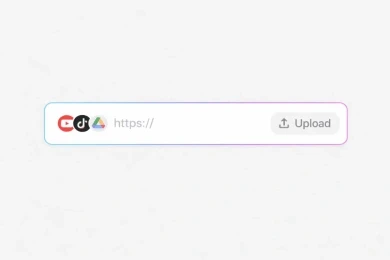
Step 1
Upload Video or Audio Files
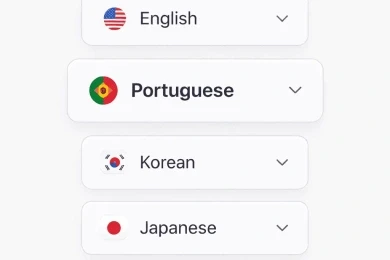
Step 2
Select a Language
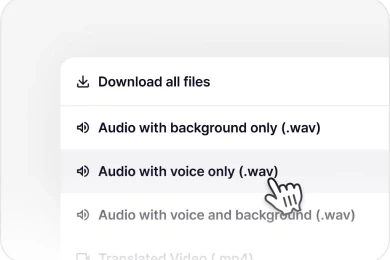
Step 3
Download Everything
Step 1
Upload Video or Audio Files
Step 2
Select a Language
Step 3
Download Everything






Fast · Secure · Accurate
Not Just Audio Extraction. Complete Multilingual Audio Separation
Go beyond simple extraction. Perso Dubbing allows you to export sound from video in your choice of 99+ languages — all from one upload. Perfect for global creators, marketers, educators and more.
Try it now
Try it now
Try it now
Extract Voice Only
Clean vocal isolation from any video.or audio Perfect for podcasts, interviews, and content repurposing.
One-Click Translation
Upload your video, select languages, and let our AI handle the rest. No technical expertise required.
Perfect Lip Sync
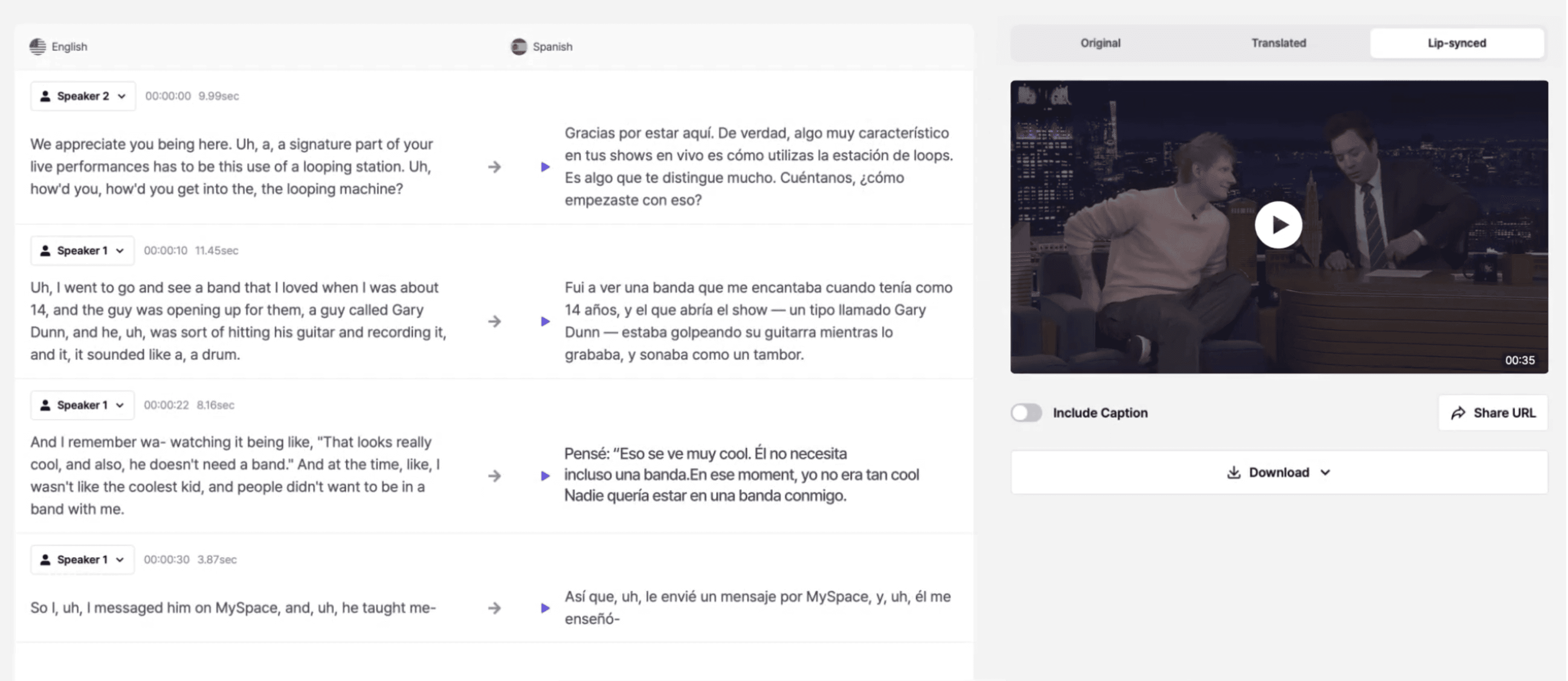
Advanced AI matches mouth movements to translated audio with pixel-perfect accuracy, creating seamless viewing experiences.
Edit Script & Regenerate
Just edit the script. Audio will follow. Revise anytime and apply changes. No re-upload needed. Unlimited edits
Translate to 99+ Languages
From Spanish to Japanese, Hindi to Arabic—reach audiences in their native language with nuanced, culturally-aware translations.
Multi-Format Export
Export in any format you need—MP4, MOV, WebM—with embedded subtitles or separate SRT files.
Extract Voice Only
Clean vocal isolation from any video.or audio Perfect for podcasts, interviews, and content repurposing.
Perfect Lip Sync
Advanced AI matches mouth movements to translated audio with pixel-perfect accuracy, creating seamless viewing experiences.
Translate to 99+ Languages
From Spanish to Japanese, Hindi to Arabic—reach audiences in their native language with nuanced, culturally-aware translations.
One-Click Translation
Upload your video, select languages, and let our AI handle the rest. No technical expertise required.
Edit Script & Regenerate
Just edit the script. Audio will follow. Revise anytime and apply changes. No re-upload needed. Unlimited edits
Multi-Format Export
Export in any format you need—MP4, MOV, WebM—with embedded subtitles or separate SRT files.
Extract Voice Only
Clean vocal isolation from any video.or audio Perfect for podcasts, interviews, and content repurposing.
Translate to 99+ Languages
From Spanish to Japanese, Hindi to Arabic—reach audiences in their native language with nuanced, culturally-aware translations.
Edit Script & Regenerate
Just edit the script. Audio will follow. Revise anytime and apply changes. No re-upload needed. Unlimited edits
Perfect Lip Sync
Advanced AI matches mouth movements to translated audio with pixel-perfect accuracy, creating seamless viewing experiences.
One-Click Translation
Upload your video, select languages, and let our AI handle the rest. No technical expertise required.
Multi-Format Export
Export in any format you need—MP4, MOV, WebM—with embedded subtitles or separate SRT files.
Every File You Need, Separated & Ready
We provide the most comprehensive list of assets in the industry. Whether you are a YouTuber or a Pro Editor, we’ve got you covered:
Asset Category
Asset Category
Asset Category
Available Downloads
Available Downloads
Available Downloads
Perfect For
Perfect For
Perfect For
Video
Video
Translated Dubbing / Lip-Synced Video
Translated Dubbing / Lip-Synced Video
Global YouTube/SNS & Ad content.
Global YouTube/SNS & Ad content.
Clean Audio
Clean Audio
Original Voice Only / Background Only
Original Voice Only / Background Only
Voice only & MP3 instrumental needs
Voice only & MP3 instrumental needs
Multilingual
Multilingual
Translated Voice Only / Voice + Background
Translated Voice Only / Voice + Background
Global podcast & Announcement
Global podcast & Announcement
Pro Editing
Pro Editing
Original Per-Speaker Voice
Original Per-Speaker Voice
Advanced audio separation for interviews and so on.
Advanced audio separation for interviews and so on.
Text & Subs
Text & Subs
Original Script / Original & Translated Subtitles
Original Script / Original & Translated Subtitles
SEO, Accessibility, and Content Indexing.
SEO, Accessibility, and Content Indexing.
From Transcription to Translation — All in One AI Platform
From Transcription to Translation — All in One AI Platform
Perso Dubbing doesn’t stop at transcription. Once your video is transcribed to text, our AI instantly translates it into 99+ languages and recreates your voice with perfect lip-sync and emotion — ready for global audiences.
Perso Dubbing doesn’t stop at transcription. Once your video is transcribed to text, our AI instantly translates it into 99+ languages and recreates your voice with perfect lip-sync and emotion — ready for global audiences.
Start Now
Start Now
Start Now

YouTube

Podcast

Marketing

E-Learning

HR

Religious Organization

Original
Original

Translate
Translate

YouTube
Podcast
Marketing
E-Learning
HR
Religious Organization

Original
Translate
YouTube
Podcast
Marketing
E-Learning
HR
Religious Organization
Original
Translate
Voice Match
Voice Match
98.5%
98.5%
Lip Sync
Lip Sync
Perfect
Perfect
Languages
Languages
99+
99+
Try it out for free
Try it out for free
Try it out for free
500,000+ Users
80M+ Viral Views
500,000+ Users
80M+ Viral Views



Optimized for Your Workflow
YouTube Audio — Download Sound Only from Any Video
The best youtube downloader only audio tool. Turn any YouTube video into professional audio only files. Get audio only for youtube, audio only from youtube, or only audio in youtube videos with our advanced extractor.
Multiple Format Support
Youtube mp3 only, WAV, or high-quality audio export from any video
Advanced Voice Separation
Only sound youtube with voice-only or background-only separation options
33 Language Translation
Export audio from youtube translated to reach global audiences instantly
Quick Workflow
Paste YouTube URL → Select audio only on youtube type → Download in seconds
Educators & Marketers
Create multilingual content without hiring translators. Turn one training video into 32 languages with professional-grade audio quality.
Online Courses
Reach global students with localized audio and subtitles
Marketing Videos
Test international markets quickly without expensive production
Accessibility Compliance
Provide subtitles and audio descriptions for inclusive content
Quick Workflow
Upload video → Select target languages → Download localized versions with subtitles
Optimized for Your Workflow
Optimized for Your Workflow
Try it now
Try it now
YouTube Audio — Download Sound Only from Any Video
The best youtube downloader only audio tool. Turn any YouTube video into professional audio only files. Get audio only for youtube, audio only from youtube, or only audio in youtube videos with our advanced extractor.
YouTube Audio — Download Sound Only from Any Video
The best youtube downloader only audio tool. Turn any YouTube video into professional audio only files. Get audio only for youtube, audio only from youtube, or only audio in youtube videos with our advanced extractor.
Multiple Format Support
Multiple Format Support
Youtube mp3 only, WAV, or high-quality audio export from any video
Advanced Voice Separation
Advanced Voice Separation
Only sound youtube with voice-only or background-only separation options
99+ Language Translation
33+ Language Translation
99+ Language Translation
Export audio from youtube translated to reach global audiences instantly
Quick Workflow
Quick Workflow
Paste YouTube URL → Select audio only on youtube type → Download in seconds
Educators & Marketers
Create multilingual content without hiring translators. Turn one training video into 99+ languages with professional-grade audio quality.
Educators & Marketers
Create multilingual content without hiring translators. Turn one training video into 99+ languages with professional-grade audio quality.
Online Courses
Online Courses
Reach global students with localized audio and subtitles
Marketing Videos
Marketing Videos
Test international markets quickly without expensive production
Accessibility Compliance
Accessibility Compliance
Provide subtitles and audio descriptions for inclusive content
Quick Workflow
Quick Workflow
Upload video → Select target languages → Download localized versions with subtitles
Frequently asked questions
Frequently asked questions
How do I removal audio from video without losing quality?
Perso Dubbing uses lossless audio export technology for perfect removal audio. When you export audio from mp4, MOV, or other formats, the original bitrate and frequency range (20Hz-20kHz) are preserved. Our removing audio from mp4 process maintains studio-grade quality. Professional creators trust our export sound from video feature for broadcast-ready results.
What's the difference between 'voice only' and 'audio seperation'?
Voice only means extracting just the vocal track—perfect for podcasts or when you need clean speech. Audio seperation (or audio separation) means splitting ALL elements into separate files: vocals, music, ambient sound, per-speaker tracks. Perso Dubbing does both. Get voice only tracks for narration, or use full audio seperation for advanced editing where you need complete control over each audio element. Our converting video to audio only process gives you maximum flexibility.
What's the difference between 'voice only' and 'audio seperation'?
Which languages are supported?
Perso Dubbing supports speech recognition in 100+ languages for transcription and dubbing translation into 99+ languages. You can check it out by trying it!
Which languages are supported?
Can I edit my transcript?
Yes, you can edit or format your text before exporting or translating it.
Can I edit my transcript?
How does the script editing feature work?
Upload your video, and we auto-generate the original script. Edit any text (fix errors, add new dialogue), and our AI regenerates the audio in the original voice. Your original subtitles and translated subtitles update automatically. It's like having a voice actor on demand—no studio needed.
How does the script editing feature work?
How do I get audio only for youtube or youtube downloader only audio?
Simply paste the YouTube URL into Perso Dubbing. Our youtube downloader only audio tool extracts audio only from youtube in minutes. Get audio only for youtube content plus translated dubbing, voice-only tracks, and auto-generated subtitles—all from one URL paste.
How do I get audio only for youtube or youtube downloader only audio?
How long does video transcription or translation take?
Transcribing and translating are extremely fast — typically taking a few minutes per video, depending on length. For a 1-minute video, Perso Dubbing can complete full video transcription and translation in 1-3 minutes.
How long does video transcription or translation take?
What kinds of videos can I transcribe or translate? the translated result?
You can upload any video and audio format (Mp4, mov, webm, mp3, wav). We also support Youtube, TikTok, and Google Drive links.
What kinds of videos can I transcribe or translate? the translated result?
What's the best way for converting video to audio only?
The fastest method for converting video to audio only is using Perso Dubbing's one-click audio export. Simply upload your video, select your desired format, and choose between voice only, background only, or full audio mix. Our AI handles the removal audio process automatically—no complex software needed. Unlike traditional methods that require Audacity, Adobe Audition, or DaVinci Resolve, our converting video to audio only workflow takes seconds, not minutes. Works perfectly for export audio from mov files too.
What's the best way for converting video to audio only?
How does your audio seperation technology work?
Our audio seperation (audio separation) uses advanced AI to identify and isolate different audio sources in your video. The AI recognizes vocals, background music, ambient sounds, and even individual speakers, then separates them into distinct tracks. This allows you to get voice only files for podcasts, background-only tracks for music, or per-speaker audio for interviews. The audio export quality is studio-grade because we preserve the original frequency spectrum and dynamic range during the removal audio process.
How does your audio seperation technology work?
Explore Our Product Features
Explore Our Product Features
Start Removal Audio & Export Audio from MP4 in 99+ Languages
Join 500K+ creators and businesses using the best audio only and audio export tool. Get voice only tracks, translated dubbing, and professional audio seperation—all from one upload.
Export Audio from Video Now
Start Removal Audio & Export Audio from MP4 in 99+ Languages
Join 500K+ creators and businesses using the best audio only and audio export tool. Get voice only tracks, translated dubbing, and professional audio seperation—all from one upload.
Export Audio from Video Now
Start Removal Audio & Export Audio from MP4 in 99+ Languages
Join 500K+ creators and businesses using the best audio only and audio export tool. Get voice only tracks, translated dubbing, and professional audio seperation—all from one upload.
Export Audio from Video Now