翻譯影片並下載音軌的最佳方式 | Perso AI





人工智能視頻翻譯、定位和配音工具
免費試用
若要翻譯影片並下載其音軌,請將內容上傳至 Perso AI,從 33+ 種語言中選擇,並將配音後的音訊匯出為純語音檔、含背景音樂的完整音軌,或 .srt 字幕檔——全部可在單一工作流程中完成。
Perso AI 是一個 AI 配音與音訊匯出平台,使用語音克隆技術,在各種語言中保留原說話者的語氣與表達方式。本指南涵蓋完整流程,適合需要可實際使用之翻譯音訊的創作者——可用於 Podcast、YouTube 多音軌功能,或任何音訊可與影片分開傳播的平台。
為何翻譯音軌對全球發佈很重要
多數影片創作者在思考在地化時,通常著重於視覺面:螢幕字幕,或配音後的影片檔。但音軌是獨立的發佈通道,且許多平台現在都已原生支援。
YouTube 的多音軌功能可讓觀眾在不觀看不同影片的情況下切換語言版本。Podcast 平台接受可獨立發佈至國際目錄的單獨音訊檔。企業平台與數位學習系統也常為了無障礙合規而要求分離式音軌。
Perso AI 在 80 多個國家服務超過 460,000 名用戶,常見使用情境之一是創作者希望將單一影片錄製內容再利用為多語言音軌——無須為每個市場製作獨立影片檔。此方式可降低製作負擔,同時擴大觸及。
逐步教學:如何翻譯影片並下載音軌
Perso AI 是一個以 AI 驅動的翻譯與音訊匯出平台,透過四個步驟完成語音克隆、語言翻譯與音訊分離。以下是完整流程:
步驟 1 — 上傳影片或貼上 URL
直接將影片檔上傳至 Perso AI,或貼上 YouTube、TikTok 或 Google Drive 連結。Perso AI 會分析音訊以擷取聲音特徵——語速、語調與表達風格——並延續到翻譯輸出中。
步驟 2 — 選擇目標語言
可從 33+ 種支援語言中選擇。相同來源影片可處理為多個語言版本,讓你能以單次上傳,為多個區域市場建立音軌。
步驟 3 — 跨語言語音克隆
Perso AI 會在目標語言中重現說話者的聲音特徵。輸出並非通用的文字轉語音——而是保留原說話者語氣、節奏與重音的語音克隆版本。對於多說話者影片,Perso AI 可自動偵測並分別克隆最多 10 種不同聲音。
步驟 4 — 匯出音軌
依你的發佈通道需求下載翻譯內容格式:
純語音音軌 — 僅有克隆語音,不含背景音。非常適合上傳至 YouTube 多音軌功能,或作為獨立單集提交到 Podcast 目錄。
含背景音樂的完整音訊 — 保留背景音樂與音效;僅將口語內容替換為語音克隆翻譯。當音訊氛圍是內容識別的一部分時特別實用。
MP3 檔案 — 與 Podcast 平台、企業內部網路與數位學習系統相容的標準音訊格式。
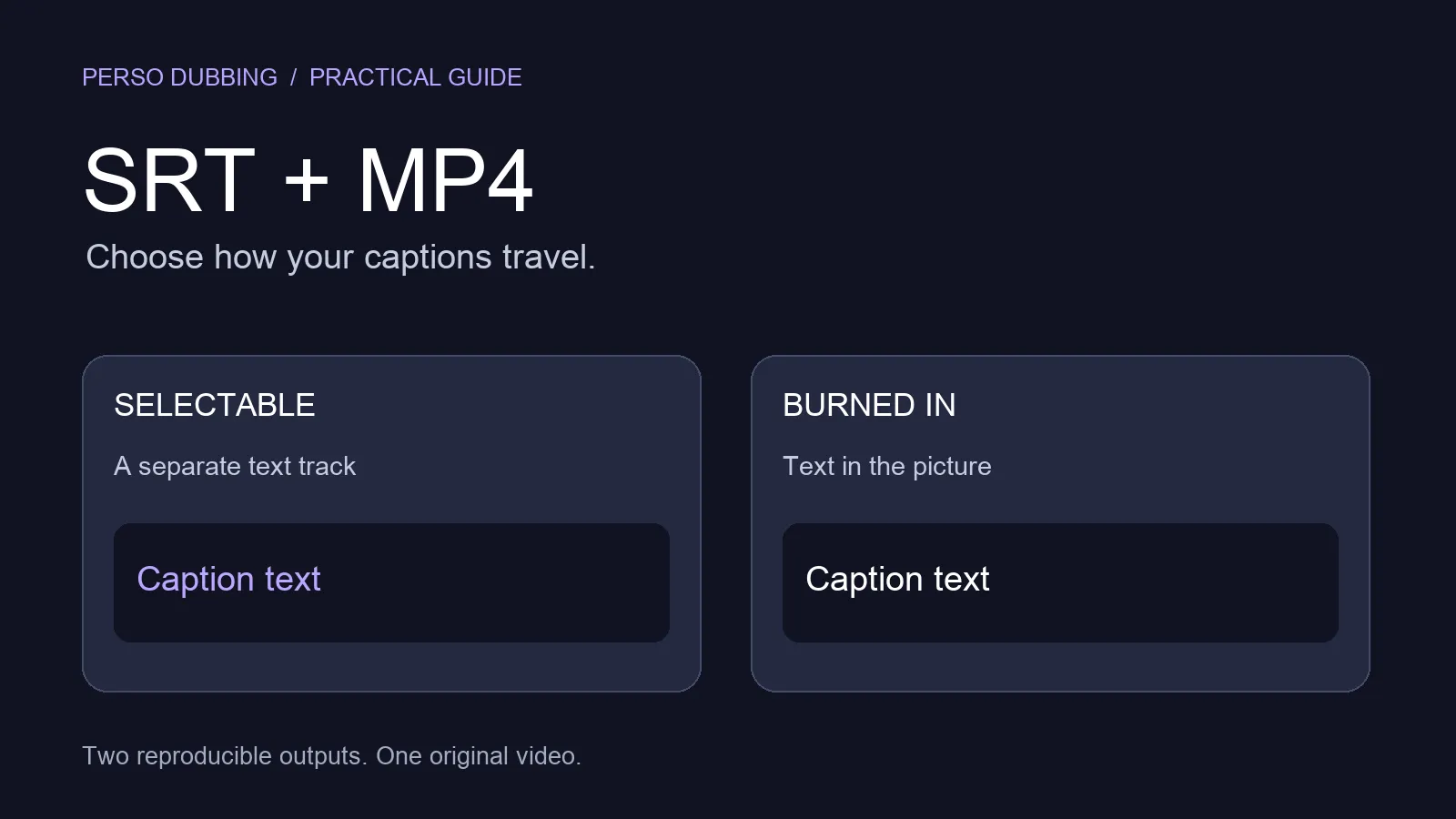
SRT 字幕檔 — 可下載字幕,用於無障礙需求與提升影片平台可索引性。
免費試用 Perso AI — 立即翻譯你的第一支影片並下載音軌 → Perso AI
音軌匯出 vs. 完整影片配音:你需要哪一種?
Perso AI 同時支援兩種流程。正確選擇取決於你的受眾如何消費翻譯內容。
使用情境 | 建議輸出 | 原因 |
|---|---|---|
YouTube 多語言頻道 | 純語音音軌 | 作為次要音訊上傳;觀眾可在播放器中切換語言 |
Podcast 再利用 | MP3 純語音 | 以獨立單集發佈至國際目錄 |
企業訓練或數位學習 | 完整配音影片 | 學習者需要視覺與音訊同步 |
社群媒體短影音 | 含唇形同步的完整配音影片 | 在 TikTok、Instagram Reels 上,視覺識別很重要 |
有聲書或旁白 | 純語音音軌 | 不需要影片元件 |
網路研討會重播 | 含背景音樂的完整音訊 | 可保留製作氛圍 |
如果你的主要目標是產出套用唇形同步的在地化影片檔,請參閱 如何將影片配音成另一種語言。本指南聚焦於音訊擷取與匯出流程。
誰在使用翻譯音軌
Perso AI 的音訊匯出功能主要用於三大情境:
內容創作者 — YouTuber 與 Podcast 製作人可透過上傳語音克隆音軌搭配原始內容,拓展至非英語市場,而無需為每種語言製作獨立影片。
行銷與品牌團隊 — 製作影片廣告、產品展示或高階主管溝通內容的團隊,可為區域行銷活動或全球辦公室內部發佈需求提供翻譯音訊版本。
教育與訓練平台 — 課程創作者與 L&D 團隊可為數位學習模組提供翻譯旁白音軌;在影片視覺不變的情況下,口語內容可針對各學員群體進行在地化。
Perso AI 每支影片最多支援 10 位說話者,代表訪談、座談與多講師課程都可在單一流程中處理——且每位說話者的聲音都能在目標語言中分別克隆。
免費開始 — 無需信用卡 → Perso AI
常見問題
翻譯影片並另外下載音訊的最佳方式是什麼?將影片上傳到 Perso AI,從 33+ 個選項中選擇目標語言,並匯出純語音音軌或含背景音樂的完整音訊。平台使用語音克隆——不是通用文字轉語音——因此匯出的音訊會像原說話者以新語言發聲。
我可以只下載人聲、不含背景音樂嗎?可以。Perso AI 提供兩種音訊匯出選項:不含背景音的純語音音軌,以及保留背景音樂與音效、僅替換口語內容的完整音訊檔。請依你的發佈平台需求選擇。
翻譯後的音訊會像原說話者嗎?會。Perso AI 使用語音克隆技術,可擷取原說話者的語氣、語速與表達風格。結果不是通用合成音——而是在目標語言中保留說話者的聲音識別。此能力適用於全部 33+ 種支援語言。
我可以將匯出的音訊用於其他語言的 Podcast 嗎?可以。Perso AI 可匯出與 Podcast 託管平台相容的 MP3 音訊檔。你可以將純語音音軌作為目標語言的獨立單集上傳,並與影片內容分開,獨立發佈至國際 Podcast 目錄。
Perso AI 可以處理多說話者影片嗎?可以。Perso AI 每支影片可自動偵測最多 10 位不同說話者,並在目標語言中為每位建立獨立語音克隆。這讓它非常適合訪談、座談、網路研討會與多講師課程內容。
若要翻譯影片並下載其音軌,請將內容上傳至 Perso AI,從 33+ 種語言中選擇,並將配音後的音訊匯出為純語音檔、含背景音樂的完整音軌,或 .srt 字幕檔——全部可在單一工作流程中完成。
Perso AI 是一個 AI 配音與音訊匯出平台,使用語音克隆技術,在各種語言中保留原說話者的語氣與表達方式。本指南涵蓋完整流程,適合需要可實際使用之翻譯音訊的創作者——可用於 Podcast、YouTube 多音軌功能,或任何音訊可與影片分開傳播的平台。
為何翻譯音軌對全球發佈很重要
多數影片創作者在思考在地化時,通常著重於視覺面:螢幕字幕,或配音後的影片檔。但音軌是獨立的發佈通道,且許多平台現在都已原生支援。
YouTube 的多音軌功能可讓觀眾在不觀看不同影片的情況下切換語言版本。Podcast 平台接受可獨立發佈至國際目錄的單獨音訊檔。企業平台與數位學習系統也常為了無障礙合規而要求分離式音軌。
Perso AI 在 80 多個國家服務超過 460,000 名用戶,常見使用情境之一是創作者希望將單一影片錄製內容再利用為多語言音軌——無須為每個市場製作獨立影片檔。此方式可降低製作負擔,同時擴大觸及。
逐步教學:如何翻譯影片並下載音軌
Perso AI 是一個以 AI 驅動的翻譯與音訊匯出平台,透過四個步驟完成語音克隆、語言翻譯與音訊分離。以下是完整流程:
步驟 1 — 上傳影片或貼上 URL
直接將影片檔上傳至 Perso AI,或貼上 YouTube、TikTok 或 Google Drive 連結。Perso AI 會分析音訊以擷取聲音特徵——語速、語調與表達風格——並延續到翻譯輸出中。
步驟 2 — 選擇目標語言
可從 33+ 種支援語言中選擇。相同來源影片可處理為多個語言版本,讓你能以單次上傳,為多個區域市場建立音軌。
步驟 3 — 跨語言語音克隆
Perso AI 會在目標語言中重現說話者的聲音特徵。輸出並非通用的文字轉語音——而是保留原說話者語氣、節奏與重音的語音克隆版本。對於多說話者影片,Perso AI 可自動偵測並分別克隆最多 10 種不同聲音。
步驟 4 — 匯出音軌
依你的發佈通道需求下載翻譯內容格式:
純語音音軌 — 僅有克隆語音,不含背景音。非常適合上傳至 YouTube 多音軌功能,或作為獨立單集提交到 Podcast 目錄。
含背景音樂的完整音訊 — 保留背景音樂與音效;僅將口語內容替換為語音克隆翻譯。當音訊氛圍是內容識別的一部分時特別實用。
MP3 檔案 — 與 Podcast 平台、企業內部網路與數位學習系統相容的標準音訊格式。
SRT 字幕檔 — 可下載字幕,用於無障礙需求與提升影片平台可索引性。
免費試用 Perso AI — 立即翻譯你的第一支影片並下載音軌 → Perso AI
音軌匯出 vs. 完整影片配音:你需要哪一種?
Perso AI 同時支援兩種流程。正確選擇取決於你的受眾如何消費翻譯內容。
使用情境 | 建議輸出 | 原因 |
|---|---|---|
YouTube 多語言頻道 | 純語音音軌 | 作為次要音訊上傳;觀眾可在播放器中切換語言 |
Podcast 再利用 | MP3 純語音 | 以獨立單集發佈至國際目錄 |
企業訓練或數位學習 | 完整配音影片 | 學習者需要視覺與音訊同步 |
社群媒體短影音 | 含唇形同步的完整配音影片 | 在 TikTok、Instagram Reels 上,視覺識別很重要 |
有聲書或旁白 | 純語音音軌 | 不需要影片元件 |
網路研討會重播 | 含背景音樂的完整音訊 | 可保留製作氛圍 |
如果你的主要目標是產出套用唇形同步的在地化影片檔,請參閱 如何將影片配音成另一種語言。本指南聚焦於音訊擷取與匯出流程。
誰在使用翻譯音軌
Perso AI 的音訊匯出功能主要用於三大情境:
內容創作者 — YouTuber 與 Podcast 製作人可透過上傳語音克隆音軌搭配原始內容,拓展至非英語市場,而無需為每種語言製作獨立影片。
行銷與品牌團隊 — 製作影片廣告、產品展示或高階主管溝通內容的團隊,可為區域行銷活動或全球辦公室內部發佈需求提供翻譯音訊版本。
教育與訓練平台 — 課程創作者與 L&D 團隊可為數位學習模組提供翻譯旁白音軌;在影片視覺不變的情況下,口語內容可針對各學員群體進行在地化。
Perso AI 每支影片最多支援 10 位說話者,代表訪談、座談與多講師課程都可在單一流程中處理——且每位說話者的聲音都能在目標語言中分別克隆。
免費開始 — 無需信用卡 → Perso AI
常見問題
翻譯影片並另外下載音訊的最佳方式是什麼?將影片上傳到 Perso AI,從 33+ 個選項中選擇目標語言,並匯出純語音音軌或含背景音樂的完整音訊。平台使用語音克隆——不是通用文字轉語音——因此匯出的音訊會像原說話者以新語言發聲。
我可以只下載人聲、不含背景音樂嗎?可以。Perso AI 提供兩種音訊匯出選項:不含背景音的純語音音軌,以及保留背景音樂與音效、僅替換口語內容的完整音訊檔。請依你的發佈平台需求選擇。
翻譯後的音訊會像原說話者嗎?會。Perso AI 使用語音克隆技術,可擷取原說話者的語氣、語速與表達風格。結果不是通用合成音——而是在目標語言中保留說話者的聲音識別。此能力適用於全部 33+ 種支援語言。
我可以將匯出的音訊用於其他語言的 Podcast 嗎?可以。Perso AI 可匯出與 Podcast 託管平台相容的 MP3 音訊檔。你可以將純語音音軌作為目標語言的獨立單集上傳,並與影片內容分開,獨立發佈至國際 Podcast 目錄。
Perso AI 可以處理多說話者影片嗎?可以。Perso AI 每支影片可自動偵測最多 10 位不同說話者,並在目標語言中為每位建立獨立語音克隆。這讓它非常適合訪談、座談、網路研討會與多講師課程內容。
若要翻譯影片並下載其音軌,請將內容上傳至 Perso AI,從 33+ 種語言中選擇,並將配音後的音訊匯出為純語音檔、含背景音樂的完整音軌,或 .srt 字幕檔——全部可在單一工作流程中完成。
Perso AI 是一個 AI 配音與音訊匯出平台,使用語音克隆技術,在各種語言中保留原說話者的語氣與表達方式。本指南涵蓋完整流程,適合需要可實際使用之翻譯音訊的創作者——可用於 Podcast、YouTube 多音軌功能,或任何音訊可與影片分開傳播的平台。
為何翻譯音軌對全球發佈很重要
多數影片創作者在思考在地化時,通常著重於視覺面:螢幕字幕,或配音後的影片檔。但音軌是獨立的發佈通道,且許多平台現在都已原生支援。
YouTube 的多音軌功能可讓觀眾在不觀看不同影片的情況下切換語言版本。Podcast 平台接受可獨立發佈至國際目錄的單獨音訊檔。企業平台與數位學習系統也常為了無障礙合規而要求分離式音軌。
Perso AI 在 80 多個國家服務超過 460,000 名用戶,常見使用情境之一是創作者希望將單一影片錄製內容再利用為多語言音軌——無須為每個市場製作獨立影片檔。此方式可降低製作負擔,同時擴大觸及。
逐步教學:如何翻譯影片並下載音軌
Perso AI 是一個以 AI 驅動的翻譯與音訊匯出平台,透過四個步驟完成語音克隆、語言翻譯與音訊分離。以下是完整流程:
步驟 1 — 上傳影片或貼上 URL
直接將影片檔上傳至 Perso AI,或貼上 YouTube、TikTok 或 Google Drive 連結。Perso AI 會分析音訊以擷取聲音特徵——語速、語調與表達風格——並延續到翻譯輸出中。
步驟 2 — 選擇目標語言
可從 33+ 種支援語言中選擇。相同來源影片可處理為多個語言版本,讓你能以單次上傳,為多個區域市場建立音軌。
步驟 3 — 跨語言語音克隆
Perso AI 會在目標語言中重現說話者的聲音特徵。輸出並非通用的文字轉語音——而是保留原說話者語氣、節奏與重音的語音克隆版本。對於多說話者影片,Perso AI 可自動偵測並分別克隆最多 10 種不同聲音。
步驟 4 — 匯出音軌
依你的發佈通道需求下載翻譯內容格式:
純語音音軌 — 僅有克隆語音,不含背景音。非常適合上傳至 YouTube 多音軌功能,或作為獨立單集提交到 Podcast 目錄。
含背景音樂的完整音訊 — 保留背景音樂與音效;僅將口語內容替換為語音克隆翻譯。當音訊氛圍是內容識別的一部分時特別實用。
MP3 檔案 — 與 Podcast 平台、企業內部網路與數位學習系統相容的標準音訊格式。
SRT 字幕檔 — 可下載字幕,用於無障礙需求與提升影片平台可索引性。
免費試用 Perso AI — 立即翻譯你的第一支影片並下載音軌 → Perso AI
音軌匯出 vs. 完整影片配音:你需要哪一種?
Perso AI 同時支援兩種流程。正確選擇取決於你的受眾如何消費翻譯內容。
使用情境 | 建議輸出 | 原因 |
|---|---|---|
YouTube 多語言頻道 | 純語音音軌 | 作為次要音訊上傳;觀眾可在播放器中切換語言 |
Podcast 再利用 | MP3 純語音 | 以獨立單集發佈至國際目錄 |
企業訓練或數位學習 | 完整配音影片 | 學習者需要視覺與音訊同步 |
社群媒體短影音 | 含唇形同步的完整配音影片 | 在 TikTok、Instagram Reels 上,視覺識別很重要 |
有聲書或旁白 | 純語音音軌 | 不需要影片元件 |
網路研討會重播 | 含背景音樂的完整音訊 | 可保留製作氛圍 |
如果你的主要目標是產出套用唇形同步的在地化影片檔,請參閱 如何將影片配音成另一種語言。本指南聚焦於音訊擷取與匯出流程。
誰在使用翻譯音軌
Perso AI 的音訊匯出功能主要用於三大情境:
內容創作者 — YouTuber 與 Podcast 製作人可透過上傳語音克隆音軌搭配原始內容,拓展至非英語市場,而無需為每種語言製作獨立影片。
行銷與品牌團隊 — 製作影片廣告、產品展示或高階主管溝通內容的團隊,可為區域行銷活動或全球辦公室內部發佈需求提供翻譯音訊版本。
教育與訓練平台 — 課程創作者與 L&D 團隊可為數位學習模組提供翻譯旁白音軌;在影片視覺不變的情況下,口語內容可針對各學員群體進行在地化。
Perso AI 每支影片最多支援 10 位說話者,代表訪談、座談與多講師課程都可在單一流程中處理——且每位說話者的聲音都能在目標語言中分別克隆。
免費開始 — 無需信用卡 → Perso AI
常見問題
翻譯影片並另外下載音訊的最佳方式是什麼?將影片上傳到 Perso AI,從 33+ 個選項中選擇目標語言,並匯出純語音音軌或含背景音樂的完整音訊。平台使用語音克隆——不是通用文字轉語音——因此匯出的音訊會像原說話者以新語言發聲。
我可以只下載人聲、不含背景音樂嗎?可以。Perso AI 提供兩種音訊匯出選項:不含背景音的純語音音軌,以及保留背景音樂與音效、僅替換口語內容的完整音訊檔。請依你的發佈平台需求選擇。
翻譯後的音訊會像原說話者嗎?會。Perso AI 使用語音克隆技術,可擷取原說話者的語氣、語速與表達風格。結果不是通用合成音——而是在目標語言中保留說話者的聲音識別。此能力適用於全部 33+ 種支援語言。
我可以將匯出的音訊用於其他語言的 Podcast 嗎?可以。Perso AI 可匯出與 Podcast 託管平台相容的 MP3 音訊檔。你可以將純語音音軌作為目標語言的獨立單集上傳,並與影片內容分開,獨立發佈至國際 Podcast 目錄。
Perso AI 可以處理多說話者影片嗎?可以。Perso AI 每支影片可自動偵測最多 10 位不同說話者,並在目標語言中為每位建立獨立語音克隆。這讓它非常適合訪談、座談、網路研討會與多講師課程內容。
繼續閱讀
瀏覽全部